


The best Mailchimp alternative depends on why you’re leaving. If it’s limited automation (the most common reason I hear), ActiveCampaign is the best general email automation platform for small businesses. Our migration data consistently shows it as the #1 destination for departing Mailchimp users. If it’s the price, Brevo lets you keep unlimited contacts and only pay for what you send.
If you’re running an online store, Omnisend is the pick — its team will even handle the migration for you at no cost. If your list is growing but you send fewer than 2,500 emails a month, Constant Contact keeps the monthly bill low.
A quick note on where this advice comes from. I’ve been testing email platforms since 2014, currently use four of the tools below across my own businesses, and run Marketing Automation Insider, where we track where marketers move their lists and why.
The best Mailchimp alternatives at a glance
| Tool | Best for | Price from | Free plan? |
|---|---|---|---|
| ActiveCampaign | Automation (and most Mailchimp leavers) | $15/mo | Trial only (14 days) |
| Omnisend | eCommerce | $16/mo | Yes — 250 contacts |
| Constant Contact | Infrequent small-business email | $6/mo | Trial only |
| Kit | Creators | $0 (free to 10K) | Yes — 10,000 subscribers |
| Brevo | Budget simplicity | $0 (300 emails/day) | Yes — unlimited contacts |
| Campaigner | Simple AI-assisted email | $14/mo | 30-day free trial |
| Beehiiv | Monetised newsletters | $0 (free to 2,500) | Yes — 2,500 subscribers |
| GetResponse | Budget all-in-one with webinars | $19/mo | Yes — 500 contacts |
| HubSpot | B2B with full CRM needs | $15/mo (per seat) | Yes — free CRM |
| Resend | Developers | $0 (3,000 emails/mo) | Yes — 3,000 emails/mo |
Prices verified April 2026, monthly billing. For a deeper comparison across every contact tier, see our full email marketing software guide.
01ActiveCampaign
Test Lab Partner (Paid)ActiveCampaign is a member of our Test Lab Programme, which means we receive a fee to conduct hands-on testing of their platform. Learn more about our Test Lab Programme →ActiveCampaign is the first alternative I’d consider if Mailchimp’s automation is the reason you’re looking elsewhere. It takes longer to learn than Mailchimp, but gives you more control over complex journeys.
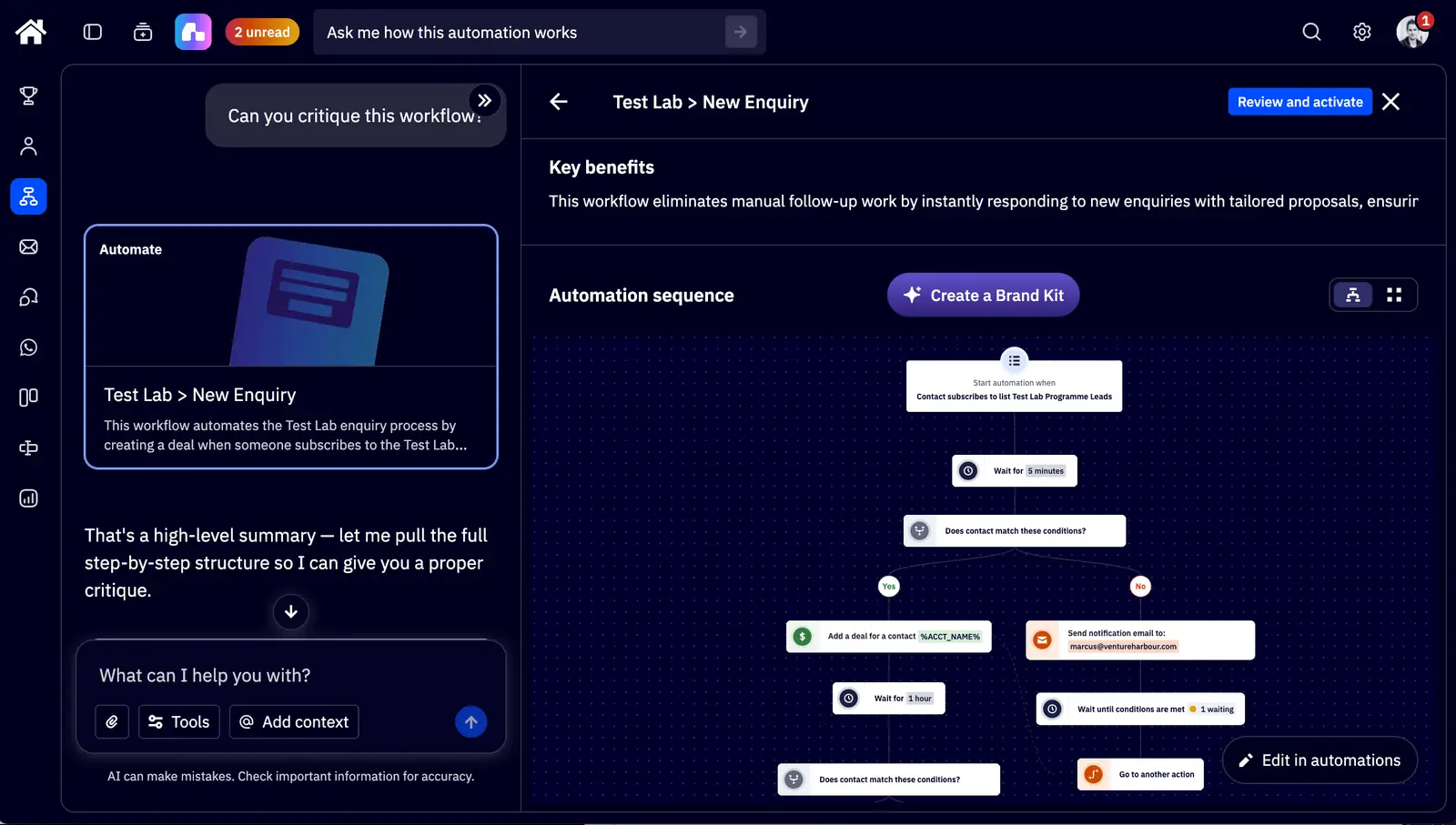
The reason is automation. Mailchimp’s builder is easy to use, but our latest Mailchimp test found it better suited to welcome sequences, delays, split paths and behavioural branches. ActiveCampaign’s visual workflow builder gives you 135+ triggers, if/else branching and split-testing of entire automation paths.
Here’s my latest ActiveCampaign testing video:
ActiveCampaign’s AI is the second gap. In our Mailchimp review, Intuit Assist was useful for copy and content blocks, and the Claude connector produced importable drafts after some pushing. But I still could not simply ask it to create one campaign directly.
Active Intelligence goes further. In our ActiveCampaign review, I used it to draft full sequences from a brief, critique existing workflows and surface split-test variations. I still tweak anything AI produces before sending, but it saves hours on the first pass.
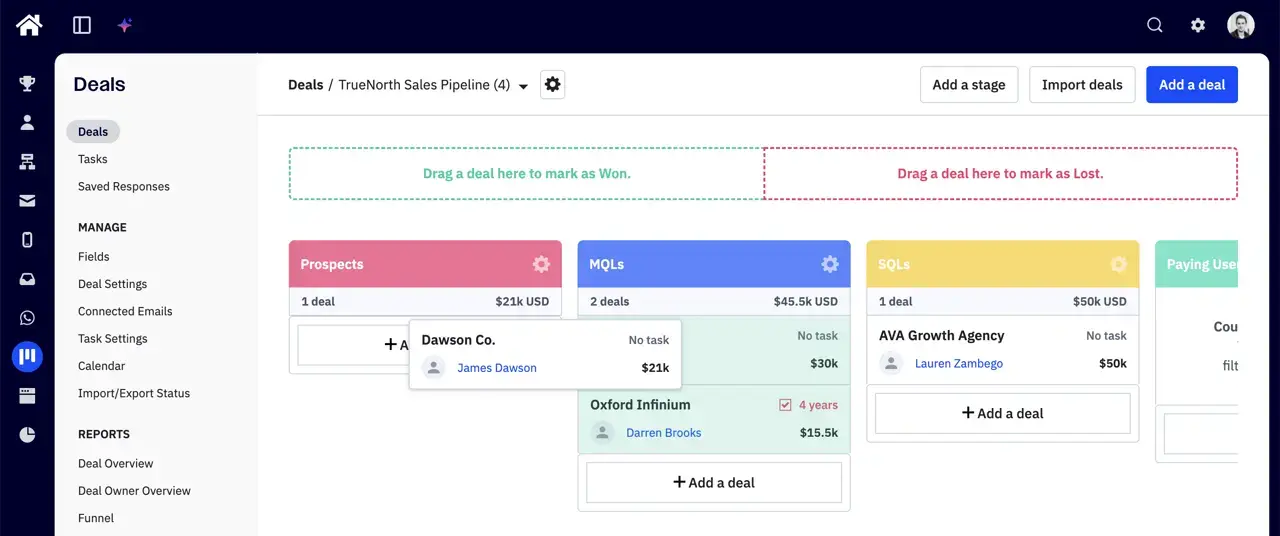
Then there is the CRM. Mailchimp has contact records and audience fields, but no CRM in the pipeline sense. ActiveCampaign’s CRM is basic, and we would not run a large sales team on it, but it is enough to trigger emails from deal stages, lead scores and lifecycle changes.
It also gets the boring bits right. ActiveCampaign’s own deliverability study puts inbox placement at 94.2% against an industry average of around 83%, and the platform has stronger list-hygiene tooling than Mailchimp. Your list quality still matters, but the infrastructure is in better shape.
Switching from Mailchimp: ActiveCampaign includes free migration from any competing platform as part of its customer success guarantees. Pricing starts at $15/mo for 1,000 contacts, barely more than Mailchimp’s $13/mo entry point. I’ve written up the full head-to-head in ActiveCampaign vs Mailchimp, and there’s a deeper look in my ActiveCampaign review.
The downside: it’s overkill if you just send a monthly newsletter, and the 2024 price hikes (30-40% overnight for some long-time customers) damaged trust. At 100,000 contacts, Starter runs $1,199/mo. Fine if automation drives revenue for you, hard to justify if it doesn’t.
Try ActiveCampaign free for 14 days →
02Omnisend
If you’re running a Shopify or WooCommerce store on Mailchimp, Omnisend is the switch I’d make first. It was built from the ground up for eCommerce: revenue attribution, product recommendations driven by purchase history, and a 4.8-star Shopify app rating with 5,000+ five-star reviews.
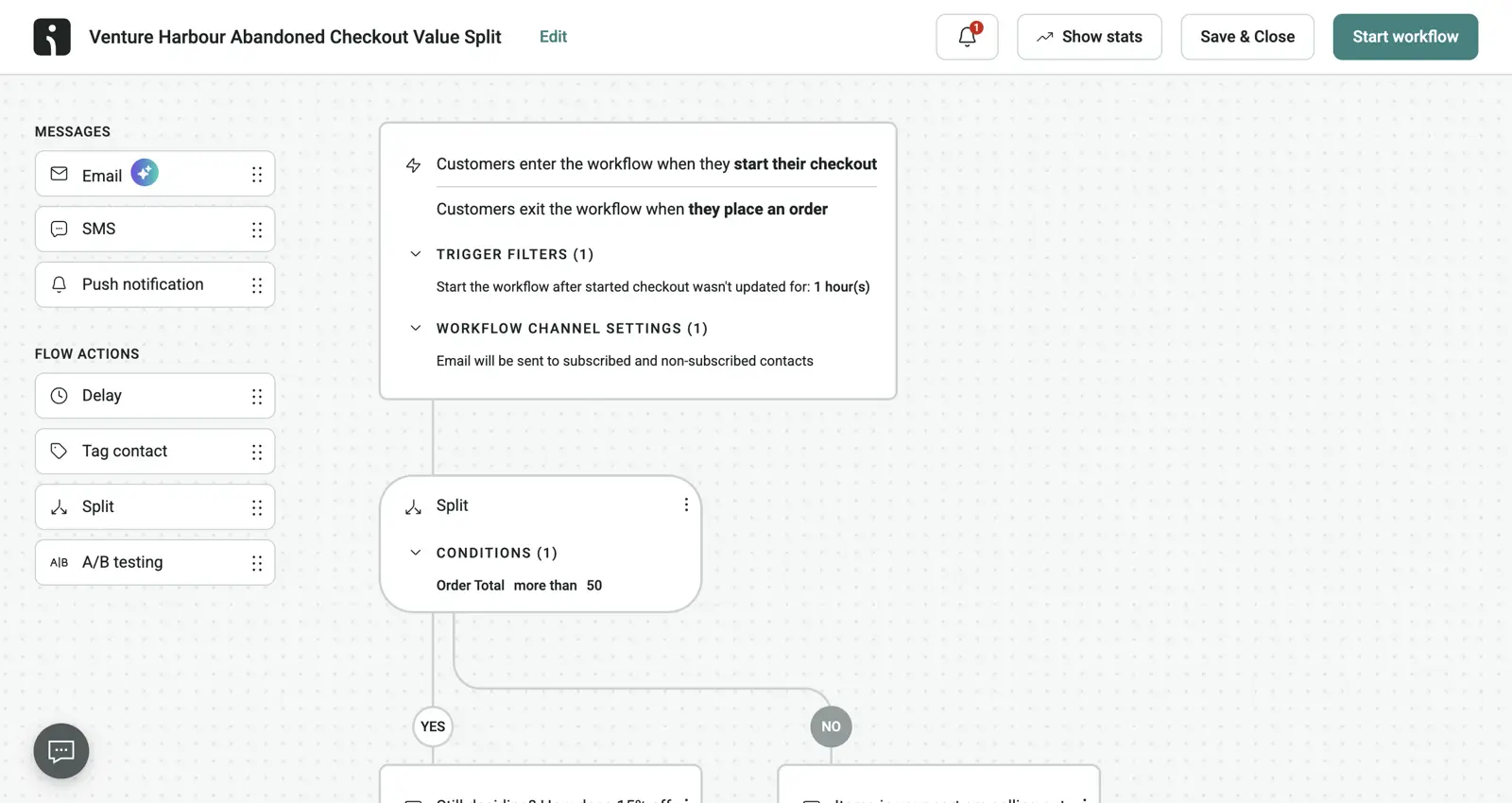
The omnichannel workflows are the standout. You can build a single automation that sends an email, fires a push notification if it’s unopened, then follows up with an SMS — natively, without stitching together third-party integrations. Mailchimp’s abandoned cart feature is arguably its best automation; Omnisend treats that as the starting point.
Switching from Mailchimp: this is where Omnisend is genuinely hard to beat. Its self-serve migration tool syncs your contacts, tags, segments, and engagement stats from Mailchimp automatically. On any paid plan, their team handles the whole move for free, including rebuilding your automations. Setup takes 15-20 minutes once your store is connected — more detail in my Omnisend review.
The downside: it’s the wrong tool if you’re not selling products online. The free plan (250 contacts, 500 emails, 60 SMS) is essentially a demo, and the Standard plan caps sends at 12x your contact list per month. Pricing starts at $16/mo for 500 contacts, and at 10,000 contacts it’s $132/mo (cheaper than Klaviyo’s $150+ at the same tier).
Start selling more with Omnisend →
03Constant Contact
Test Lab Partner (Paid)Constant Contact is a member of our Test Lab Programme, which means we receive a fee to conduct hands-on testing of their platform. Learn more about our Test Lab Programme →The cheap starter pick
Constant Contact is back on my shortlist for one specific reason: Starter Email. It costs $6/month, stores unlimited contacts and gives you 2,500 email sends per month.
That makes it a strong Mailchimp alternative if your list is growing faster than your campaign frequency. A local business collecting enquiries, a solo entrepreneur testing a new offer or a seasonal project can keep building the list without being punished by contact-based pricing.
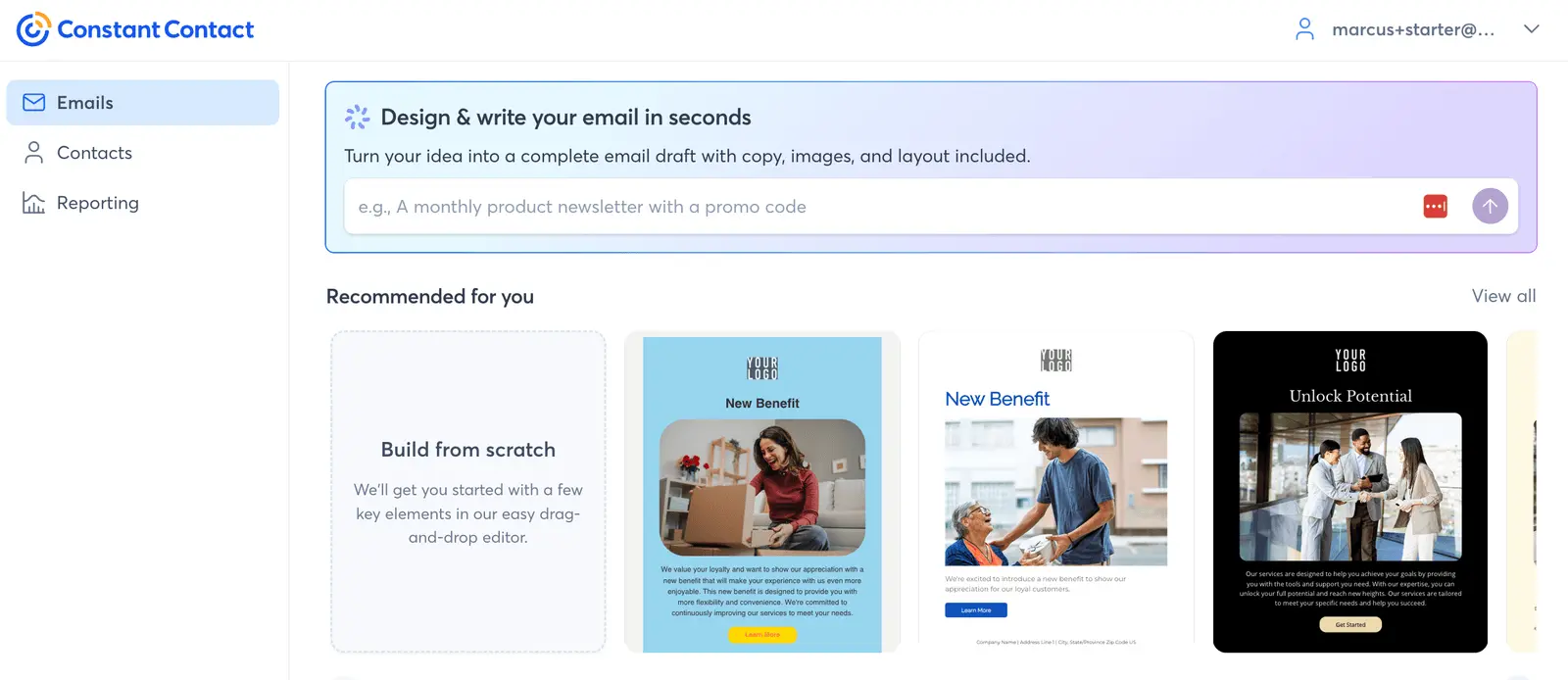
Switching from Mailchimp: the contact import worked after I cleaned up the worst rows in my test CSV, and the editor was easy enough to rebuild a designed email without training. The default email scored 9/10 in Mail Tester, which is a good sign for the boring deliverability setup.
The catch is the send cap. A 2,500-person list can receive one full-list campaign a month on Starter Email, and the automation builder is only sensible for simple welcome sequences. If you email weekly or need behavioural workflows, ActiveCampaign or Brevo will age better.
Try Constant Contact for $6/month ->
04Kit
I use Kit for my YouTube channel’s newsletter, so I’ll declare that bias upfront. The free plan covers up to 10,000 subscribers with unlimited broadcasts, landing pages, and forms. Mailchimp’s free tier covers 250 contacts and 500 emails a month, although its email editor is more flexible.
Kit does three things exceptionally well: capture emails, send newsletters, and stay out of your way. The landing pages are intentionally minimal (no sidebars, no distractions) and my lead magnet conversion rates consistently hit 30-50%, well above the 10-15% industry average. Our migration data shows very few people leave Kit once they arrive.
Switching from Mailchimp: like most modern tools, Kit imports Mailchimp lists directly, and for a typical creator list the move is an afternoon’s work rather than a project. The bigger job is recreating any automations, which brings me to the catch.
The catch: the free plan includes just one basic visual automation. Full sequences need the Creator plan at $33/mo for 1,000 subscribers, which is a slightly jarring jump from $0. And if your business evolves beyond “creator building an audience” (a CRM, lead scoring, anything eCommerce), you’ll outgrow it and be migrating again.
Build your audience with Kit (free up to 10K subscribers) →
05Brevo
Brevo (formerly Sendinblue) prices by email volume rather than contacts, which suits businesses with a large list that they email infrequently. Every plan includes unlimited contacts, while the free plan allows 300 emails a day.
I’ve used Brevo since 2016 and sent 640,199 emails through it across our ventures without much drama. It’s not exciting. But the maths is persuasive: a business with 25,000 contacts emailing weekly pays around $129/mo on Brevo Standard, versus approximately $260/mo on Mailchimp Standard. The paid plans start at $25/mo for 20,000 emails.
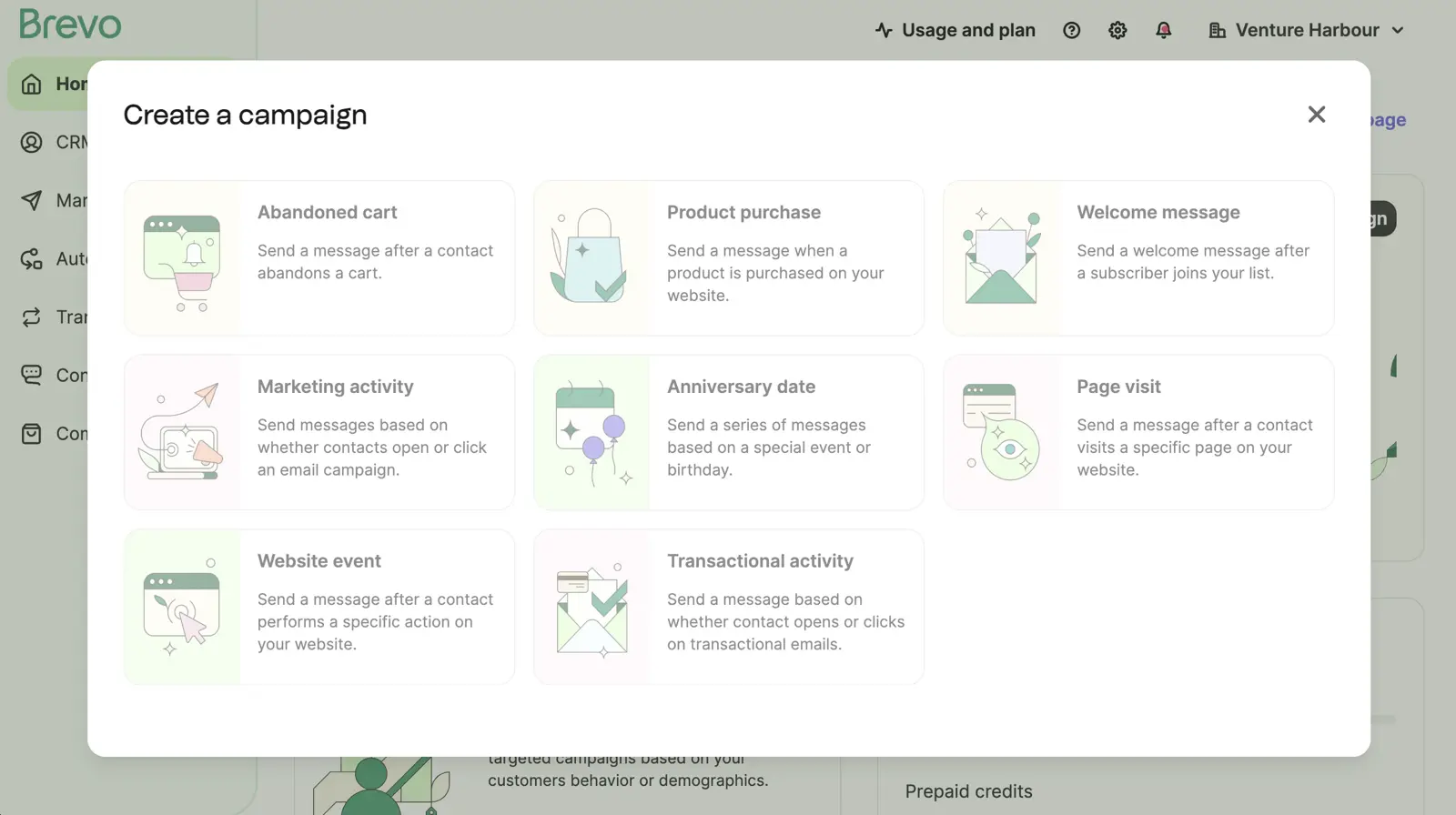
Switching from Mailchimp: the import is straightforward, and Brevo includes transactional email in the same platform, so if you’re currently running Mailchimp plus a separate transactional service, you can consolidate to one bill. My full thoughts are in the Brevo review.
The downside: the automation has a low ceiling. Linear sequences are fine, but there’s no split-testing of paths and no predictive sending. The email editor is also less polished than Mailchimp’s, which remains one of the best in the category. And some users report account throttling when sending volume spikes.
Send 300 emails a day free with Brevo →
06Campaigner
Campaigner is for businesses that want Mailchimp-level simplicity with a smarter AI layer. Its Audience Intelligence tools benchmark subject lines and content suggestions against your own historical open rates rather than a generic dataset. That makes its suggestions more relevant to your campaigns than the generic AI feedback built into many email tools.
It’s also a deliverability-first ESP with 20+ years of history, and independent inbox-placement tests consistently put it in the top tier alongside ActiveCampaign. At $14/mo for 1,000 contacts it undercuts both Mailchimp and ActiveCampaign at entry, and it scales gently, at $79/mo for 10,000 contacts.
Switching from Mailchimp: the 30-day free trial (with full AI access, nothing paywalled) is long enough to actually migrate a list and run a full campaign cycle before paying anything. Most competitors give you 14 days, which in practice isn’t.
The downside: no free plan at all, so if $0 on the invoice is the deciding factor, Brevo or Kit win. The automation builder is limited (anyone with serious workflow ambitions will outgrow it within a year) and the reporting has no revenue attribution.
Try Campaigner free for 30 days →
07Beehiiv
If your Mailchimp account is really just a newsletter with ambitions, Beehiiv is worth a look. I use it for my own personal newsletter, and it’s essentially an email tool plus a newsletter ad network plus a paid-subscriptions engine. On the Scale and Max plans it takes 0% of your subscription revenue. Substack takes 10%.
The pricing model is the other draw: flat tiers rather than per-contact billing. The free Launch plan covers 2,500 subscribers with unlimited sends, and at the top end you can run up to 100,000 subscribers for $43/mo on Scale or $96/mo on Max. Per-contact tools cost several times that at the same scale.
Switching from Mailchimp: fine for the list itself, but be aware you’re not moving to an equivalent tool. Beehiiv is a newsletter platform, not an email marketing platform: no CRM, no eCommerce integrations, no multi-channel automation.
The downside, from experience: features I expected to be standard (custom HTML, A/B testing, automations) are locked behind the paid plans. For a free, non-monetised newsletter, Kit gives you more at no cost. There are also growing pains; occasional bugs and UI glitches come with a platform scaling this quickly.
Launch your newsletter with Beehiiv (free up to 2,500 subscribers) →
08GetResponse
Here’s a piece of personal history: when I moved Venture Harbour’s lists off Aweber and Mailchimp in 2014, GetResponse is where they went, and open rates climbed by 48% after the move. That was a long time ago, and the market has changed, but the deliverability has stayed reliable ever since.
Today I’d describe GetResponse as a budget HubSpot: email, landing pages, webinars, automation, and a website builder from $19/mo. The webinar platform is the genuine differentiator: native webinars for up to 100 attendees (500 on Enterprise), which nothing else at this price includes. Registered non-profits get 50% off every paid plan, which makes it the obvious pick for charities.
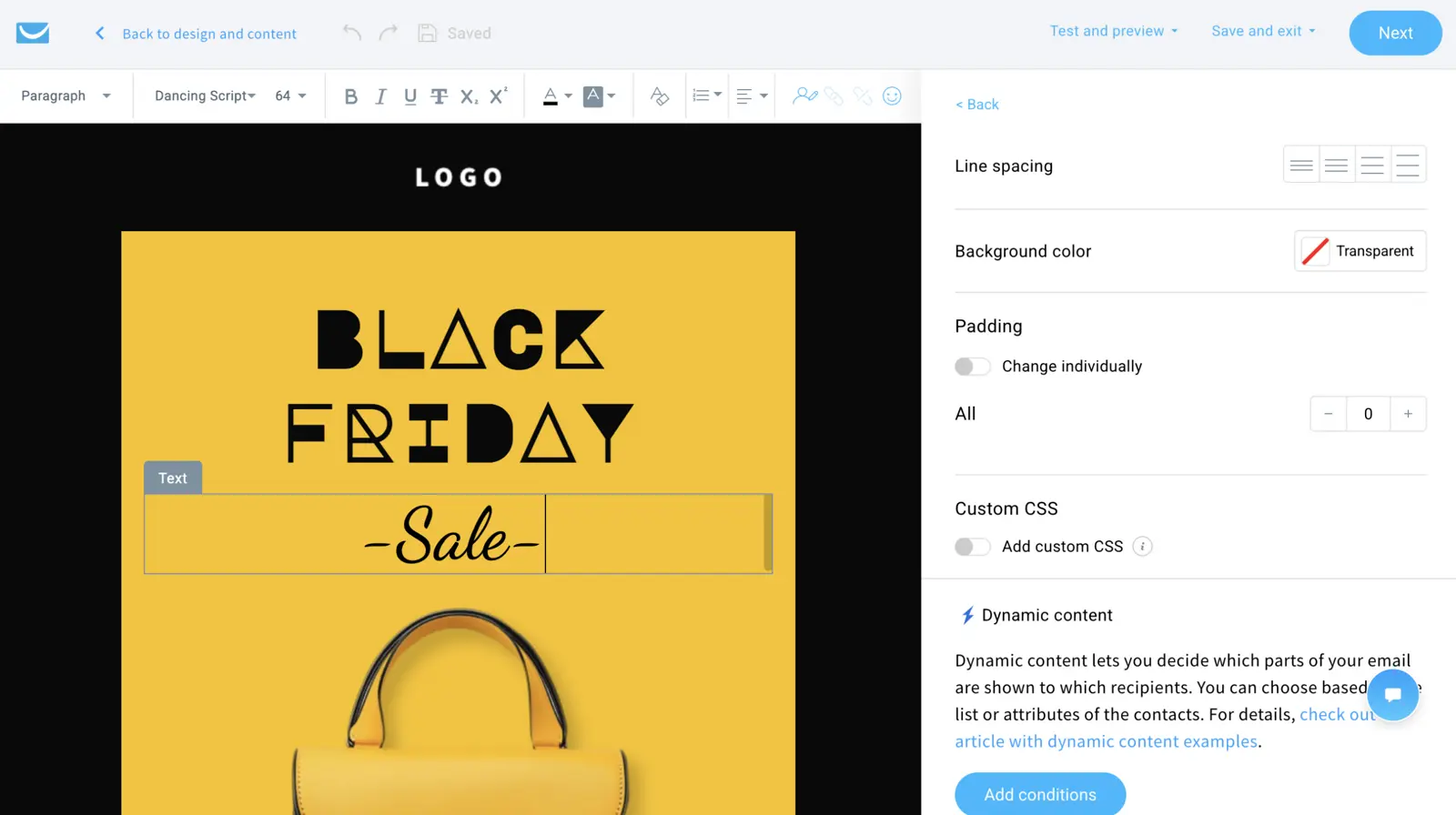
Switching from Mailchimp: I’ve done this exact migration, and it was one of the smoother platform moves I’ve made. There’s a free plan (500 contacts, 2,500 emails a month) to test with before committing, and the scaling is kind: $539/mo at 100,000 contacts versus ActiveCampaign’s $1,199. My full write-up is in the GetResponse review.
The downside: jack of all trades, master of none. The automation isn’t as good as ActiveCampaign’s, the CRM isn’t as good as HubSpot’s, and the templates look dated. Everything is good enough — but there’s always a better specialist option.
Try GetResponse free (500 contacts) →
09HubSpot
HubSpot is the best Mailchimp alternative for exactly one type of business: established B2B service companies that need to connect email campaigns directly to revenue. Because the CRM, email, and website are all native, you can trace a closed deal back to the blog post that attracted the lead and the sequence that nurtured them. You can walk into a board meeting and say “this campaign generated £42,000 in pipeline” — and mean it.
For smaller teams, the cost is difficult to justify. The Starter plan at $15/mo per seat looks Mailchimp-priced, but the features that make HubSpot worth using require Professional at $890/mo. Then come mandatory onboarding fees of $3,000-$7,000 and, in practice, a specialist at £80-150/hour to run it.
Switching from Mailchimp: the list import is trivial; adopting the platform is not. You won’t do it in a weekend. It’s an implementation project, which is why those onboarding fees exist. Start with the free CRM (2,000 emails a month, HubSpot branding) and see whether the ecosystem fits before committing.
The downside is simply the cost trajectory. That $15-to-$890 jump between Starter and Professional is a 59x increase. ActiveCampaign gives you comparable automation from $15/mo.
10Resend
An odd one to end on, but a real migration path I keep seeing. If you’re a developer using Mailchimp to send emails your application triggers, Resend is the better tool. It’s an email API with a free tier of 3,000 emails a month, and a Pro plan at $20/mo for 50,000 emails. I’ve used it across half a dozen micro-SaaS projects and I don’t think I’ve ever actually paid for it.
Setup takes minutes. Add a domain, verify DNS, grab an API key, send. Lovable or Claude Code will usually ask for the key and wire it up.
Switching from Mailchimp: there’s no import wizard because there’s nothing to import into — you’re replacing a marketing platform with infrastructure. That’s the point, and also the warning.
The downside: no visual editor, no campaign builder, no landing pages, no forms. If anyone non-technical needs to send a newsletter, Resend alone won’t cut it — pair it with Kit or Campaigner for the marketing side.
When you should stay on Mailchimp
Mailchimp is easier to like than its reputation suggests, and switching has a real cost. Even a smooth migration means 1-2 days of rebuilding automations and re-authenticating domains, plus a couple of weeks warming up sending volume.
Stay if your list is small, you send occasional newsletters and you like the email editor. That last one matters — in our latest Mailchimp review, I rebuilt a designed Slack campaign in eight minutes, faster than I managed in ActiveCampaign, HubSpot, Omnisend or Constant Contact.
The moment to leave is when email stops being occasional. Mailchimp can handle welcome sequences, delays, split paths and behavioural branches, but ActiveCampaign and HubSpot are stronger if you need AI-assisted journey planning, CRM triggers or actions inside third-party apps.
Pricing is the other rub. The free plan is tiny at 250 contacts and 500 monthly sends, and paid bills climb as your list grows. In our Mailchimp review it scored 4.3/5 — strong for ease of use, weaker once automation depth starts to matter.
Final word
Don’t overthink this. If you want the short version: automation-hungry businesses go to ActiveCampaign (the route our migration data shows most Mailchimp leavers take). The full comparison is in ActiveCampaign vs Mailchimp. Stores go to Omnisend, creators go to Kit, and infrequent small-business senders go to Constant Contact.
Whichever you pick, keep the Mailchimp account open for 30 days after the move in case you need to reference old campaigns. Then close it and get back to actually sending emails — the tool only matters if it gets emails sent.
For the full rankings, methodology, and pricing at every list size, see our best email marketing software guide.