


There are hundreds of platforms claiming to be an “all-in-one CRM with marketing automation” in 2026. Most of them aren’t, in any serious sense.
I’ve sent 124,000+ emails through ActiveCampaign across our portfolio companies, 640,000+ through Brevo since 2016, and tested every other tool here.
- ActiveCampaign if marketing automation drives your sales process and you can budget separately for CRM.
- Omnisend if you run an eCommerce store.
- HubSpot if you’re B2B and need good revenue attribution (e.g. high-ticket sales).
- Brevo if your list is huge but you don’t send often.
The Best CRMs with Marketing Automation in 2026
| Tool | Best For | Price From | Free Plan? |
|---|---|---|---|
 ActiveCampaign ActiveCampaign | Marketing-led teams | $15/mo email only; CRM extra | 14-day trial |
 Omnisend Omnisend | eCommerce (Shopify, WooCommerce) | $16/mo | Yes — 250 contacts |
 HubSpot HubSpot | B2B with revenue attribution | $15/seat/mo | Yes — free CRM |
 Brevo Brevo | Big list, low send volume | $0 (300 emails/day) | Yes — unlimited contacts |
 Nutshell Nutshell | Sales-led B2B; unlimited contacts on every plan | $13/seat/mo | 14-day trial |
 EngageBay EngageBay | Budget all-in-one for SMBs and non-profits | Free | Yes — 250 contacts |
 Pipedrive Pipedrive | Sales-led teams who want a pipeline first | $14/seat/mo | 14-day trial |
 Klaviyo Klaviyo | Large eCommerce lists & DTC brands | $20/mo | Yes — 250 contacts |
 Zoho CRM Zoho CRM | Customisation and the wider Zoho stack | $14/seat/mo | Yes — 3 users |
 Freshsales Freshsales | Affordable AI-assisted SMB CRM | $9/seat/mo | Yes — 3 users |
Prices verified May 2026. All starting prices reflect the lowest entry tier; per-contact pricing scales fast — see the detailed pricing comparison for figures at 1K, 10K, and 100K contacts.
01ActiveCampaign
Test Lab Partner (Paid)ActiveCampaign is a member of our Test Lab Programme, which means we receive a fee to conduct hands-on testing of their platform. Learn more about our Test Lab Programme →Best for marketing-led teams that need lifecycle automation
I first used ActiveCampaign in 2012, and we’ve since sent over 124,000 emails across eight portfolio companies. I still favour it for marketing automation, but its CRM feels neglected alongside the automation builder.
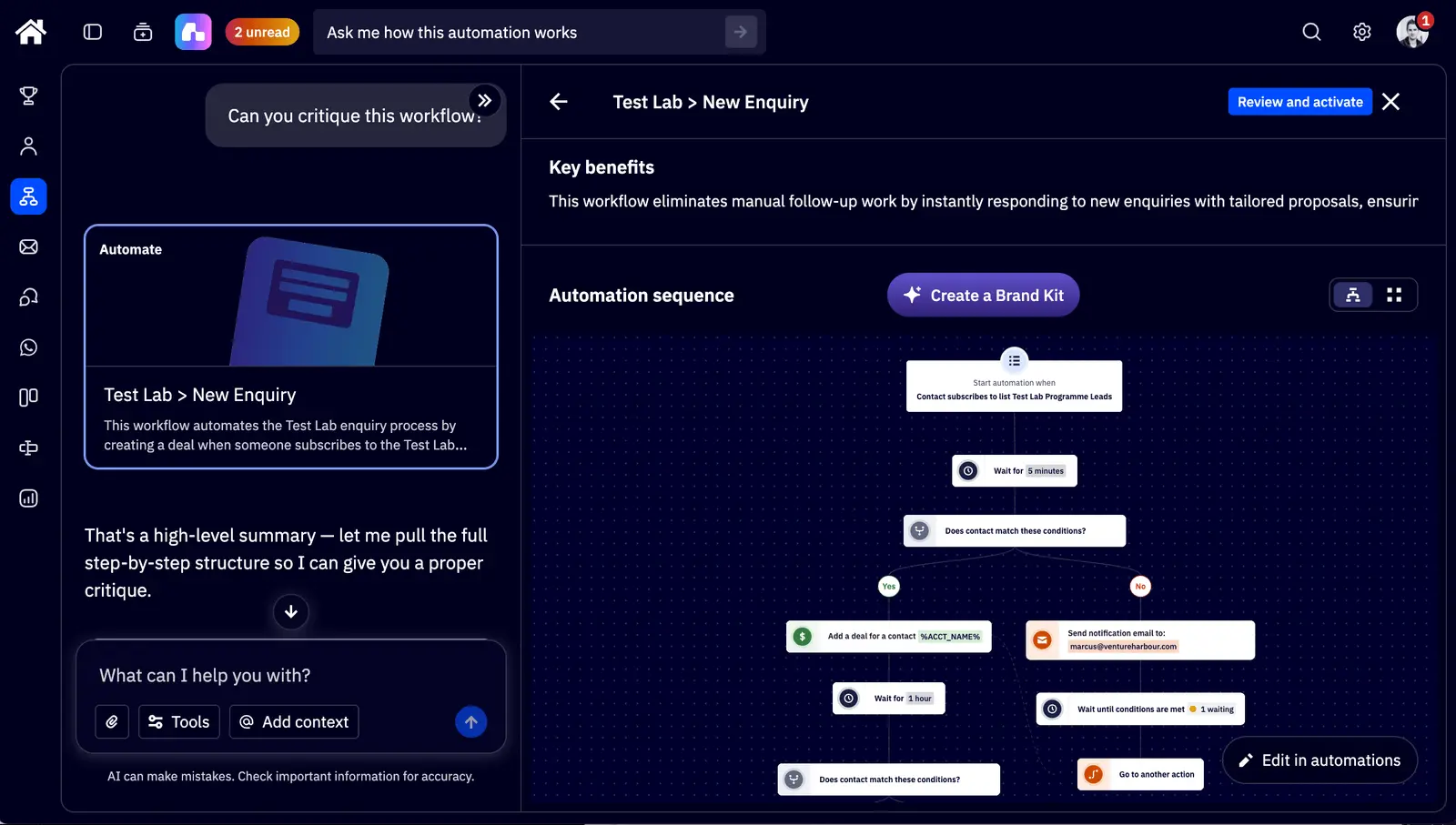
The visual builder lets us connect email engagement, site visits and contact tags to the next step in a sequence. Conditional branches, waits and goals give us control over who gets what, though complex workflows still need someone to maintain them.
Our latest ActiveCampaign review scored it 32/40 across eight tests. The automation builder scored 5/5; the CRM, reporting and access to human support were weaker.
Active Intelligence was useful when I asked it to build a segment and critique an existing onboarding sequence. It spotted an unfinished A/B test, a high unsubscribe rate and a missing preheader, then suggested fixes.
It struggled when I asked it to create A/B tests for every email. The assistant couldn’t add the split actions itself, and its email draft ignored my one-image, one-column instructions (so I still check the output).
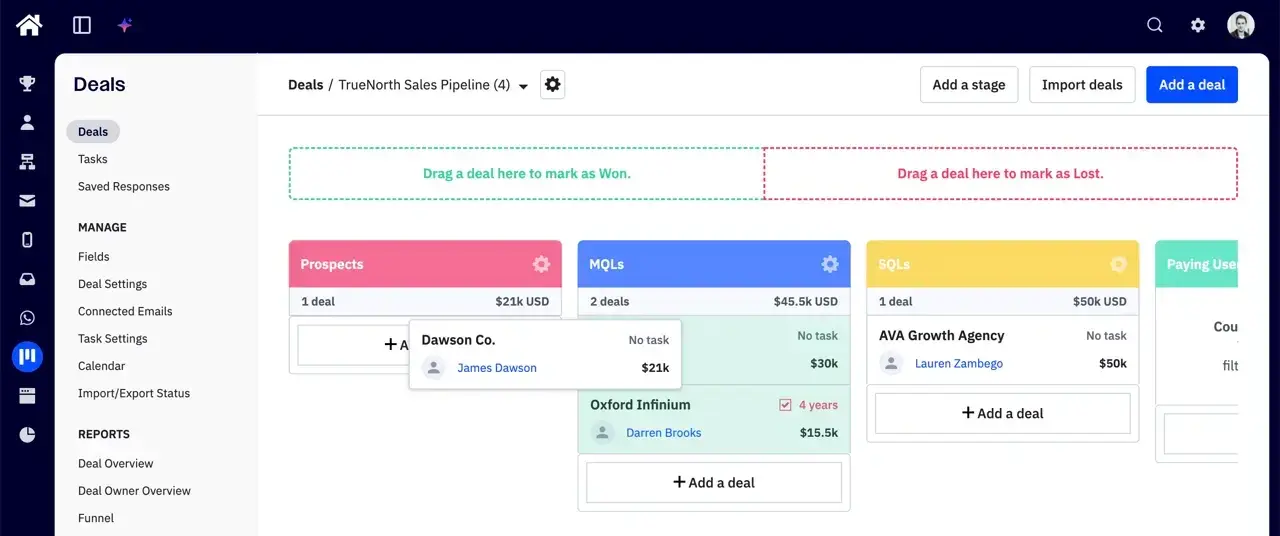
The CRM gives you pipelines, deal stages and contact records that can feed your automations. Our TrueNorth pipeline shows prospects, marketing-qualified leads and sales-qualified leads, with deal values and owners alongside them.
We’ve had the CRM enabled but rarely used it as our primary sales tool. It gets cumbersome with more deals and contacts. I’d pair ActiveCampaign with Pipedrive or HubSpot if a sales team needs to work in it all day.
Its deal-management features also require a paid CRM add-on on Plus or above. The $15 Starter price won’t buy you the pipeline shown below.
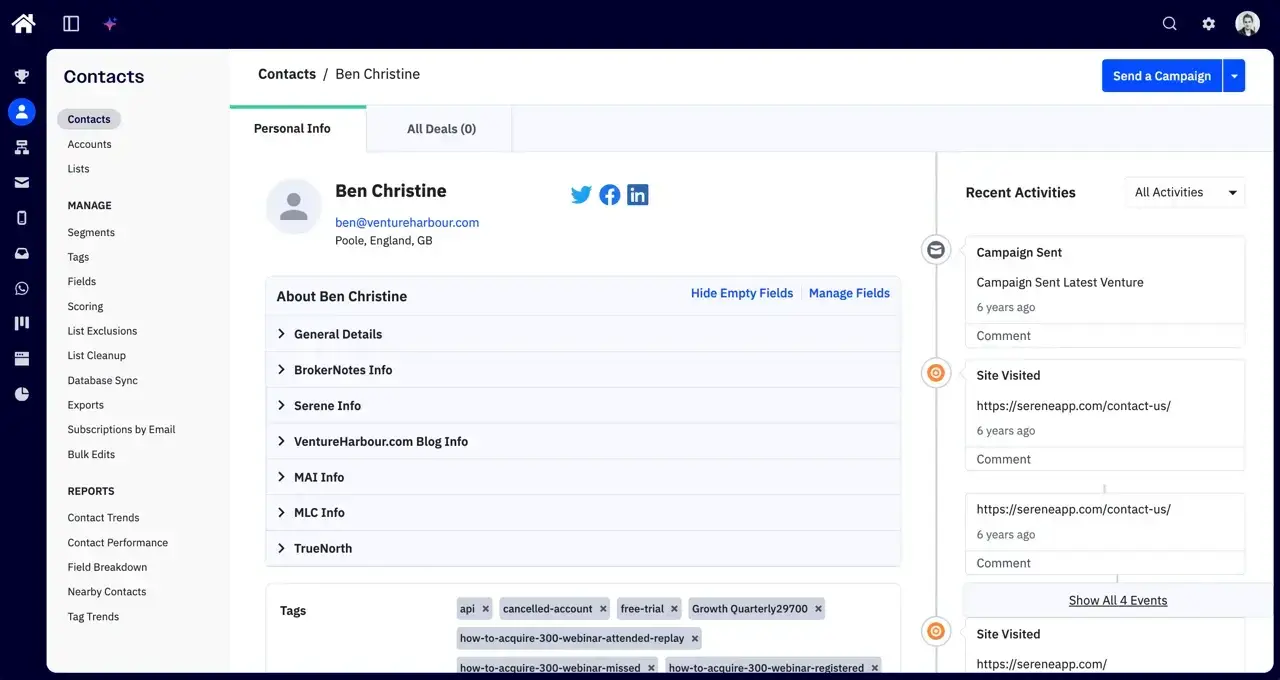
Contact records bring custom fields, tags and recent activity together. Ben’s record below shows a sent campaign and visits to Serene’s website, giving us context for a follow-up.
For one of our ventures, we also use lead scoring to separate cold, marketing-qualified and sales-qualified leads. That depends on setting sensible scoring rules — the software can’t decide what a qualified lead means for your business.
I’d use this contact history to support nurture sequences and hand leads over to sales. For forecasting and complex deal management, I’d still want a dedicated CRM.
Pros and Cons
-
Flexible automation: Conditional branches, goals and split testing support lifecycle sequences beyond a basic welcome email.
-
Useful AI critique: Active Intelligence found specific problems in our sequence and suggested fixes.
-
CRM costs extra: Deal management needs an add-on, and larger sales teams may still need a separate CRM.
-
AI needs checking: Email layouts and A/B test setup needed manual intervention in our tests.
-
Too much for a newsletter: Simpler email tools cost less if you don’t need lifecycle automation.
Pricing
The prices recorded in our ActiveCampaign review start at $15/mo for Starter, $49/mo for Plus and $79/mo for Pro. Those are email-plan prices for 1,000 contacts on annual billing, before CRM add-ons.
Starter limits each automation to five actions. Plus removes that limit, while automation-path split testing requires Pro or Enterprise, so price the plan your workflows actually need.
Accounts created on or after 3 November 2025 are billed for all contacts, including unsubscribed, bounced and unconfirmed contacts. Accounts created before that date retain active-only billing; clean your list before importing it and factor this into your budget.
Check ActiveCampaign’s pricing for your contact count and CRM add-ons before committing. The entry price alone doesn’t tell you what a working marketing-and-sales setup will cost.
Is ActiveCampaign the right CRM for you?
I’d choose ActiveCampaign if your team runs multi-step nurture or trial-to-paid sequences and needs contact history to drive those automations. Its CRM can support a small marketing-led team, but I wouldn’t choose it to run a larger sales operation.
For sales-led teams, pair it with Pipedrive or HubSpot. For a monthly newsletter, Brevo or MailerLite costs less.
Try ActiveCampaign free for 14 days →
02Omnisend
Test Lab Partner (Paid)Omnisend is a member of our Test Lab Programme, which means we receive a fee to conduct hands-on testing of their platform. Learn more about our Test Lab Programme →Best for eCommerce
Omnisend is the best CRM with marketing automation for eCommerce businesses I’ve tested. I’d suggest it if you sell products through Shopify, WooCommerce, BigCommerce, Wix, or Squarespace. It costs less than Klaviyo at every tier I’ve benchmarked.
Connect your store and Omnisend pulls in your products, your brand colours and fonts, and your customer list. It also adds pre-built automations — welcome series, abandoned cart, browse abandonment, post-purchase, win-back, replenishment reminders.
Switching them on takes another five minutes. From “no email programme” to “live revenue-attributed flows” is an afternoon’s work.
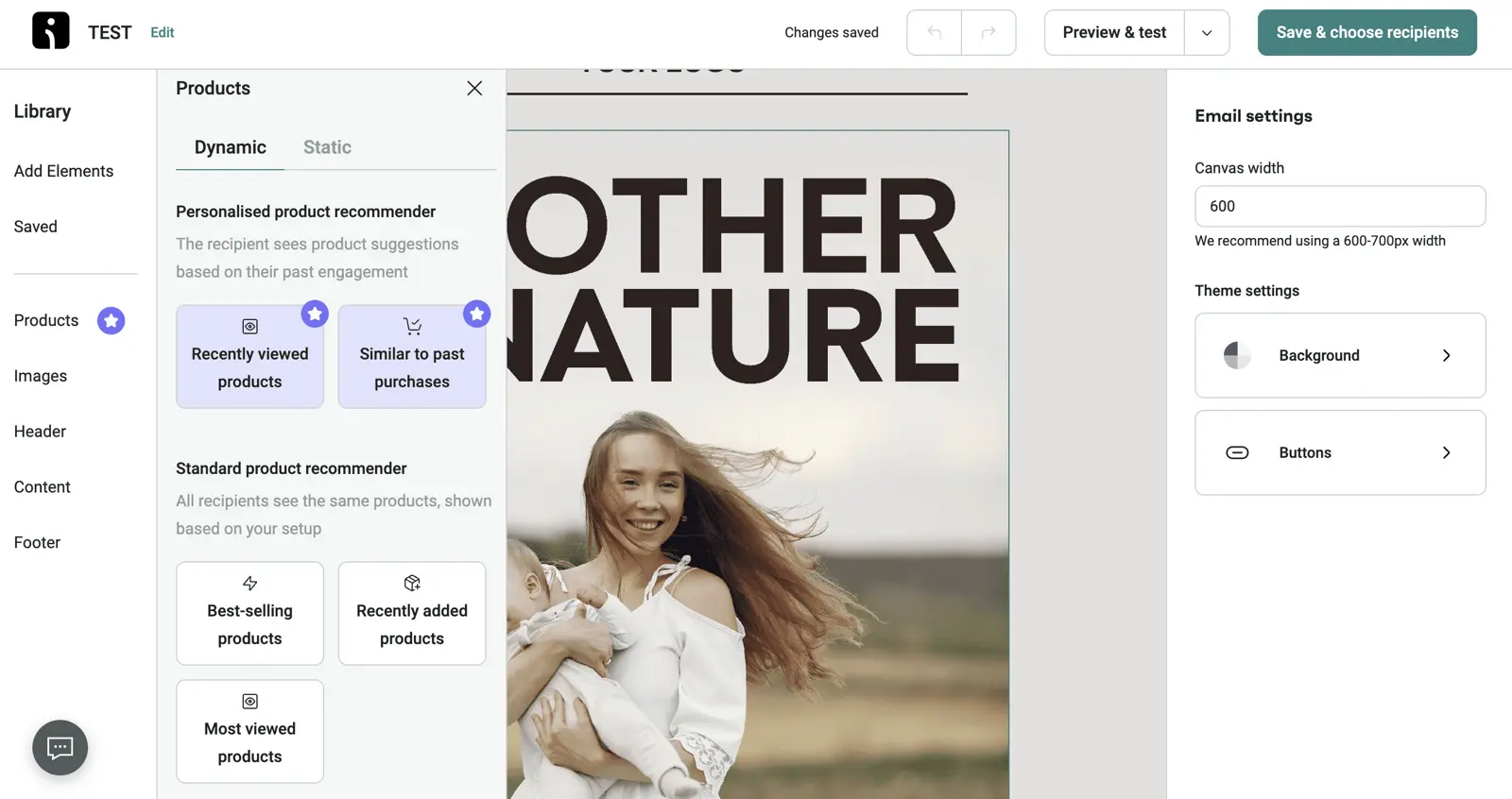
Revenue attribution is the differentiator. Omnisend traces every dollar back to the specific campaign, automation, and A/B variant that produced it — no UTM detective work. Combine that with omnichannel workflows (email, SMS, web push in a single visual builder, with fallback logic) and you have one tool covering the retention stack a typical store needs.
Omnisend is currently running a free, done-for-you migration from Klaviyo, Mailchimp, or any other ESP. Their team handles the list import, automation rebuilds, template recreation, and deliverability setup at no cost.
Pros and Cons
-
Setup is fast: Auto-imports products, brand styling, and customer list. Pre-built flows turn on with one click. Most stores are sending revenue-attributed campaigns within an afternoon.
-
Revenue attribution that holds up: Tracks revenue back to the specific email, automation, and variant that drove it. End of UTM guesswork.
-
Native omnichannel workflows: Email, SMS, and web push live in the same builder. Fallback logic (push → SMS if not opened, etc.) is built in, without needing Zapier.
-
Cheaper than Klaviyo at every tier I’ve tested: At 10K contacts, Omnisend Standard is around $132/mo vs Klaviyo at $150+. Comparable features for less money.
-
Free migration from any ESP: Done-for-you migration from Klaviyo, ActiveCampaign, Mailchimp at no cost. Removes the switching-cost barrier.
-
The AI writer is trained on real eCommerce campaigns rather than producing the obvious LLM filler. The natural-language segment builder (“customers who bought X but not Y in the last 90 days”) works well.
-
Built around eCommerce: If you’re not selling products online, the entire feature set will feel irrelevant. Don’t try to make it work for B2B or content businesses.
-
Reporting could be more flexible: The dashboards cover the basics well, but power users wanting custom report builders will find Klaviyo’s enterprise tier more capable.
-
SMS pricing varies by country: Forecasting international SMS costs is fiddly. Pro plans bundle some free credits which softens the pain.
Pricing
| Contacts | Standard | Pro |
|---|---|---|
| 500 | $16/mo | $59/mo |
| 5,000 | $81/mo | $90/mo |
| 10,000 | $132/mo | $150/mo |
| 100,000 | Custom | Custom |
The free plan works for a proof-of-concept but it caps at 250 contacts and 500 emails/month — enough to test, not enough to run a store. Most stores move to Standard within the first week.
Is Omnisend the right CRM for you?
Any Shopify, WooCommerce, BigCommerce, Wix, or Squarespace store doing more than $50K/year in revenue. I’d suggest Omnisend if you need abandoned cart, product recommendations, SMS marketing, and revenue attribution without stitching four platforms together with Zapier. It’s also worth considering if you’re on Mailchimp or Klaviyo and the bill is hurting — the free migration removes the friction of switching.
Anyone who isn’t running an online store. Omnisend’s entire feature set assumes you sell products. If you’re B2B, a creator, or running a service business, look at ActiveCampaign, HubSpot, or Brevo instead.
03HubSpot
Best for B2B with revenue attribution needs
HubSpot fits B2B businesses with $1M+ revenue and sales cycles measured in weeks rather than days. It’s easier to justify when a CFO wants a hard number for what marketing contributed to closed-won pipeline.
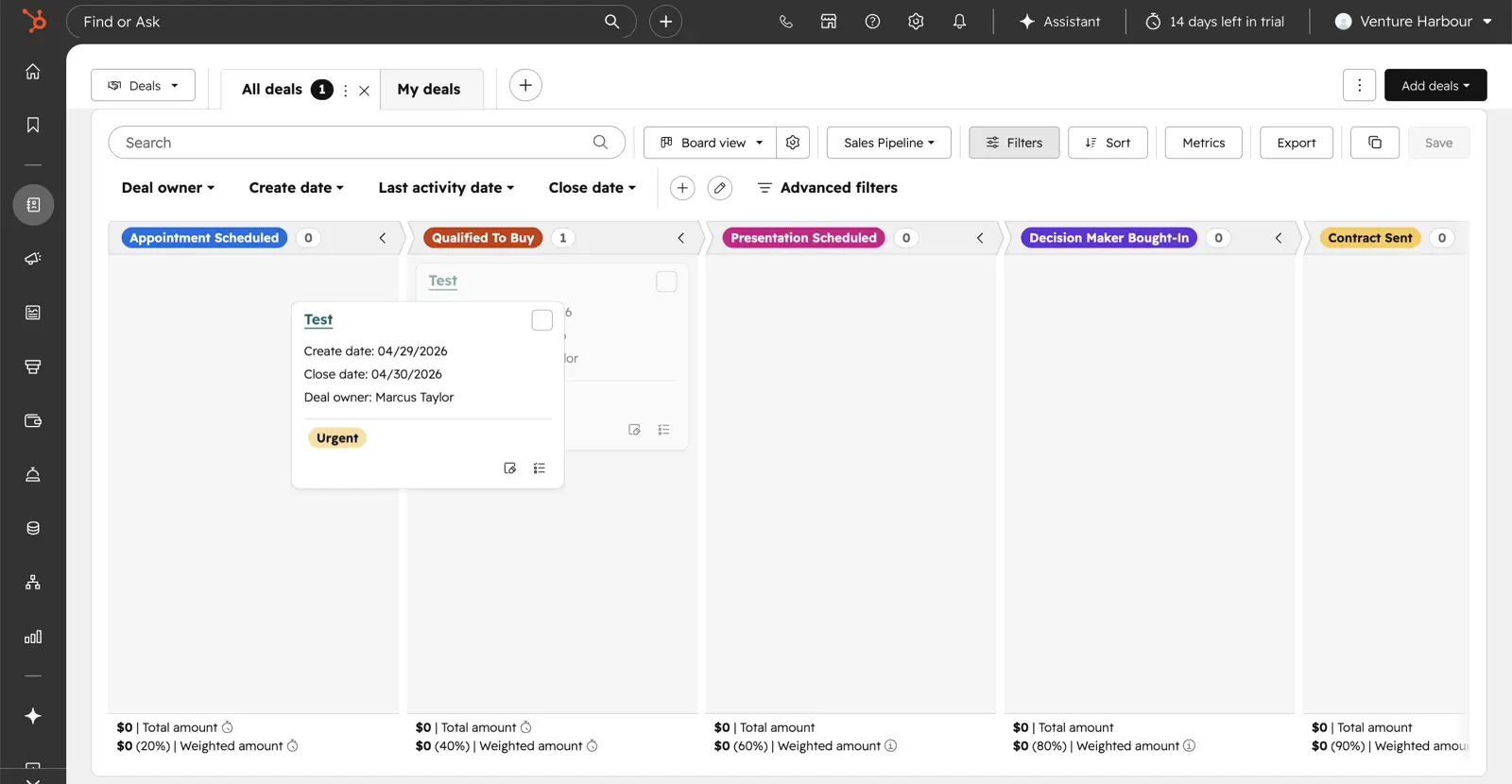
The CRM is fast, well-designed, and deeply integrated with the marketing, sales, service, and CMS hubs sitting on top of it. The Spring 2026 Spotlight added native multi-touch revenue attribution, so you can put a number against marketing’s contribution to closed-won pipeline. For the right buyer, that one feature is what makes the bill defensible.
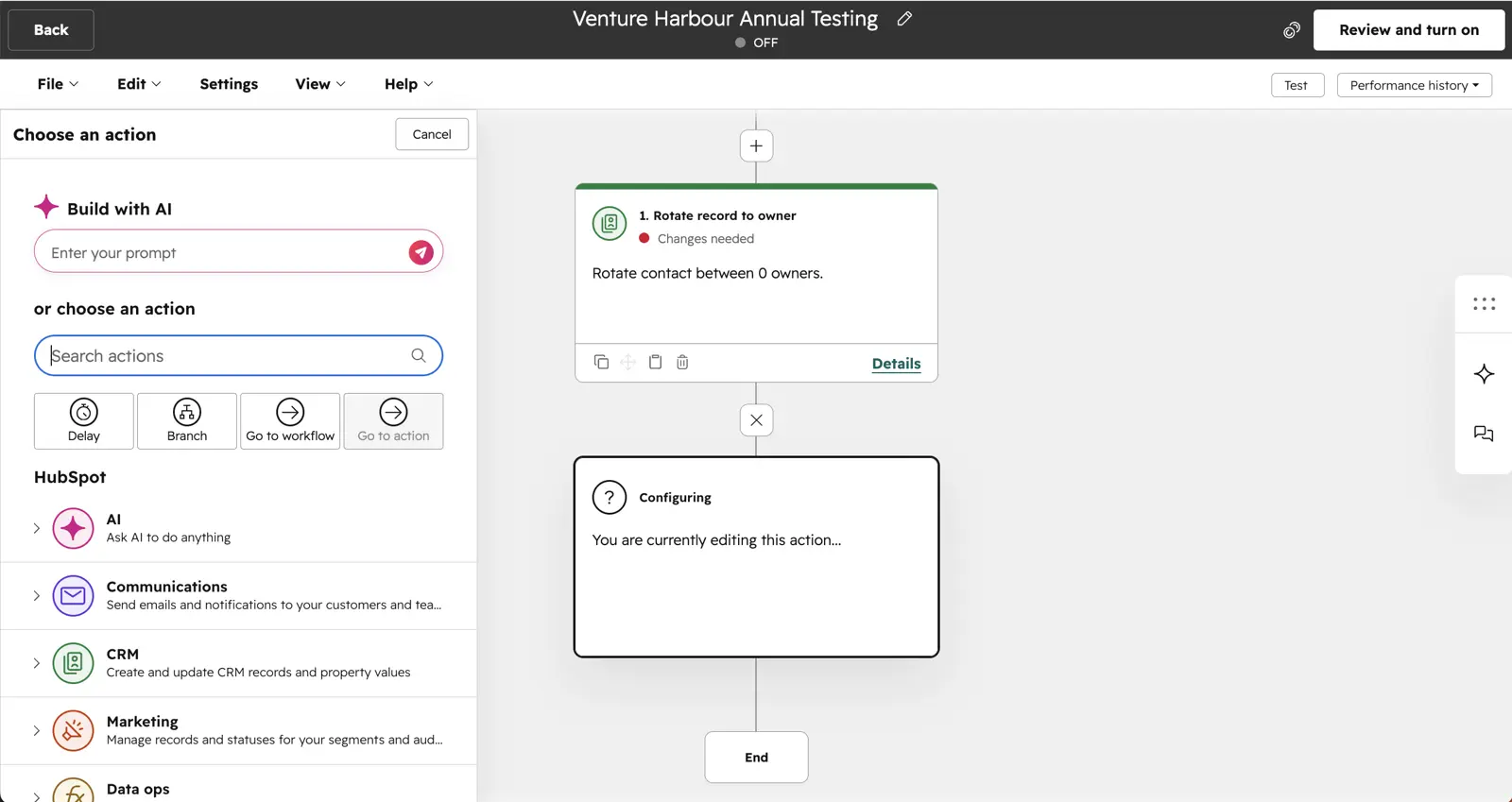
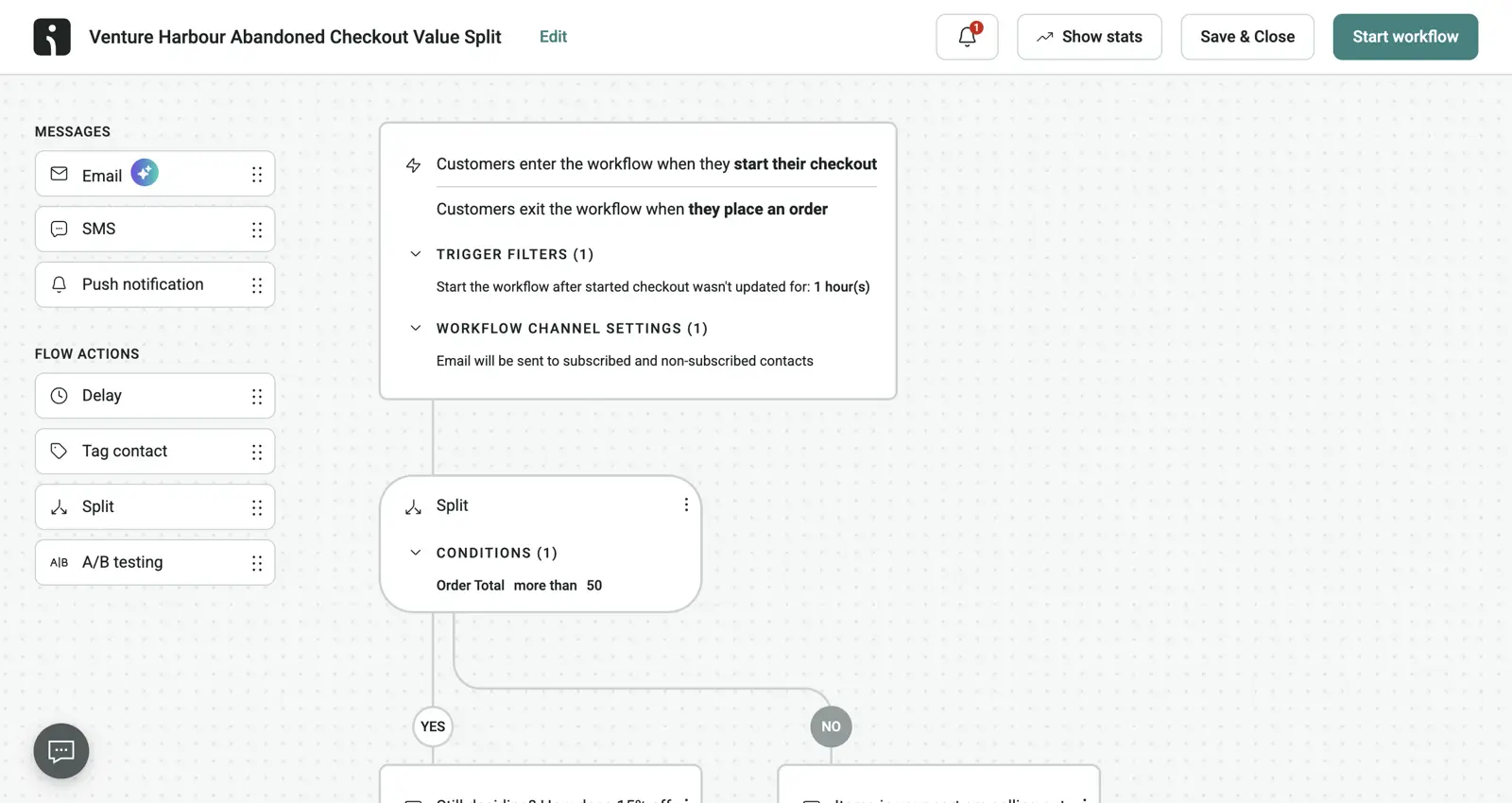
The jump from Starter ($15/seat/mo) to Professional ($890/mo, plus a non-refundable $3,000 onboarding fee, plus a 12-month commitment) is roughly 59x. There’s no middle ground.
If your business can’t justify that step, HubSpot Pro will sit empty in your stack. The Starter tier on its own isn’t enough to run serious marketing.
The Breeze AI suite includes Customer Agent, Data Agent, Prospecting Agent and Smart Property actions inside workflows. They’ve run on outcome-based pricing ($0.50/conversation, $1.00/qualified lead) since April 2026.
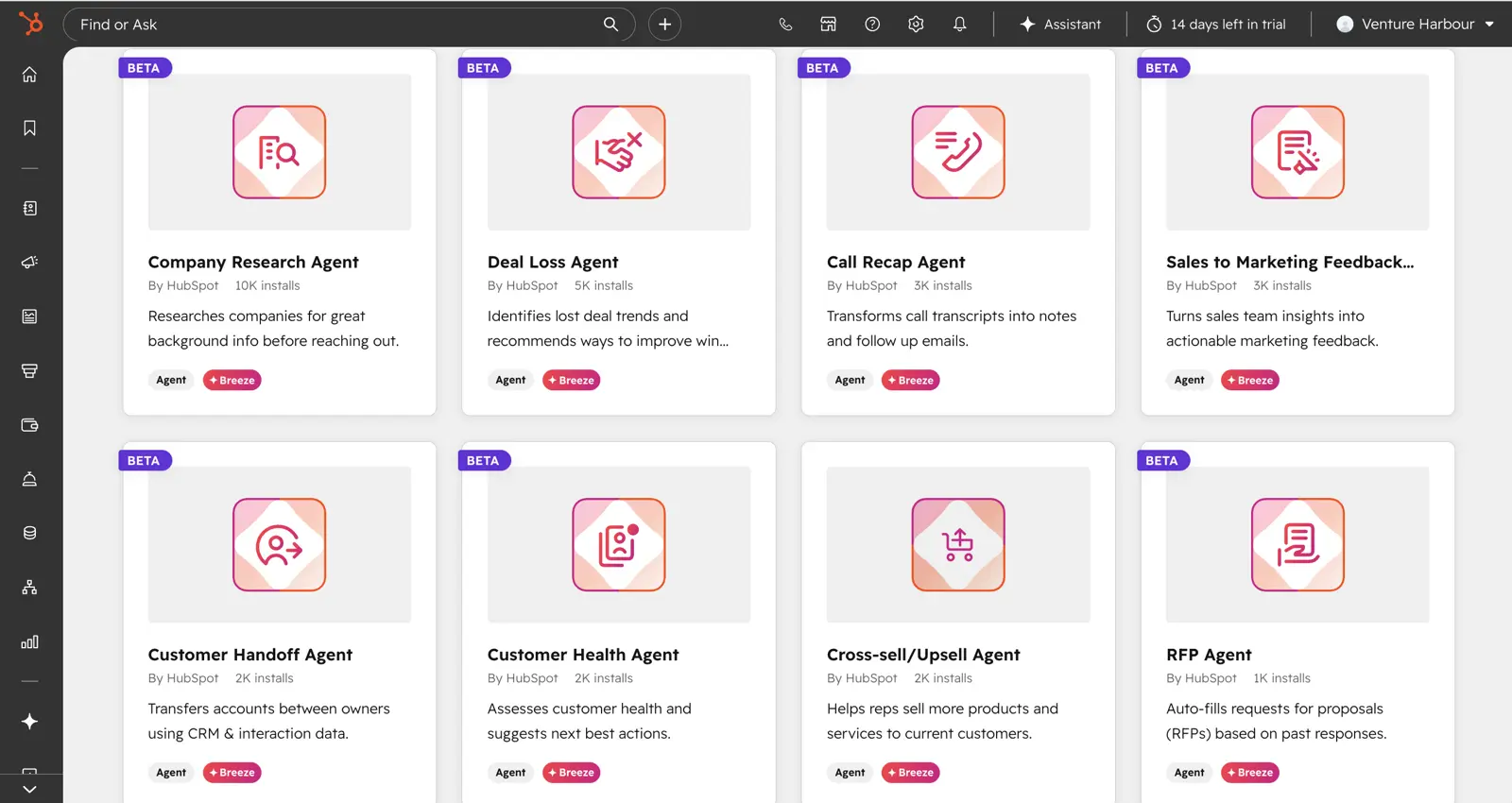
Automation depth still lags ActiveCampaign. There’s no split-testing of full automation paths, predictive lead scoring is locked behind Enterprise ($3,600/mo+), and the trigger library is shallower. The Breeze additions close some of the gap, but for automation-led growth teams, ActiveCampaign remains the more powerful tool at a fraction of the cost.
Pros and Cons
-
CRM integration: Fast, polished, and deeply integrated across marketing, sales, service, and CMS hubs.
-
Multi-touch revenue attribution (added Spring 2026): Show the CFO a hard number for marketing’s contribution to closed-won pipeline. For businesses that need this, it’s a reason to pay HubSpot prices.
-
Breeze AI suite: Outcome-based agent pricing ($0.50/conversation, $1/qualified lead). Customer Agent, Data Agent and Prospecting Agent live inside workflows.
-
HubSpot Academy free training: Certifications carry weight in the industry, and the training helps with onboarding new hires onto the platform.
-
2,200+ integrations: Including Breeze Agents.
-
Free CRM: Unlimited users, contact and deal management, 2,000 emails/mo. Fine indefinitely for solopreneurs or as a tryout.
-
Pricing jump is brutal: Starter to Pro is roughly 59x ($15/seat to $890/mo), with no meaningful middle tier. The $3,000 mandatory non-refundable onboarding fee on Pro and $7,000 on Enterprise are not negotiable in most cases.
-
12-month commitment on Pro and Enterprise: If you outgrow it or it doesn’t work out, you pay through the end of the term.
-
Automation depth still lags ActiveCampaign: There’s no split-testing of full automation paths, predictive lead scoring is locked to Enterprise ($3,600/mo+), and the trigger library is shallower.
-
Deliverability is mid-pack on volume sending: Inbox placement on volume sending consistently lands behind ActiveCampaign and Brevo in our testing. Fine for authenticated B2B; not the right pick for high-volume eCommerce or transactional.
-
Marketing contacts pricing is fiddly: Billed in 1,000-contact increments at roughly $50/mo per 1,000 over your tier’s allowance. The numbers add up faster than you’d think.
Pricing
| Plan | At 1,000 contacts | At 10,000 contacts | At 100,000 contacts | Onboarding fee |
|---|---|---|---|---|
| Free Tools | $0 (2 seats, 2,000 emails/mo) | n/a | n/a | None |
| Starter | $15/seat/mo | ~$470/mo (1 seat + overage) | n/a (caps out) | None |
| Professional | $890/mo | ~$2,280/mo | ~$4,080/mo | $3,000 (mandatory) |
| Enterprise | $3,600/mo | $3,600/mo (10K included) | ~$5,850/mo | $7,000 (mandatory) |
Sales Hub follows the same per-seat model: $15/seat/mo for Starter and $90/seat/mo for Professional. View-only seats are free and unlimited on every paid portal — only editing users count as paid Core Seats.
Is HubSpot the right CRM for you?
B2B mid-market companies doing $1M+ revenue with sales cycles of 30+ days, where marketing needs to prove pipeline contribution to a CFO. Agencies and consultancies that can build a service line around HubSpot implementation.
Marketing-led enterprises that want a single platform handling CRM, marketing, sales, and service rather than stitching together a stack. Teams already running on the HubSpot Free CRM who’ve outgrown it and have the budget for the Pro jump.
Freelancers, eCommerce stores, and B2C businesses — the pricing structure is wrong for these models, and you’ll get more value elsewhere.
SMBs that want all-in-one functionality but can’t justify $890/mo plus $3K onboarding — ActiveCampaign or EngageBay deliver more for less. Anyone who wants the deepest possible automation — ActiveCampaign still wins on that specific metric.
04Brevo
For big lists with low send volume — and the one we trust for transactional
Brevo prices by send volume rather than contact count. We’d suggest it for businesses with a large list they don’t email often — donor databases, monthly newsletters, or anyone whose contacts grow faster than their send cadence.
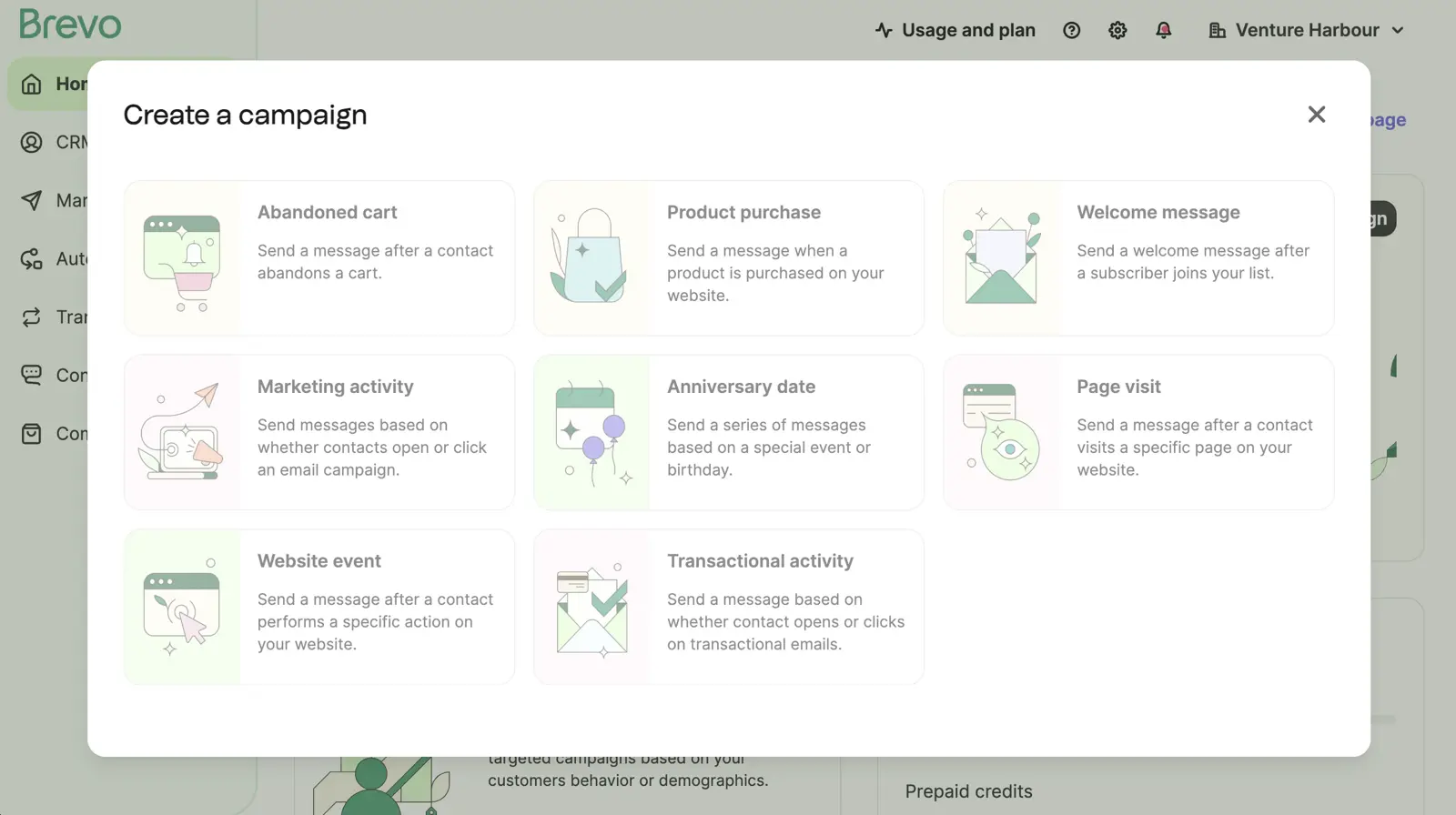
We’ve used Brevo since 2016, back when it was still Sendinblue. Across our portfolio I’ve sent 640,199 emails through their platform — a mix of marketing broadcasts, automated sequences, and (mostly) transactional.
Order confirmations, password resets, OTPs — the unglamorous plumbing that powers actual products. The deliverability has held up across nearly a decade.
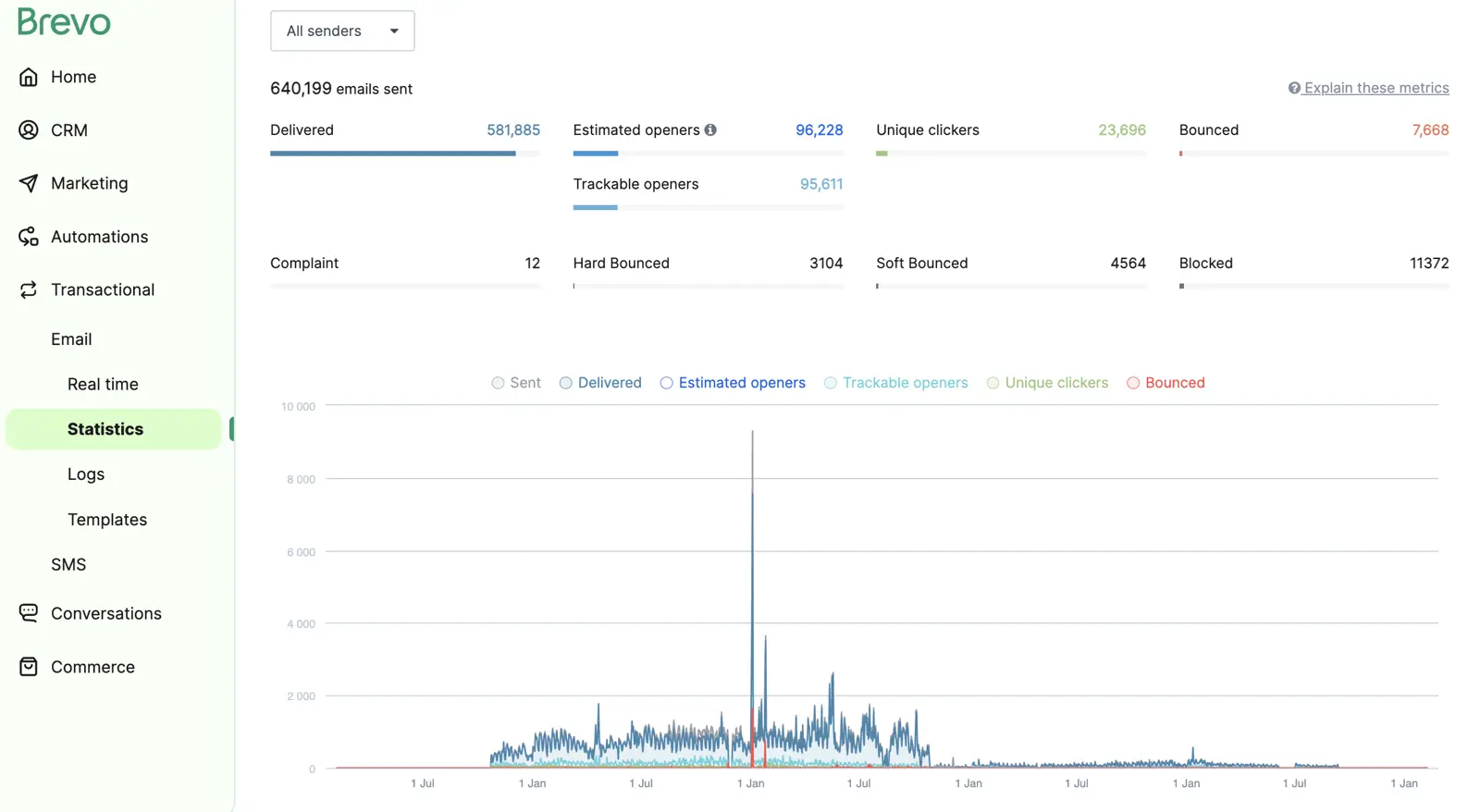
The included CRM is light but functional — pipelines, deal management, contact records — and SMS and WhatsApp are bundled rather than charged as add-ons. The marketing automation builder is fine for the basics (welcome sequences, simple drip campaigns, abandoned cart) but you’ll hit its ceiling fast if you want conditional branching or A/B-tested paths. For that kind of depth you want ActiveCampaign.
Pros and Cons
-
Pay per email, not per contact: Unlimited contacts on the free plan. The only restriction is 300/day. We’d suggest it for monthly newsletters to a big list or donor comms, where contacts pile up but sends are infrequent.
-
Transactional email: Deliverability has held up over nearly a decade — we’ve sent 640K+ emails through it since 2016. SMTP relay, REST API and dedicated IPs are available, though transactional sending is priced separately.
-
Usable free plan: Unlimited contacts, 300 emails/day, drag-and-drop builder and basic automation, with Brevo branding included.
-
SMS and WhatsApp bundled: These are included rather than sold as add-ons, useful for transactional-heavy stacks sending order updates and OTPs.
-
CRM included on every paid plan: Pipelines, deals and contact records cover the basics for SMBs that don’t need a dedicated sales tool.
-
Automation depth is limited: Fine for welcome sequences and simple flows, but there’s no split-testing of paths. Conditional logic is shallow, with fewer triggers than ActiveCampaign or HubSpot, so you’ll outgrow it with a more complex lifecycle programme.
-
Pricing jumps from $25/mo to $65/mo: There’s no middle tier between Starter and Business. You’ll need the Business plan for landing pages, advanced reporting and multi-user access.
-
Customer support is slow: Reach a person and they’re competent, but getting there takes longer than it should. First responses are often canned content from the help centre.
-
Reports are basic: You get standard opens, clicks and deliverability, with no serious revenue attribution. That covers newsletter reporting, but leaves marketing-led growth teams without the attribution they need.
-
AI features lag the category: Basic content generation and send-time optimisation fall short of ActiveCampaign’s Active Intelligence or HubSpot’s Breeze.
Pricing
| Plan | Monthly | Includes |
|---|---|---|
| Free | $0 | Unlimited contacts, 300 emails/day, basic automation |
| Starter | $25/mo | 20,000 emails/mo, no daily limit, no Brevo branding |
| Business | $65/mo | Marketing automation, landing pages, A/B testing, multi-user |
| Enterprise | Custom | SLAs, sub-accounts, advanced security |
Pricing is per email, so the same plan covers however many contacts you have. Add-on credits are available for SMS and WhatsApp, while transactional sending is priced separately.
Is Brevo the right CRM for you?
We’d suggest Brevo for businesses with a large list and infrequent sending — non-profits, donor-funded organisations, B2B with quarterly newsletters, transactional-heavy SaaS. It’s also a fit for SMBs that want basic automation in one platform and don’t yet need ActiveCampaign-level depth.
We use Brevo specifically for the transactional email layer in several of our products and would be happy recommending it for that alone.
If you depend on multi-step lifecycle nurtures, behavioural triggers or A/B-tested workflow paths, you’ll outgrow Brevo fast. We’d suggest ActiveCampaign if you need that automation depth, or HubSpot if you need revenue attribution.
05Nutshell
Best for sales-led B2B teams who don’t want to pay per contact
Nutshell doesn’t care how big your list gets. Unlimited contacts and unlimited storage on every plan, including the $13/seat one. If you’re a B2B team sitting on a big database you email occasionally, that’s a different shape of bill entirely.
Email marketing is billed by the number of marketing contacts you send to, so sending to a large list still costs more.
That’s rarer than it sounds among tools that do marketing natively. ActiveCampaign climbs from $15 to $1,199 as you go from 1,000 to 100,000 contacts, and Klaviyo bills by active profile. Pipedrive and Freshsales are per-seat like Nutshell, but their marketing sits in a separate product priced by list size anyway.
Nutshell charges for seats and stops counting. For a ten-person team with 80,000 contacts, the maths lands somewhere different.
The CRM is the half that earns the money. It’s pipeline-first, syncs with Gmail and Outlook, and the AI layer handles the notetaking most reps skip. That includes call transcription, meeting summaries, and a plain-English recap of everything that’s happened with a contact before you dial.
Nutshell also shipped an MCP server, so you can point Claude or ChatGPT at your CRM data directly. Few tools at this price have bothered.
Setup is the other quiet win. Reps adopt it without the fight HubSpot Pro usually involves, and you’re running in hours rather than the weeks a bigger platform expects. Nutshell holds 4.3/5 on G2 across 1,411 reviews and 4.4/5 on Capterra across 618 — solid rather than spectacular, and the scores are consistent across both.
Email marketing comes bundled with the CRM rather than sold as a separate platform. You’re billed by the number of marketing contacts you send to, not charged a flat add-on fee to switch it on.
There’s an advanced marketing plan at $49/mo if you want the fuller toolkit — AI campaign builder, A/B testing, more automation. You don’t need it to run newsletters and drips off your CRM data. For most sales-led teams the included tier is enough, although sequences run start to finish rather than reacting to what someone clicks.
Pros and Cons
-
Unlimited contacts and storage on every plan: Including the $13/seat tier. A growing list never grows the bill — the cost scales with headcount instead.
-
AI that’s included rather than upsold: Agent Marketplace, chatbot, and assists come with every plan. Call and meeting transcription lands on Pro and above. Compare that to HubSpot’s predictive scoring at $3,600/mo.
-
MCP server for ChatGPT and Gemini: Connect an AI tool to your CRM data directly. ActiveCampaign and HubSpot have shipped this too, but Nutshell is by far the cheapest way to get it.
-
Pipeline-first UX reps don’t fight: Closer to Pipedrive than HubSpot. Setup is measured in hours rather than the weeks HubSpot Pro expects.
-
Marketing and CRM share one contact record: Unlike pairing Pipedrive with a separate email tool, the campaign data and the deal data live in the same place. Fewer syncs to break.
-
Email marketing billed by marketing contacts: Included with the CRM, but the cost scales with how many contacts you send to. The flat $13/seat headline moves once you’re emailing a large list.
-
Automation runs in a straight line: Sequences go start to finish rather than reacting to what someone clicks. Fine for follow-up and broadcasts, but too limited for a lifecycle programme.
-
Template design is dated: The most common complaint in G2 and Capterra reviews of the email module. Budget time for customisation if you need more polished templates.
-
Reporting depth is the weak spot: Fine for standard sales metrics, but there’s no serious revenue attribution, engagement scoring, or heat maps.
-
No free plan: You get a 14-day trial, while EngageBay and HubSpot both give you free indefinitely.
Pricing
| Plan | Per seat/mo (annual) | Best for |
|---|---|---|
| Foundation | $13 | Small teams, contact management, email and calendar sync |
| Growth | $25 | Activity reports, sales quotas, lead assignment rules |
| Pro | $42 | Custom pipelines, sales automation, AI call and meeting logging |
| Business | $59 | Meeting transcription, audit log, teams and territories |
| Enterprise | $79 | Unlimited pipelines, SSO, SQL data access, phone support |
Every tier includes unlimited contacts, unlimited storage, and email marketing. Email marketing is billed by the number of marketing contacts you send to rather than as a flat add-on.
An advanced marketing plan ($49/mo) adds the fuller campaign toolkit if you want it. There’s also a $16/seat/mo engagement add-on for two-way SMS and WhatsApp. Monthly billing costs about $7/seat more across the board.
Is Nutshell the right CRM for you?
B2B sales teams sitting on a large contact database they email occasionally — you can hold the whole list in the CRM for a flat per-seat fee. You only pay sending costs on the contacts you actually email.
Open Nutshell's WebsiteSmall teams that want a CRM their reps will actually update, with AI notetaking and transcription included rather than sold as an enterprise upgrade. Anyone who’d otherwise pair Pipedrive with a separate email tool and would rather keep one contact record.
Marketing-led growth teams — the automation ceiling is low and you’ll hit it inside a year. Anyone who needs behavioural triggers, branching logic, or revenue attribution — that’s ActiveCampaign or HubSpot.
Larger sales teams, where per-seat pricing stops being the bargain it is at five people. eCommerce — wrong tool entirely.
06EngageBay
Budget all-in-one for SMBs and non-profits
EngageBay’s free plan covers marketing, sales CRM, and helpdesk in a single tool, and the paid tiers stay in double-digits per user for a long time. For bootstrapped startups and small charities, it’s worth considering if you want to consolidate a stack without paying enterprise prices. The interface takes some learning, though, and the documentation is thin.
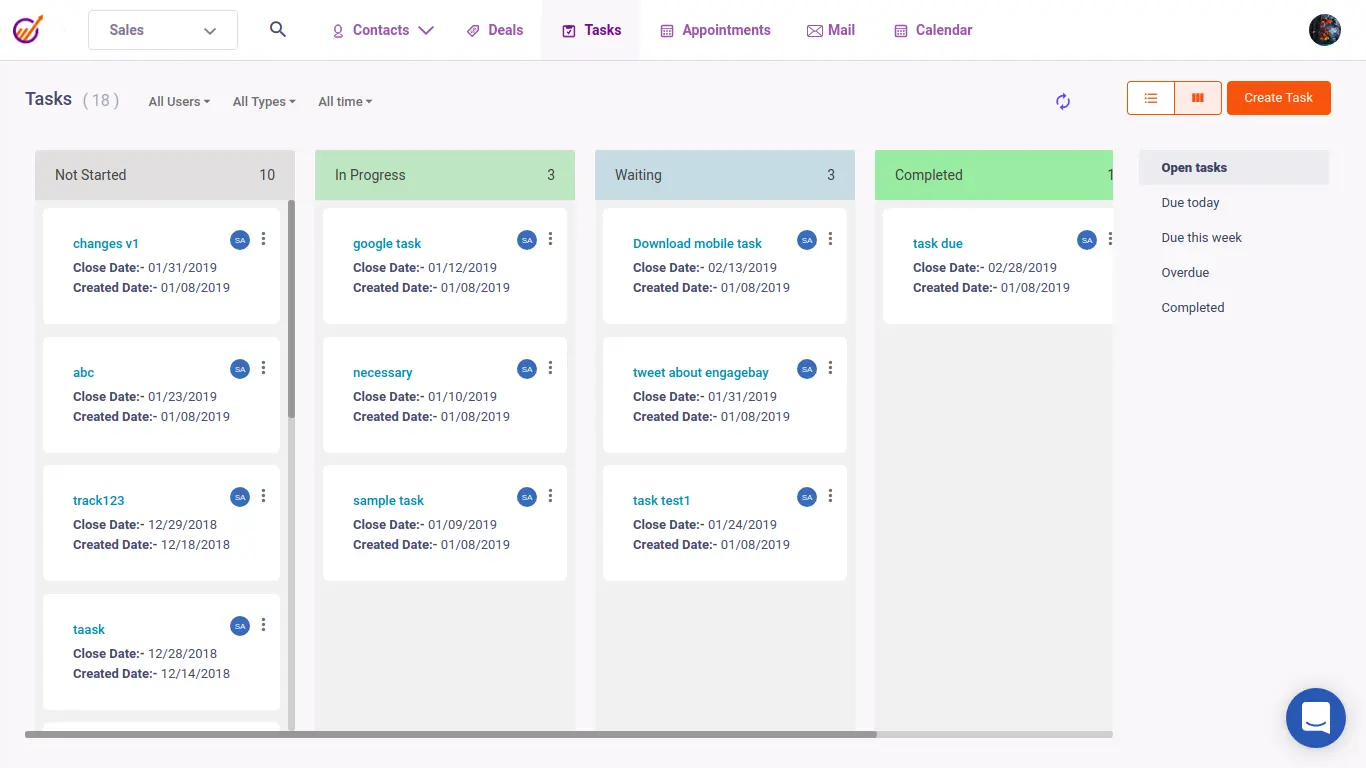
Even the free plan includes email sequences, autoresponders, basic landing pages, predictive lead scoring, and live chat. By the time you hit the Growth plan you’ve got marketing automation, A/B testing, sales automation, and a proper helpdesk. The whole stack costs less than a single HubSpot seat.
There’s a learning curve — the interface is busier than Brevo’s and the in-app guidance is thinner than HubSpot Academy. The support documentation, in particular, leans heavily on feature overviews rather than step-by-step “how do I do this thing” walkthroughs.
Pros and Cons
-
Budget pricing: The free plan does the job of three or four free tools combined (Mailchimp + a free CRM + a chat tool + a basic helpdesk). Paid plans stay cheap.
-
Shared interface: Marketing, sales CRM, helpdesk, and live chat all live in the same interface, with fewer integrations to break.
-
Pay-as-you-grow model: Price increases between plans are gradual — you won’t get hit with a 59x jump like HubSpot.
-
Predictive lead scoring on higher tiers: Useful for B2B teams that want to prioritise outreach without paying for HubSpot Enterprise.
-
Free plan for a small team: Up to 15 users are covered, which suits early-stage startups testing the tool.
-
Documentation is thin: You get feature overviews rather than walkthroughs, so expect to figure things out yourself.
-
Email and landing page templates feel dated: They’re functional, but you’ll spend time customising them if you need a polished design.
-
No in-app guidance: Other platforms walk you through setup — EngageBay drops you in.
-
You’ll outgrow it eventually: Above 50K contacts and serious lifecycle automation, the platform starts to creak. Plan to migrate to ActiveCampaign or HubSpot at that point.
Pricing
| Plan | Per user/mo | Best for |
|---|---|---|
| Free | $0 | Up to 250 contacts, basic features, 15 users |
| Basic | ~$13 | 500 contacts, email sequences, third-party integrations |
| Growth | ~$60 | Marketing automation, A/B testing, sales automation |
| Pro | ~$110 | Unlimited contacts, advanced reporting, account-based marketing |
Pricing is per user across all paid tiers. For small teams this stays cheap — for larger teams the per-user model adds up faster than you might expect.
Is EngageBay the right CRM for you?
Bootstrapped startups, small charities, and SMBs who want to consolidate marketing, sales CRM, and helpdesk into one tool without paying enterprise prices. I’d also consider it for teams currently juggling Mailchimp, a free CRM, a chat tool and a separate helpdesk. EngageBay collapses that stack into a single cheaper one.
Open EngageBay's WebsiteI’d look elsewhere if you’re running serious lifecycle automation at scale or have more than ~50K contacts. With the budget for ActiveCampaign or HubSpot, I’d consider those for a growing marketing programme.
07Pipedrive
Best CRM with marketing automation for sales-led teams
Pipedrive fits businesses where sales drives the customer relationship and marketing automation is something to bolt on. Drag a deal between stages and the activity logging, follow-up tasks, and rep notifications fire automatically. Marketing automation is shallower, especially for lifecycle campaigns.
Pipedrive’s marketing add-on (Campaigns) is fine for sales-led teams. It’s not as deep as ActiveCampaign or as polished as HubSpot, but it does the job when email supports reps rather than carrying the relationship. Across a small team, the whole thing — CRM plus Campaigns — typically costs less than a single HubSpot Pro seat.
Pipedrive is less suited to teams where marketing drives growth. Multi-step lifecycle nurtures, behavioural triggers from product usage, conditional branching on content engagement — none of that is its strength. If you need that depth, run ActiveCampaign for marketing and use Pipedrive underneath as the CRM your reps actually like.
Pros and Cons
-
Pipeline management: Drag-and-drop deal management is faster than HubSpot’s, and reps adopt it without a fight.
-
Sensible pricing for small sales teams: $14/seat/mo on the Essential tier. The whole CRM + Campaigns combo costs less than one HubSpot Pro seat for a team of five.
-
Sales automation that fits how reps work: Activity-based reminders, automatic deal stage transitions and rep notifications suit day-to-day sales work.
-
Integrations for a CRM-first tool: Native ties to ActiveCampaign, Mailchimp, Slack, Zoom, plus the usual Zapier coverage.
-
Mobile app reps actually use: Field sales teams keep it open.
-
Marketing automation is shallow: Campaigns add-on is fine for newsletter sends and basic automation, but not built for serious lifecycle marketing. Pair with ActiveCampaign if you need depth.
-
Per-seat pricing scales with team size: Cheap for small teams, less cheap once you’re at 20+ reps.
-
Reporting is sales-focused: Useful for deal forecasting, weak for marketing attribution. The two don’t always join up cleanly.
-
Limited content tools: No serious landing page builder, light forms, no native chat — plan to integrate.
-
No free plan: Pipedrive offers a 14-day trial, while EngageBay or HubSpot give you free indefinitely.
Pricing
| Plan | Per seat/mo (annual) | Best for |
|---|---|---|
| Essential | $14 | Small teams, basic pipeline management |
| Advanced | $34 | Email sync, automation, group emailing |
| Professional | $49 | Forecasting, lead routing, deal documents |
| Power | $64 | Project planning, phone support |
| Enterprise | $99 | Unlimited custom fields, security customisation |
Campaigns (the marketing add-on) is roughly $13/mo on top, depending on contact volume. Worth budgeting for if you go this route.
Is Pipedrive the right CRM for you?
I’d suggest Pipedrive for sales-led SMBs where reps own the customer relationship and email marketing supports them. It also suits pipeline-heavy businesses (real estate, B2B services, agencies) that want a CRM their team will actually use. It’s worth considering if you’re still on a spreadsheet because every previous CRM attempt was too clunky.
Open Pipedrive's WebsiteFor marketing-led growth teams running lifecycle automation, behavioural triggers or content-driven nurture programmes, ActiveCampaign or HubSpot will serve you better. For eCommerce businesses, I’d suggest Omnisend or Klaviyo instead.
08Klaviyo
Best for large eCommerce lists and serious DTC operations
Klaviyo is where most large DTC brands end up. Once your list grows beyond about 50,000 active profiles, the depth on segmentation and predictive analytics pulls ahead of Omnisend.
Predicted CLV, churn risk, expected next-order date, replenishment timing — this is the data you can build a retention programme around. Klaviyo exposes it inside the segment builder, without requiring an upgrade to a separate “data cloud” SKU.
The Shopify integration is the deepest in the category. The customer profile pulls in everything — order history, browsing behaviour, predicted next purchase — and the templates and product blocks all draw from your live catalogue. Klaviyo Reviews and Klaviyo SMS extend the same identity layer across more channels, which means you can run the whole retention stack in one tool rather than three.
It is not cheap. Klaviyo bills per active profile, and the price climbs faster than Omnisend at every benchmark I’ve checked.
The reason serious DTC brands still pay it is that the depth on segmentation and the predictive analytics move revenue at scale. For smaller stores, the same outcomes are reachable on Omnisend for less.
Pros and Cons
-
Best predictive analytics in eCommerce: CLV, churn risk, next-order date, replenishment cadence — built into the segment builder without requiring a separate enterprise SKU.
-
Deepest Shopify integration: Profile data, order history, browsing behaviour, live catalogue all join up cleanly. Templates pull product blocks straight from Shopify.
-
Unified retention stack: Email + SMS + Reviews on a single identity layer, with fewer integrations to break and cleaner attribution.
-
AI trained on the right data: Segment builder, send-time optimisation, content generation all trained on real eCommerce campaigns.
-
The DTC industry standard: If you’re hiring lifecycle marketers, they almost certainly already know Klaviyo, which speeds up onboarding.
-
Expensive at scale: Per-profile pricing climbs fast. At 100K+ contacts you’ll be paying meaningfully more than Omnisend for similar functionality.
-
Overkill for smaller stores: If you’re under 50K active profiles, Omnisend does most of the same work for less.
-
Eventually wrong for non-eCommerce: Like Omnisend, it assumes you sell products. Service businesses and B2B should look elsewhere.
-
Steeper learning curve than Omnisend: More options, more depth, more places to misconfigure something. Onboarding takes longer.
Pricing
| Contacts | Email + SMS | |
|---|---|---|
| 500 | $20/mo | $35/mo |
| 5,000 | $100/mo | $115/mo |
| 10,000 | $150/mo | $165/mo |
| 100,000 | Custom | Custom |
Pricing is per active profile and climbs in tighter brackets than Omnisend. Their public calculator is the only reliable way to forecast at your specific volume.
Is Klaviyo the right CRM for you?
I’d suggest Klaviyo for DTC brands above 50K active profiles where lifecycle marketing is the engine of revenue. It suits stores that need detailed segmentation (predicted CLV, churn risk, replenishment cadence) in a single tool. It also suits teams hiring lifecycle marketers who’ll already know the platform.
Open Klaviyo's WebsiteFor smaller stores under 50K profiles, Omnisend will do the same job for meaningfully less money. It offers a free done-for-you migration if you’re already on Klaviyo and the bill is hurting.
For non-eCommerce businesses, Klaviyo is the wrong tool.
09Zoho CRM
Best for customisation and the wider Zoho stack
Zoho CRM is highly customisable — and if your business is already on the wider Zoho ecosystem, the joins are cleaner than running a single best-of-breed CRM in isolation. It’s the option I’d recommend to teams that want to bend the CRM to fit how they actually work, rather than the other way round.
Customisation is the headline feature. Custom fields, custom modules, custom layouts per role, blueprints (the workflow builder), 2,500 possible automation rules. If your sales process doesn’t fit the standard pipeline → opportunity → close model, Zoho is one of the few CRMs you can actually shape to match.
Marketing automation lives in a separate Zoho product (Zoho Marketing Plus / Marketing Automation), which is bundled if you’re on Zoho One. Standalone, it’s an extra subscription on top of the CRM, and the cost stacks up. The integrations between Zoho’s products are tight in a way that no third-party stitching ever quite matches — but only if you’re willing to commit to the ecosystem.
New admins find the depth intimidating, and getting it set up well takes time — or budget for a Zoho partner.
Pros and Cons
-
Highly customisable: Custom modules, fields, blueprints and layouts let you bend the CRM to your process, with 2,500 possible automation rules.
-
Free for 3 users: Useful at the early stage — most “free” CRMs are a tryout, while Zoho’s runs real businesses.
-
Wider Zoho ecosystem: If you already use Zoho Books, Zoho Desk, or Zoho Workplace, the joins are tight. Zoho One is one of the better-value all-in-one bundles for SMBs.
-
Zia (the AI) is reasonable: Sentiment analysis, anomaly detection and deal prediction give you more than a chatbot, though it falls short of Active Intelligence.
-
Cheaper than HubSpot at every comparable tier: Across the equivalent tiers Zoho is consistently a fraction of the cost.
-
Steep learning curve: Lots of options, many places to misconfigure things. Plan time for setup or budget for a Zoho partner.
-
UX is dated compared to HubSpot or Pipedrive: It’s functional but dated, so reps will need persuading.
-
Marketing automation is a separate product: You’ll pay extra unless you’re on Zoho One, and the cost adds up.
-
Support quality is uneven: It can be excellent or slow, depending on the day and the tier.
Pricing
| Plan | Per seat/mo (annual) | Best for |
|---|---|---|
| Free | $0 (up to 3 users) | Tiny teams, getting started |
| Standard | $14 | Small teams, basic pipeline |
| Professional | $23 | Inventory, sales forecasting, blueprints |
| Enterprise | $40 | Custom modules, advanced customisation, Zia AI |
| Ultimate | $52 | Advanced analytics, dedicated database cluster |
Zoho One bundles 40+ Zoho apps (including CRM, Marketing Plus, Books, Desk and Workplace) for around $37/seat/mo. It’s good value if you’ll use more than three of the apps.
Is Zoho CRM the right CRM for you?
Teams that want to customise the CRM heavily — custom modules, custom blueprints, complex workflows that don’t fit the off-the-shelf model.
Businesses already on Zoho One or Zoho Workplace, where the integrations make the whole stack cheaper to run.
Cost-conscious SMBs who want CRM depth at a fraction of HubSpot pricing and are willing to invest the setup time.
Teams who want a tool that works well out of the box with minimal configuration — pick HubSpot or Pipedrive.
Marketing-led businesses that need deep automation in a single platform — ActiveCampaign or HubSpot will serve you better than CRM + Marketing Plus stitched together.
For eCommerce, I’d suggest Omnisend or Klaviyo.
10Freshsales
Best affordable AI-assisted SMB CRM
Freshsales is the value play in the AI-assisted CRM category. Freshworks’ “Freddy AI” handles deal insights, contact prioritisation, and basic email writing on plans that start at $9/seat/mo. SMBs that want AI assistance without HubSpot’s pricing should give it a look, though automation depth is limited.
The interface is closer to Pipedrive than HubSpot — pipeline-first, sales-led, designed for reps to use. Freddy AI sits underneath the workflow surfacing deal insights and predictive scoring. It’s not as polished as Active Intelligence or Breeze, but offers SMBs AI assistance at a lower price.
Marketing automation comes via Freshmarketer, which Freshworks bundles or sells separately depending on the plan. The combined “Customer-for-Life Cloud” pulls Freshsales + Freshmarketer + Freshchat into one stack. For SMBs that want the all-in-one without HubSpot’s bill, it’s a credible alternative — though depth on automation is closer to EngageBay’s level than ActiveCampaign’s.
Pros and Cons
-
Cheapest AI-assisted CRM in the category: Freddy AI on the $9/seat/mo Growth tier. HubSpot equivalents are 10x the price.
-
Free plan for small teams: 3 users, contact and deal management, basic Kanban.
-
Clean, pipeline-first UX: Closer to Pipedrive than HubSpot.
-
Customer-for-Life bundle: Freshsales + Freshmarketer + Freshchat in a single stack if you go that route. Cheaper than building it from individual tools.
-
Integrations: Native connections to most of the obvious tools, plus Zapier coverage for the rest.
-
Automation depth is shallow: The workflow builder is fine for basics, but limited beyond that.
-
Freshworks ecosystem vs best-of-breed: Marketing, support, chat all live in separate products. The joins aren’t as tidy as HubSpot’s hubs or ActiveCampaign’s single platform.
-
Reporting is basic: Standard sales metrics, no serious revenue attribution, weaker than HubSpot.
-
Less mindshare: Smaller community, fewer agencies that specialise in it. If you need a Freshworks consultant, the bench is thinner.
Pricing
| Plan | Per seat/mo (annual) | Best for |
|---|---|---|
| Free | $0 (up to 3 users) | Tiny teams |
| Growth | $9 | Small teams, basic pipeline + Freddy AI |
| Pro | $39 | Multi-pipeline, sequences, advanced reporting |
| Enterprise | $59 | Custom modules, advanced governance |
Freshmarketer (the marketing automation product) is sold separately and starts around $19/seat/mo. The combined Customer-for-Life bundle is the better value if you want both, though the products remain separate.
Is Freshsales the right CRM for you?
I’d suggest Freshsales for SMBs and growing startups that want AI assistance in their CRM at SMB pricing. It’s a sensible middle ground for sales-led teams that find Pipedrive too narrow but HubSpot too expensive. It also fits teams already using Freshworks products such as Freshdesk and Freshchat.
Open Freshsales's WebsiteMarketing-led growth teams will find the automation depth limited, while teams needing serious revenue attribution should consider HubSpot. If you only need a pipeline view, Pipedrive is more polished.
Detailed pricing comparison
A full pricing breakdown across all 10 tools at the contact tiers most businesses actually plan around.
| Tool | Model | 1K contacts | 10K contacts | 100K contacts |
|---|---|---|---|---|
| ActiveCampaign | Per contact; CRM extra | $15 (Starter, email only) | $149 (Starter, email only) | Request quote |
| Omnisend | Per contact | $16 (Standard) | $132 (Standard) | Custom |
| HubSpot | Per seat / contacts | $15/seat (Starter) | ~$2,280 (Pro) | ~$4,080 (Pro) |
| Brevo | Per email | $0* | $25* | Custom* |
| Nutshell | Per seat | $13/seat | $13/seat† | $13/seat† |
| EngageBay | Per user | Free | ~$60/seat (Growth) | ~$110/seat (Pro) |
| Pipedrive | Per seat | $14/seat | $14/seat (CRM only) | $14/seat (CRM only) |
| Klaviyo | Per profile | $30 | $150 | Custom |
| Zoho CRM | Per seat | $14/seat | $14/seat (CRM only) | $14/seat (CRM only) |
| Freshsales | Per seat | $9/seat | $9/seat (CRM only) | $9/seat (CRM only) |
* Brevo prices by send volume rather than contact count, so a tier covers however many contacts you have. The figure shown is the Starter plan covering 20K emails/mo. Per-seat tools (Pipedrive, Zoho, Freshsales, Nutshell) don’t scale with contact count — the cost scales with how many users you add.
† Nutshell includes unlimited contacts, storage, and email marketing on every tier, so the CRM cost is flat at any list size. Email sending is billed by number of marketing contacts, with an optional $49/mo advanced marketing plan for the fuller toolkit.
The numbers tell the story this guide has been making throughout. ActiveCampaign charges extra for CRM, and newer accounts also pay for unsubscribed contacts. Omnisend stays reasonable as you scale.
HubSpot starts cheap on Starter, then jumps brutally — at 10K contacts you’re paying roughly 15x what you’d pay for ActiveCampaign for comparable automation. Brevo is the cheapest at every tier if your send volume is low. The per-seat CRMs are a different shape entirely — they don’t care how big your contact list is, only how many people are logged in.
Pick by type of business
These are the picks I’d give to a friend over a coffee, depending on their business.
Best for eCommerce (Shopify, WooCommerce, BigCommerce)
Winner: Omnisend.
If you sell products through Shopify, WooCommerce, BigCommerce, Wix, or Squarespace, Omnisend is the obvious choice. Setup takes about 15 minutes — it pulls in your products, brand styling, and customer list automatically. The pre-built workflows (welcome series, abandoned cart, browse abandonment, post-purchase, win-back) are switched on with one click.
Revenue attribution is the differentiator. It traces every dollar back to the campaign, automation, and A/B variant that drove it — no more squinting at UTM strings to work out whether your Black Friday email actually converted. Email, SMS, and web push live in the same workflow, so you can fall back to SMS if an email isn't opened without stitching together third-party glue.
At 10K contacts, Omnisend Standard is around $132/mo. The free plan (250 contacts) is fine for proof-of-concept, but most stores will jump straight to a paid tier.
Best for B2B SaaS
Winner: ActiveCampaign.
For B2B SaaS, I'd choose ActiveCampaign for trial-to-paid sequences and lifecycle nurture. Its automation builder supports conditional branches and full-path split testing, though those split tests require Pro or Enterprise.
The CRM supports contact history and automation triggers, but deal management costs extra and feels cumbersome for a larger sales team. Active Intelligence helps with segments and sequence critiques — email layouts and A/B test setup still needed manual work in our tests.
If your sales team runs complex deal cycles with custom forecasting, pair ActiveCampaign with HubSpot or Pipedrive. That's more demanding than pipelines and tasks — I'd avoid trying to make AC's CRM do it all.
Best for B2B services and agencies
Winner: HubSpot.
If you're a consultancy, agency, or B2B services firm doing $1M+ revenue with sales cycles measured in months rather than days, HubSpot is the right answer. The CRM is fast, well-designed, and deeply integrated with the marketing, sales, and service hubs sitting on top. Multi-touch revenue attribution (added in the Spring 2026 Spotlight release) means you can finally show the CFO a hard number for what marketing contributed to closed-won pipeline.
It earns its bill at this profile, but below it, the value drops off fast. The $890/mo Pro tier and $3,000 mandatory non-refundable onboarding fee make HubSpot the wrong tool for anyone who can't put six figures of new pipeline against it.
If you're an agency reselling HubSpot to clients, it also doubles as a service line you can build retainers around — the implementation work is real, and the certifications carry weight.
Best for sales-led teams
Winner: Pipedrive.
If sales drives the business and marketing automation is something you'd like to bolt on rather than build the stack around, Pipedrive is the one to look at. The pipeline view is the cleanest in the category — drag a deal between stages and the activity, follow-ups, and rep notifications fire automatically.
Pipedrive's marketing add-on (Campaigns) isn't as deep as ActiveCampaign or as polished as HubSpot. For sales-led businesses where email supports the rep rather than carrying the relationship on its own, it does the job at a sensible price. The whole thing usually costs less than a HubSpot seat for an entire small team.
Where Pipedrive falls down is multi-step nurture, lifecycle automation, and behavioural triggers from product usage. For that you want ActiveCampaign or HubSpot, with Pipedrive sitting underneath as the CRM if your reps prefer it.
Best for big lists, low send volume
Winner: Brevo.
Brevo is the rare platform that prices by send volume rather than contact count. You can have 50,000 (or 500,000) contacts on the free plan — the only restriction is 300 emails/day, which is roughly 9,000/month. That makes it the obvious answer for monthly newsletters to a big list, donor databases, and any setup where contacts pile up but you don't actually email everyone every week.
It's also our long-running pick for transactional email. We've sent 640,000+ emails through Brevo since 2016 across our portfolio — order confirmations, password resets, OTPs, the unglamorous plumbing — and the deliverability has held up. The included CRM is light but functional, and SMS and WhatsApp are bundled rather than charged separately.
Where Brevo struggles is automation depth. The workflow builder is fine for the basics but you'll hit its ceiling fast if you want conditional branching, split-tested paths, or anything bespoke. For volume sending and transactional, though, it's hard to beat at the price.
Best for budget and early-stage startups
Winner: EngageBay.
EngageBay's free plan covers marketing, sales CRM, and helpdesk in a single tool, and the paid tiers stay in double digits per user for a long time. The features outpace what you'd expect at the price — landing pages, autoresponders, basic marketing automation, lead scoring, live chat.
It's a smart pick for bootstrapped startups, small charities, and any team that wants to stop juggling four free tools and consolidate into one. The interface is busier than Brevo's and the support material is thinner than HubSpot's. You grow into the platform rather than out of it — which is the opposite problem from most "free" CRMs.
Don't pick EngageBay if you expect to be running serious automation at 50K+ contacts in 18 months. By that point you should be on ActiveCampaign or HubSpot. But for the first year or two, it gets you a long way for little money.
Best for non-profits
Winner: EngageBay.
For most non-profits the maths is simple. EngageBay's free tier covers up to 250 contacts and the paid plans stay cheap as your supporter list grows. You get email marketing, a CRM for managing donors and volunteers, landing pages for campaigns, and basic automation — the full stack a small charity actually needs without paying enterprise prices.
If your contact list is large but you only email occasionally — say, a quarterly donor newsletter to 50,000 supporters — Brevo's per-email pricing model is the more cost-effective option. You can sit on the free plan indefinitely if you stay under 300 emails/day, and pay only when you scale up volume.
For larger non-profits running fundraising programmes with multi-step donor journeys, I'd choose ActiveCampaign for automation depth. HubSpot is worth considering if you can negotiate their non-profit discount and you need the reporting.
FAQ
What is the difference between a CRM and email marketing automation?
A CRM is where the customer record lives — contacts, deals, pipeline, history. Email marketing automation is what sends the messages and reacts to behaviour (someone opens an email, hits a price page, abandons a cart).
They used to be separate tools and you’d glue them together with Zapier — combined platforms do both. The split-tool approach means duplicate contacts, broken syncs, and reports that don’t agree with each other.
Do I need both a CRM and email marketing tool?
You need both functions, but you don’t need two tools. ActiveCampaign offers both, but deal management requires a paid CRM add-on. HubSpot, Omnisend, Brevo and EngageBay also combine marketing with customer records.
The exceptions are when one half of the equation is heavyweight in its own right. A sales team with serious forecasting needs could pair Pipedrive with ActiveCampaign, while a high-volume eCommerce store outgrowing its email tool could use Klaviyo with a separate CRM. For everyone else, one platform is cheaper and easier to operate.
Which CRM is best for email marketing automation?
I’d choose ActiveCampaign if lifecycle automation is the main job. The visual builder supports conditional branches and goals, with full-path split testing on higher plans. Its CRM and reporting are weaker, so sales-led teams should consider HubSpot or pair ActiveCampaign with Pipedrive.
Can you use a CRM without email marketing features?
You can — Pipedrive and Zoho CRM are both perfectly good at being CRM-first, with the marketing sold separately or bolted on. But the moment you start emailing customers (and you will), you’ll integrate with a separate email tool, and the data starts living in two places.
That’s fine if your sales team is the centre of gravity and email is a supporting act. If marketing is doing the heavy lifting, pick something that handles both natively.
What should I look for in a CRM with email automation?
Start with a workflow builder you can use without a developer, then segmentation that goes beyond “is on this list”. Next, look for reporting that ties revenue back to the campaign or automation that drove it.
After that, check for pricing that doesn’t punish you for growing the contact list, then a free trial long enough to actually build something. If a vendor won’t let you try the workflow builder before paying, walk away.
Is Brevo good for CRM and email marketing?
For the right use case, yes. Brevo’s free plan gives you unlimited contacts and 300 emails/day, which is the right answer for non-profits, monthly-newsletter operators, and SaaS products that need transactional email plus light marketing. It’s also the only tool where the CRM is included rather than upsold.
Where it falls down is automation depth — if you want serious lifecycle nurtures, you’ll outgrow it within a year.
How does CRM email automation improve sales performance?
It doesn’t improve sales performance on its own. What it does is remove the manual work between “lead arrived” and “rep follows up”. The welcome sequence runs, the lead score updates, the rep gets a Slack ping when someone hits the pricing page twice.
The actual sales improvement comes from the rep having more context and the right leads surfaced first. The automation is plumbing for that, not a magic conversion lift.
Updates
22 September 2026: Updated ActiveCampaign to match our latest review, replaced its screenshots and added the test video. Clarified CRM add-ons, AI limitations and contact billing.
- July 2026 – Added Nutshell at #5 and removed Salesflare. Salesflare had no native marketing automation, which made it an odd fit for a guide about CRMs that do both; Nutshell covers the same lean B2B ground, costs less per seat, and is the only tool here that doesn’t charge more as your contact list grows. Verified Nutshell pricing July 2026.
- May 2026 – Full rewrite. Restructured around a tighter set of 10 tools: added Pipedrive, Klaviyo, Zoho CRM, and Freshsales; removed CompanyHub, Salesmate, Ortto, and Octopus CRM. Promoted HubSpot to #3 to better match the buyer realities most readers face. Added a “by type of business” interactive picker, refreshed all pricing for May 2026, and added our first-party send-volume data (124K+ on ActiveCampaign, 640K+ on Brevo).
- April 2026 – Updated ActiveCampaign and HubSpot sections with Spring 2026 Spotlight changes (multi-touch revenue attribution, Breeze AI agents on outcome-based pricing, Active Intelligence on every plan).
- December 2022 – Original publication.