


I’ve been using GetResponse since 2010.
In this GetResponse review I’ll explain where the platform performs well, where it doesn’t, and how the 2025 plan restructure has changed the value calculation.
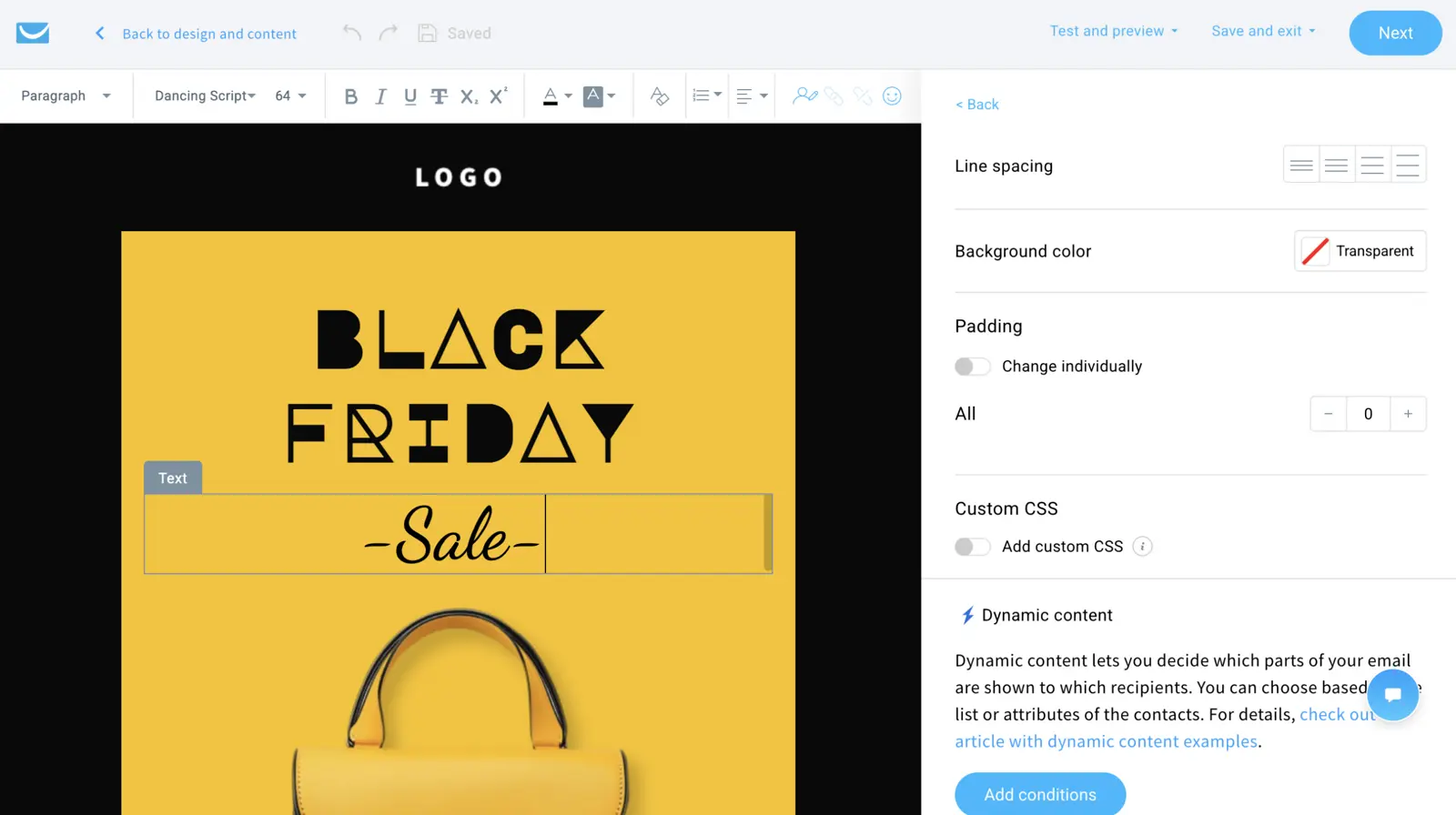
Review Summary
GetResponse is the Swiss Army knife of email marketing — it does email, automation, landing pages, webinars, a website builder, a course platform and AI tools reasonably well, at a price almost nobody in the category can match. I’ve described it before as “a budget HubSpot”: similar breadth of features at a fraction of the cost, with the trade-off that nothing is the absolute best at what it does.
The January 2025 plan restructure tidied up a confusing legacy lineup. The current four-tier structure — Starter, Marketer, Creator, MAX — is much easier to reason about than the old Email Marketing / Marketing Automation / Ecommerce Marketing / MAX Plus / MAX Ultimate sprawl.
The standout features for me remain:
- Native webinars at every paid tier — and the free plan even includes 10-attendee webinars
- Perfect Timing send-time optimisation, which predates the entire AI hype cycle and still works brilliantly
- The cheapest scaling curve of any all-rounder in this category — $539/mo at 100K contacts versus ActiveCampaign’s $1,199/mo
It’s not exciting. It’s not innovative. But it works, and for budget-conscious teams that want one tool that does most things, it’s hard to argue with the value.
Plans & Pricing
GetResponse retired its legacy plan names in January 2025. The current lineup is Starter, Marketer, Creator and MAX, plus a generous Free tier and a separate Content Monetization brand that’s now folded into the Creator plan. Annual prepay is one of the strongest discounts in the category — 18% off the monthly rate.
| Contacts | Starter | Marketer | Creator | MAX |
|---|---|---|---|---|
| 1,000 | $19/mo | $59/mo | $69/mo | from $1,099/mo |
| 10,000 | $79/mo | $114/mo | $134/mo | Custom |
| 25,000 | $174/mo | $215/mo | $249/mo | Custom |
| 100,000 | $539/mo | $599/mo | $690/mo | Custom |
A few things worth knowing about the pricing:
- The Free plan is genuinely usable. 500 contacts, 2,500 emails per month, 1 landing page (1,000 visits/mo), 1 website, 10 webinar attendees, 250 course students. AI features are capped at 3 uses, but you get a 30-day premium trial included.
- Marketer is where automation really kicks in. Starter is limited to 1 automation workflow; from Marketer up it’s unlimited. A/B testing across content/subject/sender/time also requires Marketer.
- Creator is the sweet spot for content businesses. AI website builder, native webinars (up to 100 attendees with recording), AI course creator, live chat with product recommendations.
- MAX is custom-priced and adds SMS, transactional email, mobile push, dedicated IPs, SSO, multi-account management, and a dedicated customer success manager. Sales-only quote.
- Annual billing saves 18% — one of the best deals in the category. Some affiliate links stack an additional 15% off on top.
For most use cases, GetResponse Starter or Marketer at small contact volumes will run you a third of what HubSpot or ActiveCampaign would charge for comparable functionality. The trade-off is depth — the higher you go in features the closer competitors get on price.
Pros & Cons
We’ve used GetResponse since 2010 across multiple Venture Harbour ventures, and surveyed several hundred GetResponse users via our annual email marketing software research. The pros and cons below summarise the most common themes.
-
Cheapest scaling curve in the category — At 100K contacts, GetResponse Starter is $539/mo versus ActiveCampaign Starter at $1,199/mo. The gap widens as you grow.
-
Native webinars — 10 attendees free, 100 on Creator, 1,000+ on MAX. Recording included on Creator+. If you run regular webinars, this alone justifies the platform.
-
Perfect Timing send-time optimisation — Per-contact ML send-time prediction that predates ChatGPT and remains one of the most reliable in the industry.
-
Time Travel — Set a delivery time (e.g., 9am) and GetResponse sends to each subscriber at that time in their own timezone. Genuinely useful for multi-region lists.
-
Genuinely all-in-one — Email, automation, landing pages, websites, webinars, course platform, conversion funnels, forms, ecommerce features, AI image generation. Few competitors bundle this much.
-
Best annual discount in the category — 18% off versus monthly billing.
-
Generous free plan — Includes the website builder and course platform, not just email.
-
Jack of all trades, master of none — Automation isn’t as deep as ActiveCampaign’s, the contact management isn’t really a CRM, the editor isn’t as clean as MailerLite’s. Everything is “good enough” — but there’s almost always a specialist option that’s better.
-
AI is broad but shallow — Most AI features are off-the-shelf language models with no learning from your data. Perfect Timing is the one genuinely data-driven exception.
-
Some templates still look dated — The 2025 design refresh helped, but Reddit users regularly mention templates feeling stuck in 2018-era design language.
-
Transactional email and SMS are MAX-only — Adds significant cost if you need them.
-
Contact management is not a real CRM — No deal pipeline, no sales sequences, no quoting. Pair with a separate CRM if you have a real sales motion.
Detailed Platform Review
We tested GetResponse across the same ten areas we use for every email marketing review on this site:
- Marketing Automation
- Email Marketing
- CRM
- AI Features
- Cross-Channel Automation
- Reporting
- Landing Pages
- Forms
- Customer Support
- Deliverability
01Marketing Automation
GetResponse’s automation builder uses three primitive types — Conditions (triggers), Actions and Filters — combined into visual workflows. It’s clean, easy to learn and considerably more capable than its dedicated competitors at the price.
Triggers cover the usual suspects plus a few thoughtful additions: message sent, opened, clicked, link clicked, landing page visited, custom field changed, contact moved/copied to a list, purchase, abandoned cart, birthday, anniversary, subscription date, web event, and — added in October 2025 — engagement events. The January 2025 update added negative-path automation (triggering when something doesn’t happen).
Actions cover the standard set: send message, tag, move/copy to list, score, wait, notify, webhook, plus SMS and push on the higher tiers.
What GetResponse’s automation does well:
- Workflow templates — A library of pre-built sequences for welcome, re-engagement, abandoned cart, post-purchase, lead scoring and webinar follow-up.
- Lead scoring — Tag-based and engagement-based scoring from Marketer up. Doesn’t have the depth of ActiveCampaign’s scoring, but works for most SMB use cases.
- Abandoned cart recovery extended to non-subscriber visitors in August 2025 — a meaningful expansion of the eCommerce flows.
Where it falls short of best-in-class:
- No split-testing of automation paths. ActiveCampaign lets you A/B test “5 emails over a week” vs “10 emails over a month” inside a single workflow. GetResponse does not.
- Workflow limit on Starter — only 1 active workflow on Starter; unlimited from Marketer up.
- Automation depth is “broad rather than deep” — covers most use cases adequately, doesn’t excel at any.
For SMBs running standard nurture, abandoned cart and re-engagement flows, the automation is more than capable. For automation-led growth teams, ActiveCampaign remains the deeper tool.
02Email Marketing
GetResponse’s email designer was meaningfully overhauled in 2024-2025 and is now genuinely good. Drag-and-drop, mobile-responsive previews, conditional content blocks, brand assets library, and AI-assisted copy generation built into the editor.
A/B testing on Marketer+ supports up to 5 variants on a single send across subject line, sender name, content, and send time. Time-window and segment tests run via automation rather than as a native A/B option.
Templates have been a long-running gripe. The 2025 design refresh updated the most-used templates, but the long tail of older templates still feel slightly dated. For brand-led teams, building from scratch is usually the right call.
The features I find myself using most often:
- Brand assets library — Lock typography, colours and reusable content blocks. Saves significant time once configured.
- AI Subject Line Generator — Drop in your email content and it suggests 5-10 subject line variants. Useful for breaking writer’s block.
- Inbox previews — Cross-client and cross-device previews before send. The mobile previews in particular are well-rendered.
For most newsletters, drip sequences and campaign sends, the email designer does the job well. For heavily branded or interactive emails, you may bump up against the template ceiling.
03CRM
This is where GetResponse is honest about not being a CRM. The platform offers contact management with tagging, custom fields, lead scoring (from Marketer up) and segmentation — but there’s no deal pipeline, no sales sequences, no quoting, and no native customer-record view in the way HubSpot or ActiveCampaign Plus offers.
For SMBs that just need email + automation tied to contact data, the contact management is sufficient. You can segment based on tags, custom fields, behaviour, ecommerce activity and engagement history. Lists update dynamically based on segmentation rules.
For any business with a real sales motion — inbound leads that need qualification, outbound prospecting, deal pipelines, sales rep accountability — you’ll want to pair GetResponse with a separate CRM. HubSpot’s free Smart CRM or ActiveCampaign Plus are the obvious options.
This isn’t really a flaw — GetResponse never positioned itself as a CRM. But if you arrive expecting one, you’ll be disappointed.
04AI Features
GetResponse has rolled out more AI features than almost any competitor in this category. The challenge is that breadth doesn’t equal depth — most are off-the-shelf language models without learning from your campaign data.
The current AI lineup:
- AI Email Generator — All paid plans (Starter capped at 3 uses).
- AI Subject Line Generator — All paid plans.
- AI Writing Assistant — In-editor copy assistance. All paid plans.
- AI Campaign Generator — Generates a landing page + welcome email + newsletter from a single prompt. Marketer+.
- AI Landing Page Creator — Text + DALL-E image generation. Marketer+.
- AI Website Wizard — AI-assisted website creation. Creator+.
- AI Course Creator + Course Wizard (launched November 2025) — Generates course outlines and lesson content. Creator+.
- AI Product Recommendations — Marketer+.
- Perfect Timing — Per-recipient ML send-time optimisation. Marketer+.
- Time Travel — Timezone-based delivery. Marketer+.
The two AI features that genuinely matter:
- Perfect Timing is the standout. It predates the entire generative AI cycle (GetResponse have been running it for years) and remains one of the most reliable send-time features in the industry. It analyses individual subscriber engagement history and delivers each contact’s email at their personal optimal time — not just an average best time for the whole list.
- AI Campaign Generator is the most genuinely useful of the new AI features. Going from idea to draft landing page + welcome sequence + first newsletter in one prompt is a real time-saver for resource-constrained teams.
Where the AI suite disappoints is in contextual learning. Unlike ActiveCampaign’s Active Intelligence — which builds a persistent model of your brand voice and engagement patterns — most of GetResponse’s AI features generate fresh output from each prompt without remembering what worked. Useful, but not a strategic differentiator.
05Cross-Channel Automation
GetResponse’s cross-channel story is workmanlike rather than exceptional:
- Email — Native, all plans.
- SMS — MAX only. Adds significant cost if you need it.
- Web push notifications — Marketer+. Useful for re-engagement and abandoned cart recovery without leaving the platform.
- Mobile push — MAX only.
- Live chat — Creator+. Recently extended with in-chat product recommendations (March 2026).
- Chatbot — Available via Marketer+ as part of the live chat module.
For a budget-conscious team running primarily email + occasional web push, this is fine. For genuine omnichannel orchestration (email + SMS + WhatsApp + push from a single workflow), ActiveCampaign or Brevo are better positioned. GetResponse’s SMS being MAX-only is the main practical limitation.
06Reporting
GetResponse’s reporting is solid and meaningfully improved by recent additions. The April 2026 release added native revenue attribution, joining the existing reports for list growth, open and click tracking, mobile vs desktop engagement breakdowns, and side-by-side campaign comparison.
Reports worth highlighting:
- Side-by-side campaign comparison — Compare any two campaigns on opens, clicks, conversions, revenue. Useful for iterating on subject lines and send times.
- Geographic and device breakdowns — All plans.
- Conversion funnel reporting (added in conjunction with conversion funnels) — Track how subscribers flow through landing page → opt-in → email sequence → purchase.
- Revenue attribution (April 2026) — Trace revenue back to specific campaigns and automations. Plus Google Analytics auto-UTM tagging (April 2026).
- Webinar reports — Attendance, engagement during the session, post-webinar conversions.
The reporting is genuinely actionable. It’s not as visually polished as HubSpot’s, and it doesn’t have the multi-touch attribution depth, but for SMBs running straightforward campaigns it gives you everything you need to optimise.
07Landing Pages
This is one of GetResponse’s strongest areas. Unlimited landing pages on every paid plan, 200+ templates, drag-and-drop editor, AI-assisted creation, and the popup behaviour controls (background dim, scroll block) added in March 2026.
The landing page builder is meaningfully better than the email builder — newer, more flexible, and includes:
- AI page generation — Describe what you want, GetResponse drafts the page.
- DALL-E image generation inside the editor.
- Conversion funnels — Templated multi-page funnels for lead magnets, webinar registration, sales sequences.
- A/B testing on Marketer+.
- Forms and popups built into the page builder.
Combined with the native webinar tool, GetResponse’s landing pages cover most of what you’d otherwise pay separately for Unbounce, Leadpages or ConvertKit’s Commerce. For budget-conscious teams that need landing pages alongside email, this is genuinely strong value.
08Forms
GetResponse offers inline forms, popups, slide-ins and embedded forms across all plans. Drag-and-drop editor, GDPR-compliant double opt-in, and form-level analytics (impressions, conversions, drop-off).
The popup behaviour controls added in March 2026 — background dim, scroll block, exit intent — closed a meaningful gap with dedicated form tools like Sumo or OptinMonster. For most use cases, you no longer need a separate form/popup tool.
The one limitation: form styling customisation is intermediate. You can edit the standard properties (colours, fonts, padding) but heavy CSS customisation requires the embed-code approach.
09Customer Support
24/7 live chat support on all paid plans is one of the more generous support offerings in this category. Email support is included on Free. Phone support and dedicated CSM are MAX-only.
What I appreciate about GetResponse’s support:
- Genuinely 24/7 — I’ve messaged at unsociable hours and consistently had a response within minutes.
- Strong knowledge base — well-organised, searchable, with practical “how do I do X” content rather than just feature documentation.
- Multilingual support — particularly useful given GetResponse’s strong European customer base.
The support team has historically been one of the differentiators for the platform. The Gdansk team I visited a few years ago took customer feedback very seriously, and that culture seems to have persisted.
10Deliverability
GetResponse’s deliverability has consistently ranked in the top tier of independent testing. EmailToolTester’s last published seedlist test (January 2024) put GetResponse at 90.9% inbox placement, ahead of MailerLite (89.8%) and Brevo (88.3%) and just behind ActiveCampaign (94.2%).
EmailToolTester paused running new placement tests in 2025 and now scores deliverability features rather than placement percentage — GetResponse currently sits at 3.5/5 on the features rubric.
What GetResponse does well on deliverability:
- Authentication setup — SPF, DKIM and DMARC walkthrough during onboarding.
- Automatic feedback loops with major ISPs — improves IP reputation over time.
- List hygiene tools — automatic suppression of hard bounces, configurable rules for soft bounces, inactive contact identification.
- Dedicated IPs on MAX, with IP warm-up tooling.
- Perfect Timing — Per-recipient send-time optimisation also helps deliverability by avoiding sending during periods when subscribers tend to ignore email.
When I moved Venture Harbour’s lists from Aweber and Mailchimp in 2014, deliverability noticeably improved alongside the 48% open rate jump — and GetResponse has consistently landed our emails where they need to go ever since.
Rating Details
I’ve rated GetResponse across each of the ten areas covered in this review.
Marketing Automation
★★★★★
3.5 / 5
Solid visual workflow builder, lead scoring on Marketer+, and the August 2025 expansion of abandoned cart to non-subscribers is genuinely useful. Loses points for the 1-workflow limit on Starter, no split-testing of automation paths, and depth that lags ActiveCampaign.
Email Marketing
★★★★★
4.0 / 5
Drag-and-drop editor was meaningfully overhauled in 2024-2025. Brand assets library, AI subject line generator, conditional content blocks. A/B testing supports 5 variants on Marketer+. Templates still feel dated in places despite the 2025 refresh.
CRM
★★★★★
2.5 / 5
Not really a CRM — contact management with tagging, custom fields, segmentation and lead scoring (Marketer+). No deal pipeline, no sales sequences, no quoting. Sufficient for SMB email marketing; pair with a real CRM for any actual sales motion.
AI Features
★★★★★
3.5 / 5
The broadest AI suite in the category — email, subject lines, landing pages, websites, courses, image generation. Most are off-the-shelf language models without learning from your data. Perfect Timing is the standout — genuine per-recipient send-time prediction that predates the AI hype.
Cross-Channel
★★★★★
3.5 / 5
Email, web push (Marketer+) and live chat (Creator+) handle most use cases. SMS and mobile push are MAX-only. No native WhatsApp. Workable for budget-conscious teams; weaker than ActiveCampaign or Brevo for genuine multi-channel orchestration.
Reporting
★★★★★
4.0 / 5
Native revenue attribution added April 2026 closes a long-standing gap. Side-by-side campaign comparison, geographic/device breakdowns, conversion funnel reporting and webinar reports all included. Less polished than HubSpot’s reporting, but actionable.
Landing Pages
★★★★★
4.5 / 5
One of the strongest landing page tools bundled with an ESP. Unlimited pages on every paid plan, 200+ templates, AI generation, DALL-E images, conversion funnels, popup behaviour controls. Genuinely good value.
Forms
★★★★★
4.0 / 5
Inline, popup, slide-in and embedded forms across all plans. Behaviour controls added March 2026 closed the gap with dedicated form tools. Form-level analytics included.
Customer Support
★★★★★
4.0 / 5
24/7 live chat on all paid plans is genuinely uncommon at this price point. Strong knowledge base, multilingual support, and the underlying team culture remains customer-led. Phone support and dedicated CSM are MAX-only.
Deliverability
★★★★★
4.5 / 5
90.9% inbox placement in EmailToolTester’s last seedlist test (January 2024). Strong authentication setup, automatic feedback loops, IP reputation management, dedicated IPs on MAX. Per-contact Perfect Timing helps avoid sending during low-engagement windows.
If we sum these stars (38) and divide by ten we get a 3.8 / 5 star rating — which we round up to 4.0 / 5 given the platform’s genuine all-in-one breadth and the value at scale.
What are the best alternatives to GetResponse?
Three scenarios where I’d recommend something else:
- If you need automation depth at any price, ActiveCampaign is the answer. 135+ triggers, split-testing of full automation paths, per-contact Active Intelligence.
- If you’re an eCommerce business, Omnisend is purpose-built for Shopify and WooCommerce, with revenue attribution that’s more granular than GetResponse’s.
- If you need email + SMS + WhatsApp natively in one platform, Brevo bundles all three with email-volume pricing that’s unusually friendly to large lists.
Here’s a quick side-by-side. For a deeper analysis, see our full email marketing software comparison.
| GetResponse | ActiveCampaign | Brevo | Omnisend | |
|---|---|---|---|---|
| Starting price | $19/mo | $15/mo | $0 (free) | $16/mo |
| Free plan | Yes (500 contacts) | No (14-day trial) | Yes (300/day) | Yes (250 contacts) |
| At 10K contacts | $79/mo (Starter) | $189/mo (Plus) | $65/mo | $132/mo |
| At 100K contacts | $539/mo | $1,199/mo | $129/mo | Custom |
| Native webinars | Yes (up to 1,000+) | No | No | No |
| Website builder | Yes (Creator+) | No | No | No |
| Course platform | Yes (Creator+) | No | No | No |
| Best for | Budget all-in-one + webinars | Automation-led growth | Email + SMS at scale | Shopify/WooCommerce |
| Key weakness | Jack of all trades | Pricing complexity | Automation ceiling | Weak outside eCommerce |
If you have any questions about GetResponse that we haven’t covered in this review feel free to drop them in the comments below. Otherwise you can start a GetResponse free trial here.
1 Reader Comment
Thanks for this review Marcus - I'm so glad someone else shares my view that although Get Response's product is in essence very good, the UI of their builder is terrible, as is the UI of their dashboard in general.
I have wasted countless hours trying to figure things out, and lost newsletters I'd created due to the ridiculously complicated/unintuitive set up.
Thankfully their support is first class (Live Chat is very fast), but still I think their product needs a lot of work.
Thanks again for sharing.
Mark