

Virtually every email marketing tool now offers some version of generative AI content and send-time optimisation. As you might expect, some are better than others.
Having tested dozens of email marketing platforms over 14 years, here’s my two cents on seven AI email marketing tools worth considering.
Campaigner leads for simplicity, while Omnisend takes second place for eCommerce and its account-level MCP integration. ActiveCampaign remains the most advanced automation builder I’ve used.
Comparison: AI Email Marketing Tools at a Glance
| Tool | Best For | AI Functionality | Price From | Free Plan? |
|---|---|---|---|---|
| Campaigner | Simple AI for SMBs | Generative content + audience intelligence (subject lines, content, segments) | $14/mo | 30-day trial |
| Omnisend | DTC eCommerce | MCP + brand voice AI + natural-language segments | $16/mo | Yes, 250 contacts |
| ActiveCampaign | Larger teams building complex automations | Active Intelligence: sequence building, critique and campaign analysis | $15/mo (annual) | 14-day trial |
| Mailchimp | First-time email marketers | Intuit Assist + Analytics AI + Claude connector | $13/mo | Yes, 250 contacts |
| Brevo | Affordable multichannel | Generative subject lines + predictive send-time | $0 (300/day) | Yes |
| GetResponse | All-in-one + webinars | Broad generative suite + per-contact send-time (Perfect Timing) | $19/mo | Yes, 500 contacts |
| HubSpot | B2B with CRM data | Breeze Copilot + outcome-based agents + multi-channel campaign generation | $15/seat/mo | Yes, 2,000 sends/mo |
01Campaigner
Test Lab Partner (Paid)Campaigner is a member of our Test Lab Programme, which means we receive a fee to conduct hands-on testing of their platform. Learn more about our Test Lab Programme →Best simple AI email tool for SMBs
Campaigner does email well, has SMS as an add-on, and ships a sensible AI layer on top. It doesn’t try to be a CRM, a webinar platform, or a workflow studio. That focus is its strongest argument.
The AI lives under their Audience Intelligence Tools suite: AI-generated subject lines, content suggestions benchmarked against your historical opens, and segment recommendations based on engagement. Clean, fast, doesn’t need a six-week onboarding.
Pros and Cons
-
Audience Intelligence benchmarks against your own historical data, not a generic dataset.
-
Strong deliverability infrastructure. Campaigner has been a deliverability-first ESP for years.
-
30-day free trial with full AI access. Generous compared to most.
-
SMS is included as an add-on if you want a second channel later.
-
No free plan.
-
The automation builder is limited. Branching, scoring, and conditional logic will push you to outgrow it.
-
AI is a generation behind ActiveCampaign and Omnisend. It works, but it doesn’t learn from your account.
-
Reporting is plain. No revenue attribution, no advanced cohort analysis.
Is Campaigner the right AI email tool for you?
Small businesses and marketing teams who want straightforward AI-assisted email without a full marketing suite. If you’re sending newsletters, broadcasts, and simple automated sequences, Campaigner does the job.
Open Campaigner's WebsiteeCommerce stores (use Omnisend), B2B teams that need CRM-coupled automation (use HubSpot or ActiveCampaign), and anyone whose automation needs include conditional branching or split-testing whole workflows.
02Omnisend
Test Lab Partner (Paid)Omnisend is a member of our Test Lab Programme, which means we receive a fee to conduct hands-on testing of their platform. Learn more about our Test Lab Programme →Best for DTC eCommerce
Omnisend is what I’d pick for any Shopify or WooCommerce store doing more than $100k a year in revenue. The AI is purpose-built for product catalogues. Abandoned cart timing, product recommendations from real purchase history, and a natural-language segment builder that does what it says.
Its catalogue-aware AI covers product recommendations, churn prediction and natural-language segments. The more interesting addition is Omnisend’s MCP, which lets an AI assistant inspect and make changes inside your account.
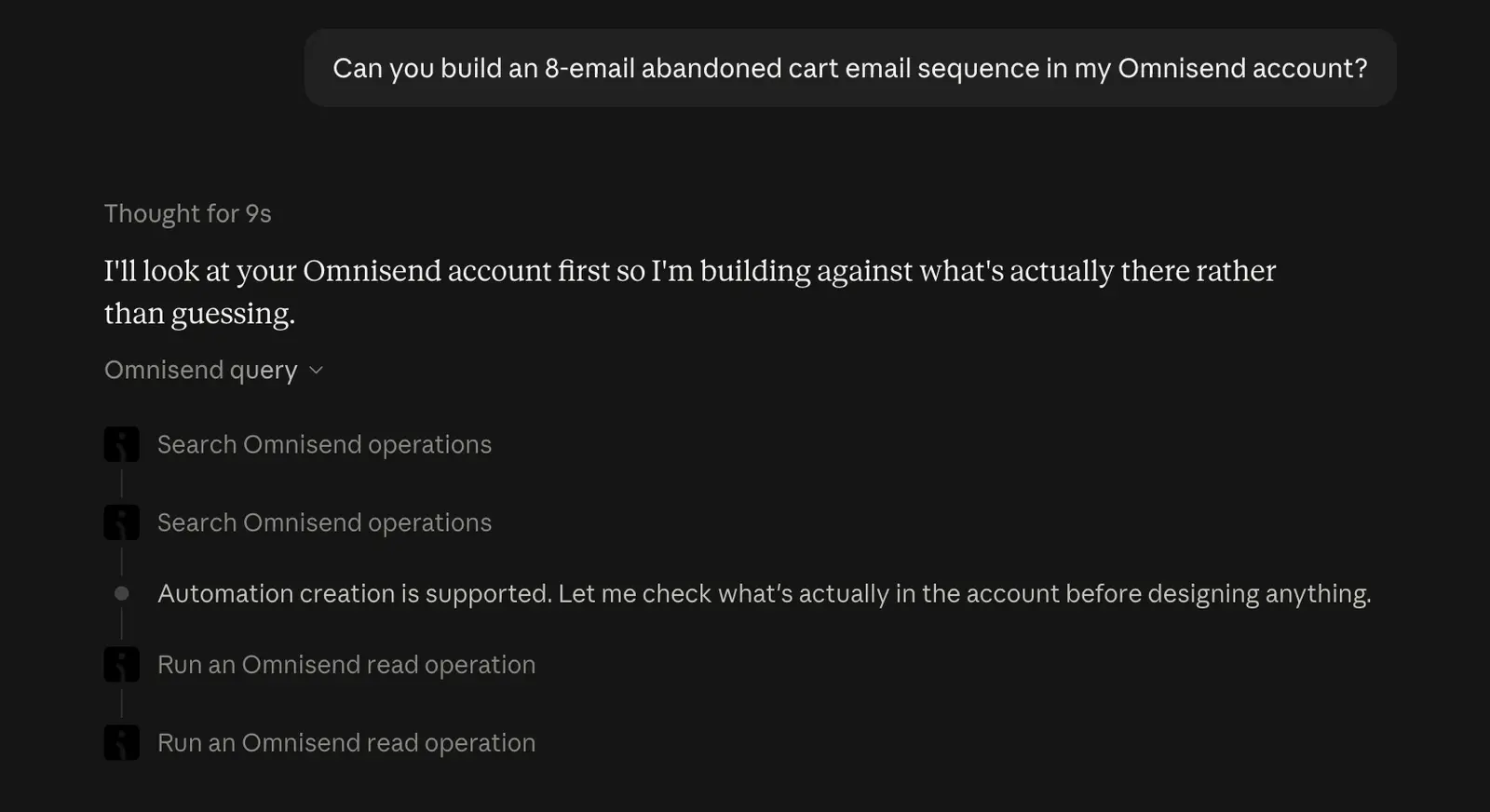
I connected Omnisend to Claude and asked it to build an eight-email abandoned cart sequence. Claude inspected the account before doing anything, then handled the strategy, timing and copy.
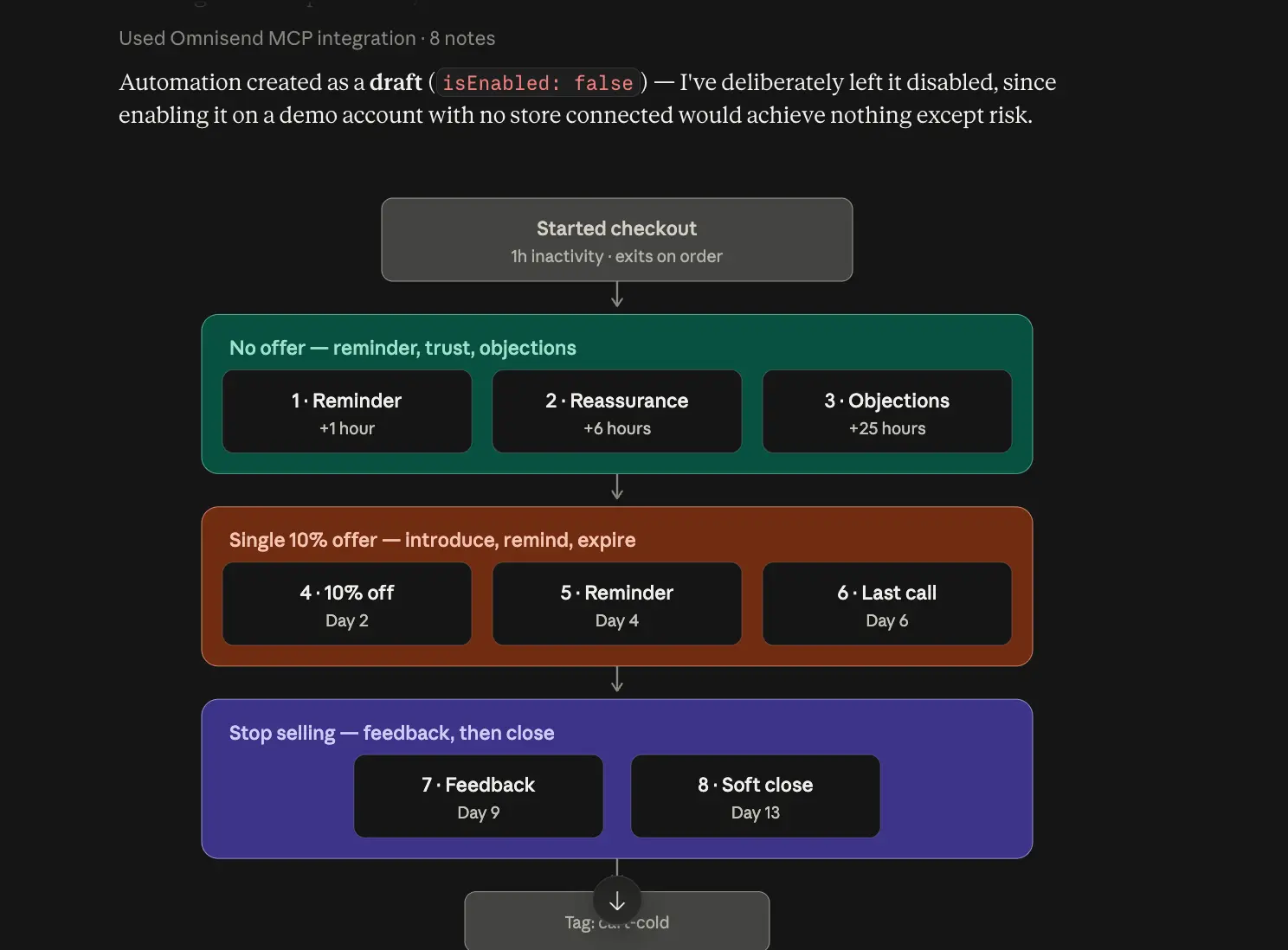
It proposed three phases: reminders without an offer, a single 10% discount, then feedback and a soft close. More importantly, it built the entire workflow in Omnisend and saved it as a disabled draft.
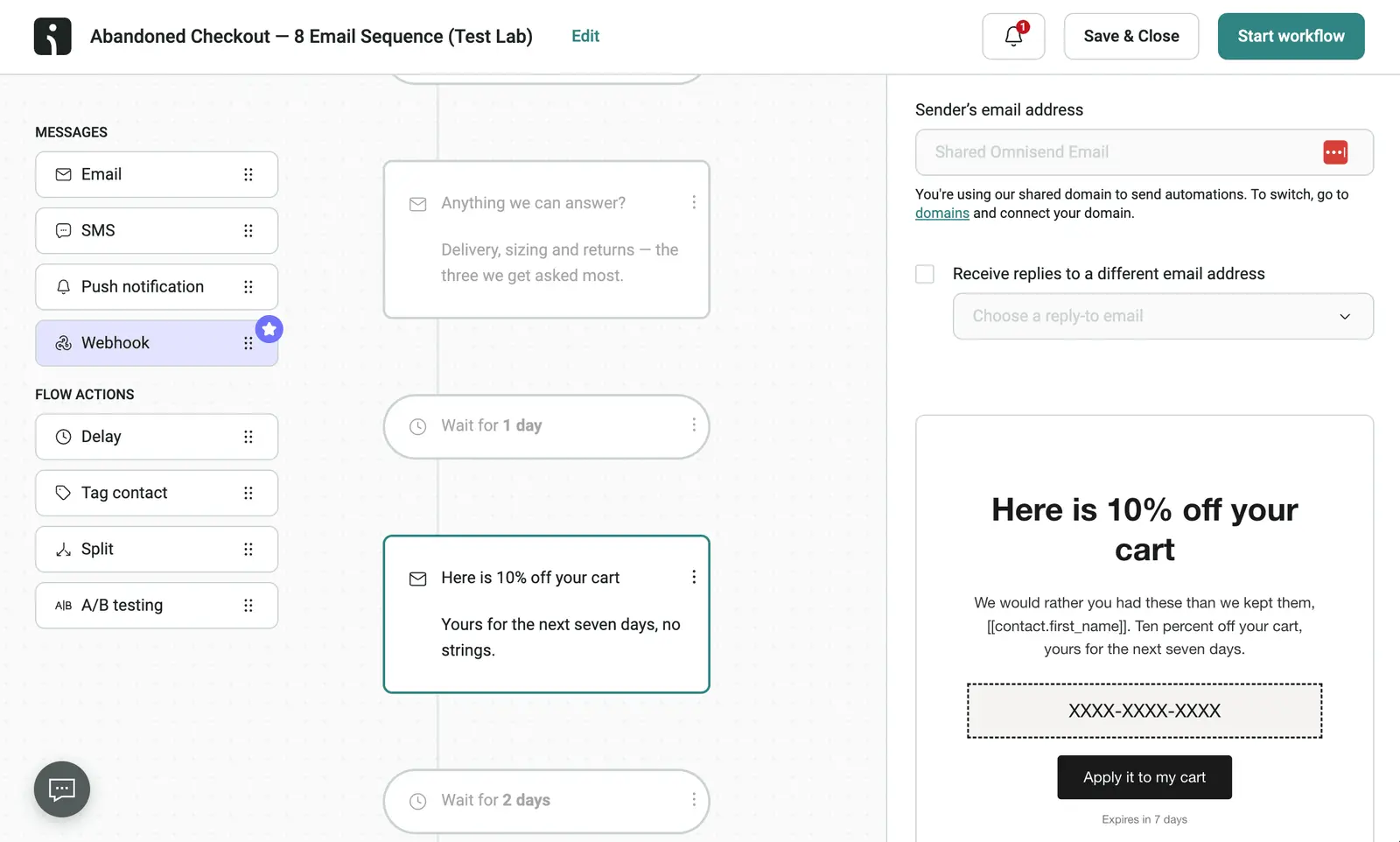
Seeing the finished automation appear in the account was a notch above generating copy in a chat window. It was also useful to see it consider the conditions, delays and connective tissue between the emails, as this is generally where most AI-assisted email automation tools fall down.
Pros and Cons
-
The MCP can build inside your account. It turned one prompt into a complete draft automation in my test.
-
Natural-language segmentation uses purchase data, including predicted churn and customer value.
-
Free migration from any ESP. Omnisend’s team rebuilds automations, templates and lists at no cost.
-
Native omnichannel workflows. Email, SMS and web push sit inside one automation.
-
Free plan is a demo. 250 contacts and 500 emails per month is barely enough to test.
-
Email template builder is mid-tier. If brand design matters, expect workarounds.
-
Wrong tool outside eCommerce. Most of its advantage disappears without product and purchase data.
Is Omnisend the right AI email tool for you?
Shopify or WooCommerce stores doing more than $100k/year that want AI to help build campaigns, not merely draft subject lines. The MCP is useful if you are prepared to review its work before anything goes live.
Non-eCommerce businesses, or anyone expecting an autonomous agent they can safely leave unattended. Look at ActiveCampaign, HubSpot, or Brevo instead. The full Omnisend review has more.
03ActiveCampaign
Test Lab Partner (Paid)ActiveCampaign is a member of our Test Lab Programme, which means we receive a fee to conduct hands-on testing of their platform. Learn more about our Test Lab Programme →Best for larger teams building and analysing automation sequences
I first used ActiveCampaign in 2012 and have run it across eight portfolio companies, sending over 124,000 emails. ActiveCampaign is a paid Test Lab Partner, and our latest ActiveCampaign review covers the tests behind this recommendation.
For larger teams and enterprises managing complex email journeys, ActiveCampaign has one of the best AI offerings I’ve used in email marketing. It can be a major time saver when building automation sequences and analysing campaigns, though its reporting and CRM are weaker than its automation builder.
Here’s my latest test:
I started by asking Active Intelligence to build a segment of people who had opened a campaign. It counted the contacts, asked for approval and created the segment. The email draft needed more work — it ignored my one-image and one-column instructions.
The sequence critique was more useful. Asked to improve an onboarding automation, it pulled a performance baseline, spotted an unfinished A/B test and flagged a high unsubscribe rate and missing preheader.
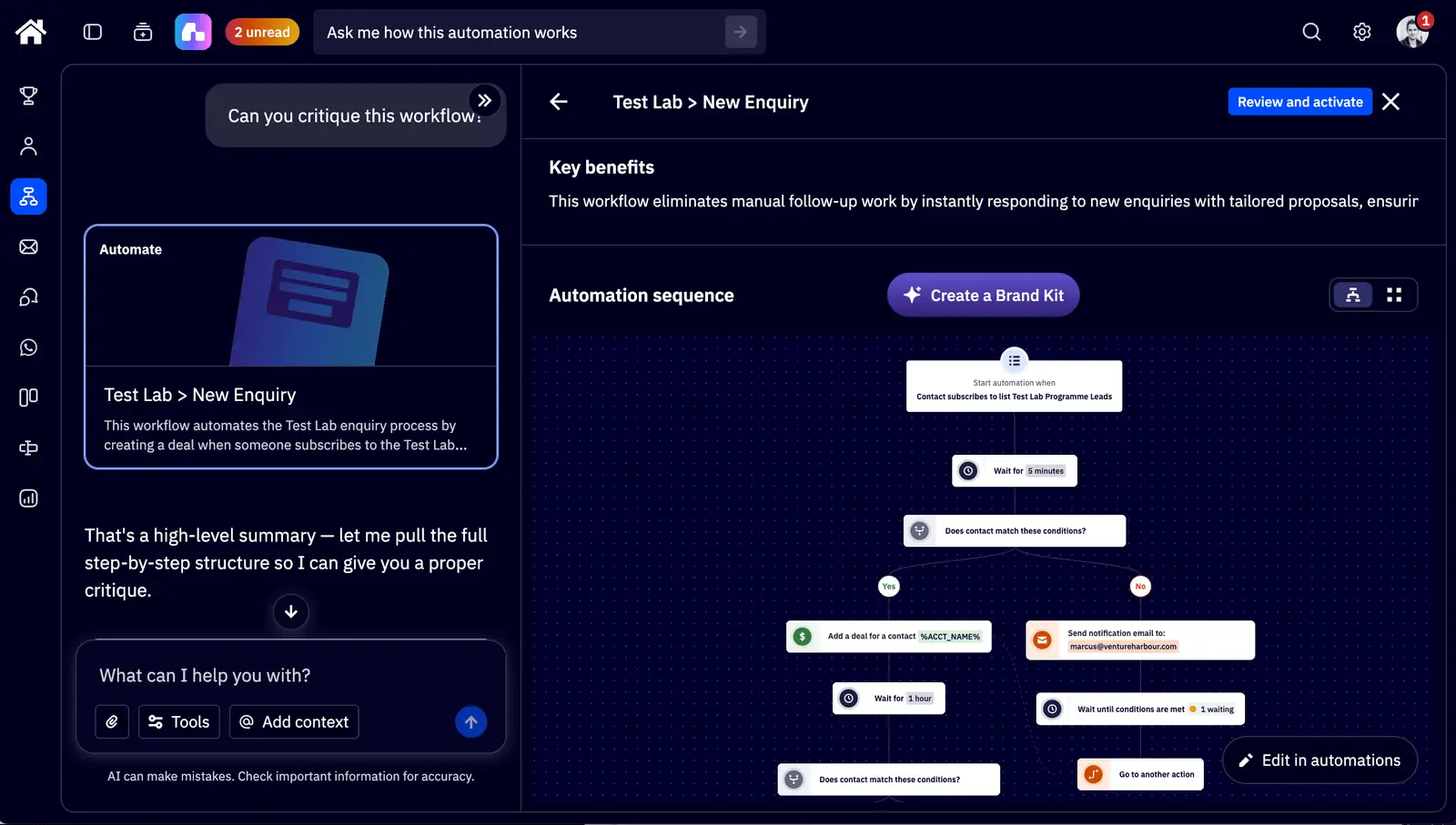
When I asked it to implement improvements, it added goal exits, a day-seven re-engagement branch and a 48-hour resend to non-openers. That removes manual work from both diagnosing a sequence and rebuilding it, particularly when your team maintains several customer journeys.
It still needed supervision. Active Intelligence couldn’t add the A/B split actions itself, and its email variant changed too much to isolate one hypothesis (which defeats the purpose of the test).
The Claude connector also had limits: it pulled account context and drafted a 14-day activation sequence, but couldn’t build the automation itself. I’d use it to plan the sequence, then check the implementation inside ActiveCampaign.
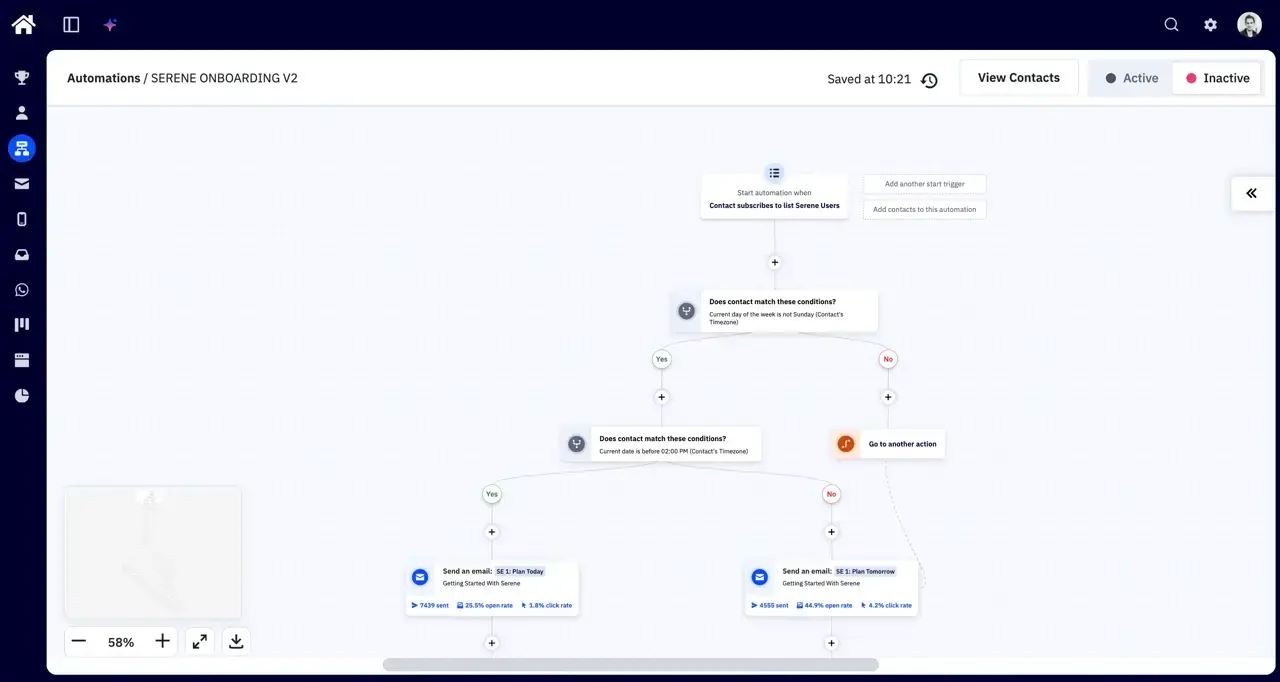
For an enterprise team, I’d pair ActiveCampaign with the CRM your salespeople already use. Its automation depth earns its keep when you’re managing lifecycle campaigns, but a team sending one newsletter a month will pay for capabilities it rarely touches.
Pros and Cons
-
Account-aware sequence critique. Identified specific problems in our onboarding automation and suggested fixes.
-
Automation changes from a prompt. Added goal exits, re-engagement logic and a non-opener resend in our test.
-
Natural-language segmentation. Created the requested audience after checking the contact count with me.
-
A/B testing still needs manual work. It couldn’t insert split actions and changed too much in an email variant.
-
Email drafts need checking. Our first draft ignored layout and image constraints.
-
Reporting and CRM lag behind automation. Larger sales teams should keep a dedicated CRM.
-
Contact billing adds up. New accounts are billed for unsubscribed and bounced contacts too.
Is ActiveCampaign the right AI email tool for you?
If your team spends hours building sequences and investigating campaign performance, I’d shortlist ActiveCampaign. Trial it on an existing automation so you can judge its recommendations against problems you already understand.
For basic newsletters or pre-revenue ventures, I’d start with Brevo or Mailchimp. ActiveCampaign’s depth needs enough recurring automation work to justify the cost and checking time.
Try ActiveCampaign Free for 14 Days
04Mailchimp
Test Lab Partner (Paid)Mailchimp is a member of our Test Lab Programme, which means we receive a fee to conduct hands-on testing of their platform. Learn more about our Test Lab Programme →Best for first-time email marketers
I’ve used Mailchimp on and off since around 2011, and retested it in September 2026 across the same eight areas as our full Mailchimp review. The email builder is still the easiest I have used. The AI story is better than it was, but it is strongest as a writing and reporting assistant.
My latest Mailchimp test is in the video below:
I rebuilt a designed newsletter campaign in Mailchimp’s drag-and-drop editor in eight minutes. That matters for first-time marketers, because most AI email tools still leave you tidying layout problems after the first draft.
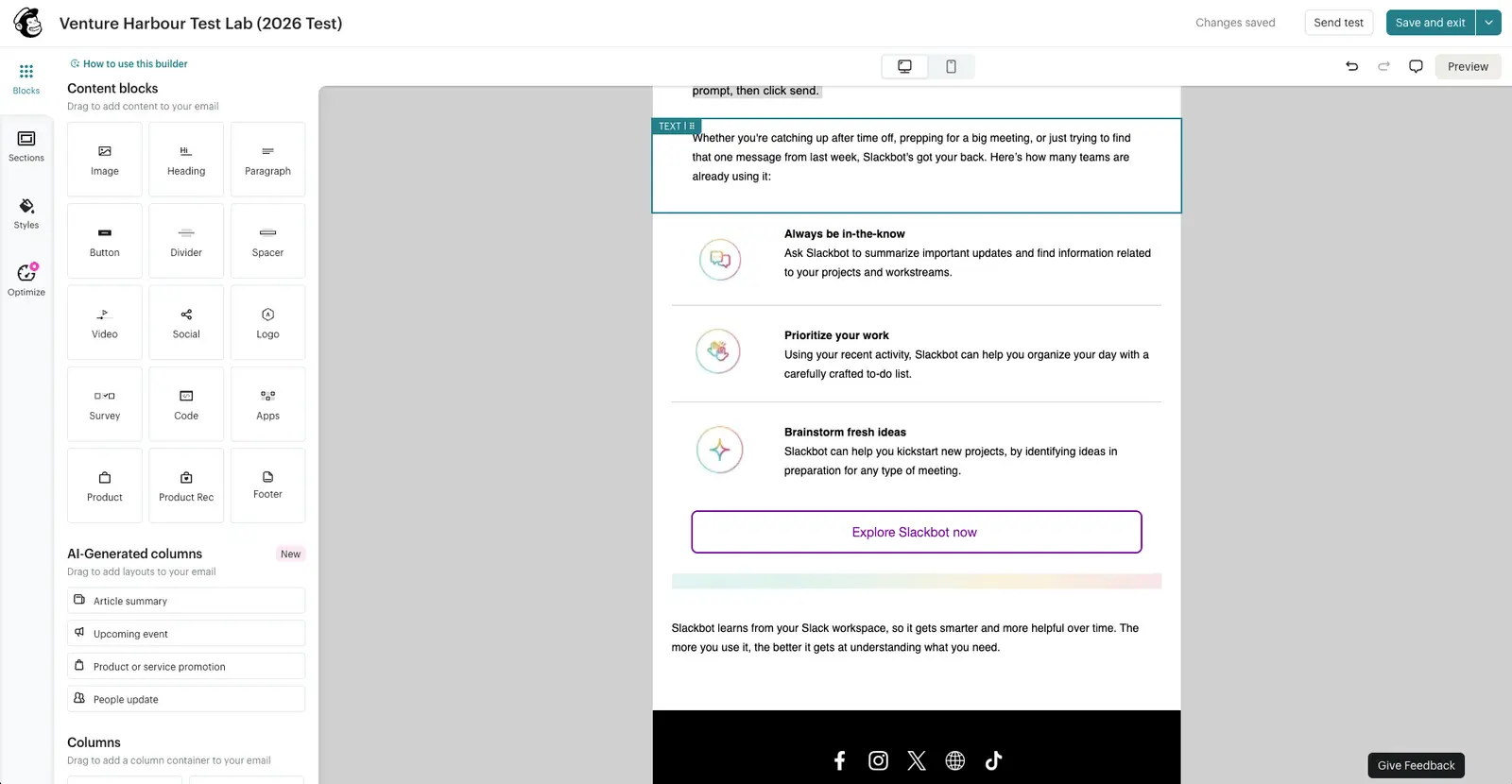
Intuit Assist sits inside the editor rather than generating a finished campaign from one prompt. It can suggest subject lines, write text blocks and create article summaries from a URL, which makes it useful when you already know the campaign you want to send.
The upside is control. One-shot AI builders often produce a campaign that looks finished until you start replacing half the structure. Mailchimp’s slower block-by-block approach gave me more usable copy in the editor.
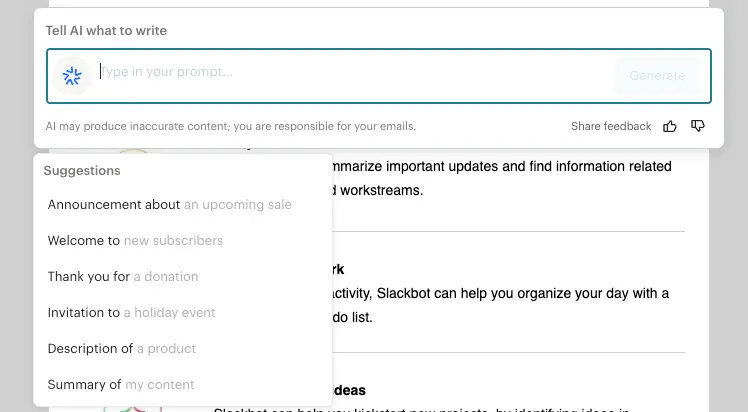
The downside is ambition. I wanted Intuit Assist to critique the campaign, suggest a better structure and tell me how to improve clicks. The Optimize tab helped, but the recommendations I saw were generic.
The Claude connector was more interesting. In my test it created a multi-channel campaign plan for a coffee roastery, opened it in Mailchimp, and imported four email drafts plus a social post.
That was useful, but awkward. I could not simply ask Claude to create one campaign directly, so I would treat the connector as a planning tool until the hand-off feels cleaner.
Analytics AI is the Mailchimp AI feature I would expect small teams to use most often. I asked it to summarise campaign performance for the last 30 days, and it returned plain-English insights and recommendations. My test account had almost no data, so I could not judge how sharp those recommendations become at scale.
Is Mailchimp the right AI email tool for you?
People sending their first commercial email campaigns. If you’ve never used an ESP and want the gentlest possible learning curve, Mailchimp is fine for getting started.
Open Mailchimp's WebsiteAnyone with a list approaching 5,000 contacts. The pricing tips against you fast.
05Brevo
Best affordable multichannel AI platform
I’ve used Brevo since 2016, back when it was Sendinblue. Across our ventures I’ve sent 640,199 emails through their platform without much drama.
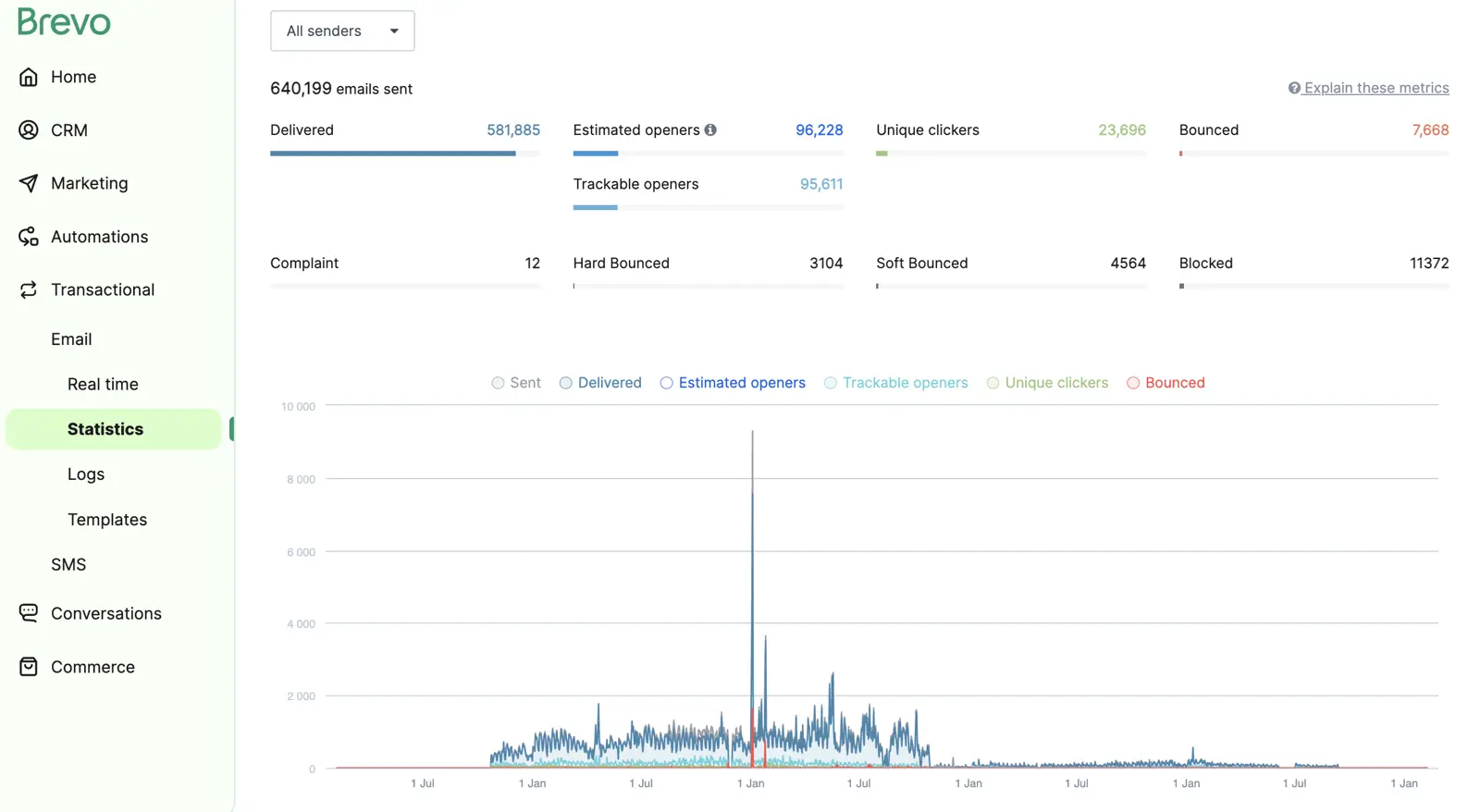
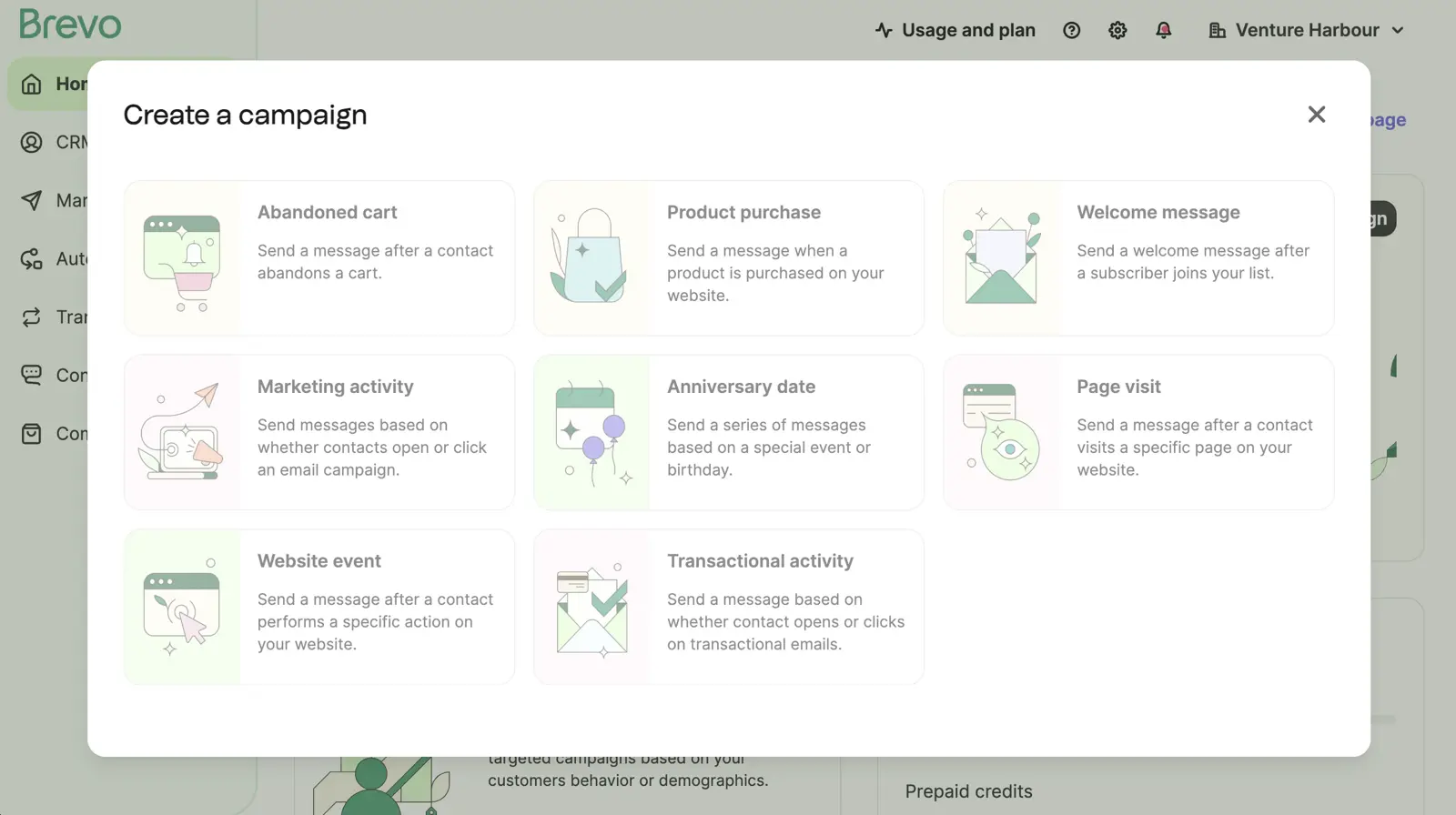
The AI is modest but practical: predictive send-time, AI-generated subject lines, basic segmentation suggestions.
The real strength is the multichannel side — email, SMS, WhatsApp, and web push all triggered from a single workflow.
Pros and Cons
-
Email-volume pricing means you only pay for what you send.
-
The free plan is usable: 300 emails/day to unlimited contacts. Nearly unique in this category.
-
Multichannel is native, with email, SMS, WhatsApp, and push from the same workflow.
-
Transactional and marketing email sit in one platform. Most competitors require a separate service.
-
Automation has a low ceiling, with no split-testing of automation paths or predictive AI workflows.
-
AI features feel bolted on compared with the depth of ActiveCampaign or Omnisend.
-
Account throttling complaints come up often. A recurring grumble on Reddit is Brevo throttling or suspending accounts that spike in volume.
-
Reporting on the free plan is heavily limited.
Is Brevo the right AI email tool for you?
Small-to-medium businesses that need affordable email with basic automation. Particularly good for large contact lists with moderate sending frequency, and for teams that want email + SMS + WhatsApp in one platform.
Businesses that need advanced automation should look at ActiveCampaign. eCommerce stores should look at Omnisend, while B2B teams that need CRM coupling should look at HubSpot.
The full Brevo review has the longer take.
06GetResponse
Best all-in-one with webinars
My history with GetResponse goes back further than any other tool on this list. I started using it around 2010 and have watched it cycle through being best-in-class, falling behind, then clawing its way back to the “good enough at a lot of things” zone it sits in today.
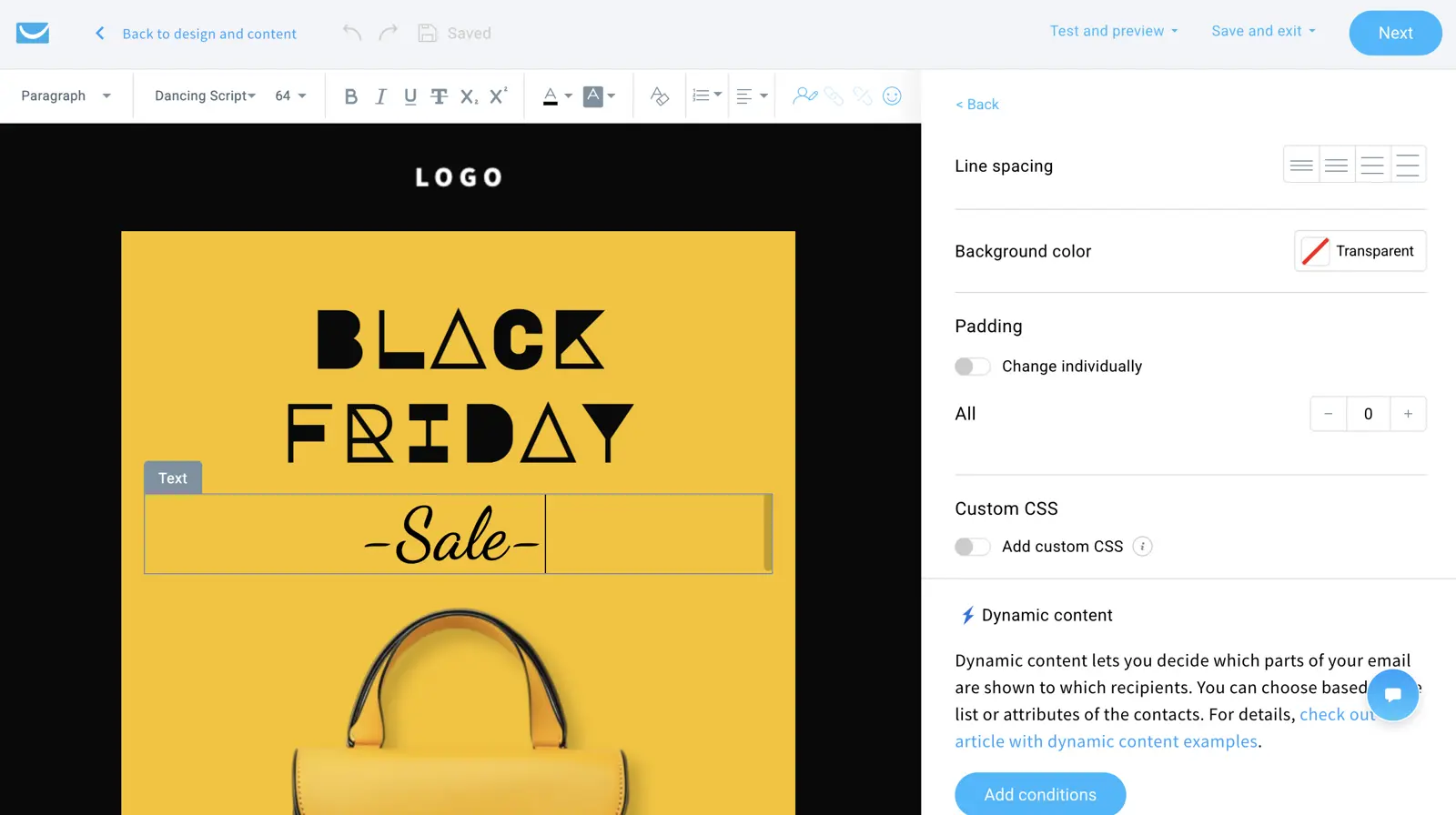
The AI feature worth naming is Perfect Timing. It sends each email when a recipient is most likely to engage. It predates ChatGPT and remains excellent. Everything else AI-related (email generator, landing pages, websites, autoresponders) is broad but shallow. Prompt-in, content-out, no learning from your data.
Pros and Cons
-
Native webinars handling up to 100 attendees on Creator. If you run webinars, this alone may justify GetResponse.
-
Perfect Timing send optimisation. One of the oldest and most reliable per-contact send-time features.
-
50% non-profit discount. A standout deal for charities and NGOs.
-
Annual discount. 12-month billing saves 18%.
-
Jack of all trades, master of none. Automation isn’t as good as ActiveCampaign’s. CRM isn’t as good as HubSpot’s.
-
Loads of AI features, but none that learn from your data (Perfect Timing aside).
-
Templates feel dated.
-
Webinars are a meaningful upcharge. If you don’t need them, you’re paying for a feature you’ll never use.
Is GetResponse the right AI email tool for you?
Budget-conscious businesses needing a bit of everything, and especially anyone running webinars. The native webinar tool eliminates a separate Zoom subscription. Charities and NGOs get 50% off, which is the best non-profit deal I’ve seen in the category.
Anyone whose primary need is automation depth (use ActiveCampaign) or eCommerce (use Omnisend). The full GetResponse review goes deeper.
07HubSpot
Best for B2B with CRM data
We used HubSpot across two ventures from 2018 onwards while we evaluated it as Venture Harbour’s all-in-one platform. For years I was sceptical of the consolidation pitch (CRM, email, landing pages, blog, social, ads in one suite), because most users I knew weren’t touching 90% of what they paid for. The AI era changed the calculus, because Breeze can pull signal from across all of it.
Breeze is HubSpot’s AI suite, rebranded from various AI features in late 2024. It’s the most interesting AI story of the seven, partly for what it does, but mostly for how it’s priced.
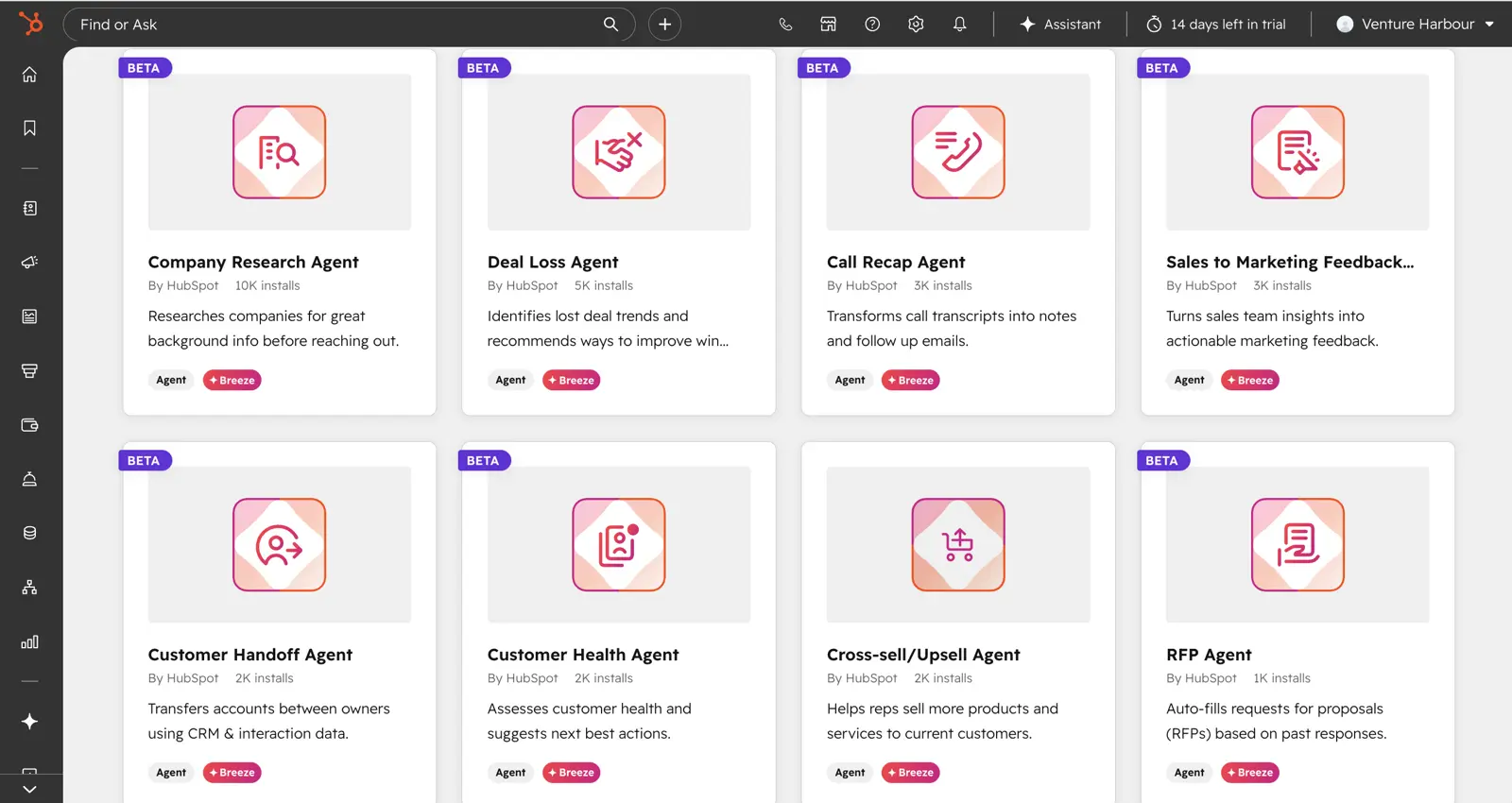
The Breeze suite at a glance:
- Breeze Copilot: In-app AI assistant across the CRM. All paid tiers; richer functionality on Pro/Enterprise. Now available inside Slack as of Spring 2026.
- Breeze Customer Agent: Resolves inbound enquiries across email, chat, and forms. Pro/Enterprise. Outcome-based: $0.50 per resolved conversation.
- Breeze Prospecting Agent: Finds in-market accounts, builds lists, drafts personalised outreach. Pro/Enterprise. Outcome-based: $1.00 per qualified lead.
- Breeze Studio (Agent Marketplace): Pre-made AI agents for CRM clean-up, prospecting, automated calling, transcription.
- Loop Marketing: One brief to multi-channel campaign generation. Pro/Enterprise (new Spring 2026).
- Predictive Lead Scoring: Enterprise only.
The outcome-based pricing on Breeze Agents is the differentiator. Instead of paying for an AI seat or a feature flag, you pay when the agent closes a ticket or qualifies a lead. For teams with predictable customer-service or outbound prospecting workloads, the unit economics can work well.
Breeze Copilot at the Starter tier is a ChatGPT wrapper with CRM merge fields. The differentiated capabilities, including predictive scoring, contextual prospecting and multi-channel campaign generation, are on Pro and Enterprise.
Pros and Cons
-
CRM-to-email integration is unmatched. No other tool here references deal stage in an email body without webhooks.
-
Free Smart CRM with unlimited contacts and 2,000 monthly email sends.
-
Breeze Copilot writes contextual emails using actual CRM data, not just historical campaigns.
-
Multi-touch revenue attribution added Spring 2026. Closed-loop reporting from first touch to closed-won.
-
Outcome-based agent pricing is novel for AI in this category.
-
$3,000 mandatory onboarding fee on Pro ($7,000 on Enterprise). Non-refundable, whether you complete the programme or not.
-
12-month annual commitment on Pro and Enterprise. No early exit.
-
Steepest pricing jump in the category. $15/seat to $890/mo between Starter and Pro.
-
Per-seat pricing balloons with team size.
Is HubSpot the right AI email tool for you?
B2B service companies doing $1M+ in revenue with a 30+ day sales cycle and a real need for closed-loop attribution. If you’re going to build your sales process around HubSpot’s CRM, Breeze becomes a competitive advantage, particularly the outcome-based Customer and Prospecting Agents.
Small businesses, startups, solopreneurs, creators, eCommerce companies, and anyone who winces at four-figure monthly software costs. ActiveCampaign delivers most of the automation at roughly 10% of the cost. For eCommerce, Omnisend is built for the job. The full HubSpot review has the long version.
How to Choose the Right AI Email Marketing Tool
The decision framework is shorter than most articles will admit.
Start with what you sell. Physical products through Shopify: Omnisend. B2B SaaS with a sales team: HubSpot (with budget) or ActiveCampaign (without). Newsletter: Kit or Beehiiv (covered here). Anything else: ActiveCampaign for depth, Brevo for budget.
Then ask: does the AI learn from my account? This is the single most important question. A generative writer drafting from a generic LLM is a convenience. An AI that builds a model of your campaigns, tone, and audience is a different category of value. Right now, only ActiveCampaign, HubSpot Breeze (at Pro+), and Omnisend deliver the second category at scale.
Trial with a real campaign. A test run with 50 contacts won’t tell you anything about how the AI performs at 5,000. Send-time optimisation in particular needs volume to learn. Most vendors quote their own benchmark studies for the lift figures, so take them with a pinch of salt and run your own A/B test.
Watch the pricing tiers. The AI features that matter are usually on the second or third tier. If the AI is the reason you’re choosing the tool, budget for that tier from day one.
A short checklist before you commit:
- Does the AI improve the longer I use the platform?
- Are predictive features included on the tier I can afford?
- Will my list size make this affordable at 12 months, not just month one?
- Does the platform integrate with what I already use?
- Is there a free trial or free tier with full AI access?
If most are yes, you’ve got the right tool. If three or more are no, keep looking.