


One of the biggest problems with email marketing tools is how expensive they become when your list grows.
Which is why Constant Contact’s new offering caught my attention – it costs $6/month regardless of your list size.
So, I opened a fresh account and put it through eight tests: deliverability, pricing, contact imports, the editor, AI, automation, support and cancellation.
Here’s the video of me running through the account.
What are Constant Contact’s pros/cons?
These come from our August 2026 tests and the fresh accounts I used for them.
-
Starter Email is unusually cheap for an infrequently contacted list. It stays at $6/month as contacts grow, although the 2,500-send ceiling is firm.
-
The editor is difficult to break. I recreated a designed email without training, but couldn’t add custom CSS, custom fonts or search a stock-image library.
-
Default deliverability was good. Our untouched template scored 9/10 in Mail Tester, although that is one controlled test rather than a promise about every sender.
-
Human support was useful. I reached a phone agent in about a minute and received a sensible answer, but email support was not offered in the account.
-
There is a clean route into broader marketing. Core adds social, events, eCommerce attribution and 300+ integrations, at the cost of a busier product and contact-based pricing.
-
Automation lacks depth. It handles welcome sequences and delays, but not the behavioural branching I’d use ActiveCampaign for.
-
Contact import feedback is vague. Constant Contact caught most invalid addresses, but the first failed import did not explain what needed fixing.
-
AI output needs editing. The generated campaign looked usable after moderate work, rather than ready to send.
-
Starter Email is easy to outgrow. A growing list quickly exhausts 2,500 sends if you email weekly.
How much does Constant Contact cost?
Starter Email is $6/month in the US. It includes unlimited contacts, but only 2,500 email sends per month.
The broader Constant Contact product has three contact-priced plans. Public US pricing started at $12/month for Lite, $35/month for Standard and $80/month for Premium at up to 500 contacts when I checked it in August 2026.
| Plan | Starts at | Monthly send allowance | What changes |
|---|---|---|---|
| Starter Email | $6/mo | 2,500 total sends | Email-only product with unlimited contacts |
| Lite | $12/mo | 10× contact tier | One user and one automation template |
| Standard | $35/mo | 12× contact tier | Three users, three automation templates and subject-line A/B testing |
| Premium | $80/mo | 24× contact tier | Unlimited users, automations and custom segments; 500 SMS messages |
Core pricing rises with the highest active-contact tier reached during the billing period. Sends above the allowance cost $0.002 each, so an extra 1,000 sends costs $2.
What does Lite cost as your list grows?
| Active contacts | Lite per month | Included sends per month |
|---|---|---|
| Up to 500 | $12 | 5,000 |
| 501–1,000 | $30 | 10,000 |
| 1,001–2,500 | $50 | 25,000 |
| 2,501–5,000 | $80 | 50,000 |
| 5,001–10,000 | $120 | 100,000 |
This is where the Starter Email plan earns its keep. At 5,000 contacts, Lite costs $80/month while Starter Email remains $6 — provided 2,500 total sends are enough.
That’s an unusual trade. You can store 5,000 contacts cheaply, but you cannot send one email to all of them in a single month.
Try Starter Email for $6/month
Is there a free plan?
No. Constant Contact has a free trial that allows up to 100 test sends, followed by a 30-day money-back guarantee for new paid plans.
One hundred sends is enough to poke around the editor and send tests to yourself. Budget for a paid month if you want to judge campaign performance properly.
01Importing contacts: 3/5
I began with a CSV containing 24 traps: malformed addresses, names in email fields, blank rows and stray punctuation. A perfect result was 42 valid contacts imported and everything else rejected.
The first upload failed with a generic error. After I removed the most destructive rows, Constant Contact imported 51 contacts and flagged seven questionable addresses for review.
That was better than the opening error suggested. It caught most invalid records with basic editing, but imported more contacts than the 42 known-good rows.
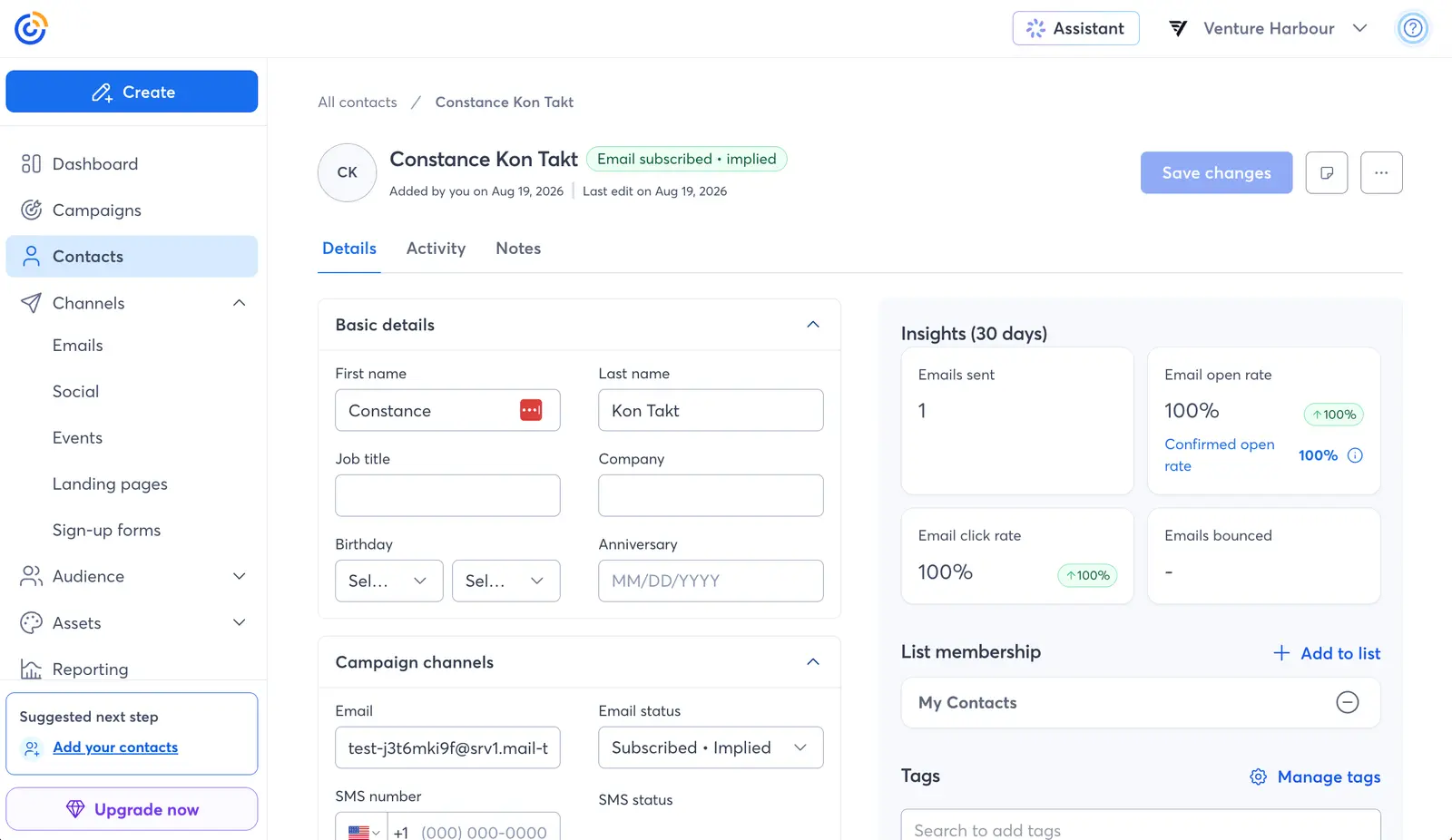
Score: 3/5. Most invalid contacts were caught, although the error reporting needs to be more specific.
02Building an email: 4/5
Next, I rebuilt a reference email for a coffee subscription using Starter Email’s drag-and-drop editor. The aim wasn’t pixel perfection — it was to find the point where the editor got in my way.
For a basic newsletter, it didn’t. Blocks were predictable, spacing controls made sense and I produced the full design with minor friction.
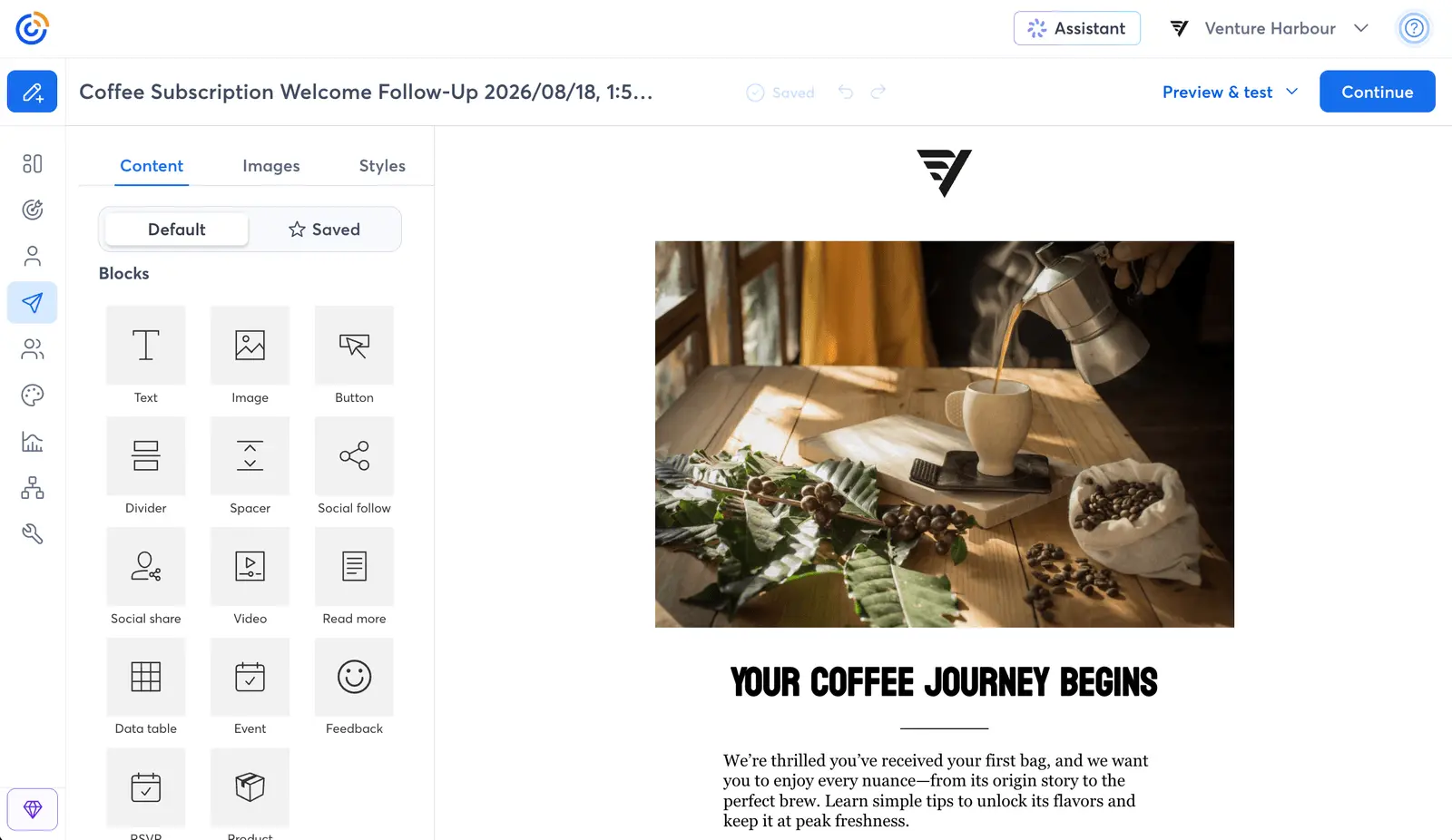
The limitations appear when you want to colour outside the template. I couldn’t add custom CSS, use a custom font or search Pexels or Unsplash from the image picker.
Score: 4/5. Easy enough for a non-technical sender, but a designer will find the edges quickly.
Try Constant Contact’s email builder
03Generating an email with AI: 3/5
Constant Contact’s AI asks for a prompt and returns several complete layouts with copy and images. This is more useful than generating a paragraph and leaving you to assemble the campaign yourself.
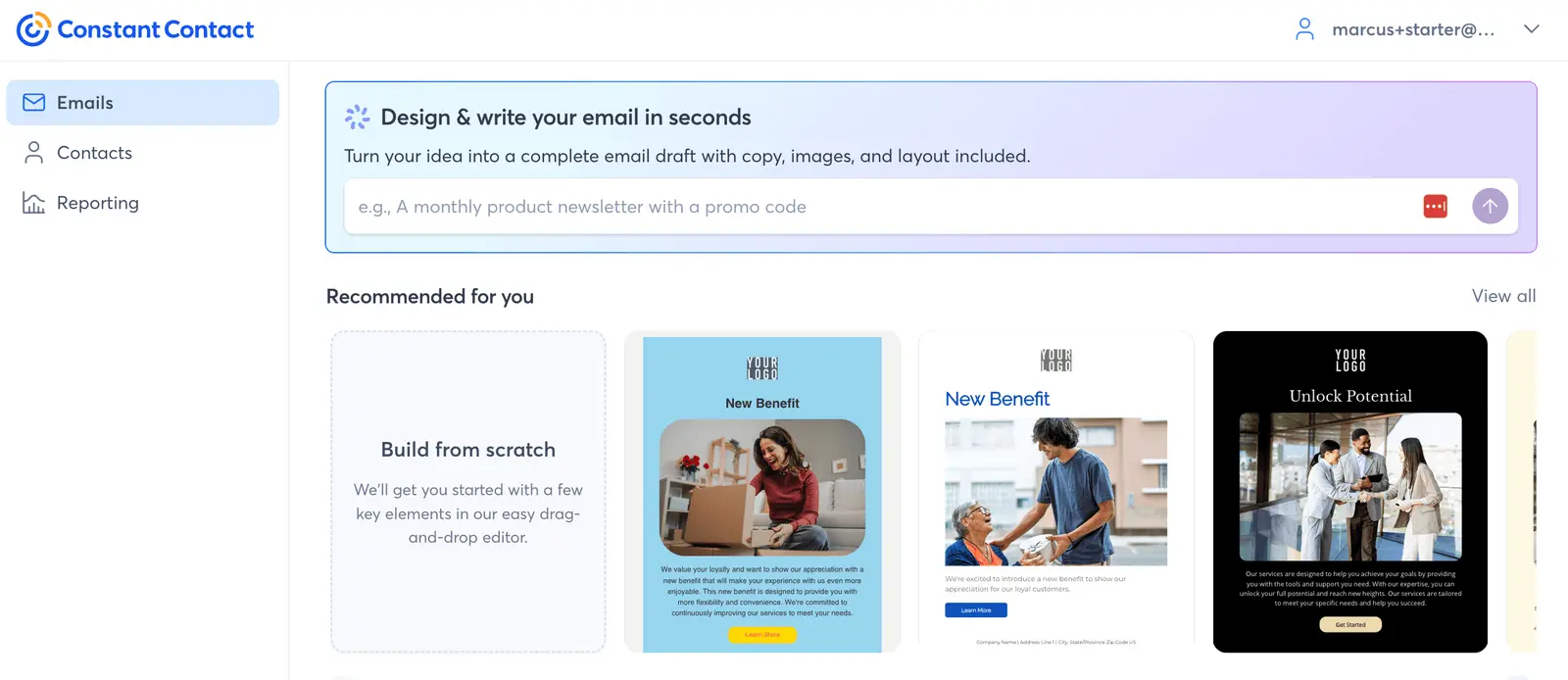
My prompt specified a tone, maximum word count, discount code, banned words and one call to action. The result looked coherent, but missed the discount code and mixed stock images with noticeably different styles.
It was a few edits from sendable. Useful, although missing a discount code after being explicitly asked for one is exactly the kind of thing that gets an email rechecked by a human.
Score: 3/5. Most constraints were met and moderate editing made it usable.
04Building a welcome sequence: 3/5
On the Core product, I asked the AI assistant to build a three-email coffee subscription welcome sequence. It created one email rather than the sequence, so I assembled the workflow manually.
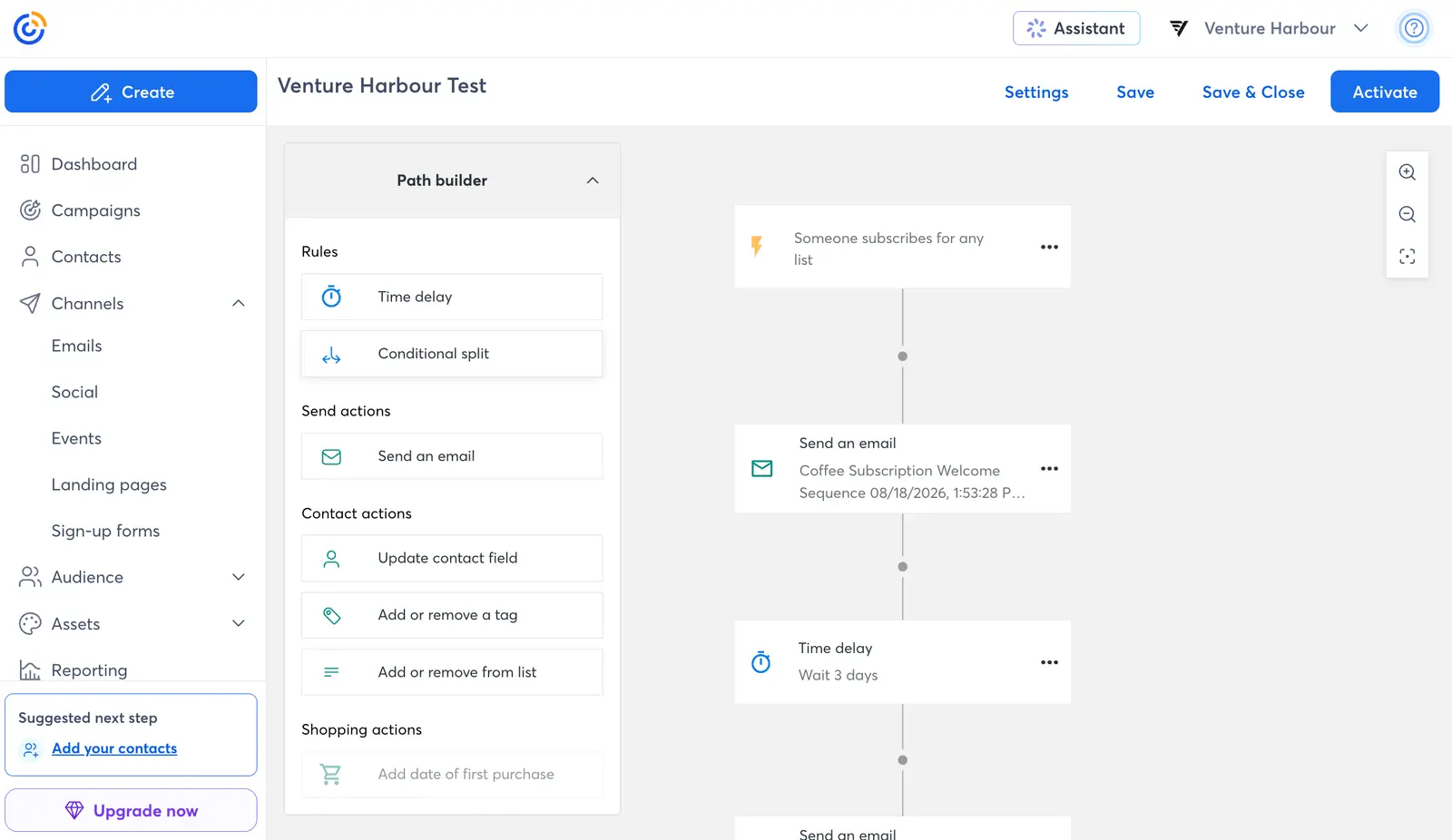
The path builder covers the basics: delays, conditional splits, emails, contact fields, tags and list changes. I built the three-email sequence without much trouble.
The downside is depth. I couldn’t find the range of click, geography and engagement conditions available in more advanced tools, and duplicating steps was more cumbersome than expected.
Score: 3/5. Good for simple drip campaigns. I would build a complicated customer lifecycle elsewhere.
If a welcome sequence is all you need, try Constant Contact. For branching around clicks, purchases and engagement, I would use ActiveCampaign instead.
05Customer support: 4/5
I gave phone and chat support the same awkward billing question. It included a false premise and asked for advice that could reduce Constant Contact’s revenue.
The phone was answered by a person after roughly 60 seconds. He corrected the premise — Core billing is based on contact tier, not opens or sends — and said reducing active contacts could lower the bill.
The chat assistant also corrected the premise and explained that billing follows the highest active-contact tier. Neither answer was perfect, but both were useful and refreshingly direct.
Score: 4/5. Fast human access and a competent chat answer, losing a point because neither gave the complete cost-saving answer unprompted.
06Deliverability: 5/5
For this test I sent Constant Contact’s first recommended template using its default sending address. Mail Tester scored it 9/10.
SpamAssassin found no meaningful spam signals, the sending servers were absent from the blocklists checked and the message formatting passed. The missing point came from DMARC and two links returning 403 errors to the crawler.
Those link errors came from Constant Contact blocking the bot. A real campaign should still use an authenticated domain with DMARC, so don’t treat this controlled test as permission to ignore setup.
Score: 5/5. The default structure and sending infrastructure did what they should.
Rating Details
I’ve rated Constant Contact across the eight tests I ran.
Contact Importing
★★★
3.0 / 5
It caught most invalid records once I cleaned up the worst rows, but the first error message gave me no useful clue about what had failed.
Email Builder
★★★★
4.0 / 5
I rebuilt the reference design with minor friction. Custom CSS, custom fonts and a searchable stock-image library were missing, so designers will reach its limits sooner.
AI Email Creation
★★★
3.0 / 5
The generated email became usable after moderate editing, but it ignored the discount code in my prompt and mixed unrelated image styles.
Pricing
★★★★★
5.0 / 5
Starter Email is difficult to beat when you send infrequently to a growing list. The 2,500-send allowance makes it poor value as soon as regular campaigns begin.
Automation
★★★
3.0 / 5
I built a three-email welcome sequence without much trouble. Its limited conditions and awkward step duplication rule it out for complicated customer journeys.
Customer Support
★★★★
4.0 / 5
Phone support answered in about a minute and chat gave a useful response. Neither gave the complete cost-saving answer without prompting.
Deliverability
★★★★★
5.0 / 5
The default email scored 9/10 in Mail Tester without material spam or blocklist problems. It was one controlled test, so your list quality and authentication still matter.
Cancellation
★★★
3.0 / 5
These scores total 30 out of 40, giving Constant Contact a 3.8/5 rating.
Who is Constant Contact best for?
It depends less on your list size than how often you contact that list.
Recommended for
- Solo entrepreneurs building an audience before monetising it. Unlimited contacts remove the usual penalty for list growth, provided you stay below 2,500 sends.
- Local and seasonal businesses. If you email around launches, events or busy periods rather than every week, Starter Email is an economical holding pattern.
- Non-technical teams sending simple newsletters. The editor is approachable and phone support is easy to reach, although the design controls are limited.
- Small businesses wanting email, social and events together. The Core product covers these channels without becoming enterprise software, though it costs more than Starter Email.
Not recommended for
- Frequent newsletter publishers. Even a list of 1,000 contacts exhausts Starter Email after two full-list campaigns.
- SaaS and eCommerce teams with complex lifecycle automation. The builder lacks the behavioural depth of ActiveCampaign.
- Design-led brands needing precise email layouts. No custom CSS or fonts in the tested editor makes exact brand work awkward.
- Anyone choosing on price alone at higher sending volumes. Compare the Core tiers against MailerLite and Mailchimp using your actual contact count and frequency.
Constant Contact vs Mailchimp, MailerLite and ActiveCampaign
| Tool | Better fit when… | Main compromise |
|---|---|---|
| Constant Contact Starter Email | Your list may grow, but you send fewer than 2,500 emails monthly | Hard monthly send cap and email-only feature set |
| MailerLite | You want low-cost newsletters with more regular sending | Price rises as the list grows |
| Mailchimp | You want a familiar all-rounder with broader campaign tools | Contact-based pricing can become expensive |
| ActiveCampaign | Behavioural automation and lifecycle journeys matter | More expensive and more platform than a basic sender needs |
I would start with Constant Contact if I were collecting a list for a new, seasonal or sporadic project. The $6 monthly cost is hard to argue with while email is still an experiment.
The moment that list needs weekly campaigns or generates enough revenue to justify deeper automation, I’d compare Core with ActiveCampaign and MailerLite. Starter Email’s defining strength then becomes its defining constraint.
My verdict: a great option for beginners
Constant Contact gets the unglamorous things right. The editor is easy, support answers quickly and its default email survived our deliverability test without drama.
The Starter Email plan is the interesting bit. Unlimited contacts for $6/month is unusually generous if you send fewer than 2,500 emails, but almost irrelevant if you send every week.
I’d recommend it to budget-conscious small businesses and solo entrepreneurs whose lists are growing ahead of their campaign frequency. If you already need advanced automation or regular full-list sends, skip the detour and compare the Core product with its alternatives.