

I’ve used ActiveCampaign across eight companies for over a decade, and our Claude tests cover both lifecycle planning and building a shop’s abandoned-cart sequence. The benchmark was whether the assistant could turn account data into something we could use inside the email platform.
ActiveCampaign, Omnisend, MailerLite, Klaviyo and Loops all offer MCP servers, putting them in contention if you want an AI assistant working with your email account. Their available actions differ enough that choosing between them takes more than checking for a Claude logo.
What does an MCP server do for email marketing?
An MCP server connects an AI assistant to your email platform’s data and available actions. That can mean reading campaign results, updating a subscriber or creating a draft campaign. A working connection alone tells you little about how much of the job the assistant can finish.
The useful distinction is between reading data, changing records and building an automation. Before migrating a list, try the specific task you want done in an account you can inspect afterwards. An impressive answer in a chat window can still leave you with an afternoon in the workflow editor.
Which email marketing tools have an MCP server?
All five platforms below publish MCP documentation. The ActiveCampaign and Omnisend results come from our account tests; the other three entries describe documented capabilities, with no equivalent MCP test behind them.
| Tool | MCP task to evaluate | Evidence | Limitation |
|---|---|---|---|
| ActiveCampaign | Account-aware lifecycle planning | Claude drafted a 14-day activation sequence | Could not build the automation in our test |
| Omnisend | Abandoned-cart workflow creation | Claude saved an eight-email workflow | Draft needed coupon and sending checks |
| MailerLite | Subscriber management and draft automations | Vendor documentation | Output quality needs an account test |
| Klaviyo | Campaign and flow performance analysis | Vendor documentation | Recommendations need checking against reports |
| Loops | Product events and transactional messages | Vendor documentation | Requires published workflows or templates |
01ActiveCampaign
Test Lab Partner (Paid)ActiveCampaign is a member of our Test Lab Programme, which means we receive a fee to conduct hands-on testing of their platform. Learn more about our Test Lab Programme →Our ActiveCampaign connector test produced an account-aware sequence plan, but it could not build the automation. That leaves a hand-off between Claude and the visual builder, which I’d factor into any plan to delegate lifecycle campaigns.
In that test, Claude retrieved account context and drafted a 14-day activation sequence, including plain-text emails and A/B variants. It gave us a plan grounded in the account. When asked to build the automation itself, the connector could not complete the job.
The distinction became clearer when we tested Active Intelligence inside ActiveCampaign. Asked to create a segment of people who had opened a campaign, it counted the contacts, requested approval and created the segment. Its email draft then ignored our one-image and one-column instructions.
Sequence analysis went further. It retrieved a performance baseline, found an unfinished A/B test and flagged a high unsubscribe rate alongside a missing preheader. Those are specific problems a marketer can investigate, although the proposed fixes still need checking against the campaign’s purpose.
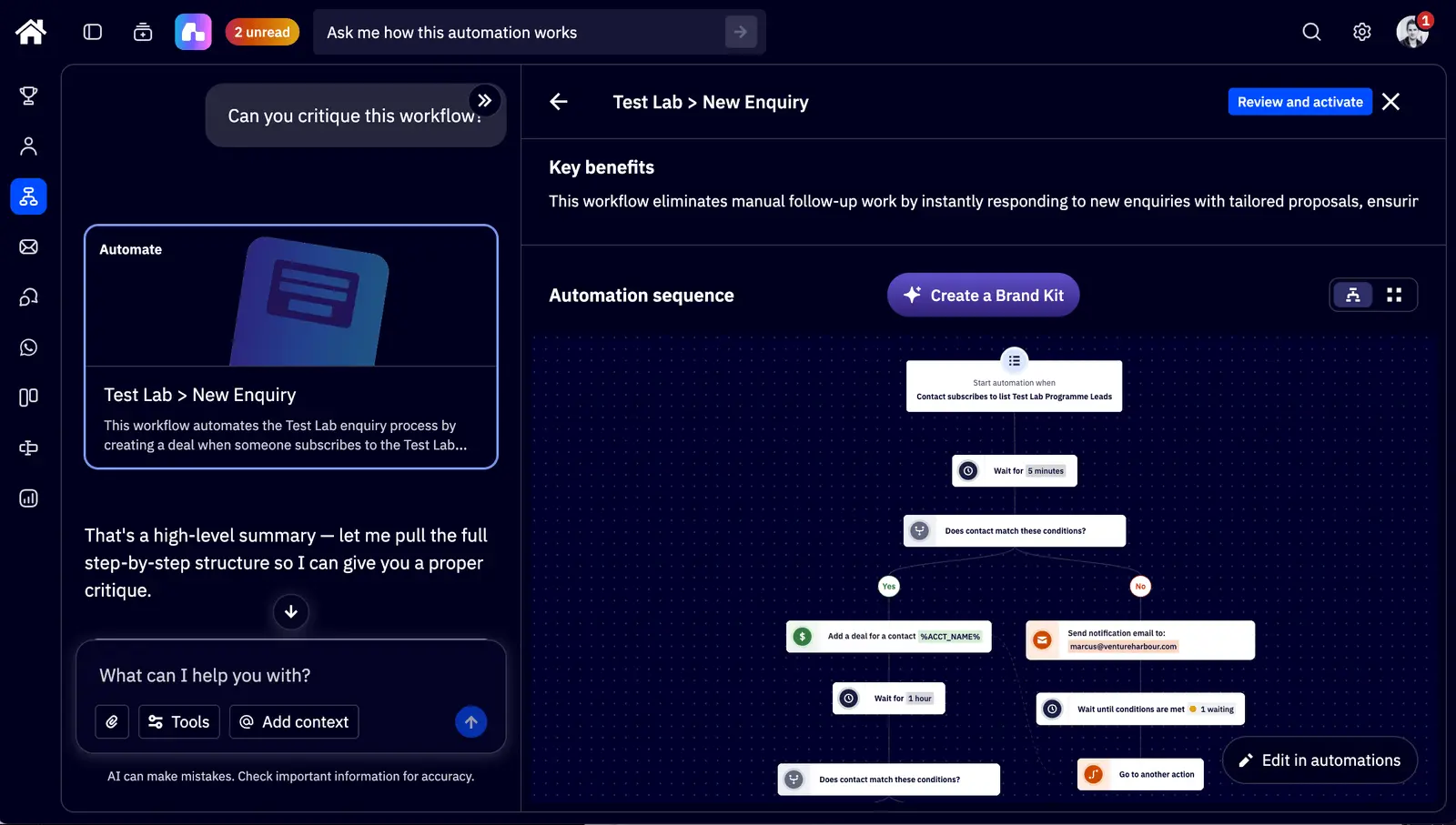
This is Active Intelligence working inside ActiveCampaign. When asked to implement improvements, it added goal exits, a day-seven re-engagement branch and a 48-hour resend to non-openers. It could not add the A/B split actions itself.
The email variant also changed too much to isolate one hypothesis (an awkward result for an A/B test). These findings from our ActiveCampaign review explain why I’d keep a marketer involved even when the AI can edit workflows.
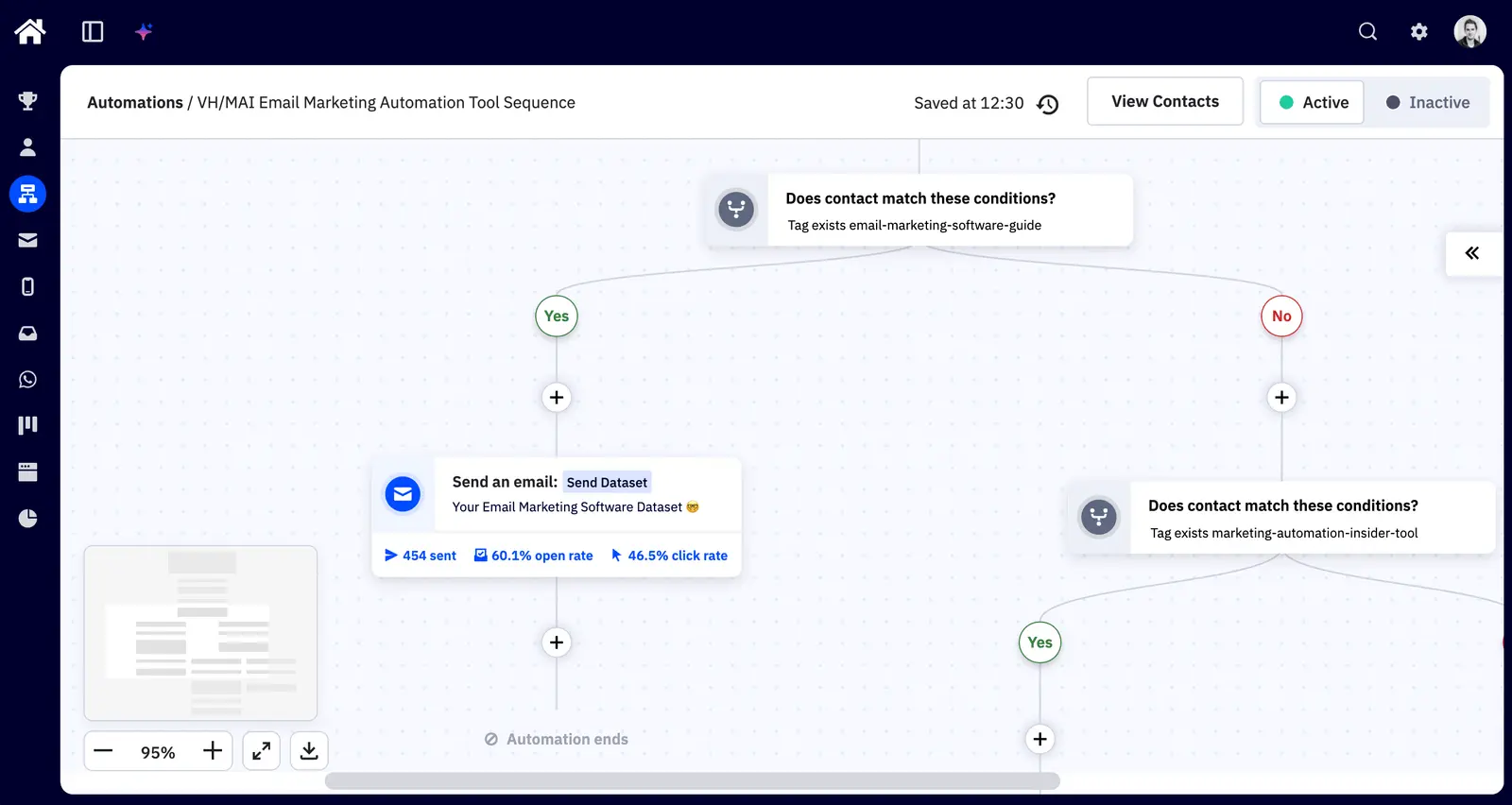
This screenshot comes from our existing review and shows the visual builder where we manage automation logic. The workflow shown was already in our account; it was not built by the MCP test.
ActiveCampaign’s MCP documentation lists the available tools and connection options. Keep those separate from Active Intelligence, its in-app AI: our successful tests of segment creation and sequence improvements happened inside ActiveCampaign. They do not establish that an external assistant can perform every equivalent action.
Pricing
Starter begins at US$15/month for 1,000 contacts on annual billing, with a 14-day trial and no permanent free plan. Its five-action automation limit makes it restrictive for longer lifecycle sequences. Check the plan comparison against the workflow you intend to build before choosing the cheapest tier.
New accounts created on or after 3 November 2025 are also billed for unsubscribed, bounced and unconfirmed contacts. Our review covers the archiving rules; I’d clean an old list before importing it. Paying for people you cannot email is an irritating way to discover a billing change.
-
Account context in Claude: Produced a 14-day activation plan with email variants.
-
In-app sequence analysis: Identified specific faults in an existing automation.
-
MCP build failed: The connector left the automation setup to us.
-
Uneven execution: In-app email layouts and A/B tests needed manual correction.
-
Teams running several lifecycle journeys who can turn Claude’s plans into checked automations.
-
Teams expecting an external assistant to finish every workflow, or sending only an occasional newsletter.
02Omnisend
Test Lab Partner (Paid)Omnisend is a member of our Test Lab Programme, which means we receive a fee to conduct hands-on testing of their platform. Learn more about our Test Lab Programme →Omnisend’s MCP connection let Claude create an eight-email abandoned-cart workflow and save it as a disabled draft in our account. The sequence still needed an offer review and a working coupon before it could go live.
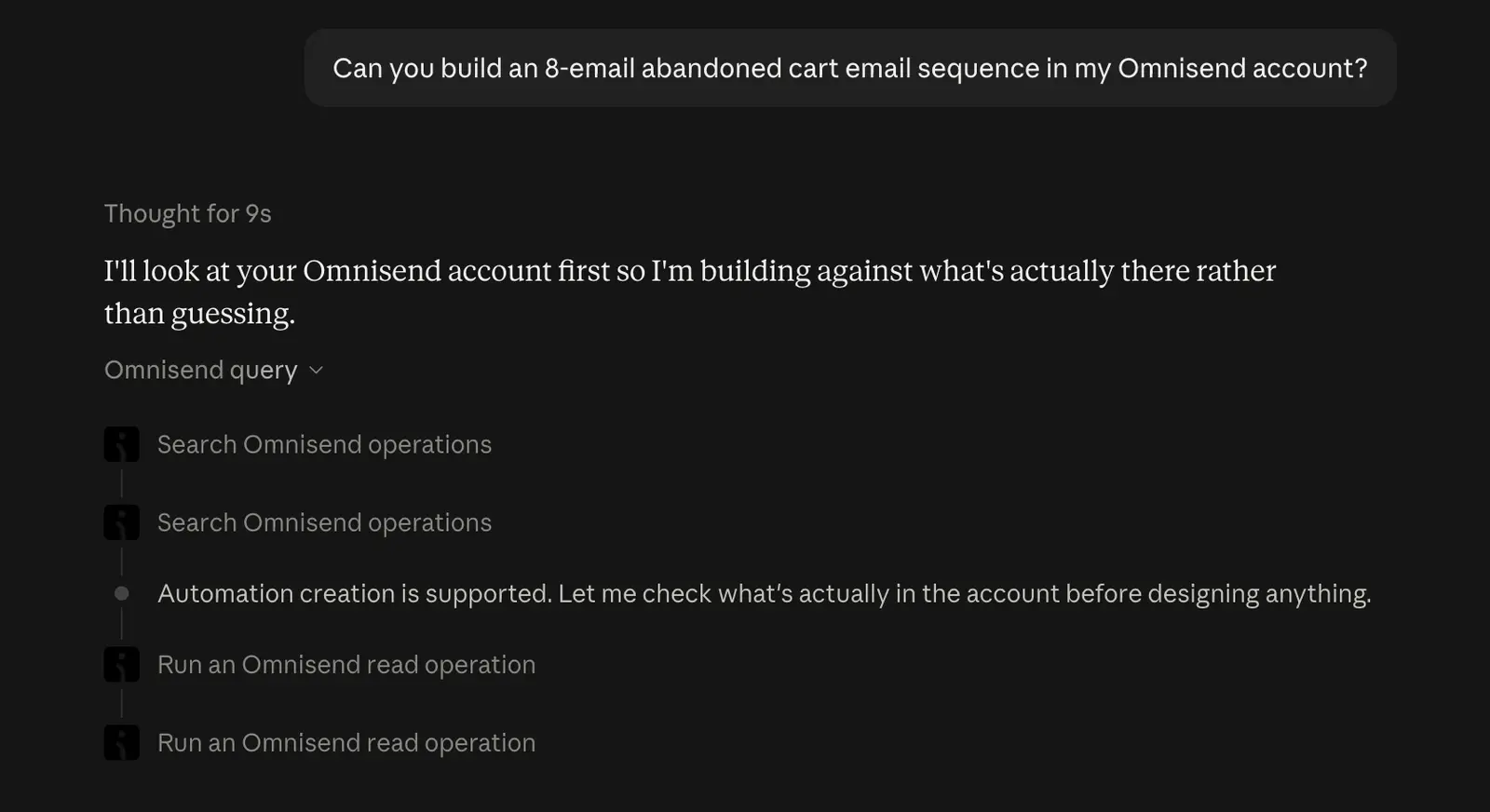
Claude began by checking the operations it could perform and reading the account. That gave it a basis for choosing the workflow structure before it started writing emails. I still wanted to see the resulting conditions and delays in the editor before trusting the sequence.
The draft moved from reminders to a 10% discount, followed by feedback and a final follow-up. That is a substantial amount of setup to delegate. Eight emails and a discount still need a commercial decision from the shop owner; a completed workflow does not prove those choices will improve sales.
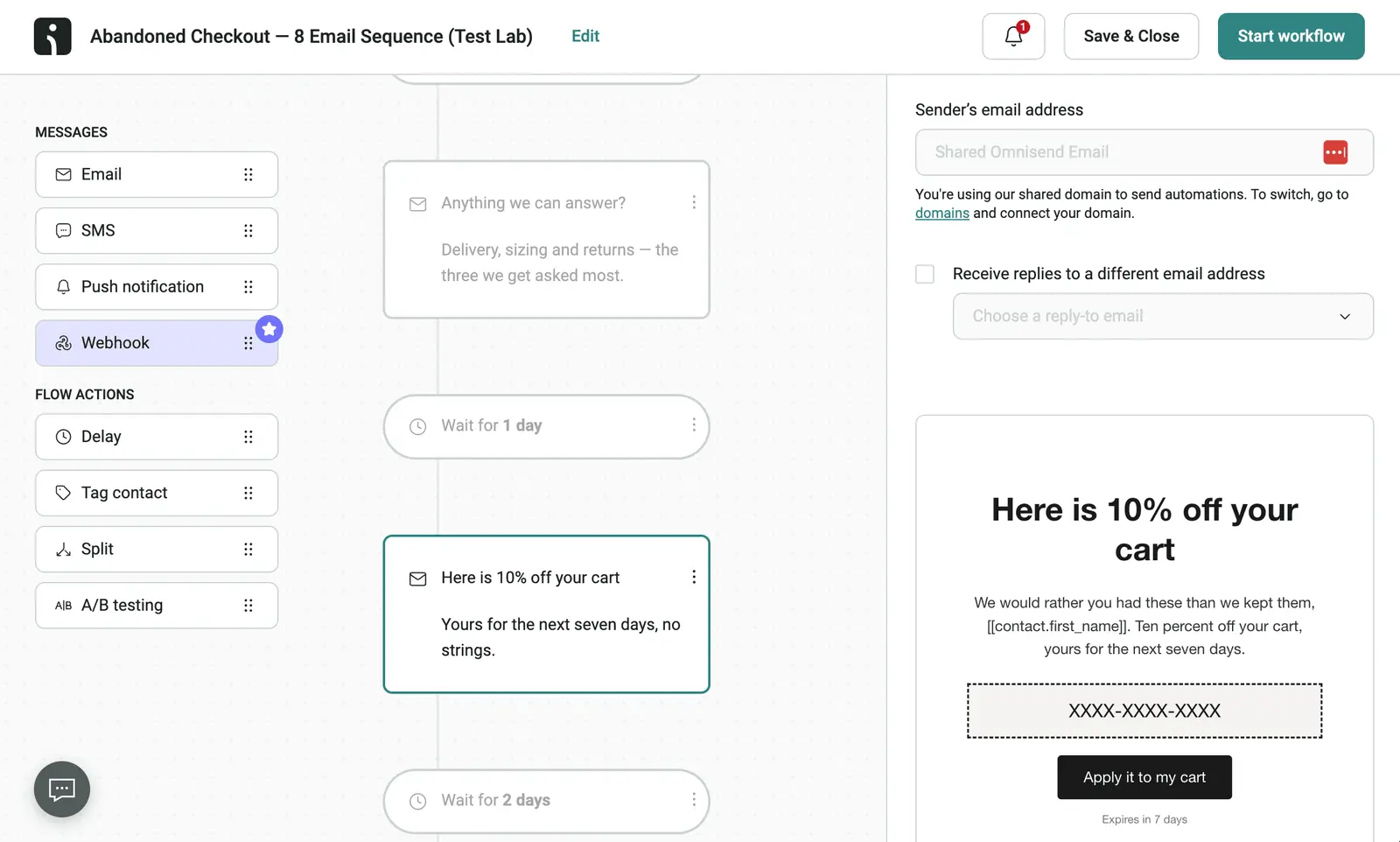
The screenshot shows why I’d keep the draft disabled until reviewed: the discount email contains a placeholder coupon code. I’d check that code, the offer’s expiry and the sending domain before activating anything. Our test established that the workflow could be built, with no measured revenue uplift attached.
Omnisend’s connection documentation explains the supported clients and permissions. Grant access for the job you are doing, then inspect the resulting workflow in Omnisend. The product is a better fit when you have purchase and catalogue data feeding those decisions; a service business gets less from that specialisation.
An eight-email request also creates a decision about frequency. I’d check the purchase exit condition and make sure returning customers cannot receive recovery messages after completing checkout. A discount should fit the shop’s margins (Claude doesn’t have to explain those to your accountant).
Our AI email marketing tests show the request, sequence plan and resulting workflow together. Omnisend completed more of that particular build than ActiveCampaign’s connector did, though the tasks used different briefs. That is evidence for trying cart recovery, rather than a universal score for either platform.
Pricing
The free plan allows 250 contacts and 500 emails per month. Standard starts at US$16/month for 500 contacts before introductory discounts. An eight-email sequence can use that free sending allowance quickly, even before you add regular campaigns.
-
Workflow creation through Claude: Saved the requested sequence inside Omnisend.
-
Review before activation: Left the resulting automation disabled.
-
Unfinished discount setup: The email contained a placeholder coupon code.
-
No revenue result: Building the workflow did not establish an improvement in sales.
-
Shopify or WooCommerce shops willing to review offers, exit conditions and timing before activating a workflow.
-
Service businesses without purchase data, or shop owners expecting to leave the assistant unattended.
03MailerLite
MailerLite’s documented MCP tools cover subscribers, campaigns and groups, alongside draft automation creation and validation. That makes it worth considering for newsletter operations, though we have not run a comparable MCP test in our own account.
I’d start with a subscriber lookup, then ask for a campaign draft aimed at an existing group. Compare the selected audience and email with what you intended before scheduling anything. MailerLite exposes scheduling actions too, so a vague request can extend beyond writing copy.
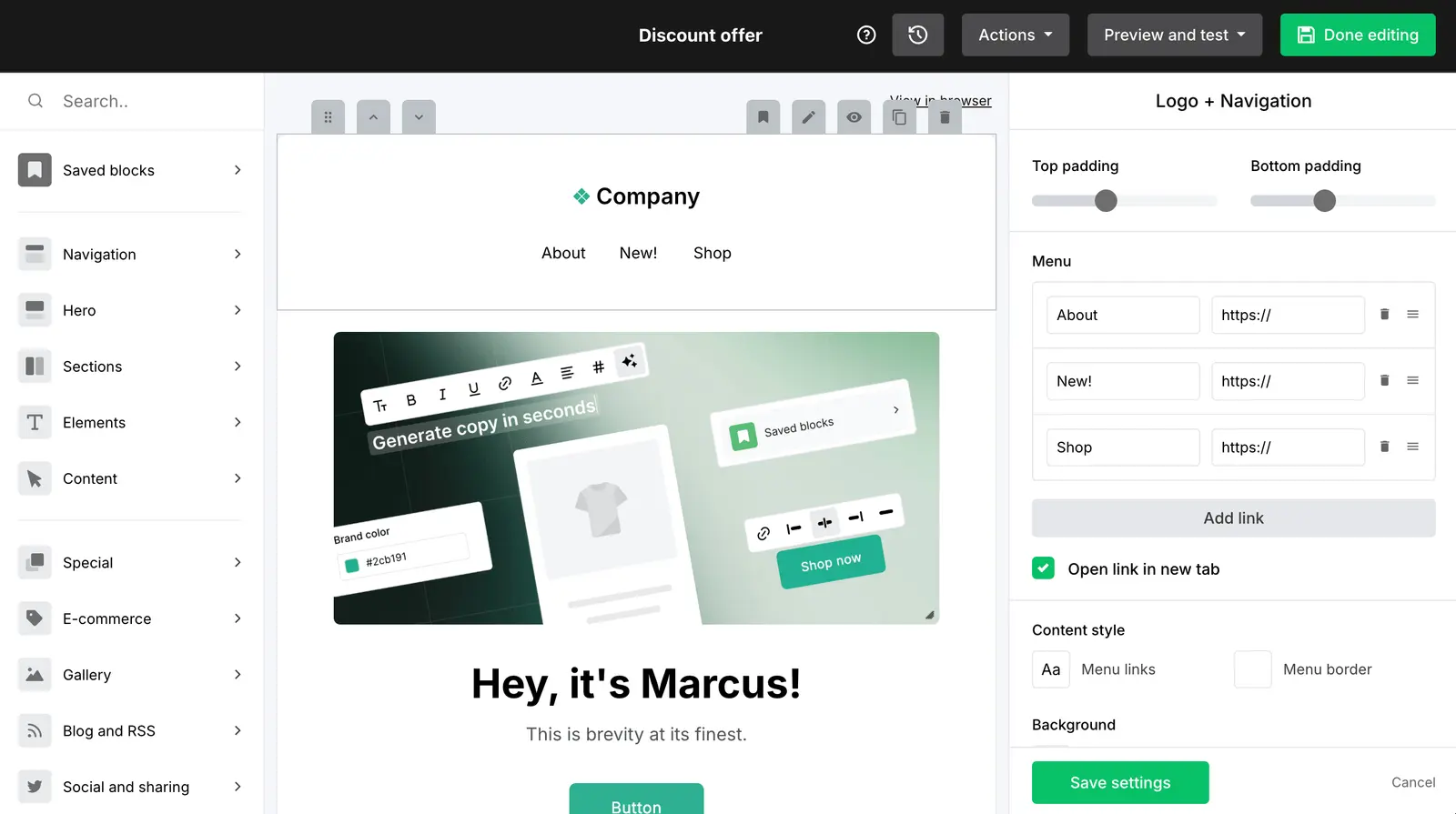
This screenshot from our existing WordPress email marketing review shows the editor where you can inspect the result. It illustrates the email design controls; it does not show a campaign created through MCP.
The hosted connection avoids maintaining your own server. You still need to authorise the account and check which actions your AI client exposes. I’d also inspect any automation email whose HTML the assistant replaces (a copy change can become a design change).
The free plan allows 250 subscribers and 2,500 emails per month. Comfort starts at US$12/month and caps automations at 50, with three user seats. Check the sending allowance for your list size before choosing between Comfort and Power.
04Klaviyo
Klaviyo’s developer documentation describes campaign and flow performance reporting through MCP, alongside campaign creation. We have not tested its recommendations against our own results. If your shop already runs on Klaviyo, I’d try that connection before considering a migration.
Klaviyo documents a read-only configuration that disables write actions. I’d use that for an initial performance review. Write access is enabled by default, so you need to choose the restriction deliberately (particularly if you only wanted an explanation of last month’s figures).
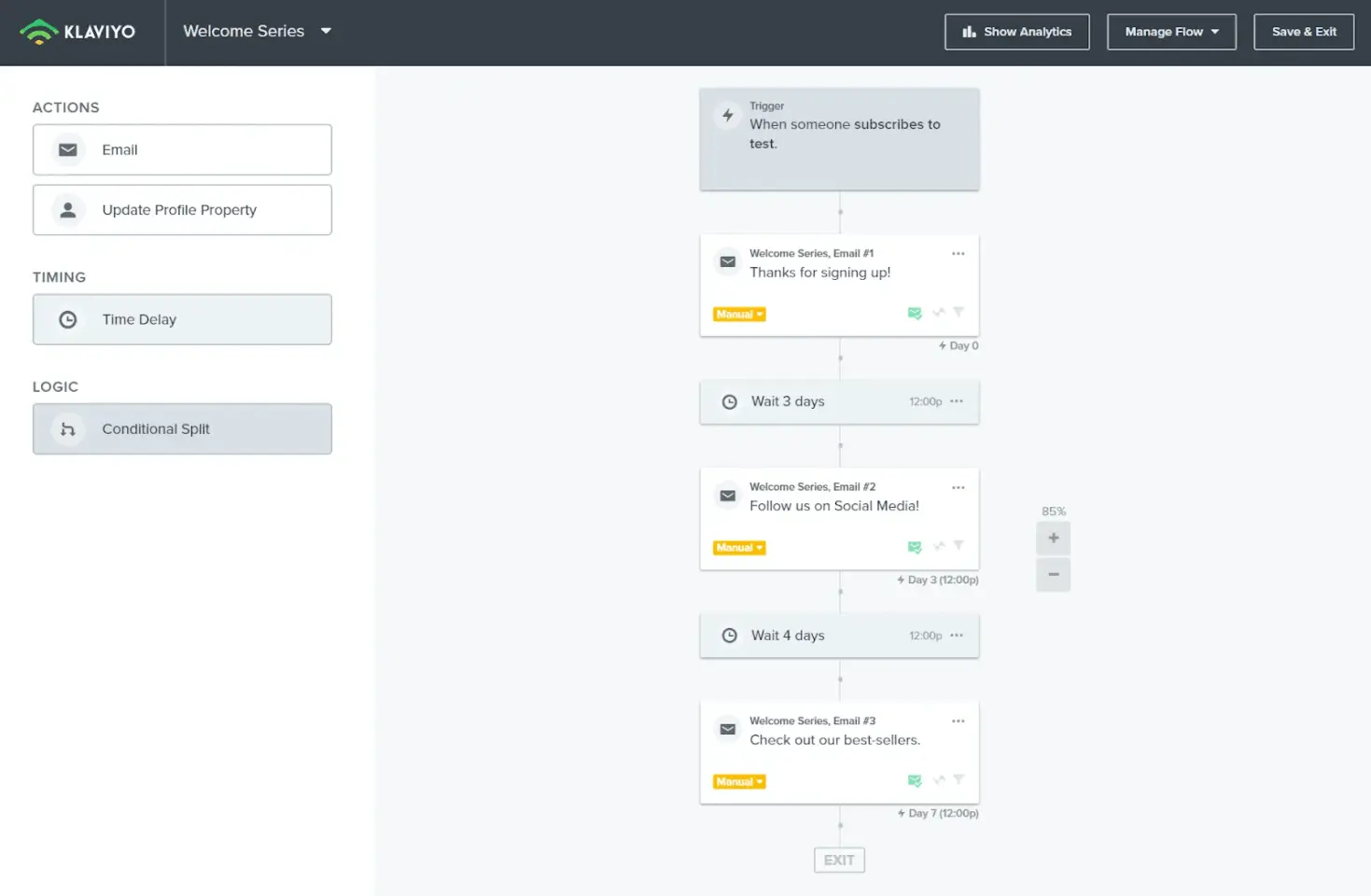
This older screenshot from our SaaS lead nurturing tests shows a welcome series in the flow editor. It gives context for the flows an assistant might investigate; it is not evidence of an MCP build.
I’d ask which welcome-series emails generated clicks, then compare the answer with the underlying flow report. Keep the date range and conversion metric explicit. An assistant’s explanation is easier to check when every number refers to the same reporting window.
The free plan covers up to 250 active profiles and 500 emails per month. Paid pricing depends on profiles and the services selected. Exceeding the free limits can require an upgrade or pause sending, making it a small trial allowance for an established shop.
05Loops
Loops can send product events and transactional messages through its hosted MCP server, provided the relevant workflows or templates are already published. It is worth considering if you run a SaaS product and want an assistant working with contacts, product events and transactional email. We have no affiliate link for Loops, and this recommendation is based on its published capabilities rather than a hands-on MCP test.
Its hosted MCP server can update contacts, change mailing-list membership and send events that start published workflows. It can also send transactional messages using published templates. You need those workflows and templates ready, and write actions can send real email, so I’d start with a test contact.
The free plan allows 1,000 contacts and 4,000 combined marketing and transactional sends in a rolling 30-day window. Paid plans start at US$49/month for up to 5,000 contacts with unlimited sends. The shared free allowance can run out quickly if product notifications already account for most of your email.
How much do email marketing tools with MCP servers cost?
Email platform pricing starts at US$0 for four of these tools, but free sending allowances are small. The prices below cover the email platform; check your AI client’s subscription and connector access separately.
| Tool | Entry price | Free allowance or trial | Cost constraint |
|---|---|---|---|
| ActiveCampaign | US$15/month, annual billing, 1,000 contacts | 14-day trial | Starter limits automations to five actions |
| Omnisend | US$16/month, Standard, 500 contacts | 250 contacts, 500 emails/month | Multi-email flows use the allowance quickly |
| MailerLite | US$0, Comfort from US$12/month | 250 subscribers, 2,500 emails/month | List size and send volume affect paid pricing |
| Klaviyo | US$0, paid pricing by profile count | 250 active profiles, 500 emails/month | Exceeding free limits can pause sending |
| Loops | US$49/month, paid tier up to 5,000 contacts | 1,000 contacts, 4,000 sends per rolling 30 days | Marketing and transactional email share the free allowance |
Which MCP email marketing tool would I choose?
Choose ActiveCampaign if you need lifecycle automation across a mixed business and can finish the workflow setup yourself. Choose Omnisend if you run a shop and want to build a cart-recovery draft through MCP. If your current platform already supports the task you need, test that connection before paying for a migration.
Update Log
23 September 2026: Removed repetitive question subheadings from the tool reviews and shortened the pricing headings.
23 September 2026: Expanded the connector findings, added review screenshots and comparison tables, and clarified which results came from account tests.
23 September 2026: Added five MCP options, existing ActiveCampaign and Omnisend test findings, and links to vendor documentation and pricing.