


The best email marketing software depends on your business. If you’re running an eCommerce site, Omnisend is hard to beat. If you’re a creator, Kit’s free plan makes it a compelling choice. If you’re a B2B company with a complex sales cycle, HubSpot remains the most complete option — with caveats I’ll get to.
For most other businesses, ActiveCampaign is still the clear winner, particularly given their impressive AI offering, which I’ve covered in detail below.
The Best Email Marketing Software in 2026
| Tool | Best For | Price From | Free Plan? |
|---|---|---|---|
 Omnisend Omnisend | eCommerce | $16/mo | Yes — 250 contacts |
 ActiveCampaign ActiveCampaign | Growing businesses | $15/mo | Trial only (14 days) |
 Instantly Instantly | Cold outreach & sales | $37.60/mo (annual) | Yes — free trial |
 Kit Kit | Creators | $0 (free to 10K contacts) | Yes — 10,000 contacts |
 Beehiiv Beehiiv | Newsletters | $0 (free to 2,500 contacts) | Yes — 2,500 contacts |
 HubSpot HubSpot | B2B with full CRM needs | $15/mo (Starter, per seat) | Yes — free CRM |
 Brevo Brevo | Affordable automation | $0 (300 emails/day) | Yes — - 300 emails/day |
 MailerLite MailerLite | Zero budget, just starting out | $13.50/mo | Yes — 500 contacts |
 GetResponse GetResponse | Charities & NGOs (50% off) | $19/mo | Yes — 500 contacts |
 Resend Resend | Developers (API-first) | $0 (3,000 emails/mo) | Yes — 3,000 emails/mo |
Prices verified April 2026. All prices reflect monthly billing at 1,000 contacts. Annual billing typically saves 15-20%. See detailed pricing at 5K, 10K, 25K, and 100K contacts.
01Omnisend
Best email marketing software for eCommerce
Omnisend is the best email marketing platform I’ve tested for eCommerce businesses. Its revenue attribution is more granular than Klaviyo’s, its omnichannel workflows are smooth as butter, and it costs significantly less.
If you’re running a Shopify or WooCommerce store and you’re not using Omnisend, there’s potentially some revenue being left on the table.
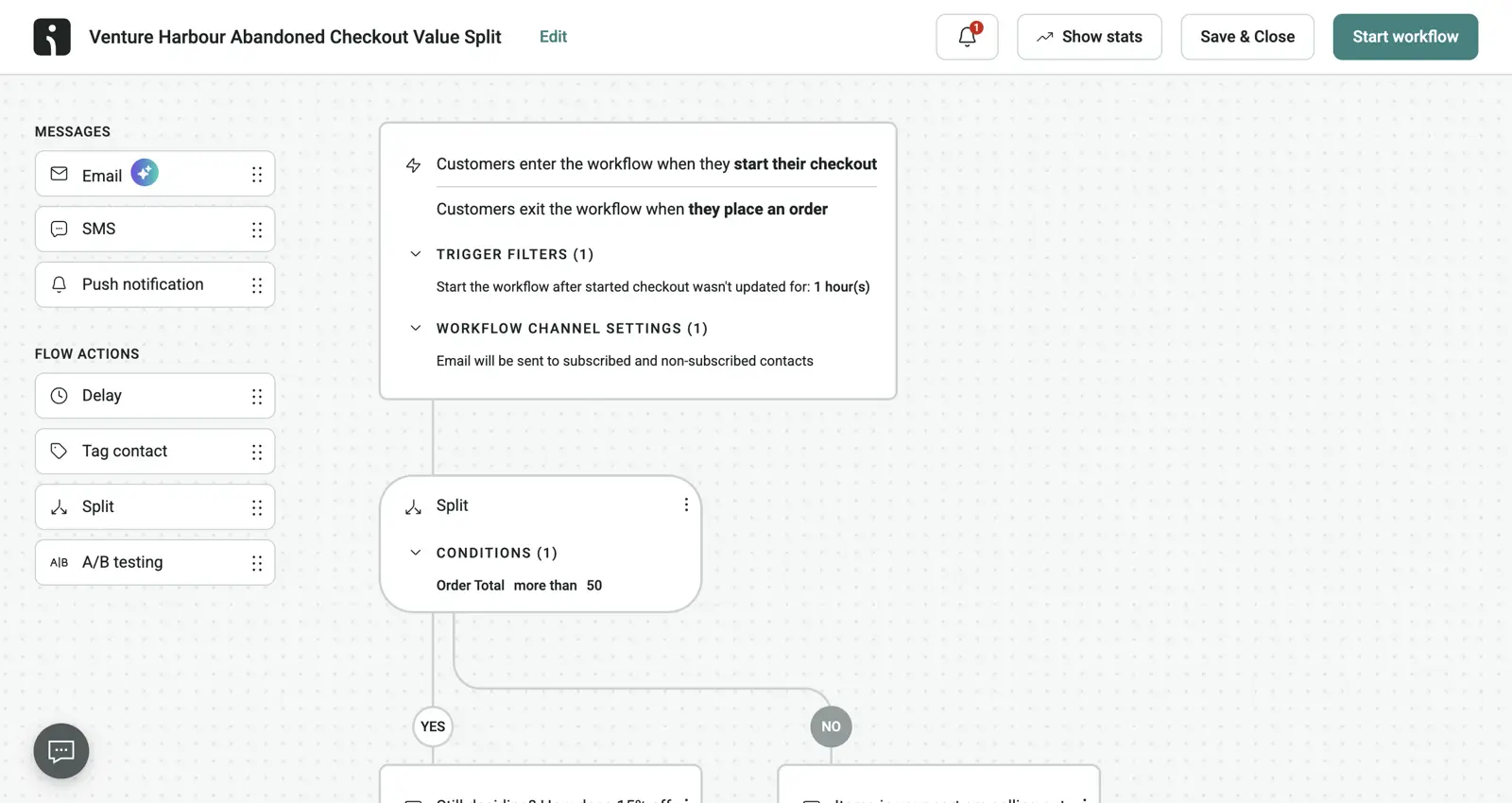
As the name implies, its focus is dialing in the omnichannel experience. Their ability to trigger a push notification if an email isn’t opened, followed by an SMS if the push is ignored, is more native and less buggy than the integrations you’d stitch together with other platforms.
Pros and Cons
-
Revenue attribution that actually works: Tracks revenue back to specific emails and automations with more granularity than any other eCommerce platform I’ve tested.
-
Native omnichannel workflows: Combine email, SMS, and web push in a single automation. Fallback logic is built in, not bolted on via third-party integrations.
-
Shopify integration depth: Product picker pulls from your catalogue, abandoned cart triggers fire reliably, and product recommendations use actual purchase history. 4.8-star Shopify app rating with 5,000+ five-star reviews.
-
Better value than Klaviyo: At 10K contacts, Omnisend Standard costs $132/mo versus Klaviyo’s $150+. Comparable features for meaningfully less money.
-
Free migration from Klaviyo (or any ESP): The biggest barrier to switching ESPs is the migration itself. Omnisend handles it for you at no cost — list imports, automation rebuilds, template recreation, and deliverability setup are done by their team, so the switch costs are minimal.
-
Free plan is essentially a demo: 250 contacts and 500 emails/month is barely enough to test, let alone run a business. Budget for Standard from day one.
-
Email template builder is mid-tier: Templates feel dated and customisation options are limited. If brand design matters, expect workarounds.
-
Segmentation is shallow beyond purchase data: Excels at purchase-based segmentation but weaker for behavioural signals beyond transactions.
-
Email send limits on Standard: Capped at 12x your contact list per month. Fine for most stores, but daily promotions will hit the ceiling.
-
Not great outside eCommerce: If you’re not running a store, Omnisend is the wrong tool. Its entire feature set assumes you’re selling products online.
Pricing
| Contacts | Standard | Pro |
|---|---|---|
| 500 | $16/mo | $59/mo |
| 5,000 | $81/mo | $90/mo |
| 10,000 | $132/mo | $150/mo |
| 100,000 | Custom quote | Custom quote |
At 10K contacts, Omnisend Standard ($132/mo) is comparable to ActiveCampaign Starter ($189/mo), and for eCommerce the native Shopify integration and revenue attribution justify the choice. At 100K+, Omnisend moves to custom quotes while ActiveCampaign charges $1,199/mo on Starter — but Omnisend typically costs less than Klaviyo at scale.
Omnisend’s AI is one of the strongest in the eCommerce space, and it’s the area of the platform that has improved most over the past year. The AI writer is trained on millions of real campaigns, so the subject lines, preheaders, and body copy it generates sound on-brand rather than the obvious LLM filler you get elsewhere. One smart touch that I really like is the Brand Assets AI which keeps voice and visual identity consistent across every campaign and automation.
The standout is the natural-language segment builder: describe the customer you want to reach in plain English (“lapsed buyers who spent over $200 last year”) and it builds the segment for you, drawing on churn prediction, and high-value-customer scoring under the hood.
Is Omnisend the right eCommerce email platform for you?
Any Shopify or WooCommerce store doing more than $100k/year in revenue. If you need abandoned cart emails, product recommendations, SMS marketing, and detailed revenue attribution in a single tool, Omnisend is the clear choice.
Non-eCommerce businesses. If you’re B2B, a creator, or anything that doesn’t involve selling products through an online store, Omnisend’s feature set will feel irrelevant. Look at ActiveCampaign, Kit, or HubSpot instead.
02ActiveCampaign
Best email marketing software for businesses with >10K contacts
ActiveCampaign is the best email marketing software for anyone serious about automation. It’s what I’ve used for 12 years — across 8 of our portfolio companies and 124,000+ emails sent. Its visual workflow builder remains the most capable in the industry, and with Active Intelligence — their AI feature that learns from your campaigns — it’s become genuinely difficult to justify choosing anything else if automation matters to your business.
It’s no longer the cheapest (in 2024, they hiked their pricing… ruffling many a feather), but at scale it’s reasonable compared to alternatives that offer a fraction of the functionality.
I started using ActiveCampaign in 2014, back when it was a scrappy underdog. In the years since, they’ve had their missteps — From suddenly hiking prices by 40% causing a mass exodus of loyal customers, to a few years where the company seemed a bit rudderless.
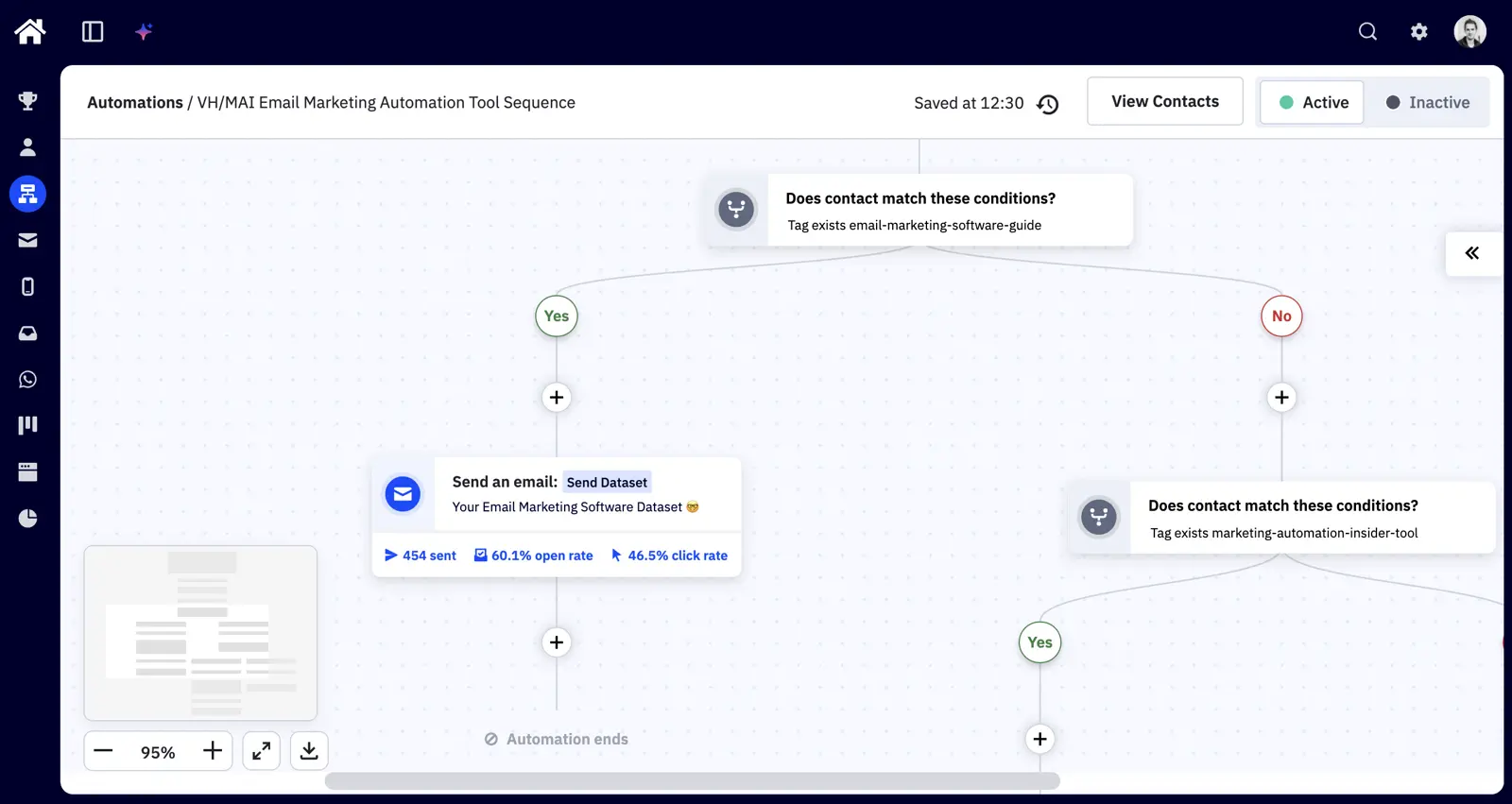
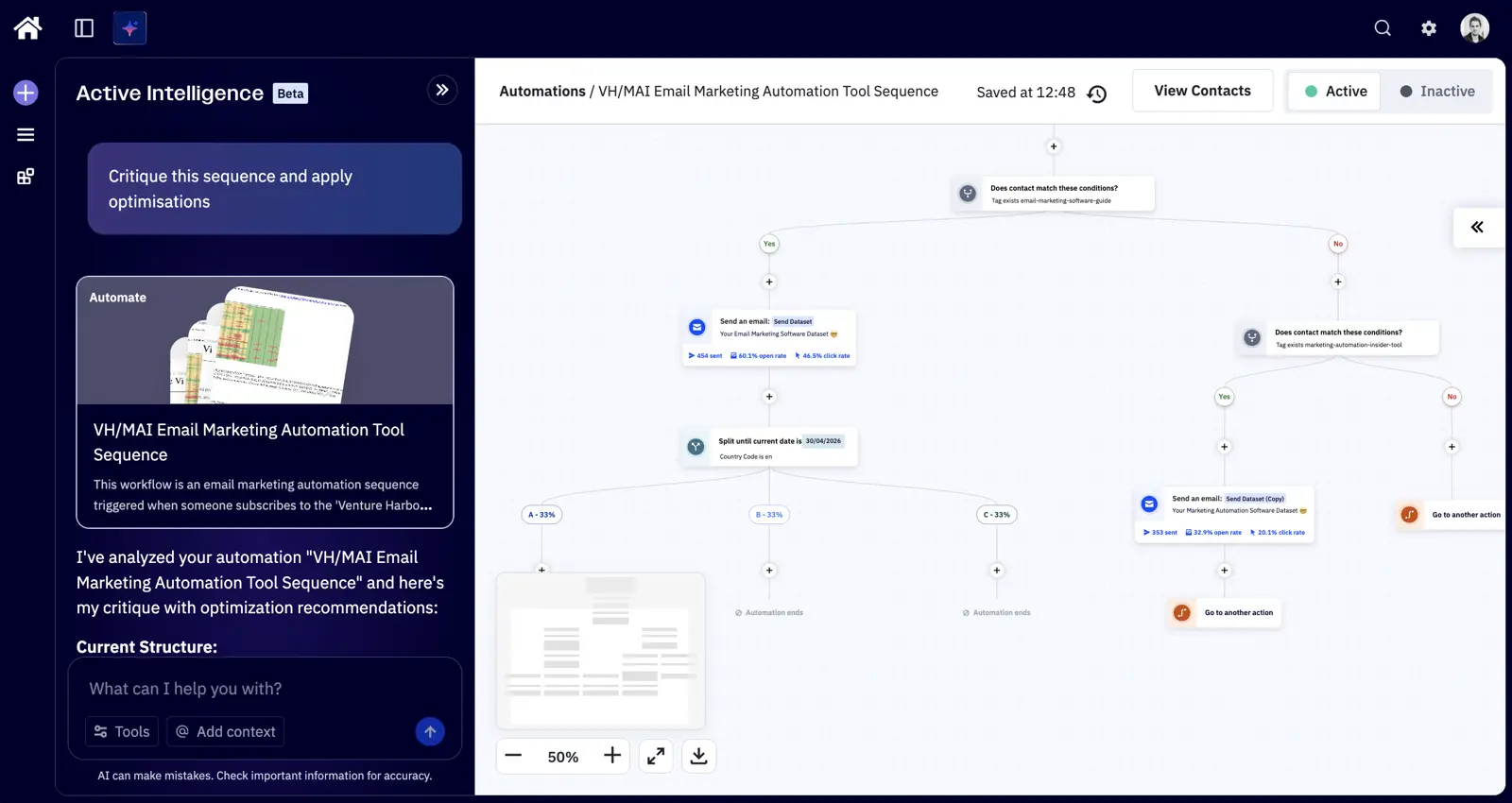
But their automation offering is still in a league of its own. I’ve tested every major competitor, and nothing comes close to ActiveCampaign’s visual workflow editor for building complex, multi-step sequences. You get 135+ automation triggers, you can split-test entire automation paths — and as of 2026 you can now let AI do all the grunt work for you that once took literally days.
ActiveCampaign also gets the boring bits right. Compliance, security, deliverability — the stuff that determines whether your emails reach the inbox.
Pros and Cons
-
Results Guarantee – It’s the only platform to guarantee marketing results. ActiveCampaign now backs new customer subscriptions with a full first-month refund if they don’t see improvements.
-
1,000+ integrations – ActiveCampaign has more than 1,000 integrations including native integrations with Salesforce, Calendly, Webflow, Zendesk, DocuSign, and most major eCommerce platforms like Shopify, Magento, and WooCommerce.
-
Visual automation builder is best-in-class: 135+ triggers, if/else branching, split-testing entire automation paths. Running our own sequences as continuous A/B tests has produced 4-5× uplifts in open rates on our most-tested flows.
-
Active Intelligence is actually good: I was skeptical when it first launched that’d just be a ChatGPT wrapper, but ActiveCampaign’s AI builds context from your previous campaigns, writing style, and engagement patterns. It can actually build decent entire workflows in minutes.
-
Predictive sending per contact: Analyses each subscriber’s engagement history and delivers at the time they’re most likely to open. Not “send at 10am for everyone” — genuinely per-recipient timing (Pro plan).
-
Deliverability is top notch: 99.4% delivery rate across our own accounts; 94.2% inbox placement in independent testing vs an ~83% industry average. SPF, DKIM, and DMARC setup guided by a built-in wizard.
-
Reasonable cost scaling for a per-contact tool: The 1K-to-100K multiplier is roughly 63x ($15/mo to $1,199/mo on Starter). That’s steep, but consider that HubSpot scales at 59x just between Starter and Professional — before you even reach 100K contacts.
-
The 2024 miss-steps damaged trust: Long-time customers saw bills jump 30-40% overnight with little warning. Our migration data shows a spike in departures in late 2024.
-
The CRM isn’t suitable for large teams – ActiveCampaign’s CRM will likely suffice for smaller sales teams, but if you have a large sales team or manage a large volume of deals, you will likely need a separate CRM like Salesforce or Pipedrive to manage this.
-
Reports are bland – Since ActiveCampaign introduced goal tracking and attribution, the quality of data available in their reports has improved, but it’s still not up to the same experience of building reports in a platform like Klaviyo and HubSpot.
-
Support quality is increasingly AI: Maybe this is just the way the world is moving, but expect to wade through 2-3 emails from an AI before an actual human contacts you.
-
Overwhelming for simple use cases: If you just want to send a monthly newsletter, ActiveCampaign is overkill. MailerLite or Kit will serve you better at a fraction of the cost.
Pricing
ActiveCampaign uses per-contact pricing across four tiers: Starter, Plus, Pro, and Enterprise. No free plan — just a 14-day trial. Annual billing saves approximately 20%.
| Contacts | Starter | Plus | Pro |
|---|---|---|---|
| 1,000 | $15/mo | $49/mo | $79/mo |
| 10,000 | $149/mo | $189/mo | $379/mo |
| 100,000 | $1,199/mo | $1,599/mo | $2,599/mo |
At 10,000 contacts, ActiveCampaign Starter ($149/mo) is pricier than MailerLite ($73/mo) but offers vastly more powerful automation. At 100K contacts, Starter jumps to $1,199/mo — a steep climb, but you get the automation depth no budget tool can match.
ActiveCampaign’s AI — branded “Active Intelligence” — gives you the following:
- Content generation trained on your brand: It learns your writing style and audience preferences from previous campaigns.
- Predictive sending: Per-contact send-time optimisation based on individual engagement patterns (Pro plan).
- Win probability and churn prediction: Scores deals by likelihood of closing and flags contacts at risk of disengaging.
- AI-generated automation workflows: Describe what you want in plain language, and it builds the workflow.
Most tools can slap “AI” on a feature list, but what makes ActiveCampaign’s AI genuinely useful is that it speeds up the work you already do every day—getting you from idea to execution faster, whether that’s generating and refining on-brand email and automation copy, translating content for different audiences, or surfacing smarter segments and optimization suggestions based on engagement. Instead of starting from scratch or guessing what to change, you can produce a strong first draft in minutes and then let the platform help you improve it with performance-driven guidance.
Is ActiveCampaign the right email marketing tool for you?
Businesses that have outgrown basic email and need proper marketing automation. If you’re sending segmented campaigns, building multi-step workflows, scoring leads, or running sequences across more than 1,000 contacts, ActiveCampaign is where the value equation tips heavily in its favour.
If you just want to send a simple newsletter, you’ll be paying for complexity you don’t need. Creators should look at Kit. Small businesses sending basic campaigns should consider MailerLite or Brevo. If your budget is under $30/month, you’ll get more for your money elsewhere.
03Instantly
Best email marketing software for outreach and cold email
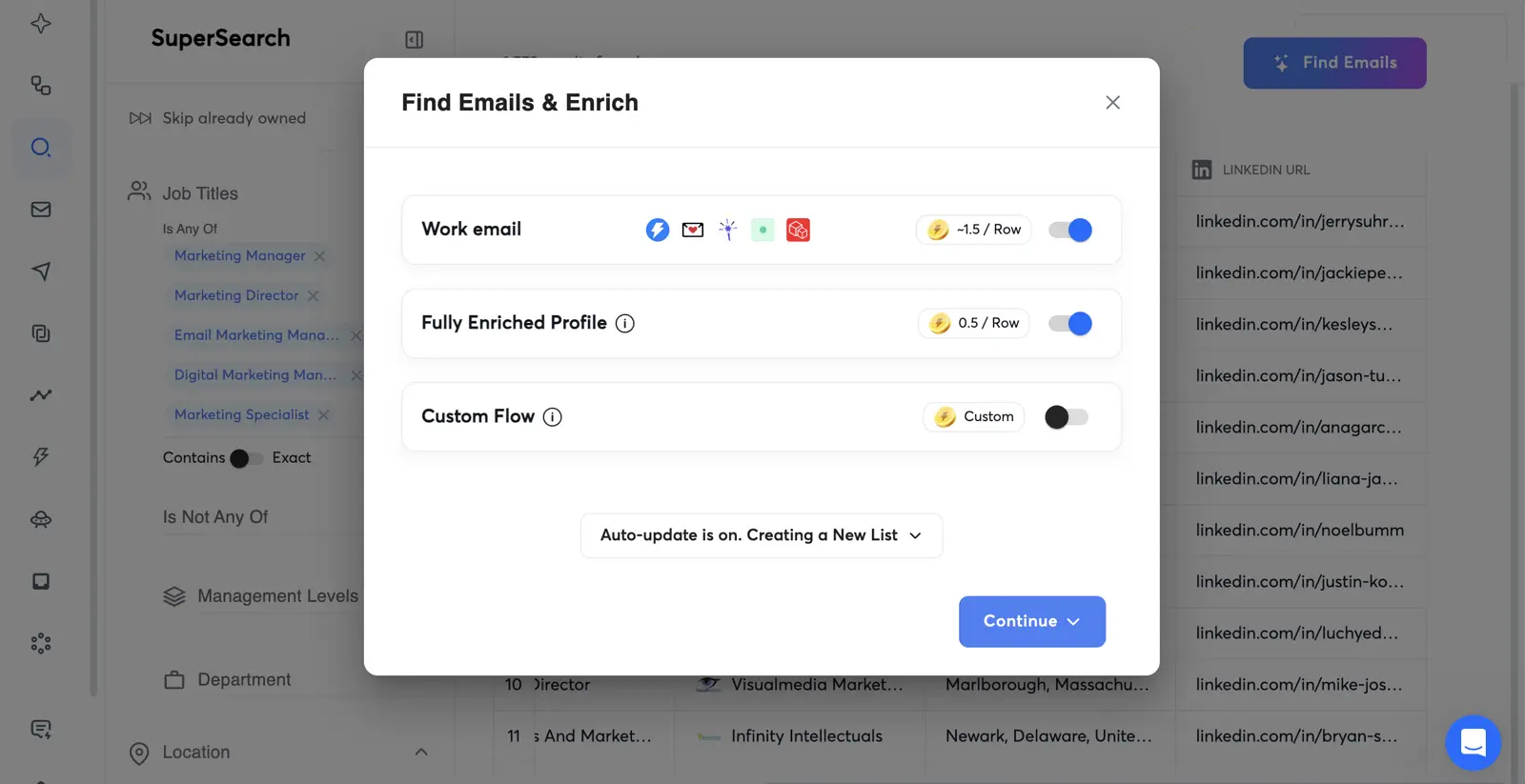
Instantly is the best cold email outreach platform. It’s not an email marketing tool in the traditional sense — you won’t find drag-and-drop newsletters here. What you will find is the most complete end-to-end outreach system I’ve used: lead finding, data enrichment, email warmup, multi-channel sequences, and deliverability management.
I used Instantly when building a golf booking platform — we needed to reach thousands of golf clubs across the UK. The end-to-end workflow was impressive: find leads matching our criteria, enrich them with contact details, warm up our sending domains, build a multi-touch sequence, and launch. What would have taken weeks stitching together 3-4 different tools took a couple of days.
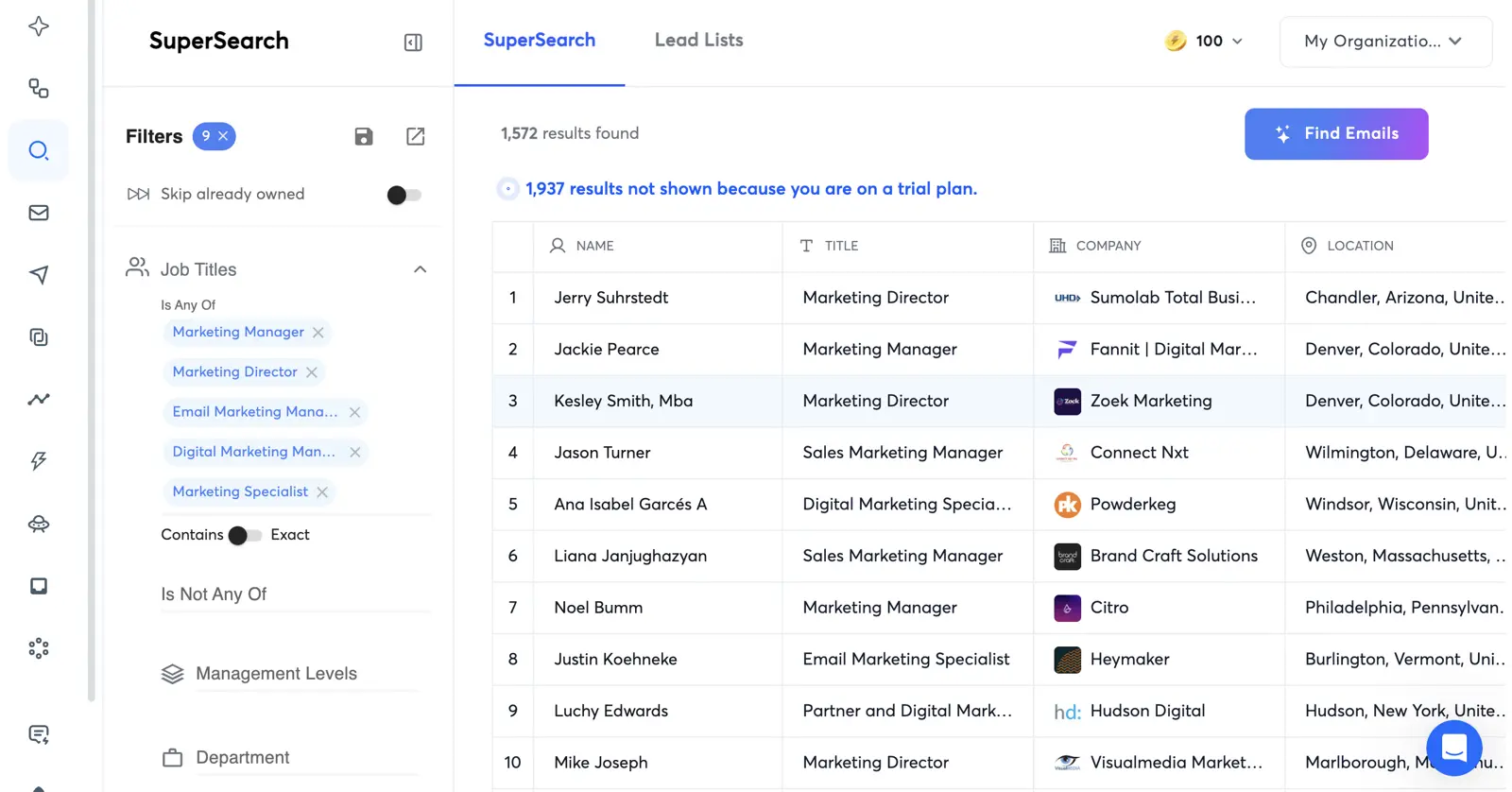
The critical thing about cold outreach that most people underestimate is what happens before you hit send. You need dedicated sending domains, proper warmup, SPF/DKIM/DMARC configured correctly, and a sending cadence that doesn’t trigger spam filters. Instantly guides you through every step.
Pros and Cons
-
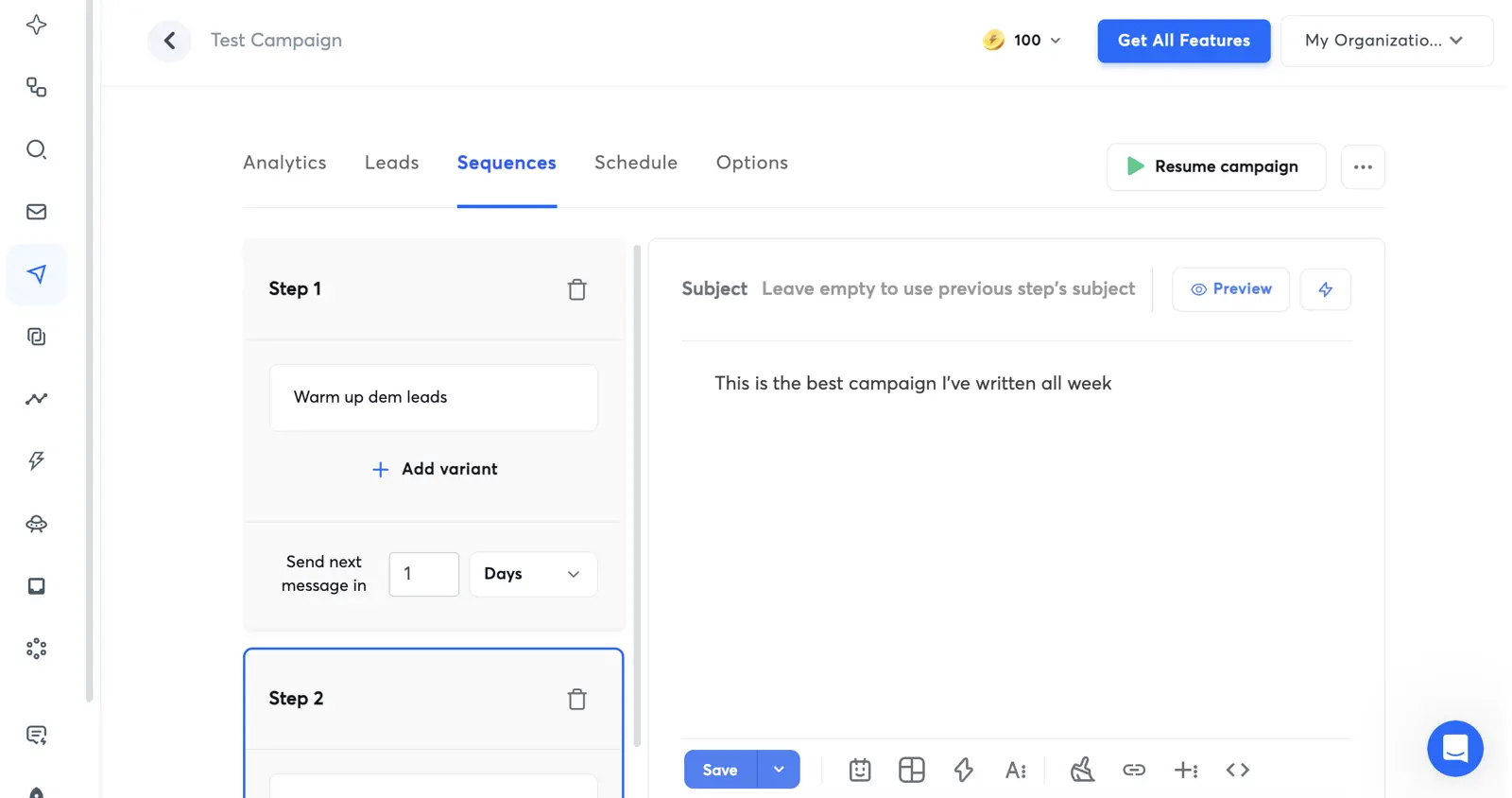
End-to-end outreach workflow: Lead finding → enrichment → warmup → sequence building → sending → reply management. No other tool covers this complete chain in one platform.
-
Email warmup engine: AI-driven warmup gradually increases volume to build sender reputation. Dynamically adjusts based on deliverability feedback.
-
Unlimited email accounts: Even on Growth, you can connect unlimited sending accounts — critical for rotating across domains to protect reputation.
-
AI learns from reply data: Adapts content and subject lines based on which messages generate positive replies. Genuine feedback-loop intelligence.
-
You need two subscriptions: Most users need Outreach + SuperSearch plans. The combo runs roughly $80-95/mo on annual billing. Headline pricing understates the real cost.
-
Not for marketing email: No drag-and-drop editor, no landing pages, no signup forms. It’s outreach-only.
-
Pricing changes frequently: Instantly has restructured pricing multiple times since launch — they now also offer CRM plans. Check before committing to annual.
A note on compliance: Cold email operates in a legal grey area. CAN-SPAM requires opt-out mechanisms and honest headers; GDPR applies if emailing EU recipients regardless of where you’re based. Instantly provides infrastructure for responsible outreach, but the responsibility is yours.
Pricing
| Plan | Monthly | Annual (per month) | Key Limits |
|---|---|---|---|
| Growth Outreach | $47/mo | $37.60/mo | 1,000 contacts, 5,000 emails/month |
| Hypergrowth Outreach | $97/mo | $77.60/mo | 25,000 contacts, 100,000 emails/month |
| Growth SuperSearch | $47/mo | $42.30/mo | 1,500-2,000 credits/month |
| Supersonic SuperSearch | $97/mo | $87.30/mo | 5,000-7,500 credits/month |
Real-world cost: Most users need both Outreach + SuperSearch. A typical starter setup costs roughly $80/mo on annual billing ($37.60 + $42.30).
Purpose-built for cold outreach: AI sequence generation tuned for cold email best practices, reply-learning loop that adapts to your audience’s responses, automatic reply classification (interested/not interested/OOO), and smart warmup that adjusts patterns based on ISP signals.
Is Instantly the right cold outreach tool for you?
B2B sales teams, agencies running outreach for clients, and startup founders doing their own prospecting. If your business depends on outbound email to people who haven’t opted in, Instantly is the specialist tool.
Open Instantly's WebsiteAnyone doing permission-based email marketing. If your contacts signed up through your website, you want ActiveCampaign, Omnisend, or another tool on this list. Using Instantly for newsletter campaigns would be entirely the wrong tool.
04Kit
Best email marketing software for creators
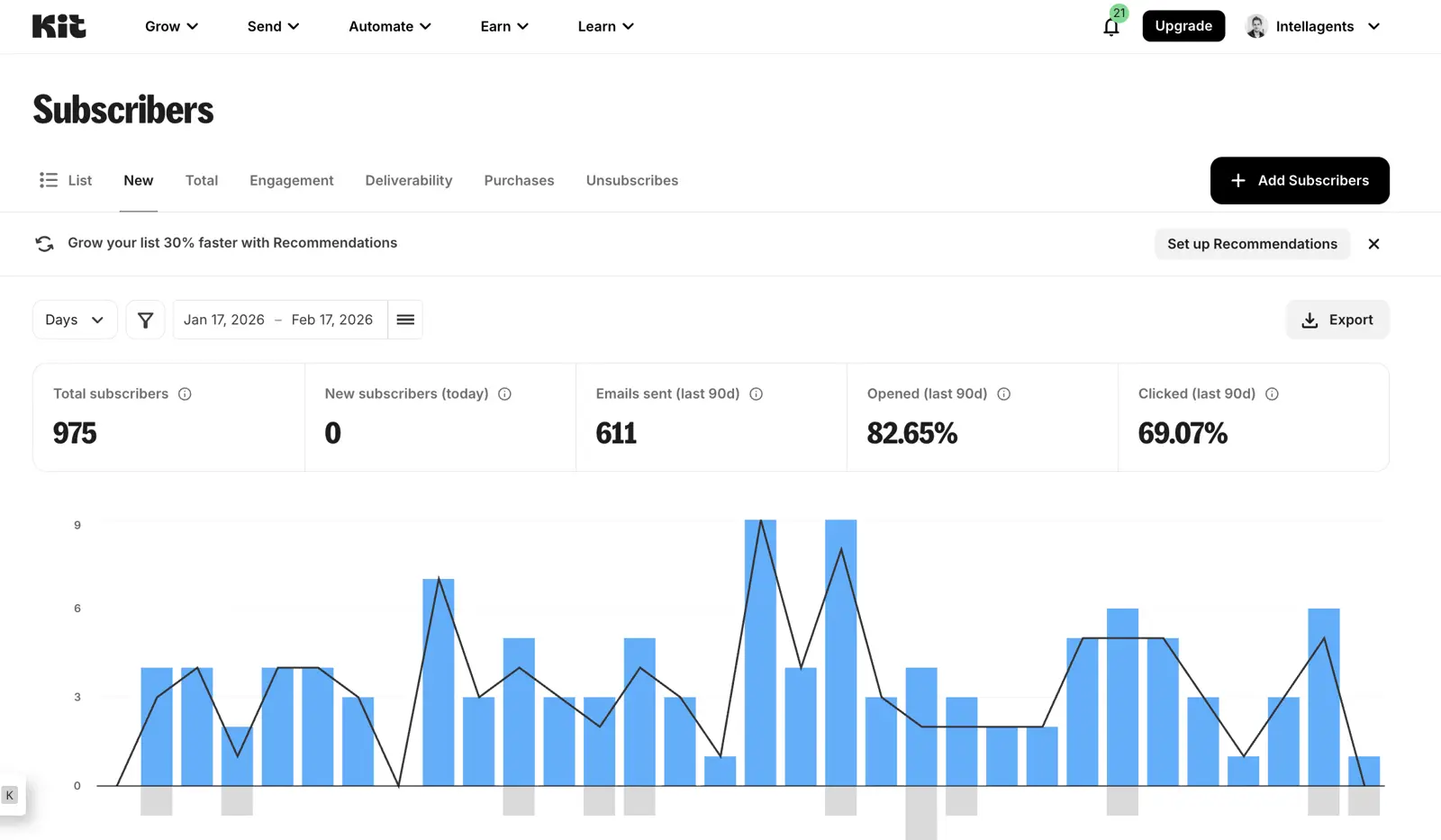
Kit’s the best email marketing tool for creators — YouTubers, podcasters, bloggers, and anyone building an audience around content. It’s nowhere near as powerful as ActiveCampaign, but that’s the point. Kit does three things exceptionally well: capture emails, send newsletters, and stay out of your way.
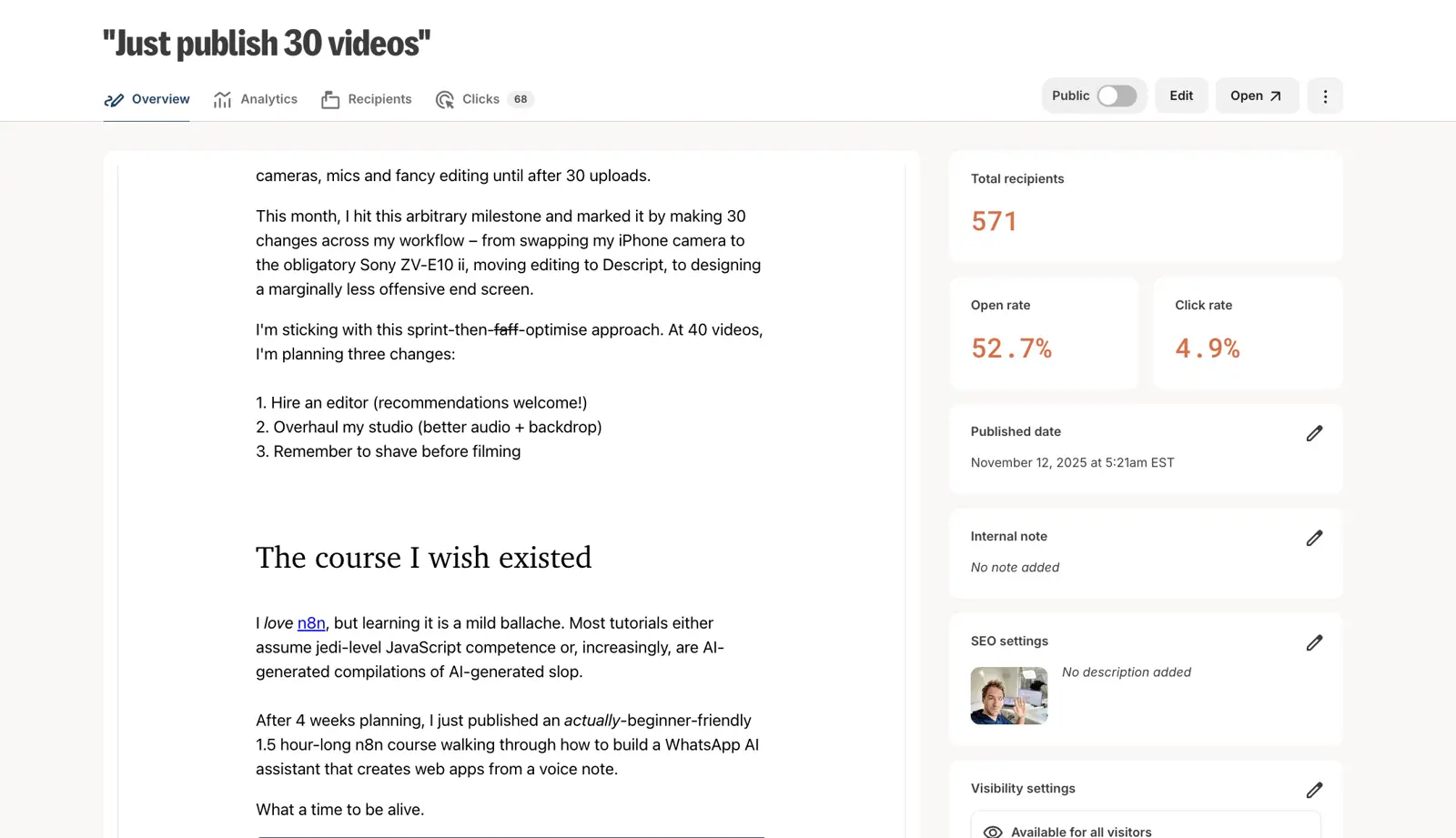
This is why I use Kit for my YouTube channel’s newsletter. After publishing a video, I create a landing page with a lead magnet to capture emails – which Kit makes a copy and paste job. There are lots of thoughtful touches – like adding a lead magnet incentive as an email attachment in the email confirmation email that just make your life easier as a creator.
Everything else is fairly un-noteworthy in a good way. It does everything well enough, but there’s nothing too fancy or powerful for advanced use cases.
Pros and Cons
-
Most generous free plan for creators: 10,000 subscribers with unlimited broadcasts. No other tool gives you this much for free.
-
Landing pages that actually convert: Intentionally minimal — no sidebars, no distractions. My conversion rates consistently hit 30-50% on lead magnets, well above the 10-15% industry average.
-
Almost zero churn: Our migration data shows very few people leave Kit once they arrive.
-
Visual automations on paid plans: The Creator plan ($33/mo at 1K subscribers) adds unlimited visual automation sequences. Not as deep as ActiveCampaign, but perfectly sufficient for welcome sequences and basic segmentation.
-
Limited if you outgrow creator needs: No CRM, no lead scoring, no predictive analytics. If your business evolves beyond “creator building an audience,” you’ll need to migrate.
-
Free plan limits automations: The 10K free tier includes broadcasts, basic tagging, and 1 basic visual automation. Full automation sequences require the Creator plan ($33/mo).
-
AI is an afterthought: Basic ChatGPT wrapper with no learning from your audience data. Most creators don’t need AI to write their newsletter though.
Pricing
| Subscribers | Newsletter (Free) | Creator | Creator Pro |
|---|---|---|---|
| 1,000 | $0 | $33/mo | $66/mo |
| 10,000 | $0 | $116 | $158 |
| 100,000 | N/A | $566 | $733 |
The free-to-paid jump is a bit jarring — $0 to $33/mo when you need full automations. Kit’s pricing page uses an interactive slider for higher tiers, so check kit.com/pricing for current rates. The free plan means most creators can build a significant audience before they ever pay.
Minimal — and that’s fine. A basic AI writing assistant for drafts and subject lines. It doesn’t learn from your audience data or predict send times. Use it for overcoming writer’s block; don’t expect strategic optimisation.
Is Kit the right creator email tool for you?
Creators with an audience they want to nurture via email. YouTubers, podcasters, bloggers, course creators — anyone whose primary goal is “build a subscriber list and send them content regularly.” The 10K free plan is unbeatable for getting started.
Open Kit's WebsiteAnyone who needs marketing automation beyond simple sequences. eCommerce businesses should use Omnisend. B2B companies should use ActiveCampaign or HubSpot. Kit is brilliant within its niche and wrong for everything outside it.
05Beehiiv
Best email marketing software for newsletters
I chose Beehiiv for my personal newsletter that I write to friends. My reasoning was largely because Beehiv seemed to be taking off in newsletter circles and I wanted to understand why.
Beehiv’s sole focus is helping you monetise your newsletter. It’s essentially an email marketing tool + newsletter ad network + cross-promotional newsletter marketplace. Let me unpack that.
The email marketing side of Beehiv is pretty basic, but functional. You can spin up a website to capture leads, gate your content behind a paywall, and send emails to your list – all for free (up to 2,500 contacts). My only gripe is that a lot of basic features (like custom HTML and analytics) are only available on their paid plans.
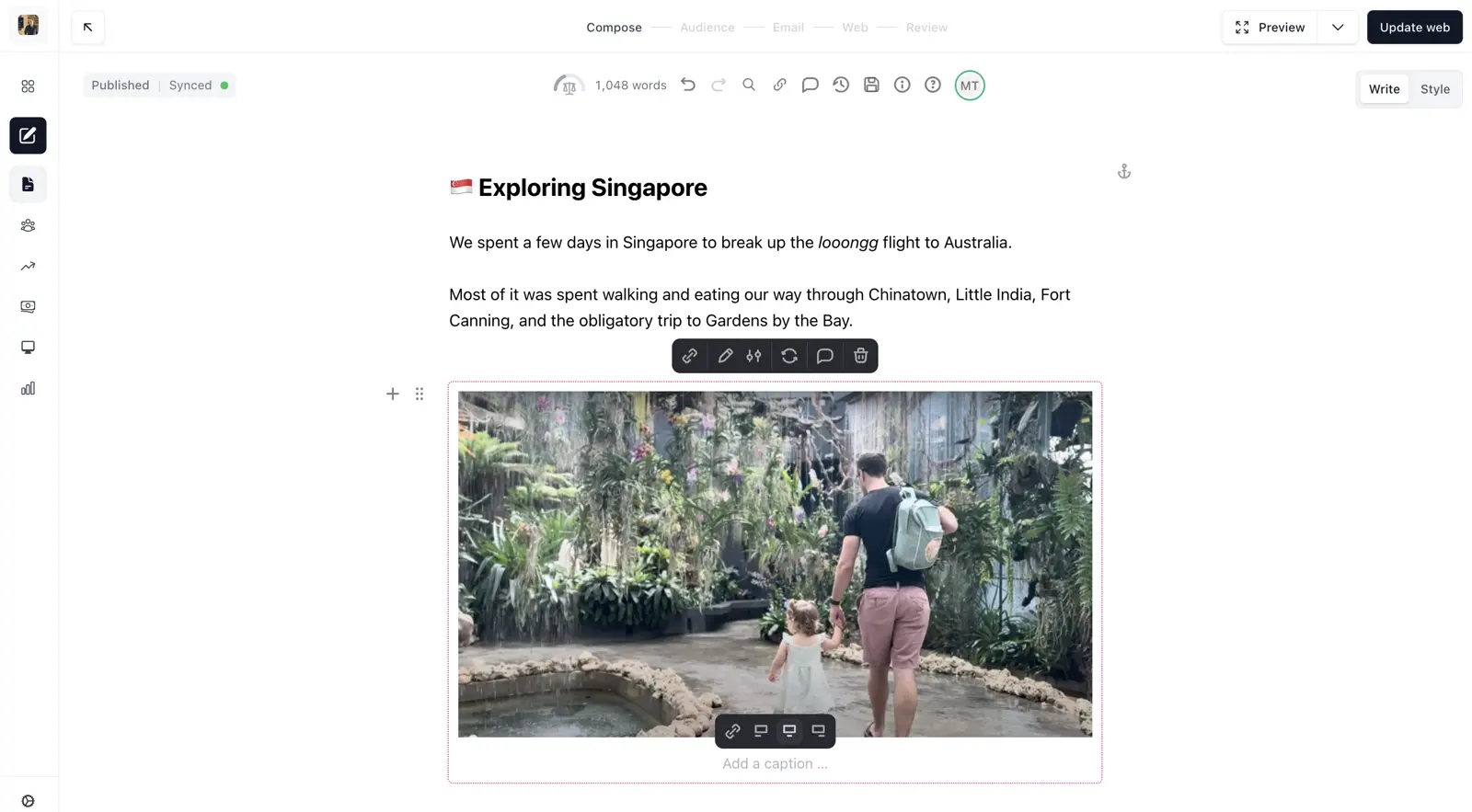
In practice, basic features require an upgrade. Things I expected to be standard — like custom HTML or A/B testing — are locked behind the $49/mo Grow plan or $99/mo Scale plan. For a free newsletter, that’s a lot of money for features Kit gives me at no cost.
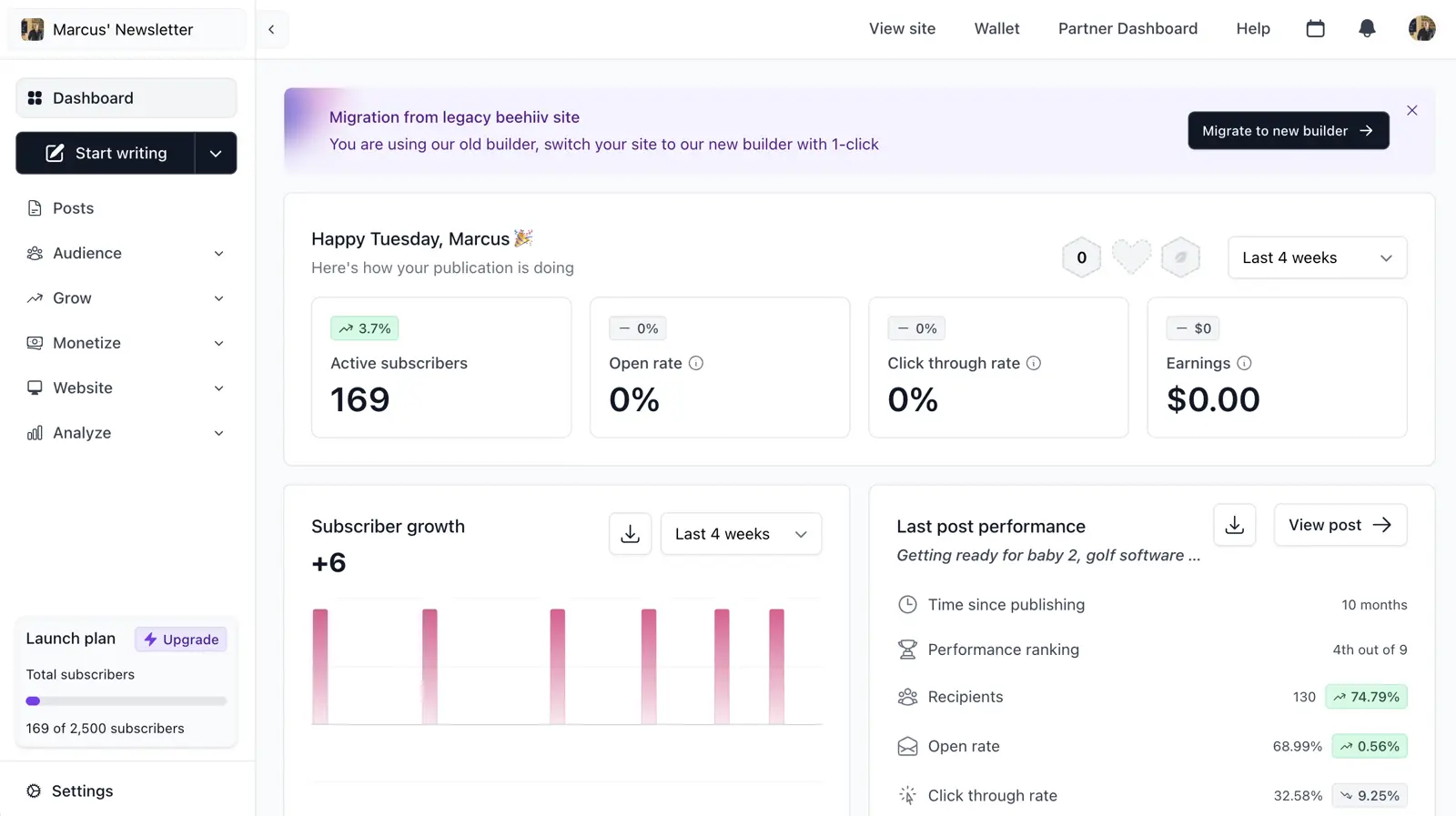
Beehiiv’s the best platform for running a newsletter. If you’re building a paid or ad-supported newsletter, the combination of built-in advertising, paid subscriptions with 0% platform fee (on Scale and Max plans), and cross-promotion makes it the obvious choice.
It’s a bit overkill for my personal newsletter, and in hindsight I’d probably go for Kit, but if I were building a paid newsletter business I’d choose Beehiiv without hesitation..
Pros and Cons
-
Best-in-class newsletter monetisation: Built-in ad network, paid subscriptions with 0% platform cut (on Scale and Max plans), and a referral programme. Substack takes 10%; Beehiiv takes nothing.
-
Flat-tier pricing scales brilliantly: $290/mo (Scale) for up to 100K subscribers. Every other per-contact tool costs $360-$900/mo at that scale.
-
Purpose-built for newsletter operators: Web hosting, custom domain, SEO-optimised archives, referral tracking, and audience polls — all designed around the newsletter business model.
-
Growing ecosystem: Cross-promotion between newsletters and a recommendation engine that drives subscriber growth from other Beehiiv publications.
-
Poor fit for non-monetised newsletters: Speaking from experience. Custom HTML, A/B testing, automations, referral programme, and ad network are all locked behind the Scale plan ($43/mo). If you’re not generating revenue, Kit is better and cheaper.
-
It’s a newsletter platform, not email marketing: No CRM, no lead scoring, no multi-channel automation, no eCommerce integrations.
-
AI is basic: Generic writing assistant. No learning from your audience data, no send-time optimisation.
-
Growing pains are real: Reddit reports occasional bugs and UI glitches — the rough edges of a rapidly scaling platform.
Pricing
| Plan | Price | Subscriber Limit | Key Features |
|---|---|---|---|
| Launch (Free) | $0/mo | 2,500 | Unlimited sends, web hosting, custom domain |
| Scale | $49/mo | 1,000 | + Custom HTML, A/B testing, automations, referral programme, ad network |
| Max | $169/mo | 5,000 | + Remove branding, audio newsletters, dynamic content |
| Enterprise | Custom | 100K+ | + Dedicated support, custom features, SLA |
At 100K subscribers, Beehiiv Scale costs just $43/mo (or $96/mo for Max with branding removal). For context, ActiveCampaign Starter costs $1,199/mo at that scale. If your newsletter generates revenue, Beehiiv’s pricing is almost trivially cheap relative to the potential.
Basic. Writing assistant for content and subject lines. Doesn’t learn from your data, doesn’t optimise send times. Don’t choose Beehiiv for AI — choose it for monetisation tools.
Is Beehiiv the right newsletter platform for you?
Newsletter creators who plan to monetise — through paid subscriptions, advertising, or both. Also worth considering if you expect rapid subscriber growth and want predictable costs.
Open Beehiiv's WebsiteAnyone running a free newsletter with no plans to monetise — Kit is better. Anyone who needs marketing automation — ActiveCampaign is better. Anyone in eCommerce — Omnisend is better. Beehiiv is a specialist tool for a specific business model.
06HubSpot
Best email marketing software for B2B service companies
HubSpot is the best email marketing platform for B2B service companies that need to connect email campaigns directly to revenue attribution — and it’s the wrong choice for almost everyone else. The CRM, email, and website tools are tied together in a way that genuinely lets you attribute revenue to specific emails or blog posts. No other platform does this as well.
But the cost is eye-watering: prices balloon 5-10x as you scale, mandatory onboarding fees run $3,000-$7,000, and you’ll almost certainly need to hire a specialist.
What I appreciate is that HubSpot connects everything back to revenue. Because the CRM, email marketing, and website are all native, you can see which blog post attracted a lead, which email sequence nurtured them, and which touchpoint closed the deal. You can walk into a board meeting and say “this email campaign generated £42,000 in pipeline” — and mean it.
What I dislike is everything around the cost. The Starter plan at $15/mo per seat looks attractive — until you realise the features that make HubSpot worth using (marketing automation, A/B testing, custom reporting) require the Professional plan at $890/mo. That’s a massive jump between “basic” and “useful.”
Pros and Cons
-
Revenue attribution that actually works: Native CRM-to-email connection means you can trace the entire buyer journey: first touch, lead capture, email nurture, deal close.
-
Everything in one place: CRM, email, landing pages, blog, social, ads, forms, live chat, and reporting. Eliminates integration headaches for B2B teams wanting a single system of record.
-
The free CRM is genuinely useful: Unlimited contacts, deal tracking, pipeline management — all free. The free CRM is legitimately good.
-
Price creep is real and aggressive: Starter starts at $15/mo per seat. Professional starts at $890/mo with mandatory annual commitment. Enterprise is $3,600/mo. The jump from Starter to Professional is the steepest in this comparison.
-
Hidden costs everywhere: Professional onboarding: $3,000. Enterprise onboarding: $7,000. Annual commitments required. Plus you’ll likely need a “HubSpot specialist” at £80-150/hour — a hidden cost no pricing page shows.
-
Recommending it to small businesses is irresponsible: Most businesses shouldn’t use HubSpot. You can get 90% of the same functionality from ActiveCampaign at a fraction of the cost. HubSpot makes sense for B2B companies doing £1M+ in revenue. For everyone else, it’s a trap.
Pricing
While I’ve shared the pricing information below, it’s worth noting that HubSpot’s pricing is incredibly complicated with dozens of add-ons, contacts only being purchasable in increments of 5,000, and different price bundling depending on which products you require. Bottom line – the data below is unlikely to be what you pay, but for transparency and comparison I felt it useful to include here.
| Marketing Contacts | Starter | Professional | Enterprise |
|---|---|---|---|
| 1,000 | $15/mo (per seat) | $890/mo | $3,600/mo |
| 10,000 | N/A | $1,390/mo | $3,600/mo |
| 100,000 | N/A | $4,450/mo | $4,450/mo |
Look at the jump from Starter to Professional: $15/mo to $890/mo. That’s a 59x increase to unlock automation, A/B testing, and custom reporting. ActiveCampaign gives you comparable automation from $15/mo.
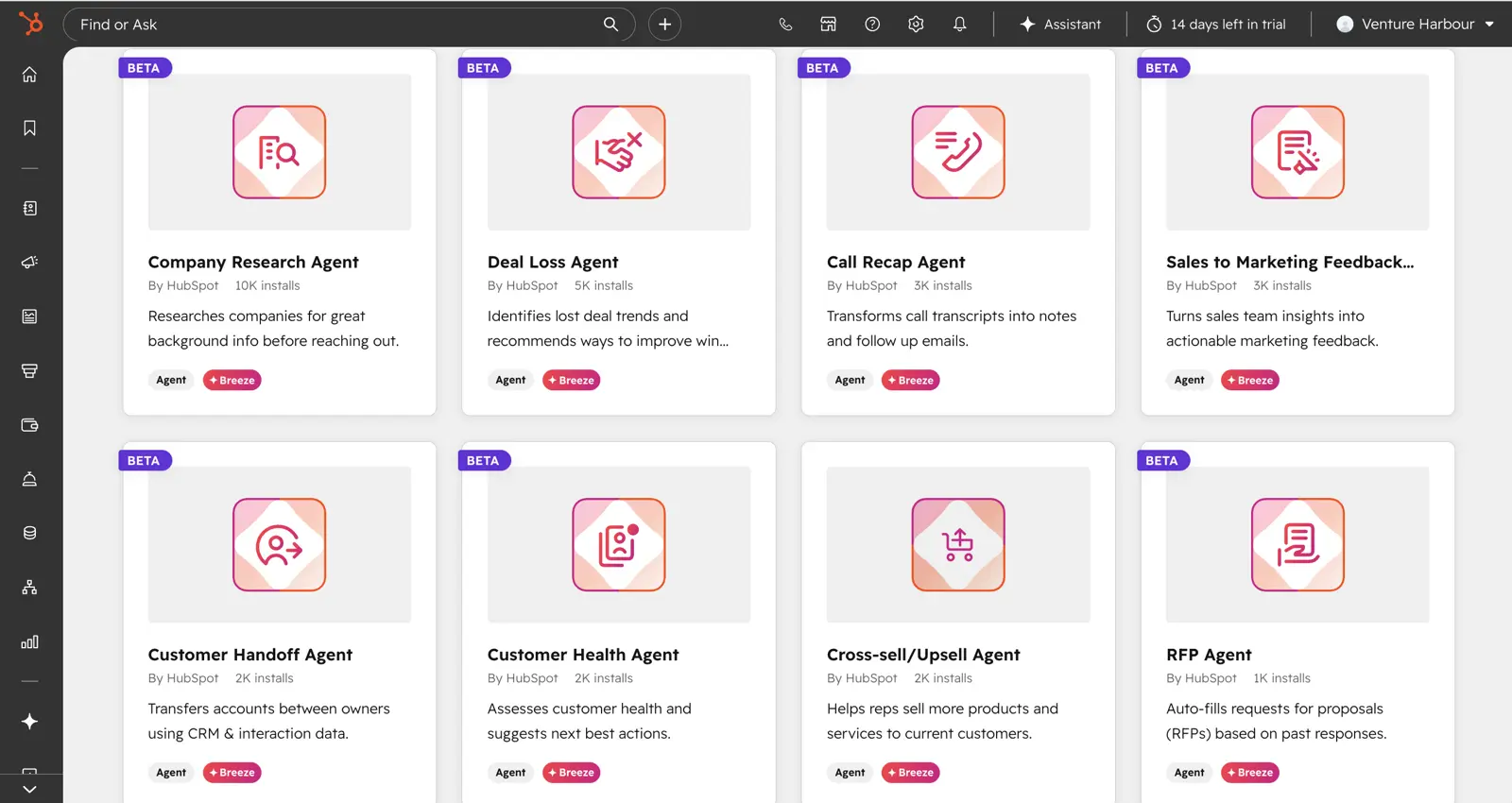
HubSpot’s “Breeze AI” is powerful at Enterprise and mediocre everywhere else. Breeze Copilot (Starter+) is a ChatGPT wrapper with CRM merge fields. Smart Send Time requires Professional ($890/mo). Predictive lead scoring requires Enterprise ($3,600/mo+). ActiveCampaign offers comparable predictive features on Pro at $79/mo.
Is HubSpot the right B2B email platform for you?
Established B2B service companies doing £1M+ in annual revenue, with sales cycles longer than 30 days, and a genuine need for email-to-revenue attribution. Also consider the free CRM if you’re a startup wanting pipeline management without paying.
Small businesses, startups, solopreneurs, creators, eCommerce companies, and anyone who winces at four-figure monthly software costs. If you’re choosing between ActiveCampaign and HubSpot, the price difference alone should decide it.
07Brevo
Best email marketing software for simple, affordable automation
Brevo (formerly Sendinblue) is the best “stepping stone” email marketing tool — the right choice for businesses that have outgrown basic email but aren’t ready for ActiveCampaign or HubSpot. It’s simple, affordable, and prices by email volume rather than contacts, which makes it uniquely cost-effective for large lists with low send frequency.
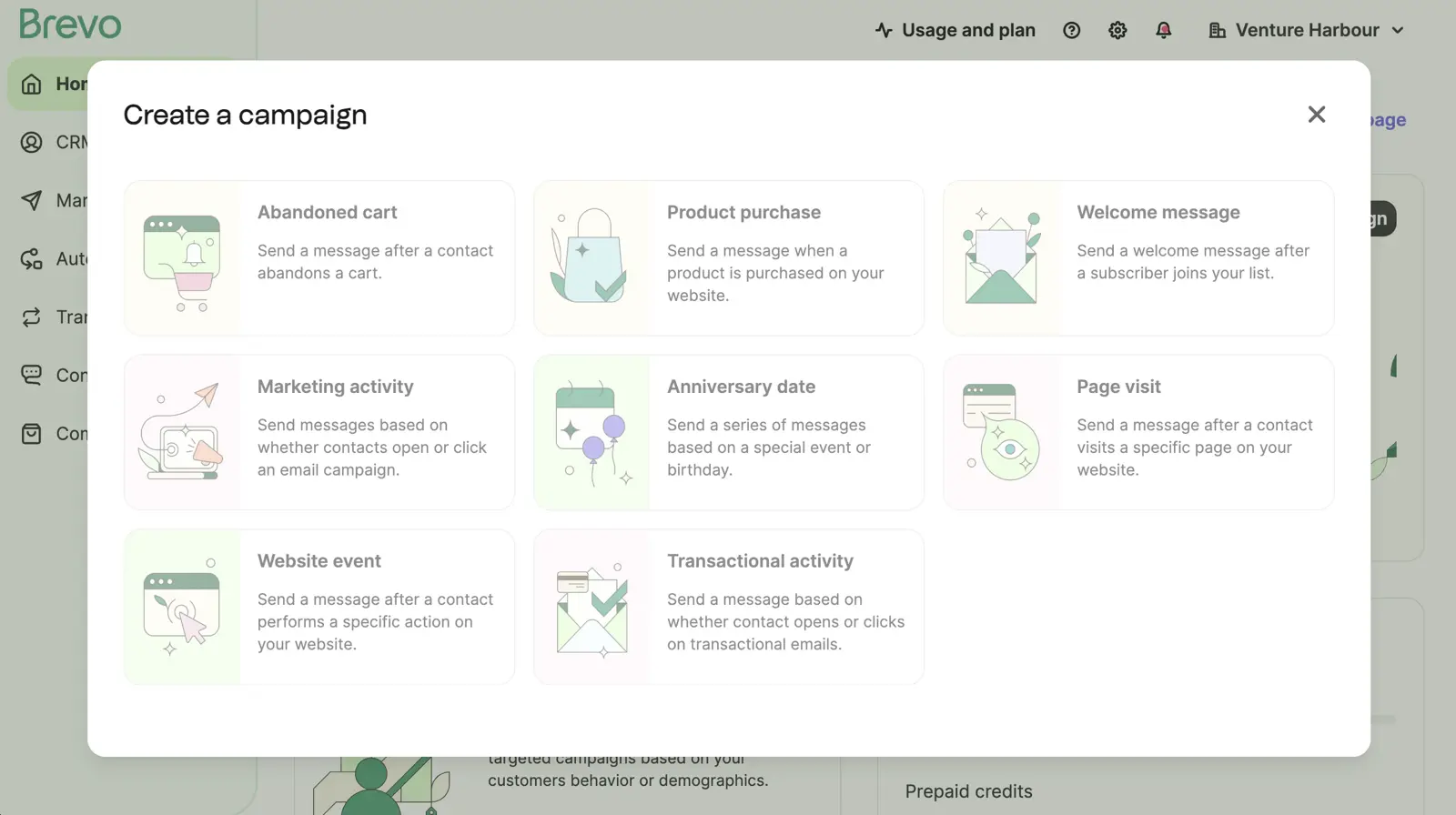
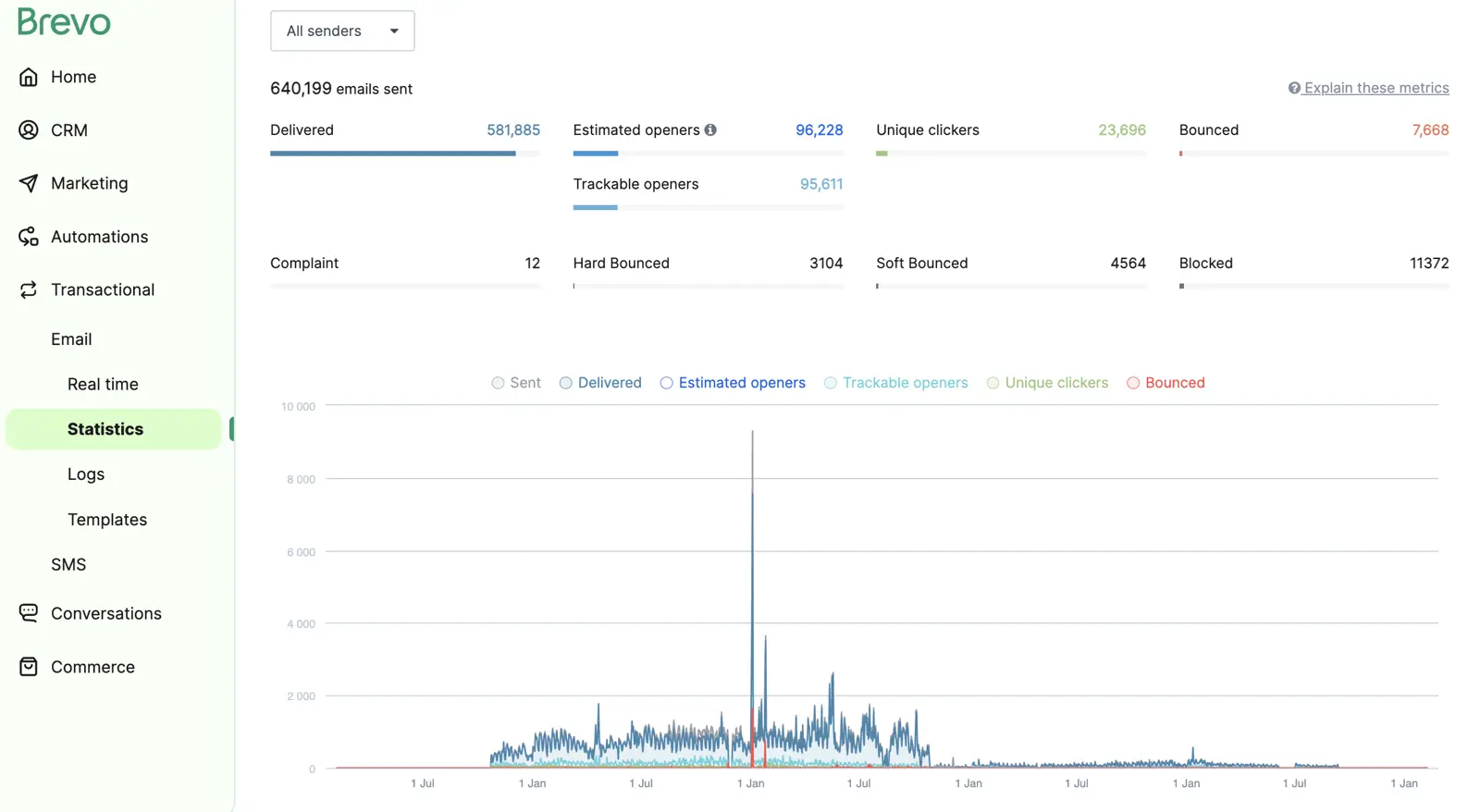
I’ve used Brevo since 2016, back when it was Sendinblue and primarily a transactional email service. Across our ventures, I’ve sent 640,199 emails through their platform without much drama.
It’s not exciting. It’s not innovative. But it works, and for many businesses that’s exactly what matters.
Pros and Cons
-
Email-volume pricing is genuinely different: Unlimited contacts on every plan — including free — and only pay for what you send. 25K contacts emailing weekly costs ~$69/mo, versus $189-$300/mo on per-contact tools.
-
Generous free plan: 300 emails/day to unlimited contacts. A small business sending weekly to 2,000 subscribers pays nothing.
-
Straightforward automation: Not as powerful as ActiveCampaign, but considerably easier to learn. For welcome sequences and basic triggers, it does the job without the learning curve.
-
Transactional email included: Having transactional and marketing email in one platform simplifies your stack. Most competitors require a separate service.
-
Automation has a low ceiling: No split-testing automation paths, no predictive sending, no AI-generated workflows. Handles linear sequences well but lacks depth for sophisticated multi-path automations.
-
Account throttling complaints: Multiple Reddit users mention Brevo throttling speed or suspending accounts that spike in volume.
-
AI is minimal: Basic writing assistant and send-time optimisation on Business plan. Nothing that learns from your data or makes your marketing smarter.
Pricing
| Monthly Email Volume | Starter | Standard |
|---|---|---|
| Up to 9,000 (300/day) | $0 (Free) | — |
| 20,000 | $25/mo | $65/mo |
| 40,000 | $39/mo | $84/mo |
| 100,000 | $84/mo | $129/mo |
With 5,000 contacts sending weekly (20,000 emails/month), Brevo Starter costs $25/mo. ActiveCampaign Starter at 5,000 contacts costs $99/mo. That’s nearly 4x the price for the same basic use case.
Basic content generator — nothing more. Writing assistant that doesn’t learn from your campaigns. Send-time optimisation on Business plan ($65/mo+). Don’t choose Brevo for AI; choose it for simplicity and value.
Is Brevo the right email marketing tool for you?
Small-to-medium businesses needing affordable email with basic automation. Particularly good for large contact lists with moderate sending frequency. Also the right choice if you need transactional and marketing email in one platform.
Businesses needing advanced automation (go ActiveCampaign), eCommerce (go Omnisend), or CRM integration (go HubSpot or GetResponse). Brevo is great middle ground, but if your needs extend beyond basic automations, you’ll outgrow it.
08MailerLite
Best email marketing software for basic, lean email marketing
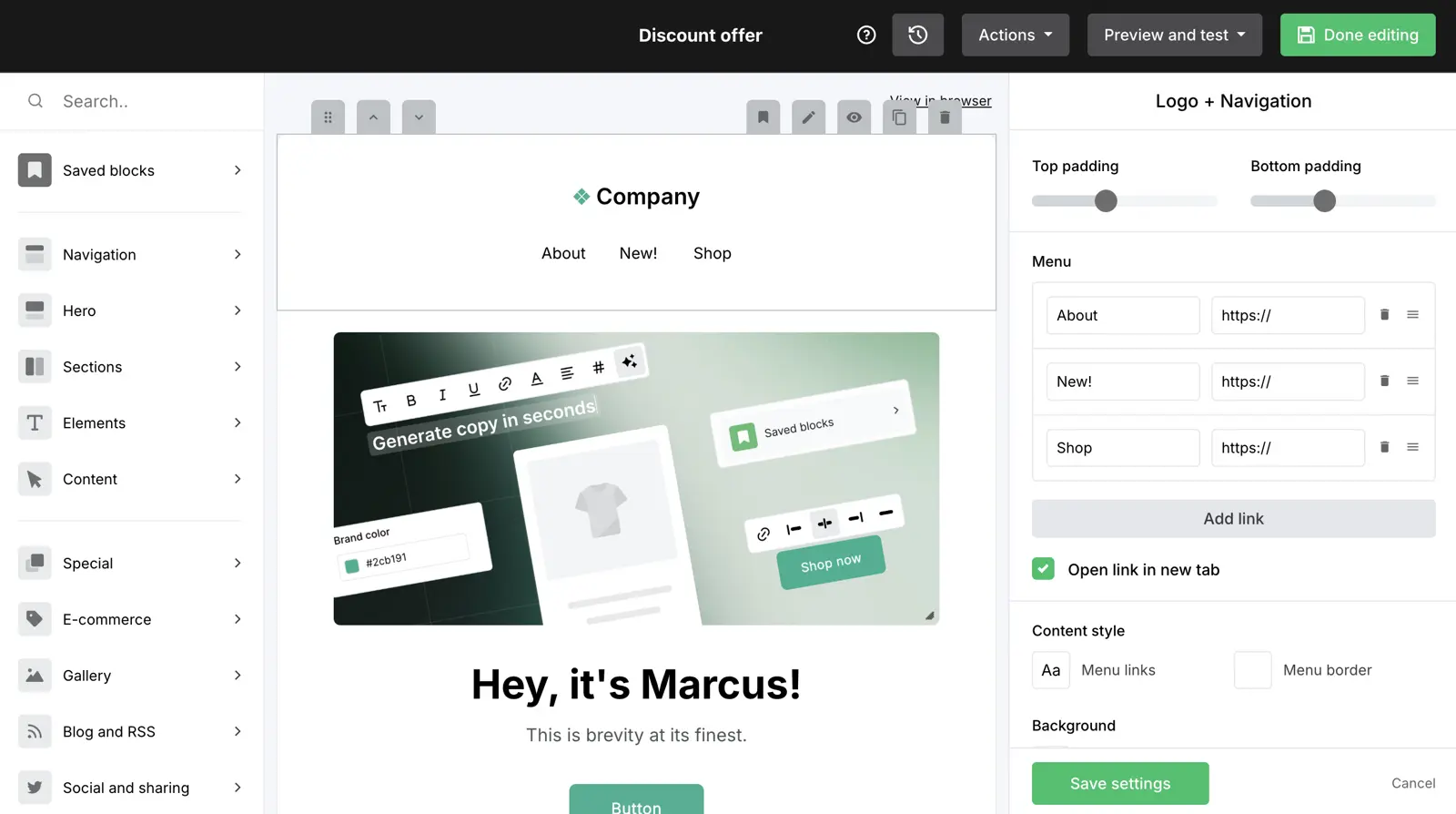
MailerLite is the Honda Civic of email marketing: reliable, affordable, no drama. It does exactly what it says on the tin — sends email campaigns with a clean drag-and-drop editor — and doesn’t try to be anything more.
If you just want to send a newsletter and don’t need automation wizardry, eCommerce integrations, or AI-powered optimisation, MailerLite is the cheapest way to do it well. The tradeoff is that it lacks the engine for serious business growth.
Pros and Cons
-
Genuinely affordable at every tier: $13.50/mo for 1K subscribers. $47/mo at 10K. $360/mo at 100K — only $29/mo less than ActiveCampaign at that scale.
-
Clean, adequate editor: Drag-and-drop builder, decent templates, and a UI that doesn’t overwhelm beginners.
-
AI writing assistant: Helps with drafts and subject lines directly in the editor. Useful for a budget tool, though no AI image generation.
-
Solid free plan for beginners: 1,000 subscribers with 12,000 emails/month and the drag-and-drop editor included.
-
Automation is basic: Autoresponders and simple triggers on paid plans, but nothing approaching visual workflow builders of ActiveCampaign or even GetResponse.
-
No engine for growth: No CRM, no lead scoring, no predictive analytics, no revenue attribution. MailerLite helps you send emails — it doesn’t help you build a marketing strategy.
-
Limited integrations: Smaller integration library than ActiveCampaign or HubSpot. Zapier fills some gaps.
-
Strict account approval: MailerLite manually reviews new accounts. Reddit reports some rejections.
Pricing
| Subscribers | Free | Growing Business | Advanced |
|---|---|---|---|
| 500 | $0 | $15/mo | $30/mo |
| 10,000 | — | $73/mo | $110/mo |
| 100,000 | — | Enterprise | $440/mo |
Annual billing saves 10%, dropping the 500-subscriber Growing Business plan to approximately $10/mo. Note: the free plan now covers 500 subscribers (down from 1,000 previously) with 12,000 emails/month.
Writing assistant (generic, no learning) and Smart Sending for delivery time optimisation. None of this is a reason to choose MailerLite, but reasonable conveniences for a budget tool.
Is MailerLite the right email marketing tool for you?
Small businesses, solopreneurs, and organisations needing regular email campaigns on a tight budget. Also reasonable for non-profits or community organisations where budget is the primary constraint.
Open MailerLite's WebsiteAnyone with ambitions beyond basic email. If you anticipate needing automation, CRM integration, or eCommerce features within 12 months, start with something more capable. The price difference between MailerLite and ActiveCampaign at 1K contacts is $15.50/mo — a small premium for vastly more capability.
09GetResponse
Best email marketing software on a budget
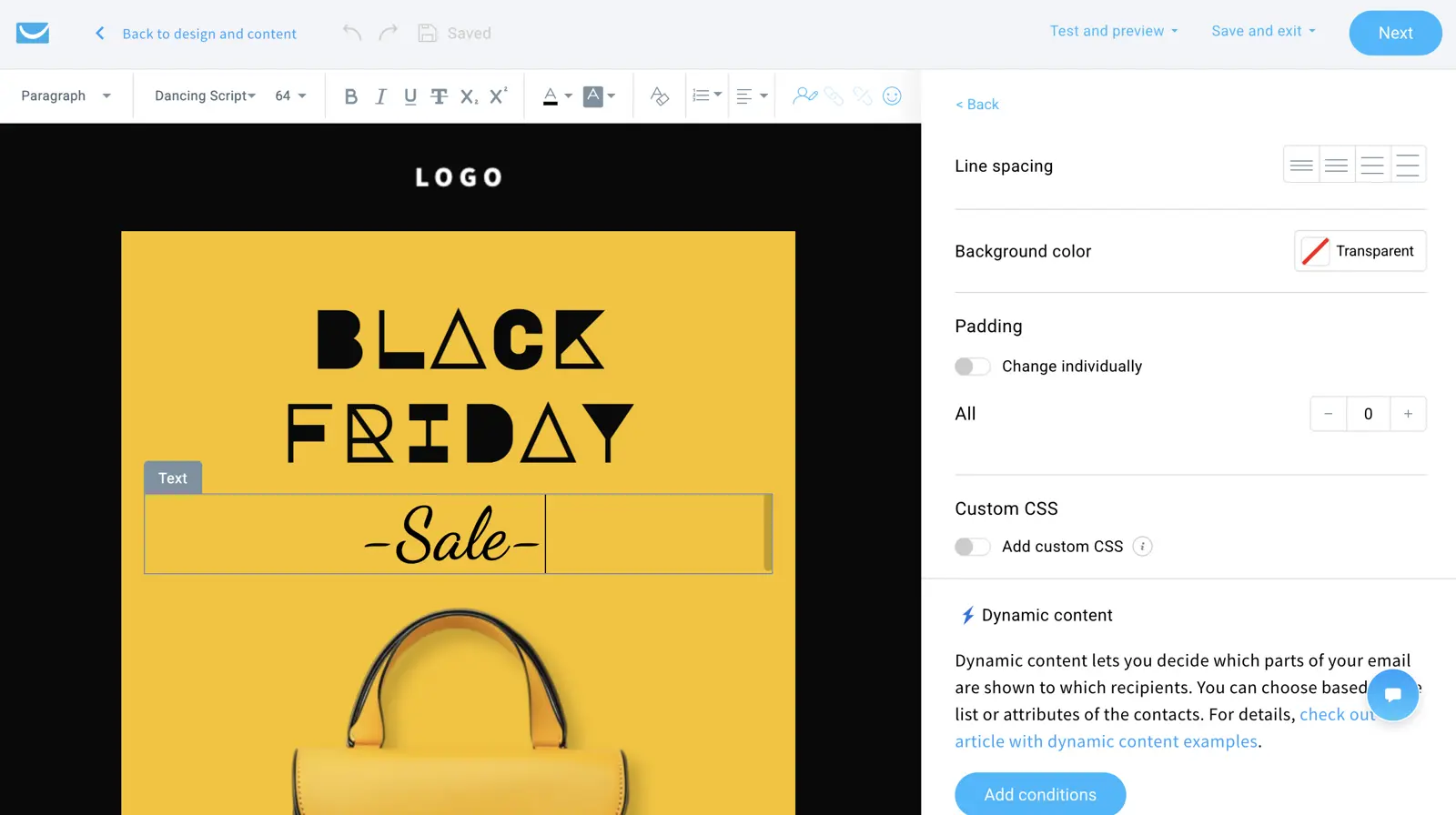
GetResponse is the Swiss Army knife of email marketing — it does a bit of everything (email, landing pages, webinars, automation, website building) without being the best at any of it. I’d describe it as a “budget HubSpot”: similar breadth of features at a fraction of the cost, with the trade-off that nothing is as polished.
My history with GetResponse goes back further than any other tool on this list. I started using it around 2010 when it was genuinely one of the best platforms available. I actually visited their team in Gdansk (Poland) to talk to their customers and drink Żubrówka have a civilised conversation with their product team about marketing automation.
Context: GetResponse was falling behind the competition as marketing automation took off. To their credit, they’ve clawed back a position — but the platform is essentially an affordable all-in-one marketing tool, rather than a leader in the space.
Pros and Cons
-
The webinar platform is genuinely good: Native webinars handling up to 100 attendees on Creator (up to 500 on Enterprise) with registration pages, reminders, and recordings. If you run webinars, this alone may justify GetResponse.
-
Best annual discount in the industry: 12-month billing saves 18%. The Starter plan at 1K contacts drops to around $16/mo on annual.
-
Breadth for the price: Email, landing pages, webinars, automation, website builder, forms — all from $19/mo.
-
Perfect Timing send optimisation: One of the oldest and most reliable send-time features. Analyses when each subscriber engages and delivers at their optimal time.
-
Jack of all trades, master of none: Automation isn’t as good as ActiveCampaign’s. CRM isn’t as good as HubSpot’s. Editor isn’t as clean as MailerLite’s. Everything is “good enough” — but there’s always a better specialist option.
-
AI is a mile wide and an inch deep: AI emails, landing pages, websites, autoresponders — all prompt-in, content-out with no learning from your data. Breadth is impressive; depth is not.
-
Template designs feel dated: Reddit users regularly describe templates as looking like 2018. If visual polish matters, expect to build from scratch.
Pricing
| Contacts | Starter | Marketer | Creator |
|---|---|---|---|
| 1,000 | $19/mo | $59/mo | $69/mo |
| 10,000 | $79/mo | $114/mo | $134/mo |
| 100,000 | $539/mo | $599/mo | $690/mo |
At 1K contacts, GetResponse Starter ($19/mo) matches ActiveCampaign Starter ($15/mo) exactly. But the trajectories diverge: at 10K, GetResponse Starter is $79/mo vs ActiveCampaign’s $189/mo. At 100K, GetResponse Starter runs $539/mo vs ActiveCampaign’s $1,199/mo. GetResponse is significantly cheaper at scale if you only need basic email marketing.
GetResponse has more AI features than almost any competitor: email generator, landing page builder, website builder, autoresponders, and image generation. Nearly all are off-the-shelf language models — no learning from your data. The one genuinely data-driven feature is Perfect Timing (send-time optimisation per contact), which predates ChatGPT and remains excellent.
Is GetResponse the right email marketing tool for you?
Budget-conscious businesses needing a bit of everything — especially webinars. If you run regular webinars, the native tool eliminates the need for a separate Zoom subscription. Also reasonable for small businesses wanting “HubSpot-like” breadth without the four-figure bill.
Anyone who needs depth over breadth. If automation is critical, go ActiveCampaign. If CRM matters, go HubSpot. If eCommerce is your focus, go Omnisend. GetResponse is for people who can live with “good enough” across the board.
10Resend
Best email marketing software for developers
If you need email marketing triggered via an API, use Resend. It has a very generous free tier — I don’t think I’ve ever actually paid for it, and I’ve used it across half a dozen micro-SaaS projects.
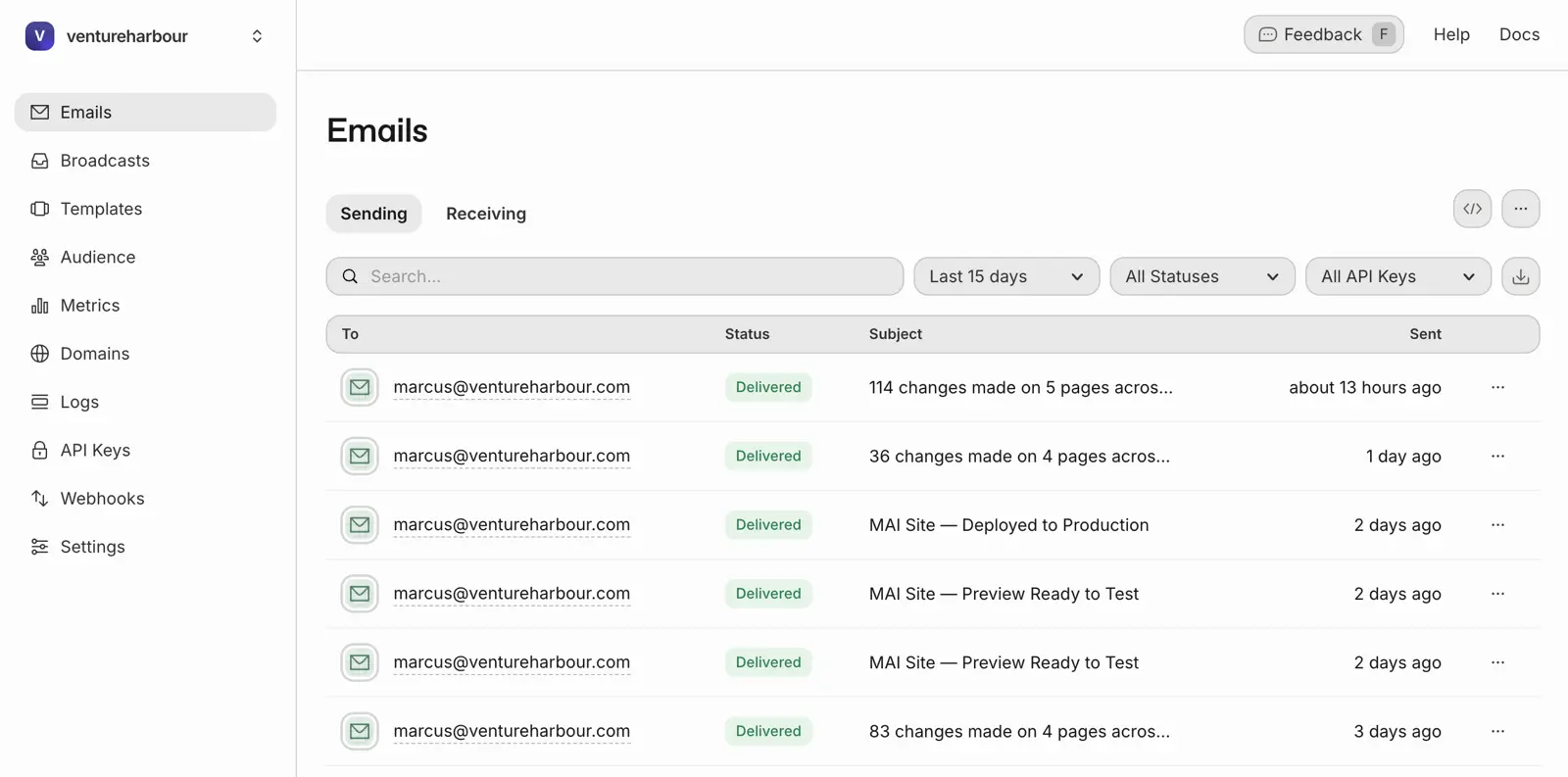
It’s remarkably easy to set up, particularly if you’re vibe coding a project in Lovable, Claude Code, or similar — most AI coding tools will just ask you for an API key and you’re all set.
Pros and Cons
-
Free tier covers real projects: 3,000 emails/month at zero cost. More than enough for most micro-SaaS projects and early-stage startups.
-
Setup takes minutes: Add a domain, verify DNS, grab an API key, send. Documentation is clear, SDKs cover every major language.
-
Pro plan is absurdly cheap: $20/mo for 50,000 emails. Compare that to any marketing tool at the same volume.
-
No visual interface: No editor, no campaign builder, no automation, no landing pages, no forms. Everything happens through code.
-
Not an email marketing tool: It’s email infrastructure — the plumbing that delivers emails your application triggers.
-
Younger company: Relatively young compared to established players — worth considering if long-term vendor stability matters.
Pricing
| Plan | Price | Emails/Month | Key Limits |
|---|---|---|---|
| Free | $0 | 3,000 (100/day) | 1 domain, 1-day log retention |
| Pro | $20/mo | 50,000 | Multiple domains, 3-day log retention |
| Scale | $90/mo | 100,000 | 7-day log retention, dedicated IPs |
| Enterprise | Custom | Custom | SLA, priority support, SSO |
None. By design, not deficiency. It’s a developer email API — if you want AI in your email workflow, you build it yourself.
Is Resend the right developer email tool for you?
Developers building applications that need to send email. Also the right choice if you’re vibe coding a side project and need email without the overhead of a marketing platform. If “npm install resend” means something to you, this is your tool.
Everyone who isn’t a developer. There’s no visual interface, no templates, no drag-and-drop anything. For traditional email marketing, look at every other tool on this list.
By Type of Business
The best email marketing software for your business depends on what you do (and don’t) need. Here’s my take on the strongest contenders for different types of business.
Best for eCommerce (Shopify, WooCommerce)
Winner: Omnisend. Runner-up: ActiveCampaign.
Omnisend was built from the ground up for eCommerce. The Shopify and WooCommerce integrations pull in your product catalogue, purchase history, and browsing behaviour so you can trigger abandoned cart flows and product recommendation emails that reference what each customer looked at. Revenue attribution is where Omnisend genuinely outperforms: you can see exactly which automation and subject line variant generated how much revenue. At $16/mo for 500 contacts, that's hard to argue with.
The omnichannel capability is what sets it apart. You can build a single automation that sends an email, waits 24 hours, fires a push notification if unopened, then follows up with an SMS — all within one visual workflow. I've tested this against cobbling together the same thing with separate tools and Zapier, and Omnisend's native approach is less buggy and faster to set up.
Why not Klaviyo? Their platform is very good – but doesn't justify the extra cost over Omnisend in my opinion. 10,000 contacts, Omnisend Standard runs ~$132/mo versus Klaviyo's $150+. Unless you need Klaviyo's deeper Shopify Plus integrations, Omnisend gives you more for less.
Best for B2B
Winner: HubSpot (with significant cost caveats). Runner-up: ActiveCampaign.
What HubSpot does genuinely well is connect everything back to revenue. Because the CRM, email, website, and sales tools are all native, you can attribute a closed deal to the specific blog post that generated the lead, the nurture sequence that warmed them up, and the sales email that sealed it. For B2B companies with 3-6 month sales cycles, that visibility is invaluable.
Now the caveats. Starter at $15/mo per seat is deliberately cheap to get you into the ecosystem. Real features require Professional at $890/mo, plus a mandatory $3,000 onboarding fee and annual commitment. And there's the hidden cost: you'll likely need a "HubSpot specialist" at £80-150/hour.
If HubSpot's pricing makes you wince, ActiveCampaign is the smarter choice. You get 80% of the CRM and email functionality at roughly 70% less cost. For most B2B teams under 25,000 contacts, that trade-off is worth making.
Best for large businesses
Co-winners: ActiveCampaign & HubSpot. The right pick depends on what else is already on your stack.
At the large-business tier — 100K+ contacts, multiple teams touching email, and an existing tech stack — the shortlist narrows to two platforms that can actually carry that load. Both support SSO, audit logs, role-based permissions, dedicated IPs, SOC 2, and the GDPR posture large organisations need to sign off on. From there, the decision hinges on one question: are you buying your CRM too, or do you already have one?
Choose HubSpot if you need the CRM and have a complex sales cycle. When the CRM, email, website, and sales tools are all native to one platform, you get true end-to-end revenue attribution — every closed deal traceable back to the content that generated the lead, the nurture sequence that warmed them up, and the sales email that sealed it. For B2B organisations with 3-6 month sales cycles, that visibility is hard to get any other way. Expect Enterprise pricing from $3,600/mo at 100K contacts plus onboarding, plus a dedicated admin or agency to run it.
Choose ActiveCampaign if you're hooking into Salesforce or an existing CRM. ActiveCampaign has mature, first-class integrations with Salesforce, Microsoft Dynamics, Pipedrive, and every other serious enterprise CRM — so you keep your system of record and use AC as the marketing execution layer. Enterprise at ~$1,199/mo for 100K contacts is roughly a third of HubSpot Enterprise, and Active Intelligence gives you contextual AI trained on your campaign history, which HubSpot only matches at its top tier. If your business has already standardised on a CRM, replacing it to adopt HubSpot is rarely the right trade.
There's no runner-up outside these two. Omnisend, Brevo, GetResponse, and the rest all serve the mid-market well but don't have the enterprise governance, support SLAs, or integration depth that large-business procurement teams typically require.
Best for cold outreach & sales prospecting
Winner: Instantly
Cold outreach is a fundamentally different category from everything else on this page. Every tool above is built for opt-in email marketing. Cold email is the opposite: you're reaching people who haven't heard from you before, and the rules, technology, and compliance requirements are entirely different.
Instantly has carved out a clear lead by solving the problems that actually matter: deliverability and scale. It handles automated email warmup, domain rotation across multiple sending accounts, and inbox rotation. The platform includes a lead finder with access to 450M+ B2B contacts, plus enrichment tools that append LinkedIn profiles and verified emails.
I used Instantly when building a golf booking platform — we needed to reach thousands of golf clubs across the UK. The end-to-end workflow was genuinely impressive: find leads, enrich them, warm up sending domains, then trigger multi-step sequences with automatic follow-ups. Instantly guided us through setting up separate sending domains and configuring SPF, DKIM, and DMARC properly.
There's no runner-up because recommending ActiveCampaign or HubSpot for cold outreach would be irresponsible. Those platforms will terminate your account if you import a purchased list. Instantly exists precisely because this use case needs its own infrastructure.
A compliance warning: CAN-SPAM requires opt-out mechanisms and honest headers — violations can result in penalties up to $53,088 per email. GDPR applies if emailing EU recipients regardless of where you're based. Misuse can get your entire domain blacklisted. Know your legal obligations before you start.
If you need cold outreach AND marketing automation, you'll need two tools. Use Instantly for initial outreach, then move opted-in leads into ActiveCampaign or Kit for nurturing. Instantly integrates via Zapier or native integrations. This two-tool approach keeps cold and marketing infrastructure separate — which is exactly how it should be.
Best for startups
Winner: MailerLite. Runner-up: Brevo.
When you're pre-revenue, the most important feature is $0 on the invoice. MailerLite and Brevo both let you build, test, and send to real subscribers before you pay anyone a cent — and that's the deciding factor for startups that need to validate before they budget.
MailerLite wins because it's the fastest path from "no account" to "first broadcast sent." The free plan gives you 1,000 subscribers and 12,000 emails/month, with a drag-and-drop editor that a non-technical co-founder can pick up in an afternoon. When you outgrow free, the Growing Business plan at $9/mo for 500 subscribers (or ~$15/mo at 1K) is the cheapest serious email marketing bill you'll find. It's the "just get started" pick.
Brevo is the runner-up and the better fit if your startup has a transactional side as well as a marketing one — order confirmations, OTPs, password resets. Brevo prices by email volume rather than contacts, so you can have unlimited contacts on the free plan and send up to 300/day without paying. The Starter plan at $25/mo for 20,000 emails only kicks in once you've proven the channel. It also bundles SMS and WhatsApp natively — useful if you need multichannel from day one.
Both are designed to be outgrown. Once you pass 10k contacts and you're running real automations, see the Small business tab — that's where ActiveCampaign earns the upgrade.
Best for small businesses
Winner: ActiveCampaign. Runner-up: GetResponse.
Small businesses sit in an awkward middle: past the "free tier is fine" stage, but nowhere near the enterprise price tags. ActiveCampaign is where most SMBs doing real email marketing land — and once you're past 10,000 contacts with a few automations already running, it's the clear choice.
You get the visual automation builder (135+ triggers, conditional branches, split-testing), a built-in CRM with pipelines and lead scoring, contextual AI via Active Intelligence, and deliverability that consistently ranks in the top tier. At 10K contacts the Starter plan is ~$189/mo — a step up from Brevo or MailerLite, but buying back time on workflows that used to take days.
Just getting started? I'd go for MailerLite instead — see the Startups tab. ActiveCampaign is the right pick after you've validated email as a channel, not before.
Best for agencies
Winner: ActiveCampaign. Runner-up: Brevo.
Running email marketing for clients has a different set of requirements than running it for yourself: multi-account management, the ability to present a consistent brand across every client portal, and billing that scales with your roster rather than fighting it. Both ActiveCampaign and Brevo offer white-label / agency programs — which is why they top this list.
ActiveCampaign's Agency Partner Program gives you a centralised dashboard for managing all client accounts, margin on accounts you resell, co-branded or white-labelled login experiences depending on tier, and access to their partner support team. It's the tool most agencies I know already use for their own marketing, so reselling what you already know compounds the time saved.
Brevo's Agency plan is the runner-up and the better fit if your clients are small businesses on tight budgets. You get a sub-account hierarchy, white-labelled sending domains, and Brevo's send-volume pricing — which lets agencies manage a roster of clients without contract sizes ballooning as contact lists grow. SMS and WhatsApp channels are bundled too, which matters for agencies serving eCommerce or transactional-heavy clients.
Beyond these two, most platforms either don't offer white-label at all or bolt it on as an enterprise SKU at a price that defeats the purpose. Start with ActiveCampaign if your clients need automation depth; move to Brevo if your clients need volume at low cost.
Best for non-profits
Winner: GetResponse.
If you're a registered non-profit, GetResponse offers 50% off every paid plan — a discount that moves the cost-per-contact calculation decisively in their favour. That alone is reason enough to shortlist them. It's not a thin marketing gesture either: the discount applies to the full feature set, including automation, webinars, and landing pages.
The 50% discount is particularly meaningful at scale. At 10,000 contacts the Marketer plan is $79/mo — with the non-profit discount that drops to ~$40/mo. At 100,000 contacts it drops from $539/mo to ~$270/mo. Few other platforms meaningfully reduce pricing for non-profits, which means GetResponse quietly becomes the most generous option for charities, educational organisations, and community groups.
Beyond the discount, GetResponse bundles things non-profits actually use: native webinars (for donor events and educational sessions), landing pages (for campaigns and fundraisers), event-based automation (to trigger donor thank-you sequences), and contact scoring (to surface your most engaged supporters). You'd pay separately for most of these on other platforms.
How to apply: submit proof of non-profit status (501(c)(3) registration in the US, or equivalent documentation elsewhere) to GetResponse's support team after signing up, and the discount is applied to your account.
Best for creators
Winner: Kit. Runner-up: Beehiiv (if you're monetising).
I use Kit for my YouTube channel's newsletter. The free plan supports up to 10,000 subscribers with unlimited broadcasts (this used to be 1K subs – but was increased due to in response to competition from Beehiv). The landing pages are simple by design, but that simplicity is why they convert: 30-50% conversion rates because the pages are focused on a single action with zero distractions.
Choose Beehiiv over Kit if you're building a monetised newsletter. Beehiiv takes 0% of subscription revenue on Scale and Max plans, has a built-in ad network, and a referral programme. If your business model is "newsletter as product," Beehiiv has the infrastructure Kit doesn't.
Best free email marketing software
Strictly speaking this isn't a type of business, but I know many of you are looking for an email marketing tool that's free (at least to start with).
Kit's free tier is the most generous by far — 10,000 subscribers with unlimited broadcasts, landing pages, and forms. The catch: only 1 basic visual automation on the free plan. For a creator sending a weekly newsletter, that's perfectly fine. For anyone who needs multi-step workflows, you'll outgrow it — but by then Kit has done its job, which is getting you to "paid" once the audience is worth it.
Brevo wins if you have a large list but send infrequently. You can have 50,000 contacts on the free plan and still send, as long as you stay under 300/day (~9,000 emails/mo). No other free plan offers unlimited contacts. The restriction is the daily cap, not the list — so Brevo is perfect for a monthly newsletter to a big list, and wrong for a weekly one.
MailerLite is the free pick for small businesses that want a visual editor. 500 subscribers and 12,000 emails/month. The most approachable UI on this list for non-technical users.
How to Choose Email Marketing Software in 2026
Choosing email marketing software shouldn’t take weeks. Most tools do 80% of the same things. There are nine real differentiators, starting with pricing and value for money.
1. Cost & Value for Money
Entry price is misleading. What matters is how costs scale as you grow:
| Tool | 1K Contacts | 10K Contacts | 100K Contacts | Scaling Factor |
|---|---|---|---|---|
| Beehiiv | $0 (free) | $43/mo (Scale) | $96/mo (Max) | Flat tiers |
| Brevo | $0 (free)* | $35/mo* | Custom* | Volume-based |
| MailerLite | $13.50/mo | $73/mo | $440/mo | 33x |
| GetResponse | $19/mo | $79/mo | $539/mo | 28x |
| Omnisend | $16/mo | $132/mo | Custom | 8x+ (to 10K) |
| HubSpot | $15/mo per seat | $890/mo (Pro) | $3,600/mo (Ent) | ~59x (Starter to Pro) |
| ActiveCampaign | $15/mo | $189/mo | $1,199/mo | 63x |
| Kit | $0 (free)** | $100/mo | $466/mo | N/A (free start) |
* Brevo prices by email volume, not contacts. ** Kit free plan covers up to 10,000 subscribers (broadcasts only, plus 1 basic automation).
ActiveCampaign now matches MailerLite’s entry price at $19/mo for 1K contacts. At 10K, it’s $189/mo vs MailerLite’s $73/mo — roughly 2.5x more, but with vastly deeper automation. At 100K, it’s $1,199/mo vs MailerLite’s $440/mo — nearly 3x more, but with automation that MailerLite simply can’t match. If you need serious automation, the premium is justified. If you don’t, MailerLite scales more predictably.
The HubSpot warning: Starter looks cheap at $15/mo per seat. But Professional starts at $890/mo. That’s a 59x jump between “basic” and “useful.”
2. Ease of Use
The simplest tools are MailerLite and Kit. Both are designed for users who want to send emails without reading documentation.
The most complex are ActiveCampaign and HubSpot. HubSpot is the only platform where I regularly see businesses hiring specialists at £80-150/hour just to manage it.
3. Deliverability
ActiveCampaign consistently ranks top-tier in independent tests. But deliverability depends more on your sending behaviour than on which platform you use. List hygiene, engagement rates, and authentication setup matter more than which servers your emails pass through.
4. Features
ActiveCampaign has the deepest feature set for automation. GetResponse has the broadest (email + webinars + landing pages). HubSpot has the most overall if you count CRM + sales + marketing, but the cost is enormous.
The question isn’t which tool has the most features — it’s which features you’ll actually use. Most businesses use less than 20% of their tool’s capabilities.
5. CRM & Automation
ActiveCampaign’s workflow builder is in a league of its own: 135+ triggers, conditional branching, split-testing entire paths. HubSpot’s strength is CRM-email integration. For most businesses, ActiveCampaign delivers 90% of HubSpot’s automation at 10% of the cost.
6. Reporting & Analytics
For eCommerce: Omnisend’s revenue attribution is the most granular. For B2B: HubSpot’s multi-touch attribution connects email to closed deals. For everyone else: ActiveCampaign offers solid analytics with engagement scoring.
7. Integrations
Most tools integrate with major platforms. Omnisend’s Shopify integration is deepest for eCommerce. HubSpot has the broadest marketplace. ActiveCampaign has the most Zapier triggers/actions.
8. Support & Training
ActiveCampaign and Omnisend offer 24/7 live chat on paid plans. MailerLite also offers 24/7 live chat — impressive for a budget tool. HubSpot has excellent documentation but the platform complexity means you’ll use support more than you’d like.
9. Security & Compliance
In 2026, this isn’t optional. GDPR enforcement is intensifying and US state privacy laws are multiplying (nearly 20 states with active legislation). All reputable tools support GDPR compliance — check for Data Processing Agreements, consent management, and right-to-deletion workflows.
AI Features Worth Paying For in 2026
Every email marketing tool now claims “AI features.” Most are being generous with the definition.
Most tools offer the same AI text generator you could use for free on ChatGPT.com. The output is the same whether you’ve used the platform for one day or five years. This describes the AI in Brevo, MailerLite, Kit, Beehiiv, and GetResponse. Useful for writer’s block. Not a strategic advantage.
A few tools apply AI to their specific domain. Omnisend’s AI understands your product catalogue. Instantly’s AI learns from reply data. HubSpot’s AI (at Enterprise pricing) uses CRM data for predictive lead scoring.
Only ActiveCampaign offers genuine contextual intelligence. Active Intelligence builds a persistent model of your brand voice, engagement patterns, and performance history. It genuinely gets smarter over time. This is the only best-in-class AI we found in the comparison.
The question to ask: does the AI get better the longer I use the platform? If yes, it’s worth paying for. If no, it’s a convenience feature.
Detailed Pricing Comparison
Full pricing breakdown across all 10 tools at key contact tiers:
| Tool | Model | 1K | 10K | 100K |
|---|---|---|---|---|
| Beehiiv | Flat tier | $0 | $43 (Scale) | $96 (Max) |
| Resend | API volume | $0 | $20 | Custom |
| Brevo | Per email | $0* | $35* | Custom* |
| Kit | Per sub | $0** | $100 | $466 |
| MailerLite | Per sub | $13.50 | $73 | $440 |
| GetResponse | Per contact | $19 | $79 | $539 |
| Omnisend | Per contact | $16 | $132 | Custom |
| HubSpot | Per seat (Starter) | $15/seat | $890 (Pro) | $3,600 (Ent) |
| ActiveCampaign | Per contact | $15 | $189 | $1,199 |
| Instantly | Per account | $47 | $47 | $97 |
* Brevo: estimated at 4 emails/contact/month. ** Kit free plan up to 10K subscribers (broadcasts only, plus 1 basic automation).
All prices shown are entry-tier monthly rates, current as of April 2026. Visit individual pricing pages to confirm.
Final words
Don’t overthink it. Most email marketing tools do 80% of the same things. The real differentiators — automation depth, pricing model, domain-specific features — only matter if your business specifically needs them.
If you’re just starting out, pick Kit (free) or MailerLite (cheap) and start building your list. You can always migrate later. The tool matters less than the habit of sending regularly.
If you’re scaling and need automation, ActiveCampaign is the answer 8 times out of 10. The 2 exceptions are pure eCommerce (Omnisend) and B2B companies that genuinely need revenue attribution across a 6-month sales cycle (HubSpot).
The worst decision is spending three weeks evaluating tools instead of writing emails. The second worst is choosing a tool because of its brand name rather than testing whether it fits your needs.
Start. Send. Iterate. The tool is the means, not the end.
If you want to see the raw data behind these rankings — including the scoring criteria, weightings, and how each tool performed — I’ve published the full dataset: Email Marketing Software Ranking Data (Coda).
93 Reader Comments
The data set file is not being sent. Could you please send it to me? Thanks! I'm very interested as I'm selecting a marketing automation tool right now. Thanks.
Hi Marcus, thank you for the research, very much appreciated. I'd also appreciate the data set you offered to share if the offer still stands. Thanks again!
Great and informative post. Where is the download / raw data "at the bottom" - I must have missed the link
Hi Marcus
This is a very informative topic... Thank you for sharing with us.
I recently switched from MailChimp to Mailerlite and have been pleased with the results. I ran into a small problem and the customer service was excellent and responded very quickly (I’m using the free plan).
Hey,
thanks a lot for creating such a detailed and objective overview of the email marketing providers!
I would really like to have a look at your dataset, I already filled out the survey twice, but it does not seem to work - still no email with dataset received. Could you please send it to me? Thanks a lot!
Kind regards,
Maria
Great article.
Just wanted to point out that there is an error in SendX's pricing in the Pricing Comparison table.
SendX's pricing is close to $100/mo for 10,000 users.
On the SendX website, the pricing is mentioned in slabs - so the final bill will be the addition of all slabs that are applicable to your number of contacts.
Thanks for raising this Rajesh, we've updated our dataset to reflect this.
Hello Marcus Taylor,
Thank you to share such a piece of useful information with us. keep posting such kind of Information.
???? will do!
Thanks for this informative review Marcus. What are your thoughts on ConvertKit? It was recommended to me, I am a blogger who does it for passion for the last 5 years, but I am thinking of starting to monetize my work.
It's perfect for bloggers, but I wouldn't recommend it for any other use case.
Thanks for putting this together, my head was spinning from trying to figure out who/what to use.
Please forgive me if I missed this in some of the comments and replies, but I saw nothing on Infusionsoft or Marketo. I was expecting to see both in your analysis, but nothing was mentioned, save for the remark early on that Active Campaign has rocketed past Infusionsoft in the marketplace. Is it because you consider them outside the "Email Marketing" space which was the subject of your analysis?
Thanks
Hi Paul, back in 2015/2016 both Marketo and Infusionsoft made our top 10, but they've gradually been slipping each year.
Keap (formerly Infusionsoft) is now in #37th place and Marketo is at #78th. There's nothing wrong with these platforms, but they just don't score as highly in the nine areas that we believe (from interviewing email marketing users) are most important.
We also observe from migration data that a large number of Infusionsoft users end up moving to other email marketing services, citing 'difficult to use' as a common reason, so I'm somewhat reluctant to recommend their platform these days.
SENDLANE IS A HORRIBLE TOOL. Used this for a month then switched to Klaviyo and it is light years better. Sendlane had a million bugs and almost ruined my business.
Hi Jason,
Ouch! We've added this feedback to our dataset. Incidentally, we've seen some similar signs on our end. They've fallen to #14 on our list this year so won't be making the 2020 top 10.
Thanks for sharing ????
Hi Marcus
This is very informative post for us. Thank you for sharing with us.
Thanks for this article. It is super helpful. I have used quite a few different ESPs (Bronto, MailChimp, Constant Contact, dotmailer, Listrak and now Informz) and have my opinions about all of them. But I have always worked for e-commerce companies. I now work for a non-profit association and we need an ESP that integrates with our database, which is run on Aptify. The only ESP I have found that claims to integrate with Aptify is Informz (Higher Logic) and lets just say, the integration doesn't actually work and the platform itself leaves a lot to be desired. So I was wondering if you knew of any other platform that might integrate with Aptify or be able to build an integration?
Wow, you've tried them all!
It seems it may be a bit of an issue on the Aptify end, as they don't seem to offer much in the way of an API from what I can see, so it's probably a challenge for ESPs to integrate with them.
The only two options I can see from a quick browse is Higher Logic (as you mentioned) and a company called HighRoad, though I'm not familiar with either.
Powerful review!
What options are available for sending cold email?
Mailshake and Woodpecker.co are both worth a look.
Fantastic article, thank you! I was wondering if I could ask some advice -- we are only a small company that doesn't need automation or a CRM, we just want to be able to send out monthly emails to 6000 subscribers that can be categorised into industries or groups. We don't need bells & whistles. Due to our industry, the chunky CRM doesn't integrate into a.n.y.t.h.i.n.g. so it's all very labour intensive but lucky for them I do love a spreadsheet. Thanks in advance for the advice.
Hi Bec,
I would probably look at something like MailerLite or Moosend. They're both very affordable and do the basics very well (while taking care of the dull, but important stuff like security & deliverability).
While they do both offer automation, you can obviously just use them for basic mass email sending - and both should be affordable at 6,000 contacts.
Marcus, thank you very much for detailed yet to the point review! I am looking for the email program for our small activity which we are planning to grow fast. You saved me tones of time and money on trials and errors. Mailchimp is a bit outdated. So I am looking forward to our new adventure and hope to continue with the program for many years.
Why are some of the comments from 2014? Is this an old article or is it updated with the latest and greatest options?
Hi RDH,
This article was first published back in 2014 and has been updated (at least) every year since.
This was the most helpful article ever. After all the tests, I think that I'll go for ActiveCampaign. Thank's!
HI Marcus
Found your article very informative especially as I am a novice in all this. We are about to launch a research centre in the UK and wondered which email marketing tool you would recommend. Having read quite a bit now online, I see a lot of the literature seems to concentrate on business users rather than non-profits. Any suggestions would be most welcome.
Many Thanks
Hi Anna,
I would take a look at Moosend, who offer a 25% discount to non-profits. If you need something a bit more powerful, ActiveCampaign offer a 20% discount.
Hi Marcus,
Thank you for this detailed report. One of the options I am considering is Drip, it seems to be popular. Did you consider it?
Any thoughts on Drip vs ActiveCampaign?
All the best,
Jim
Hi Jim, yes - we did consider Drip.
This year Drip came out in 31st place in our ranking of the top 100 email marketing services. One factor pulling down their ranking was a high number of Drip users moving away from their platform reporting four issues in particular as the reason: Integrations, low-quality support, bugs, and difficult-to-use UX.
Hope that's useful.
A very thorough and well-written blog on Email Marketing software tools. These are some very decent tools which will prove helpful for novices like us. Thanks for the blog Marcus.
Hi Marcus,
Thanks for the review.
It looks like it's been a while since the review has been written 4 years ago (according to the most of the comments above).
Please advice on how it's relevant up to date?
We are looking for a mail marketing tool for b2b software services company.
Would appreciate your feedback.
Thanks!
Oleg
Hey Oleg,
We've just posted our 2018 update! A few new tools have made the cut, and a couple of old ones removed. All of the data has been updated as of October 2018, so that should be useful.
For B2B software, I'd probably look at either Hubspot/ActiveCampaign? We use ActiveCampaign as our email marketing tool for Leadformly, which is a B2B SaaS service.
Marcus
A very useful post, thanks Marcus!
I’ve had used email services from different service providers in the past for my own online business although now I have moved to Benchmark Email and using there services.
I found almost every service providers relatively easy to use but almost everyone lacks in providing support to there client and now-day's support is like backbone of any service.
Benchmark Email provide chat & call support apart from email support and that to 24*7 and because of limitless support from Benchmark Email I am sticking with them.
I've often seen Mailchimp is lacking in showing Popups (I really don't care about those who don't prefer Pop Ups).
One more thing I want to add that Mailchimp's Workflow is not as effective as Getresponse have.
I have reviewed both of the services for myself and found Getresponse much better than Mailchimp and even from others too (Cost effective).
such a great article...thanks a lot ..... it help me alot
Hi Marcus..
Thanks so much for these summary articles. I'm teetering on the edge of a blog and was sooo confused until I found this and your other articles on the topics needed to establish my site.
Your info is presented in clear and informative manner.. When I launch I'd like to refer readers to your articles.. Is that okay?
Of course! :)
Also interested if you'd have any comments on Drip?
Thanks!
I hear lots of good things, but (and I may be going crazy) I recall Drip offering a $1 signup offer when they were acquired by Leadpages and so a lot of people were commenting on how good it was for a dollar. It seems to have gone back to the old pricing and repositioned slightly to eCommerce email marketing. I'm sure it's an excellent product.
Thanks for the article Marcus. We have about 25000 subscribers and currently use Mail Chimp. We're looking to change though, for three reasons - we'd like to integrate with a CRM, want to send smarter, automated emails and gather customer activity data, would like a service with actual customer support.
Mailchimp advertises that they do automation etc, but I can't seem to find where to set up anything very smart. Also their customer support is non-existent. Seems impossible to contact a human.
Do you know if mailchimp actually does offer what we're looking for, or we're better to move to something like active campaign? Appreciate your comments ;)
Hey Karlie,
I haven't used Mailchimp for many years as they just don't seem to have kept up (particularly around marketing automation), but technically I think the answer is yes - they can do what you're after.
However, I guess the real question is whether they're the optimal solution to do what you're after, in which case the answer is likely no. We've just updated this guide with some more up-to-date comparisons, which hopefully should answer your question!
Excellent article. The best and non-bias review I've read about email marketing software thus far.
I've been shopping around and will probably go with Get Response. Initially I was looking at Mail Chimp since they had the 2000 free subscribers but it appears, in the longer run, it'll be better with GetResponse.
Haven't used email marketing as much as I should. Previously, we tried using ImnicaMail because of their pricing but it was as good as not having an email marketing campaign; all our mail was sent to spam (since they did not manage their customers' list for spam). Thought email marketing wasn't effective until I found out our emails were being sent to the spam box. Learnt my lesson there.
Thanks again for the useful article.
Thanks Benjamin! Sounds like a good choice after your bad experience - I'd love to hear how you're getting on with GetResponse.
Marcus
Wow such a detailed review! I have tried MailChimp before and I found it too expensive. After that i've signed up to Mailerlite and got hooked. It's either free or cheapish depending on your subscribers' lists. With other email software providers, you'd need to make an investment even if you're running a small shop or a blog. And let's be honest, not everyone of us can afford it :)
Yep, we moved away from Mailchimp for the same reason :) hope it's all going well
I'm shopping to upgrade my email marketing software. Just got off the phone with Constant Contact. Can't believe they don't offer A/B testing!
I have a database of 2000 emails that I have marketed to for some time now from a pop 3 email without using a service.
I imported it to mail chimp and it wants a double opt in. How can I bypass that.
Once I start using mailchimp then people can easily unsubscribe if they don't want the email.
If you want cheap, easy and something you can grow with, I recommend MailChimp. You can even start out free with them. Later, if you decide to change platforms, it’s relatively easy to transfer your list.
Thank Marcus, the summary was a great help.
Great review Marcus! Have you looked into contactpigeon.com? They are a new e-mail marketing platform that offers data driven campaigns with thorough segmentation and automation features.
Hi I am new to direct email marketing. Sendy looks like a good pick based on this post. Thanks, Marcus for this article.
Just a question, is it possible to export back only the delivered emails back to our database or via a .csv file.
Hi Marcus,
Thanks for the article, it was also interesting and inspiring to see your other ventures in diverse fields. Would like to connect 1:1 in the near future. Meanwhile, even I had done a similar comparison as I myself handle email marketing for my organization. Do check it out as well as for the readers of the blog since it covers 2 additional players.
Cheers,
Karan
Hi Karenpreet, you're welcome.
I took a look at your comparison - good work. More than happy to connect anytime if you want to drop me an email.
Marcus
@Frank - I've never heard of them, and a quick Google search for your name MPZ Mail reveals you promoting them on Quora. I'm not sure why you'd ask for more information on them if you're already a user recommending them to others? Are you affiliated with them by any chance?
I really enjoyed this article but could anyone tell me a little bit more about MPZMail? It's not on this list, however I know a fair few people who are moving from MailChimp. I've had a look around and it seems to be pretty good.
Great post Marcus,
I've always been a mailchimp user myself, and I have to say I really like their UI but I'm always open to new options. I've dabbled in a couple of the other email marketing providers like Pure360 - but find them so clunky and annoying to use (despite them looking really pretty and having great templates) that I always end up going back to good old mailchimp. I haven't used GetResponse yet, I'll give their free trial a shot :)
Thanks Kelly, Mailchimp have definitely come a long way with their UI over the years, it's just their service that hasn't caught up ;) I haven't had the chance to play around with Pure360 as much as I'd like, but I've heard the same things echoed by several friends who use their service. Looking at their client list, I think they're more aimed at large companies though.
Fantastic article Marcus. Really enjoyed this detailed post.
After reading this I think I will move to and try out Ontraport!
Nathan
Thanks Nathan, Ontraport's awesome :)
I'm currently looking for a hosted email marketing service that offers SMS services and integrates with Salesforce. We have a customer database of over 250,000 users and need to be able to send them SMS messages as well as emails at roughly the same time as appointment reminders.
I've spent a long time looking at the different options, and there doesn't seem to be anything exactly what we're looking for (without requesting customisation), but before I give up hope I wondered whether you knew of anything?
Hi David,
Check out Pure360 - from their website it seems like they have both SMS services and integration with Salesforce. I can't vouch for their service as I've never used it, although I did used to live about two minutes from their offices in Brighton! The other option would be something like Infusionsoft. I'm pretty certain that they have SMS functionality, and would be very surprised if they didn't integrate with Salesforce.
Hope that helps.
Marcus
This is so helpful! We've been using an old school bespoke email program at our company for years and have finally come to the realisation that we need to enter the 21st century!
One question - do you know how easy it would be to connect a tool like Aweber or GetResponse to a customer database? We would hate to lose our list of customer data during the move, so that's a big concern for us.
Thanks Nina, sounds like a much needed upgrade ;)
Do you know whether your current email service allows you to export subscribers? If so you should be fine. All of the email marketing tools reviewed in this post allow you to import subscribers from a CSV file, so providing you can get all of your existing subscribers into a spreadsheet you'll be absolutely fine.
Marcus
I think so. I'd need to take a closer look but I'm sure you're right.
Thanks for the help!
Nina
Great review Marcus!
I'm currently looking for an email marketing service for a mailing list of about 80,000 subscribers. I run an information product business in the fitness industry with a large number of customers buying our ebooks and online courses every day. I'm particularly interested in GetResponse, although I'd be keen to hear your thoughts on the flexibility of their service for creating autoresponders, and integrating with a checkout service (we use WooCommerce).
I see that you've recommended Infusionsoft, which I was also looking at. Do you have any strong opinions on which one would be better for our kind of business?
Hi Peter,
It really depends on your budget and how much automation you need.
GetResponse would be a great pick, although their automation is quite limited at the moment. For example, you can setup standard autoresponders, and autoresponders based on behaviour such as "opened previous email", but it's very hard to separate customers from non-customers etc.
With Infusionsoft (or other marketing automation alternatives like Ontraport, Marketo, Pardot), you'd have a lot more flexibility with automation, but that may be overkill depending on what you're looking to do.
The main thing to consider is that Infusionsoft starts at $199/month a one-off $2,000 fee for a kickstarter package. Realistically, you'll likely end up paying $300-$400 per month for one of their more advanced packages. GetResponse is $450/month for 100,000 subscribers.
In terms of integration with Woocommerce, i'm pretty sure you'd have more luck with Infusionsoft. It looks like they have a plugin called 'InfusedWoo' in their app marketplace here: https://marketplace.infusionsoft.com/app/infusedwoo
Hope that helps,
Marcus
It sounds like Infusionsoft is probably the direction we need to head in. If it's more affordable than GetResponse and has better automation, then it's a bit of a no brainer.
While we don't need full blown automation, it's important for us to be able to send different campaigns to customers based on whether they have/haven't bought certain other products. Based on what you've said, and what I gather from their website, this seems out of GetResponse's depth.
Thanks Marcus, I appreciate the advice.
Highly descriptive article. Will there be a part 2?
Thanks Maura - I don't think so. If anything changes I'll most likely just update this post.
Really good information, thanks for the comparison Marcus!
Anytime :)
Great timing, Marcus. I signed up for free trials with Mailchimp, GetResponse and Aweber about a week ago and was just doing some research to confirm my thoughts.
I agree with you that overall GetResponse are the best of the bunch. However, I did find that Mailchimp's UI was way better and easier to use. It's just a shame that they force you to jump through hoops with double opt-ins, and their payment structure was a little bit off putting.
What I'd like to know is whether any email marketing software provider allows you send emails that look identical to if they were sent from Gmail. I find that the best newsletters are those that look like it came from a friend. If only Mailchimp or Aweber didn't force their logos and HTML style in every campaign I imagine they'd get way better open and click through rates. Do you know of any services that do this?
Hi Kevin,
It sounds like you're after plain-text email campaigns, which all of the services reviewed above offer as standard. Instead of creating a HTML campaign, you should be able to select plain-text from a drop down menu and go from there. That should disable all of the logos, and formatting that give emails the 'newsletter template' look.
Marcus
Marcus,
Thank you for this article, it's been a great help for our company while we're in the process of moving to a different ESP.
I wondered, what are your thoughts on solutions like Mailigen, Vertical Response, Mad Mimi, and Campaign Monitor? I know there's a never ending list of possible email software companies that you could compare, but these ones in particular interested me as they seem to offer many similar services to those that you mentioned. Have you come across them before, and if so would you advise using them over GetResponse?
Another question I had was to do with email delivery rates. Do you know of any way to gauge the quality of an email marketing software company's delivery rates before becoming a customer and running your own test? I'd love to see a comparison like this post focusing on quantitative metrics like that. Perhaps an idea for a future post?
James
Hi James,
I've heard of several of the providers you mentioned, but I haven't used them on any projects so I can't really comment. From a quick browse of their websites they all look fine, but nothing jumps out at me in terms of a unique proposition.
In terms of delivery rates, I know there are websites like SenderScore, which provide some information on delivery rates, but it's good to remember that those numbers are never static. If a company like Infusionsoft upgraded their servers, or changed the IP address that they send mail from, the stats would immediately become outdated.
Similarly, it's probably worth taking any numbers provided by the email services with a pinch of salt, as they're more than likely to be a little bit on the generous end of the spectrum.
In my experience, it's not something you really need to worry about unless you're sending 100,000's of emails per month, as the difference it makes is very minimal.
Hope that helps,
Marcus
Let's keep in mind that these are all different cases:
- Desktop-based email marketing software (installed on your personal computer).
- Serviced model or Saas (like MailChimp and others presented here).
- Self-hosted (installed on your own server like Email Marketer and nuevoMailer).
- Hybrid: self-hosted using 3rd party SMTP relay services (quite trendy lately).
There is no one-size-fits-all solution. Each model has pros and cons.
Low-mid volume, occasional senders and not so technically literate users will probably do better with the serviced model (or a desktop based solution).
Medium to heavy users are more likely to go for a self-hosted solution and usually the hybrid approach.
Hi Panos,
That's a good breakdown of the different types of email services. I aimed this post at the large majority of people who would just be looking for a Saas service like Aweber or GetResponse, but you're right that there are many alternatives.
I have very few mail customers but would like to get started on this. If I use mail chimp to get my first 2000 email addresses over the next year or so ( obviously for free! ) can I then migrate them into Get Response when I am ready to start paying a monthly fee? I am a musician so it is more for my fans than for selling.
Of course - I did a similar thing when I was building the newsletter for TheMusiciansGuide.co.uk. It's relatively easy to export and import between the various email marketing services, so you should be fine.
Have you looked into Radio Airplay or FanDistro? They're both really good tools for collecting the email addresses of fans that like your music. I remember reading a case study that Brian Hazard of Passive Promotion / Color Theory wrote where he got thousands of fan email addresses using Radio Airplay.
Thank you, You just gave me a very cool tip! Great article, I will look up The MusiciansGuide too!
I dug Aweber and getresponse when I used them. Smart post Marcus! Now I use my gifting club's email service, and have moved a bit away from email marketing. But overall helpful read here and a must for most marketers.
You're welcome, thanks for commenting Ryan!
Cheers Ben, i've corrected this. I didn't come across either when I was playing around with Sendy - must not have been looking hard enough!
Being Sendy users ourselves, we were also little bit disappointed with the limited reporting options offered by the app. So we built an extension which will help you to build dashboards, per-list reports, calculate conversions, etc.
Really well written post Marcus!
It'd be great to hear what some of the email marketing software providers have to say in response to this review and what *they* consider to be their strengths over the competition.
Out of interest have you come across SendBlaster or Vertical Response? My company trialed SendBlaster a while back and I remember being quite impressed with the overall ease of use. Vertical Response was the other one we looked at which we'd heard good things about but ended up not going with for some reason or another.
Would love to hear your thoughts on them if you've come across them before.
Thanks Jason
I agree, it'd be great to hear from some of the guys in the space to know what differentiates them in their view.
As for SendBlaster and Vertical Response, I've definitely come across VR in the past but not sure about SendBlaster. The name rings a bell but I can't think where from, and from their website it doesn't look like one that i've used.
Vertical Response looks interesting - although again I can't quite figure out what really separates them from the other more popular services.
A very useful summary, thanks Marcus.
I've had some success using Mailchimp in the past although eager now to try others services.
I found MC relatively easy to use and navigate once I understood some of the terms
relating to (all) mailing lists such as auto-responders, lists, groups, A/B testing.
One positive for mailchimp is I found their guides/tutorials very good.
I'm in the process of expanding and evaluating services such as Aweber on another site and interested in other providers too.
Two questions:
1. With any of these services are you able to manage multiple sites/lists of subscribers under one account, even if those lists/subscribers/topics are unrelated?
2. Any thoughts on Feedblitz as I see people starting to use that service now too?
Thanks for the very insightful evaluation.
Thanks Rob!
Mailchimp are pretty good - probably one of the most intuitive services to use. The main disadvantage is their double opt-in, which results in losing ~20-30% of people who go to sign up to your mailing list but don't confirm in the email.
I'm pretty sure that all of the services reviewed let you manage multiple sites under one account. Aweber, Mailchimp, Sendy, and Get Response definitely.
I haven't heard of Feedblitz - just looking at their website now. Appears that they're a Feedburner replacement specialising in RSS-to-email (sending your blog subscribers an email about latest posts). Their pricing looks a bit steep (considering Feedburner was free) - so I'd probably choose Mailchimp or Aweber over them? That way you can message up to a few thousand people free of charge.
Hope that helps!
Hey Marcus,
George from Sendicate here. We're an email newsletter web app that aims to fix the current complex on boarding and newsletter sending process. We also allow single-opt in on lists if ya want :) Got RSS to email and all the bells and whistles too, we just try and make the user flows simple. Check us out.
Cheers,
George