


For a charity, I’d prioritise an editor your staff can use and a sending allowance that covers appeal months as well as regular newsletters. Our email-platform testing includes eight hands-on tests across dozens of email marketing tools – here’s what we’ve whittled it down to:
| Tool | Best For | Starting cost | Main constraint |
|---|---|---|---|
| Constant Contact | Occasional newsletters with phone support | Starter Email tested at $6/mo | 2,500 monthly sends on Starter Email |
| Sender | Free newsletters and welcome sequences | Free for 2,500 subscribers | Sender branding and account approval |
| EmailOctopus | Straightforward supporter newsletters | Free for 2,500 subscribers | 10,000 monthly sends on the free plan |
| Buttondown | Small editorial newsletters | Free for the first 100 subscribers | Segmentation and analytics cost extra |
Prices are in US dollars. The paid starting prices below exclude temporary promotions and charity discounts; approval and prepayment requirements can change what your organisation actually pays.
01Constant Contact
Test Lab Partner (Paid)Constant Contact is a member of our Test Lab Programme, which means we receive a fee to conduct hands-on testing of their platform. Learn more about our Test Lab Programme →For small non-profits sending occasional newsletters and needing phone support
Constant Contact is an approachable option for a small non-profit that needs to get a newsletter out. I rebuilt a coffee-subscription newsletter with predictable blocks and sensible spacing controls, without needing training to finish the design.
For a volunteer producing an update between other jobs, that is a useful starting point. I couldn’t add custom CSS or fonts, so a charity with strict design requirements should try its own template before subscribing.
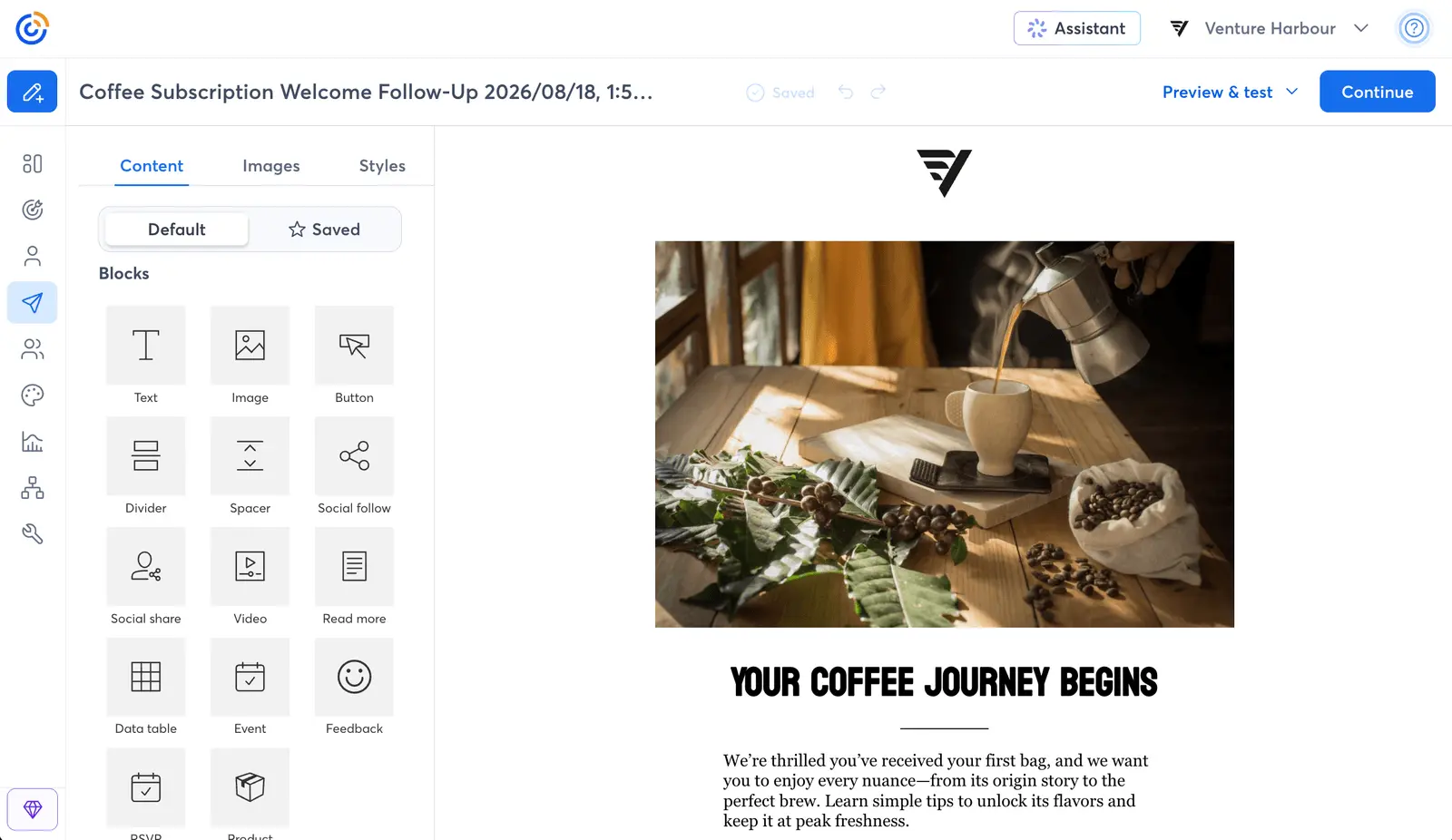
Constant Contact scored 30 out of 40 in our review, with 4/5 for the editor.
Constant Contact is the one I’d pick for a small team that sends a newsletter now and then and wants someone to call when something goes wrong. It isn’t built for complex donor journeys.
Phone support answered in roughly a minute when I asked an awkward billing question. The agent corrected my misunderstanding about contact-based billing and explained that reducing active contacts could lower the bill.
He didn’t give the complete cost-saving answer without prompting. Still, being able to reach someone and get a useful response is a concrete advantage when the person sending your appeal isn’t an email specialist.
My contact-import file contained 24 deliberate traps, and the first upload failed without telling me which rows to fix. After cleaning up the worst rows, I got 51 contacts instead of the expected 42, with seven questionable addresses flagged for review.
How far does the $6 plan go?
The Starter Email product we tested cost $6/month for unlimited contacts and 2,500 monthly sends. That is a separate proposition from Constant Contact’s broader Lite, Standard and Premium plans.
For an illustrative list of 500 supporters, four newsletters would use 2,000 sends. You would have 500 left for other messages, assuming no additional sends had already used the allowance.
At 1,000 supporters, two full-list campaigns use 2,000 sends. A third would take you beyond the allowance, even though storing those contacts is included.
A list of 5,000 cannot receive one complete campaign within the 2,500-send limit. Unlimited contact storage is useful while an audience grows, but it doesn’t make Starter Email suitable for every growing charity.
| Plan | Starting monthly price | Sending allowance | Budget implication |
|---|---|---|---|
| Starter Email, as tested | $6 | 2,500 total sends | Suits infrequent campaigns |
| Lite | $12 at up to 500 contacts | 10 times the contact tier | Price rises with contact tier |
| Standard | $35 at up to 500 contacts | 12 times the contact tier | Higher recurring cost |
| Premium | $80 at up to 500 contacts | 24 times the contact tier | Needs enough usage to justify it |
The broader plans add tools including events and social marketing. I’d consider those if the same person handles event promotion and email, then check the particular workflow during the trial.
The Starter Email price comes from our review; check its availability for your account before budgeting around it. Constant Contact’s main pricing page foregrounds the contact-priced plans, sometimes with introductory offers.
Eligible non-profits can receive 20% off standard pricing by prepaying six months, or 30% by prepaying twelve. There is no non-profit discount on monthly payments, according to its prepayment requirements.
You need qualifying documentation, including an equivalent official document for organisations outside the US. Wait for Constant Contact to confirm the discount before buying a prepaid plan, and confirm whether your chosen product qualifies.
I’d pay for a short evaluation before committing a year’s budget. Build the newsletter you actually send, import a sample of your own data, and ask support the billing question your treasurer will ask you.
Automation and the AI assistant
In the Core product, I asked the AI assistant for a three-email coffee welcome sequence. It generated one email, so I built the sequence manually.
The path builder let me add delays, tags and contact-field actions. Its conditions and step duplication were limited, which made it less suitable for the more involved journeys I would build in ActiveCampaign.
For a charity, I’d use that finding to separate a simple subscriber welcome from donation-triggered follow-up. Before buying, ask whether your donation system can provide the specific event and fields your intended sequence needs.
The AI email creator also needed editing. It missed a discount code explicitly requested in my test prompt and combined stock images with different styles.
If you use it to draft an appeal, check the requested amount and destination link yourself.
Our default-template email scored 9/10 in Mail Tester, with no material spam or blocklist problems. That checks a particular message and sending setup; it doesn’t measure how many donations a campaign will generate.
-
Approachable editor: I rebuilt the reference newsletter with minor friction and scored it 4/5.
-
Useful phone support: A person answered in roughly a minute and corrected an awkward billing premise.
-
Low cost for occasional sends: The tested Starter Email plan cost $6/month with unlimited stored contacts.
-
A firm sending ceiling: Starter Email allows only 2,500 sends each month.
-
Import errors need investigation: The first failed upload gave no useful explanation of the offending rows.
-
Limited automation depth: The AI produced one email instead of the requested sequence, and manual branching options were restricted.
-
Small non-profits sending occasional updates whose staff value an approachable editor and access to phone support.
-
Organisations needing frequent full-list campaigns on the $6 plan, precise custom designs or complicated donor journeys.
02Sender
Test Lab Partner (Paid)Sender is a member of our Test Lab Programme, which means we receive a fee to conduct hands-on testing of their platform. Learn more about our Test Lab Programme →For a small charity needing free newsletters and automated welcomes
Sender’s free plan includes 2,500 subscribers and 15,000 monthly emails, with automation included. Six campaigns to the full allowance would use all 15,000 sends, before any welcome messages.
That gives a charity more room for reminders than a plan with only enough capacity for the newsletter itself. Sender branding appears on free-plan emails, and account approval can delay the work you planned to do.
My account was held for review, which stopped me publishing landing pages. Two messages to support resolved it in 31 minutes, but I would get that approval finished before scheduling a launch.
This is the free option I’d try if a small team needs both regular updates and a subscriber welcome sequence. It has room to run those together, provided you count the automated messages in your monthly total.
In our email marketing platform tests, a landing-page signup arrived in the correct subscriber group. That gave the automation a usable starting point without having to move the subscriber manually.
The import test needed more attention. Sender brought in the 42 expected contacts plus one extra, and I had to map fields manually.
I’d check supporter groups particularly carefully when bringing data across. A newsletter subscriber and someone interested in volunteering may need different messages, so it is worth testing a record from each group before importing everything.
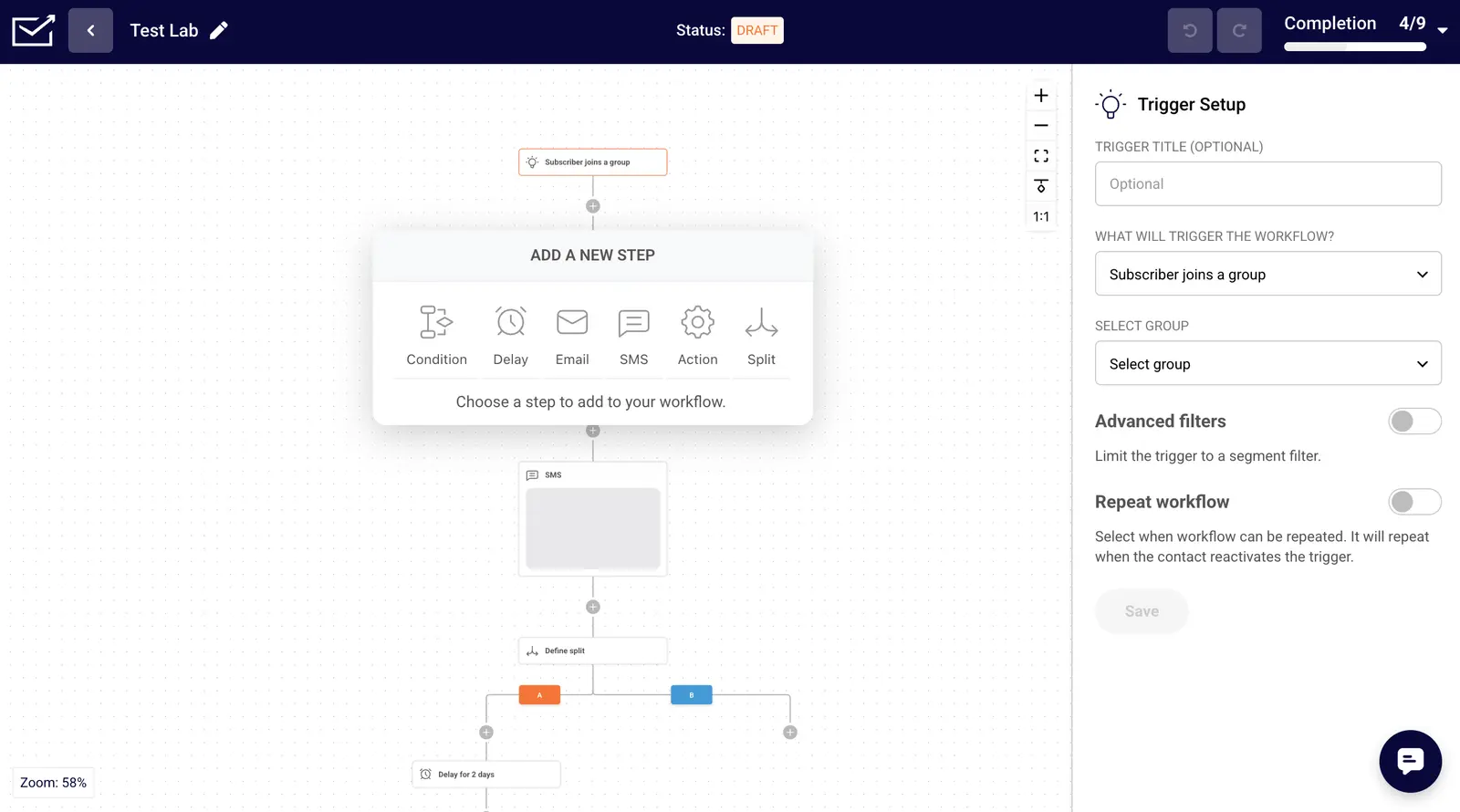
What the welcome-sequence test showed
I connected Claude to Sender and asked it to build a three-email welcome sequence for a fictional coffee roastery. It created the draft in the account, including subject lines and delays, then improved the designs when asked.
The sequence had an activation problem flagged, so it wasn’t ready to leave running.
For a charity, a useful trial would be a welcome message followed by an explanation of the work supporters can get involved in. Check that the signup enters the intended group and the next email arrives when expected.
Sender’s automation is more focused on activity within its own platform than on actions in other applications. Our testing found that connecting a CRM required webhooks and more setup than ActiveCampaign’s native actions.
If your only requirement is a newsletter and a welcome sequence, that may never cause a problem. If every donation must change a record elsewhere, I’d test that work before choosing on price.
When paying makes sense
Standard starts at $9/month for 500 subscribers and removes Sender branding. The free plan accommodates more subscribers than that entry paid tier, so compare the paid price at your actual list size.
| Sender option | Subscriber allowance | Monthly sends | Branding |
|---|---|---|---|
| Free | 2,500 | 15,000 | Sender branding |
| Standard starting tier | 500 | 6,000 | Sender branding removed |
For a worked example, four newsletters to 2,500 people use 10,000 sends. An appeal and one reminder to everyone would use the remaining 5,000, leaving no allowance for automated messages.
I would budget using your busiest appeal month. Choosing a plan against a quiet month’s newsletter count makes it easy to overlook the messages that prompted the software purchase in the first place.
-
Usable free capacity: The allowance covers 2,500 subscribers and 15,000 monthly emails, including automation.
-
Working signup flow: Our landing-page signup reached the intended subscriber group.
-
Draft sequences built in the account: Claude assembled three welcome emails with subject lines and delays.
-
Approval can block publishing: My landing pages were unavailable until support cleared the account.
-
Imports need checking: The test imported one more contact than expected, with manual field mapping.
-
External workflows take setup: CRM connections required webhooks in our test, and the AI-built sequence had an activation issue.
03EmailOctopus
Test Lab Partner (Paid)EmailOctopus is a member of our Test Lab Programme, which means we receive a fee to conduct hands-on testing of their platform. Learn more about our Test Lab Programme →For straightforward supporter newsletters and a simple welcome sequence
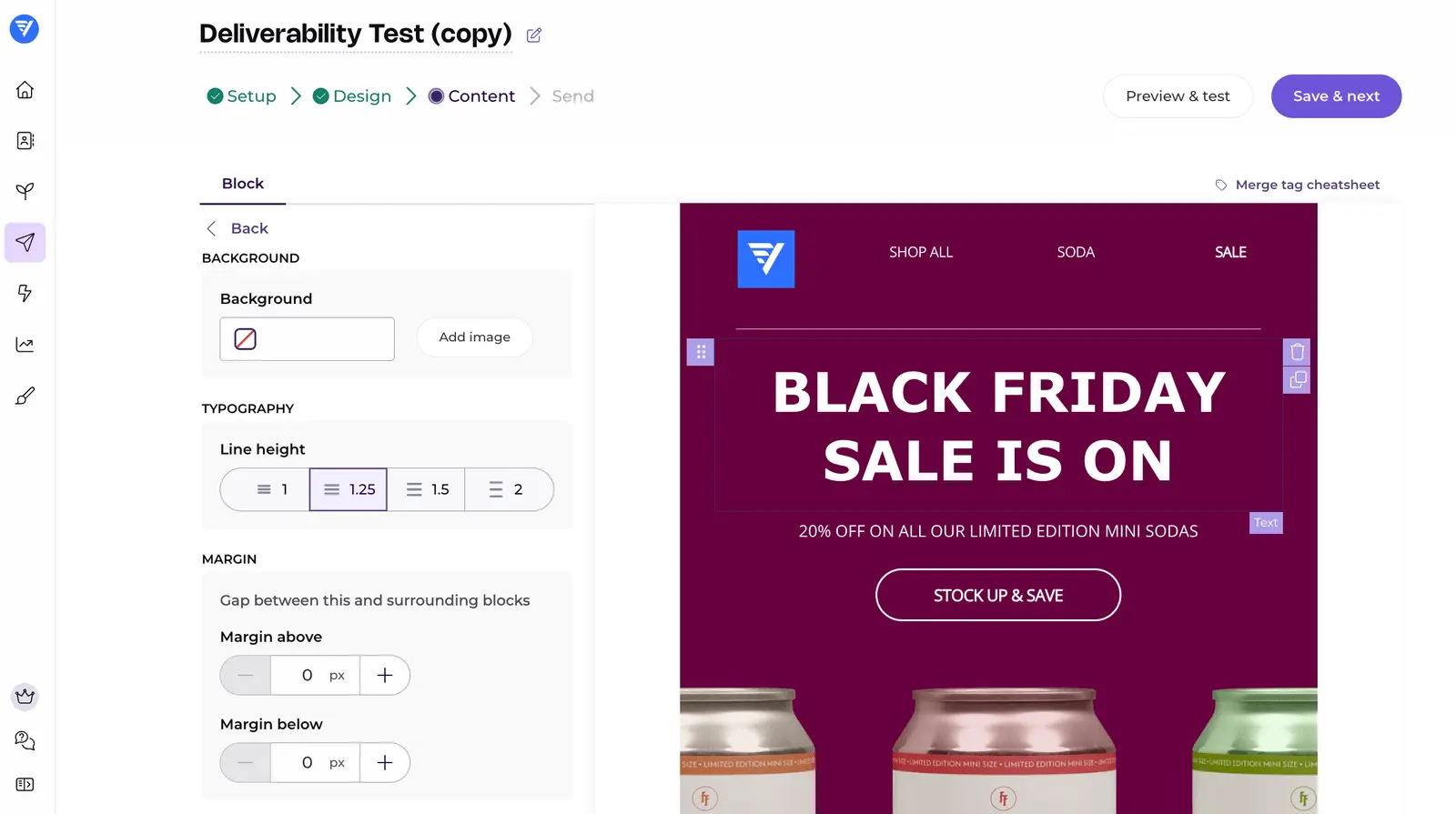
EmailOctopus let me recreate a designed newsletter without much difficulty. I wanted a 38px font and had to settle for a 36px preset, so I wouldn’t choose it for exact design control.
For an impact update with a photograph and a link back to your work, that restriction may be acceptable. If an agency supplies tightly specified campaign artwork, give the person building the email a trial before moving the list.
The free plan supports 2,500 subscribers and 10,000 emails a month. Four sends to all 2,500 subscribers would consume the allowance, leaving nothing for additional appeals or welcome emails.
At 1,000 subscribers, four newsletters would use 4,000 sends. That leaves considerably more room for follow-up, which is why I’d evaluate it against your actual audience rather than treating 2,500 as a target.
Our existing EmailOctopus testing also found a forgiving import process. Valid contacts came through despite errors elsewhere, and the downloadable error file explained rejected rows.
That would make me more comfortable handing the import to a colleague who has to work through several spreadsheets. I’d still compare the resulting fields and counts with the original records before using the list.
The automation canvas supported emails, delays and conditions using opens, clicks or tags. There were no webhooks or third-party application actions in the tested builder, and free automations stopped at five steps.
I would use it for a short subscriber welcome or a follow-up based on a newsletter click. A workflow requiring the email platform to update your donor database would need a different approach.
Reporting may be your reason to upgrade
Pro starts at $10/month for 500 subscribers. The free plan keeps campaign reports available for 30 days; Pro retains them indefinitely and includes unlimited users, forms and landing pages.
That reporting window is worth considering if someone reviews communications less frequently than monthly. If you stay free, arrange to capture the results you need while they are still available.
| Plan | Starting price | Reports | Team access |
|---|---|---|---|
| Starter | Free, up to 2,500 subscribers | Available for 30 days | One user |
| Pro | $10/mo, starting at 500 subscribers | Retained indefinitely | Unlimited users |
A paid starting tier below the free subscriber allowance can look confusing. Price Pro for your whole stored list; upgrading doesn’t mean that the entry price covers all 2,500 contacts.
Our support test was encouraging: a human joined live chat in about 40 seconds and gave a useful answer within two minutes. That is one interaction, so I wouldn’t build a launch timetable around the same response time.
I’d choose EmailOctopus if the main job is publishing a readable supporter newsletter and keeping a short welcome sequence running. The limited external actions make it harder to recommend as the centre of a fundraising operation.
-
Straightforward editing: I recreated the reference newsletter without struggling with the builder.
-
Useful import feedback: The error download explained rejected rows while valid contacts were imported.
-
A workable free allowance: 10,000 monthly sends can support regular newsletters to a smaller supporter list.
-
Design controls are restricted: Font presets and column-width controls limited precise layouts.
-
Free reports expire: You have 30 days to access a campaign’s report on Starter.
-
Shorter free workflows: Automations stop at five steps, and the tested builder lacked external app actions.
04Buttondown
For a small non-profit publishing a written newsletter
Buttondown includes a rich-text or Markdown editor, sending from a custom domain and hosted newsletter archives. Its pricing page makes the first 100 subscribers free and offers eligible registered non-profits a 50% plan discount.
You need to email proof of registration to obtain the discount. Segmentation and analytics each cost an additional $9/month, while automations are listed at an additional $29/month.
I’d consider it for a small organisation whose main output is a written update to supporters. Adding several extras changes the budget, so request a quote for the features and subscriber count you need after the charity discount.
I haven’t tested Buttondown’s editor, imports or support. I’d trial it before migrating a working newsletter.
The separate automation feature supports welcome sequences and subscriber actions. I’d only add it after writing down the follow-up you intend to send; a publication that needs one scheduled newsletter may not use it.
For a team sending the same editorial update to a small audience, the included publishing tools are enough to justify a trial. If separate donor and volunteer segments are essential immediately, include the segmentation add-on in your comparison.
Choosing for your next campaign
I’d start with Constant Contact if your team sends occasional newsletters and wants phone support. Choose Sender if free sending capacity and welcome automation are the priorities, or EmailOctopus if straightforward newsletters and its paid reporting options fit the job.
If you publish a small written newsletter and can keep the add-ons to a minimum, trial Buttondown. Before moving the list, build one real campaign and check the total cost at your busiest month’s volume.