

After eight tests, including a timed newsletter rebuild and AI-generated automation flows, Klaviyo’s purchase-based automation impressed me most. It lets you split a journey on what someone bought or whether they started a checkout, alongside email opens and clicks.
Composer rebuilt my reference newsletter more accurately than I managed by hand, and the sign-up forms combine multiple steps with detailed targeting. I’d shortlist it for a store doing seven figures or more. Importing contacts was frustrating, and placing columns in the manual editor took too much fiddling.
Who is Klaviyo for?
Test Lab Partner (Paid)Klaviyo is a member of our Test Lab Programme, which means we receive a fee to conduct hands-on testing of their platform. Learn more about our Test Lab Programme →-
E-commerce stores with seven-figure revenue and customer data to use in automation.
-
Teams wanting AI to draft campaigns, segments and flows inside their email platform.
-
Stores wanting multi-step sign-up forms with detailed display rules.
-
Teams whose main requirement is the cheapest email sending plan.
-
Anyone expecting to import a messy contact list without cleaning up phone numbers.
-
Teams expecting an external AI connector to insert new steps into existing flows.
Klaviyo’s email builder
I’d use Composer for the first draft of an email. Given a reference newsletter’s URL, it matched the fonts, image layout and spacing more accurately than my manual attempt.
Rebuilding that newsletter from Really Good Emails by hand took 15 minutes and left me about 80% finished. Adding a column beneath an existing section kept putting me in a position where I couldn’t drop it where I wanted.
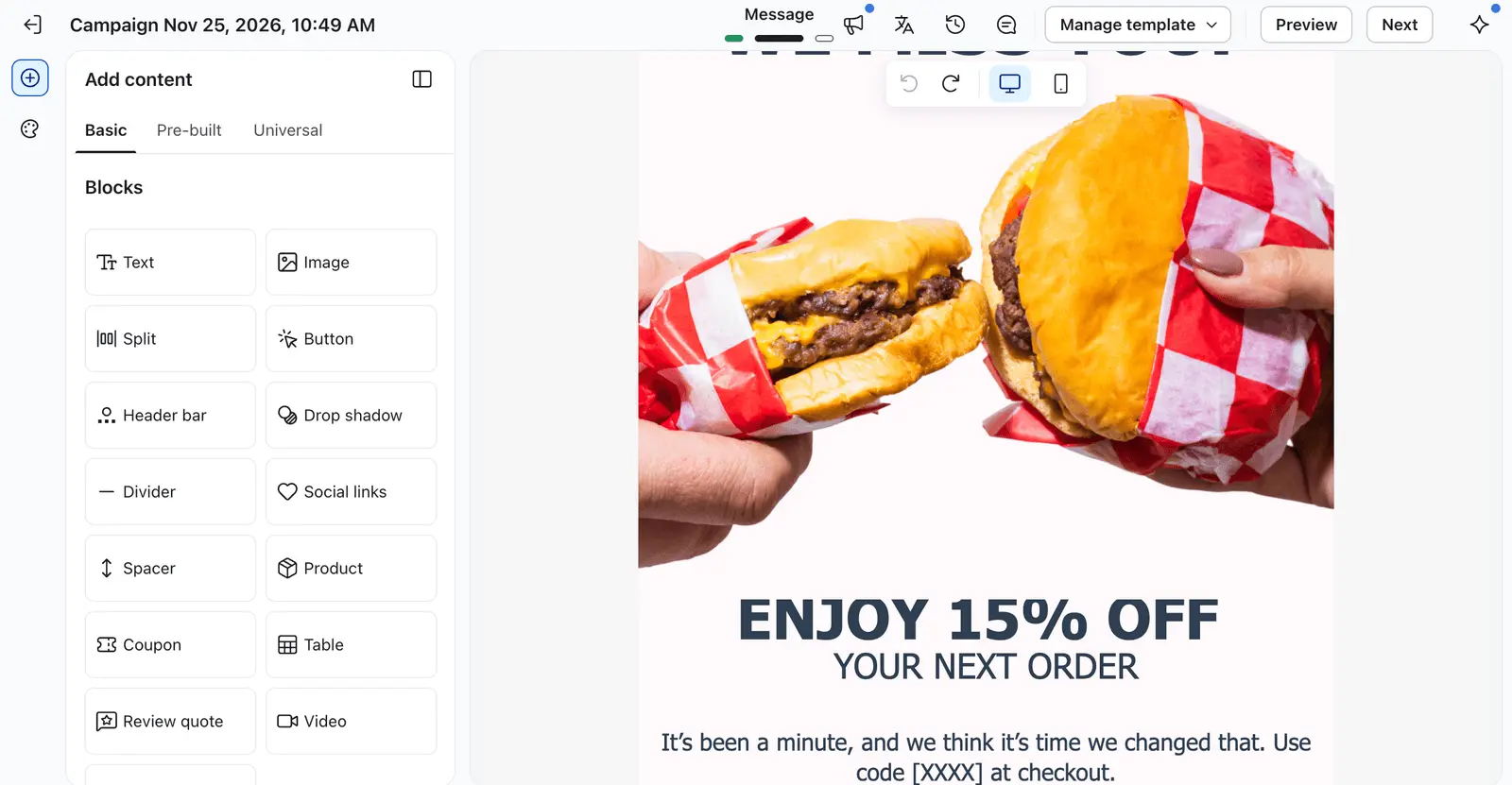
Cropping images directly inside the editor worked well. Image alignment and spacing needed more adjustment than I’d like, so building a precise layout by hand was slower than it should be.
Automation flows
Klaviyo’s purchase-based branching is where I’d expect an established store to get the most value. I could use Shopify events such as ordering a particular product or starting a checkout, alongside contact properties and email engagement.
The flow canvas was easy to work with, and Composer is available beside the steps where I want help. It built a three-email welcome sequence with a list-entry trigger, delays and a conditional split.
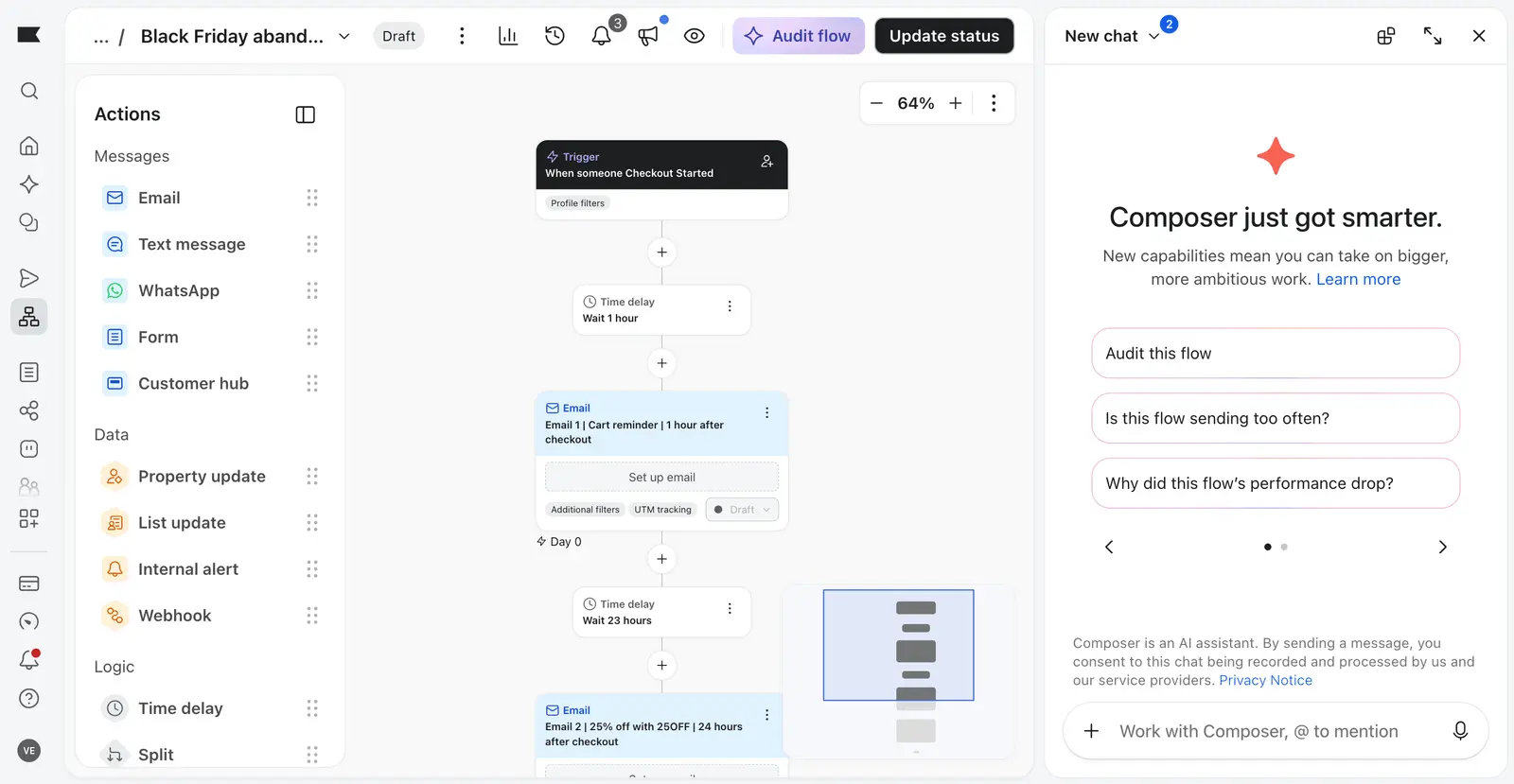
The emails were bland, although I hadn’t supplied the account with our colours, fonts or logo. There were also 23 templates in the lost-sales category, including checkout and browsing abandonment flows.
A later abandoned-cart request produced the flow structure and message copy without populating the email steps. I’d check every generated draft before turning it on.
Sign-up forms and list growth
Klaviyo’s form templates were among the strongest parts of the test. I could build a multi-step form, choose scroll and exit-intent triggers, restrict it to particular pages and set up an A/B test.
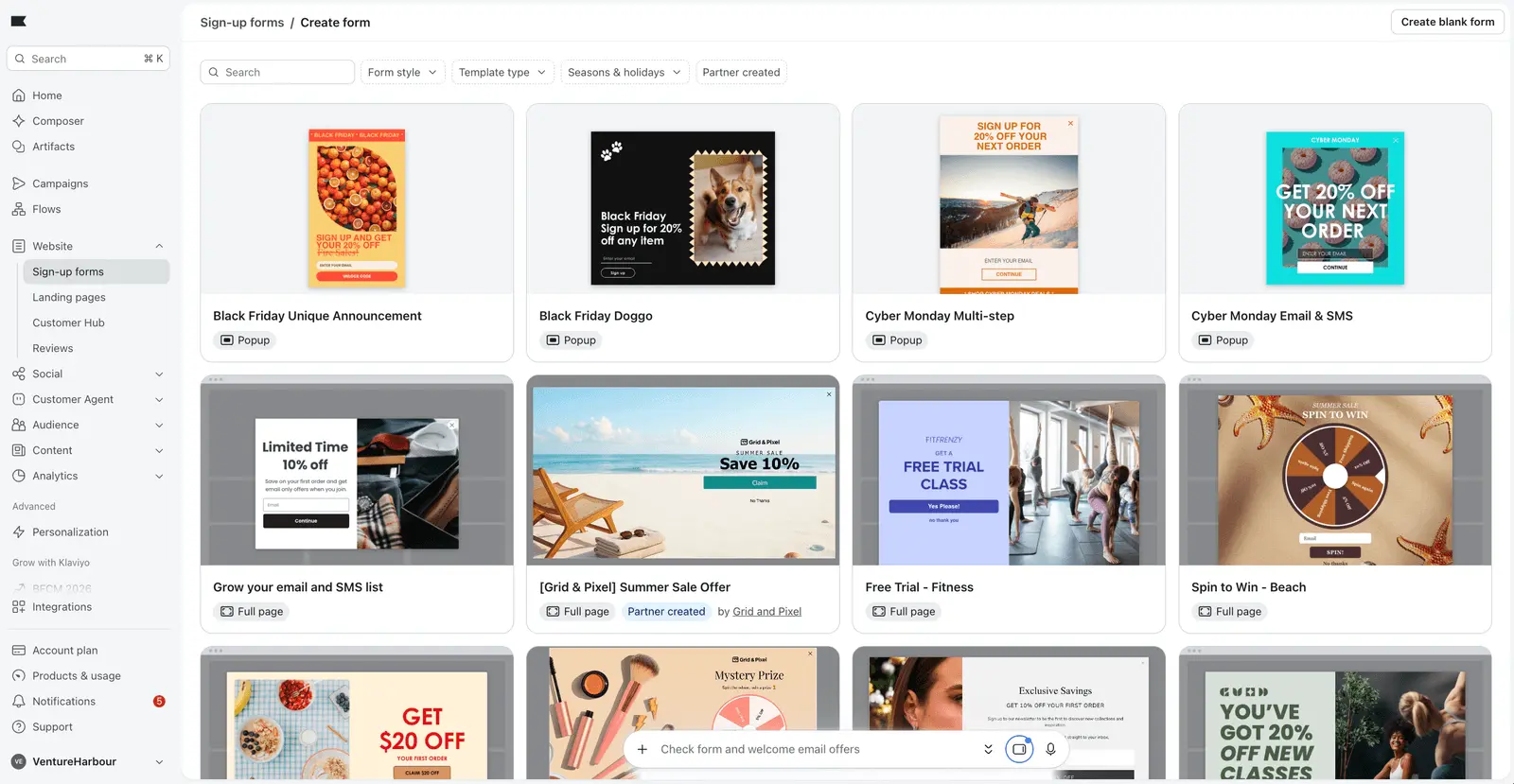
When I ran LeadFormly, multi-step forms were one of the changes we found could improve completion rates. Having that option inside Klaviyo gives a store something useful to test without first adding another form tool.
Back-in-stock forms also capture the product someone wants, giving you a specific reason to contact them when it returns. The landing page builder was much more basic: the page I created was essentially a sign-up form on a full page.
I’d expect most stores to get more use from the targeted forms than the landing pages.
AI Composer and the MCP connector
Composer was useful across campaigns, customer segments and automation flows. When I asked for a Black Friday segment of customers who had ordered at least twice but hadn’t bought in 90 days, it created the corresponding Shopify conditions.
Its subject line suggestions were also usable, with less padding than I got from the same prompt in Claude. The generated campaign content still needed branding and more useful product information.
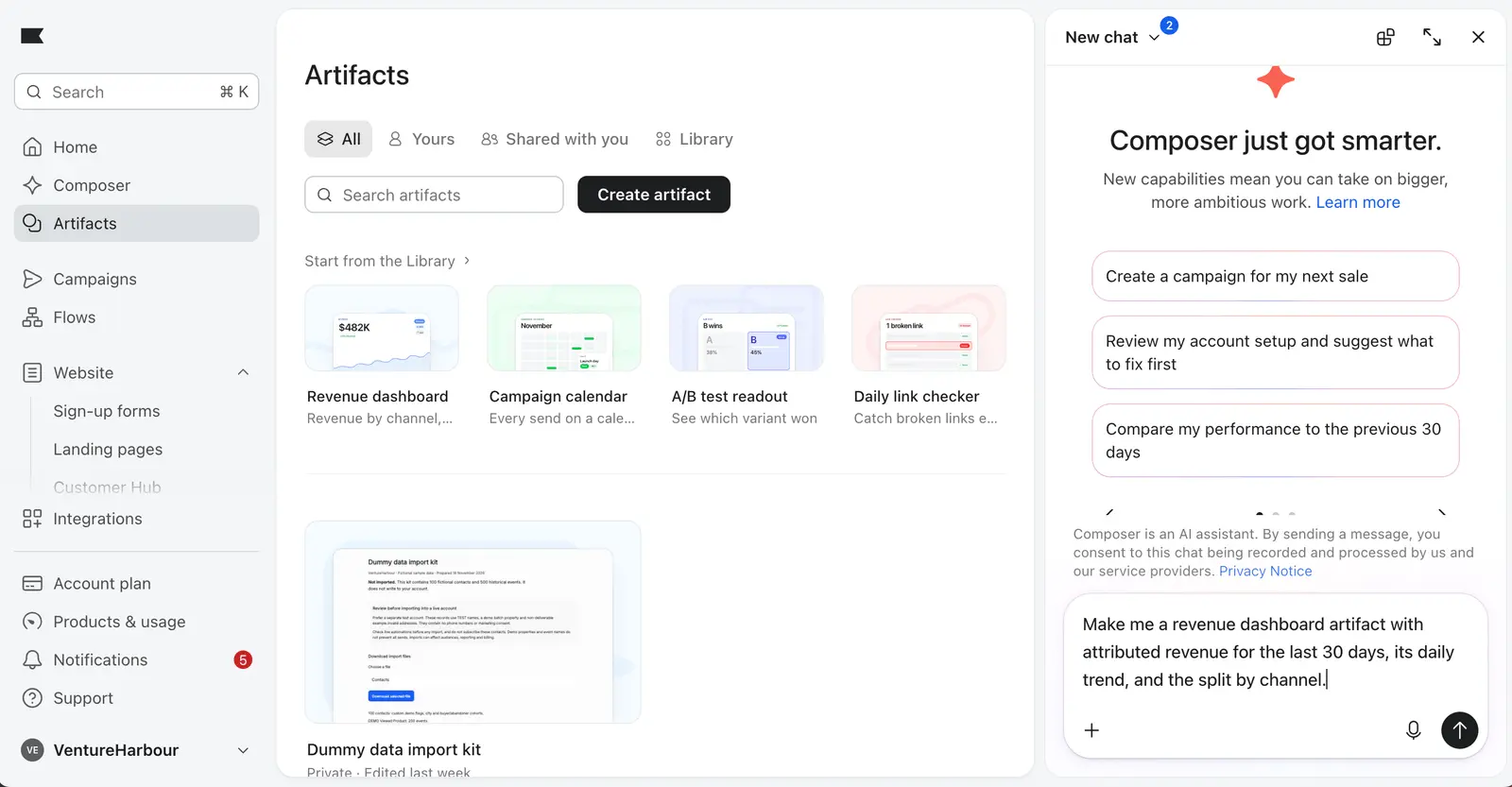
Composer can also create reusable reports and dashboards through its Artifacts feature. Creating campaigns, segments and flow drafts used only 8% of my Composer quota on the cheapest paid plan.
I also connected Claude through Klaviyo’s MCP connector and asked it to improve an existing flow. It reported completing three of five agreed changes, including tracking settings and a consent filter.
It could edit existing steps but couldn’t insert new ones. For that part of the job, I’d return to Composer inside Klaviyo.
Importing contacts
Importing contacts was the most frustrating part of testing Klaviyo. It wouldn’t import a contact if it didn’t accept their phone number format, even when the email address was valid.
My messy contact file contained 42 valid records and 24 deliberate traps. Klaviyo imported six contacts and reported 49 formatting issues, with phone numbers causing much of the trouble.
A second attempt with a file containing no phone numbers also stopped at a phone-number requirement in the import route I used. That could get frustrating if you mainly want it for email.
I’d prefer the option to import the email address and flag the number for correction, so I’d test a small sample before migrating a full list.
Support and deliverability
Human support was quick: I received a useful answer within five minutes of sending my question. I had to upgrade to a paid plan to contact a human; Composer was available for questions on the free plan.
Deliverability was excellent in my Mail Tester check, with nothing flagged by SpamAssassin. My adjusted score was 9.5/10 after accounting for my unauthenticated domain, missing image alt text and a blocklist that didn’t actually list Klaviyo’s IP.
How much does Klaviyo cost?
The Email plan shown in the test cost around $100/month for 5,000 contacts. I’d start there if email automation is the main job, then price the extras your store will actually use.
Check Klaviyo’s quote against your contact count and usage before signing up.
| Plan or product | Price shown in the test | What to budget for |
|---|---|---|
| Free plan | $0 | Limited usage to try the platform |
| Email plan, 5,000 contacts | Around $100/month | Extras increase the total |
| Social marketing, around 5,000 profiles | Around $30/month | Additional cost for Instagram-related marketing tools |
| Reviews | Varies by monthly orders | High volumes of low-value orders can make this expensive |
| SMS and WhatsApp | Additional usage charges | Budget for message volume |
The Email plan also included review requests for 50 orders per month, 10 customer-agent resolutions and 10 help-desk tickets. I’d treat those allowances as a way to try the other products before paying for more usage.
The broader Marketing plan included social marketing, reviews and Customer Hub. Customer Hub gives customers a place to see personalised coupons, orders and product recommendations.
I gave pricing 3/5. Klaviyo’s value for an established store comes from using its customer data and automation well, and reviews or extra messaging can push spending beyond the base email price.
What are Klaviyo’s pros and cons?
-
Composer speeds up campaign creation: Its newsletter recreation matched the reference more accurately than my 15-minute manual attempt.
-
Detailed automation conditions: Purchase and checkout events can determine which path a customer follows.
-
Strong sign-up forms: Multi-step forms, display rules and A/B testing give stores useful controls over list growth.
-
Quick human support: I received a useful answer five minutes after sending my question.
-
Phone number formatting blocked records with valid email addresses in my import test.
-
Placing columns and aligning images took too much adjustment.
-
One Composer draft left emails unpopulated, and the MCP connector couldn’t insert new steps.
-
Reviews scale with order volume, while messaging adds usage charges.
Rating Details
Email Builder
★★★★☆
4.0 / 5
Composer recreated the reference campaign well. Manually placing columns and adjusting spacing was frustrating.
Automation Builder
★★★★★
5.0 / 5
Purchase-based branches and a usable AI-generated welcome flow made automation a strength. The draft email content needed work.
Deliverability
★★★★★
5.0 / 5
I awarded 5/5 for the adjusted Mail Tester result of 9.5/10. My domain was unauthenticated, and this was a single diagnostic send.
Contact Importing
★☆☆☆☆
1.0 / 5
Six contacts imported from a file containing 42 valid records. Phone number formatting blocked records whose email addresses were valid.
List Growth
★★★★★
5.0 / 5
Multi-step forms, targeting and A/B tests gave me considerable control. Landing pages were basic full-page forms.
AI Composer
★★★★★
5.0 / 5
Composer created campaigns, segments and flow drafts. Generated emails needed checking, and the external connector couldn’t insert new flow steps.
Customer Support
★★★★★
5.0 / 5
A human agent gave me a useful answer within five minutes. Reaching a human required a paid plan in my test.
Pricing
★★★☆☆
3.0 / 5
Around $100/month for 5,000 contacts was reasonable for the email and automation tools tested. Extra products and messaging increase the bill.
Should you consider Omnisend?
I’d compare Omnisend if you’re weighing up the cost of e-commerce email marketing. At 10,000 contacts, it was roughly $10–$20/month cheaper than Klaviyo when I compared them, depending on the package and add-ons.
That difference alone wouldn’t decide it for me. I’d check whether the saving holds once both quotes include the channels and usage the store needs.
Would I choose Klaviyo?
I’d shortlist Klaviyo for a mid-sized or large e-commerce store, particularly one with seven-figure revenue. The purchase data available in its automation rules gives a team room to make customer messages more relevant, and Composer reduces the work of building those journeys.
I’d try a representative contact import and a complete flow before committing. Those were the places where the test exposed work that still needed a person, even with the AI doing much of the setup.
Update Log
25 November 2026: Published our Klaviyo review.