

I recently spent weeks trialling HubSpot and ActiveCampaign to manage marketing automation and the sales pipeline for our Test Lab Programme. I started out thinking the CRM would be the deciding factor.
I’ve used ActiveCampaign since 2012, across eight portfolio companies and more than 124,000 emails. We’ve also run HubSpot across two ventures since 2018, so I came into this with experience of both and a fairly specific job to do.
We needed somewhere to manage programme leads and deals, then layer marketing automation over those records. Getting the pipeline organised was straightforward enough; turning that data into automated follow-up exposed some awkward limits.
My ActiveCampaign review covers the wider testing behind these observations, including its weaker CRM and support. Our HubSpot review covers its broader sales and marketing platform.
ActiveCampaign vs HubSpot: round by round
HubSpot felt more polished when I was managing sales records. ActiveCampaign was easier to work with when I wanted to build automations, though its CRM made the day-to-day organisation messier.
The distinction became clearer as I tried to do the same work in each account. A feature being listed on a plan did not always mean it could do the job I had in mind.
Round 1: Pricing and the jump beyond Starter
During our trial, we were looking at moving from HubSpot’s $20/month Starter plan to an $820/month plan to get the automation we needed. Those were the prices we encountered for our setup, rather than a universal quote for every HubSpot account.
Starter initially looked sufficient because it included workflows. Once we tried to trigger an automated email to leads in the way our programme required, we hit the upgrade barrier. An extra $800 a month was difficult to justify for that requirement.
HubSpot does support limited automation around forms and marketing emails on Starter. That is useful for simple follow-up, but it did not cover our intended lead workflow. Test your actual trigger and email action before assuming Starter will be enough.
ActiveCampaign made the automation we needed accessible at a lower cost. Its pricing still needs care: CRM functionality is sold through add-ons, and the bill grows with your contact count (the headline email price is only part of the budget).
As covered in our review, newer ActiveCampaign accounts are also billed for unsubscribed and bounced contacts. Clean up your list before importing it, and compare the cost of the complete setup you need.
Round 2: Marketing automation
ActiveCampaign
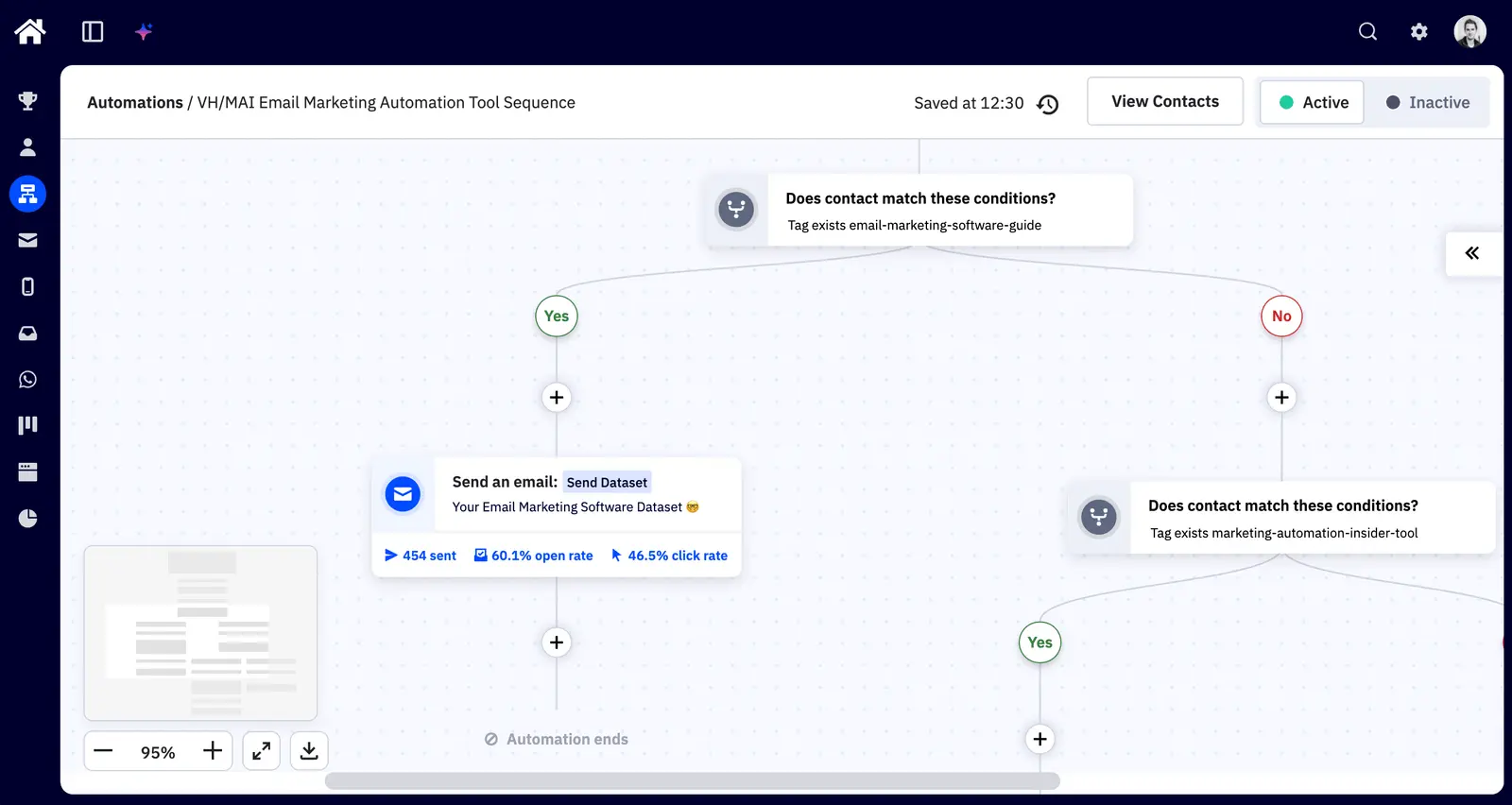
Test Lab Partner (Paid)ActiveCampaign is a member of our Test Lab Programme, which means we receive a fee to conduct hands-on testing of their platform. Learn more about our Test Lab Programme →ActiveCampaign’s automation builder was easier to use and gave me more room to build the flows I wanted. The connection between contact data and email actions felt less restricted by upgrade prompts than it did in HubSpot.
That fits our longer experience of ActiveCampaign: its strength is building journeys around what contacts do, including changes in their deal status. The same depth is excessive if all you need is a monthly newsletter, and advanced features still depend on your plan.
HubSpot can handle more involved automation on its higher tiers. My frustration was how quickly our fairly modest requirement pushed us beyond Starter; I repeatedly felt steered towards a more expensive plan before we had much running.
For a team already paying for HubSpot’s broader platform, that calculation may be easier. For a small programme building its first lead journeys, the upgrade cost is harder to absorb.
Round 3: CRM and sales with HubSpot
HubSpot’s CRM was significantly better during the trial. With hundreds of contacts and deals, it felt manageable; ActiveCampaign began to feel a bit messy. HubSpot’s customisation also gave me more control over how we organised the pipeline.
ActiveCampaign’s CRM is usable for a straightforward sales process, but it lacks polish. When I changed the currency to GBP, it continued showing a mixture of dollar and pound signs. A minor bug, but fairly representative of the experience.
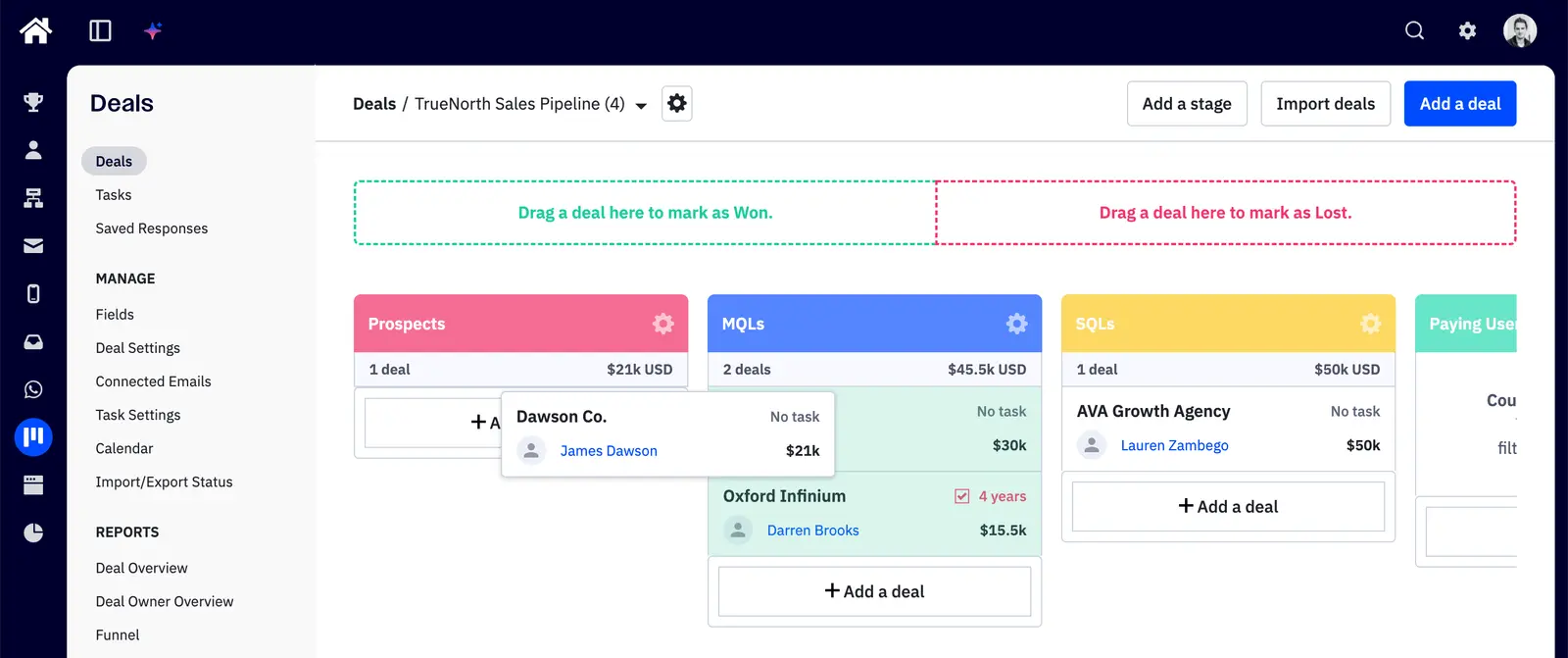
HubSpot’s inbox and email tracking were better too. For someone spending their day handling individual conversations with leads, I would put those ahead of ActiveCampaign’s equivalents. That advantage did not remove the separate cost of automating our marketing emails.
Data hygiene was another clear difference. HubSpot gave us more control over required fields when creating records, alongside AI enrichment and validation rules for keeping entries in the right format. Availability varies by feature and subscription, so check those controls in the plan you’re trialling.
ActiveCampaign was far more limited here. Its CRM can feed useful data into automations, but a team relying on consistent manual data entry will have more gaps to manage.
HubSpot’s two-way data sync made it possible to trial both platforms with records kept in sync. It also gave us a way to move data across when deciding which platform to keep, without starting the pipeline again from scratch.
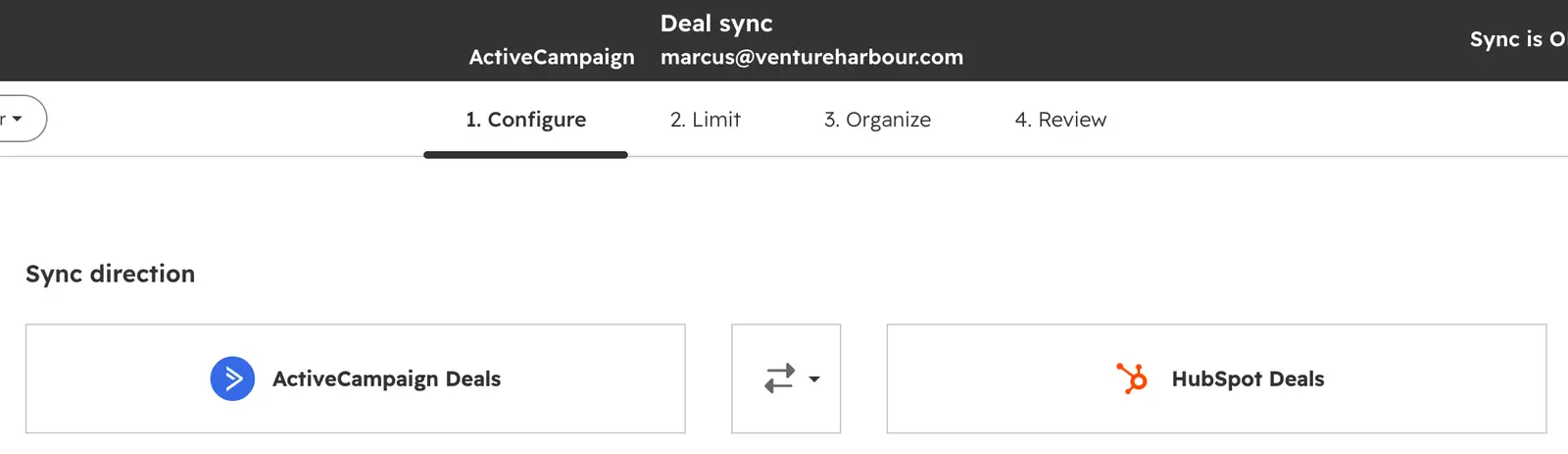
The sync had quirks. Connections between contacts, deals and companies did not always transfer smoothly, and some were lost. I would check those associations before relying on the other account as a complete copy.
Round 4: Email builder and forms
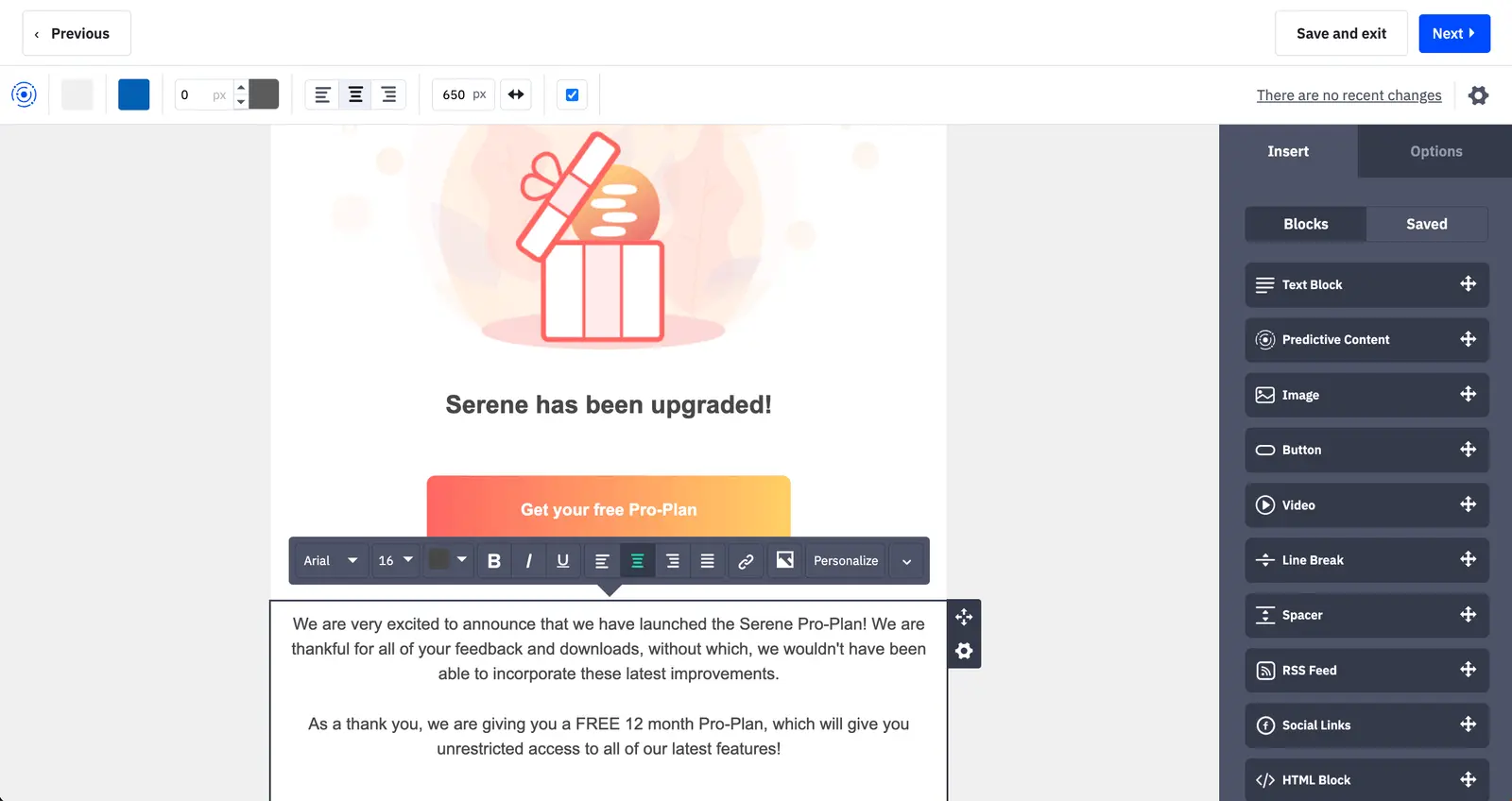
ActiveCampaign’s email builder works well alongside its automations, with conditional content available for tailoring messages to different contacts. As with the automation features, check the plan before building your process around it.
HubSpot’s forms looked better to me out of the box. ActiveCampaign’s were more customisable, but required more work to get the appearance I wanted. I preferred HubSpot’s presentation and ActiveCampaign’s flexibility.
That difference is worth weighing against who will maintain the forms. If you want something presentable with little adjustment, HubSpot has the edge; if you need more control, ActiveCampaign gives you more to work with.
Round 5: Reporting and attribution
HubSpot is the stronger option if your reporting needs centre on the sales pipeline and its relationship to marketing. The depth you can access depends on your subscription, so work backwards from the reports your team needs before pricing it up.
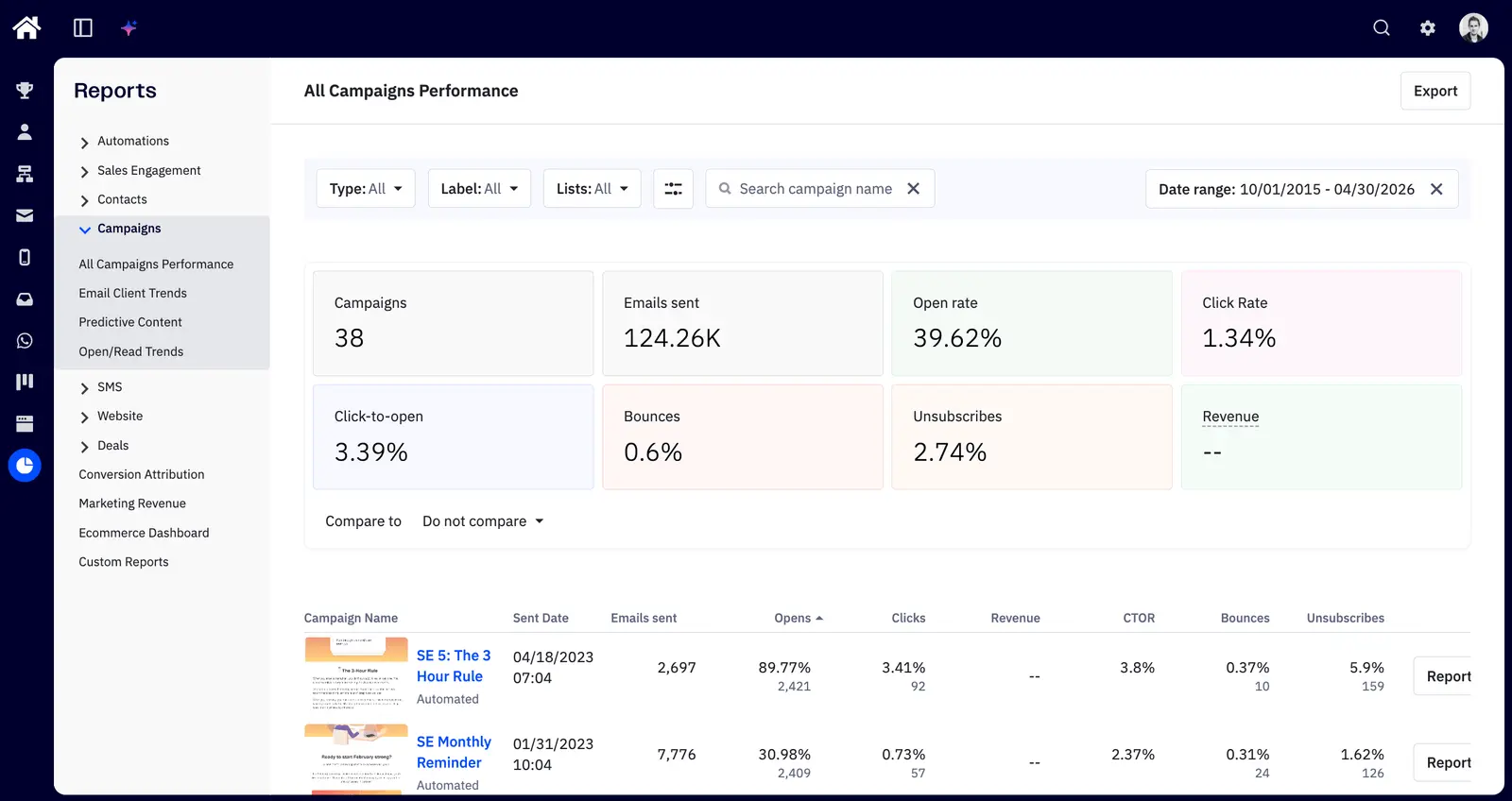
ActiveCampaign’s reporting remains one of its less appealing areas. The data is useful for improving email campaigns, but the presentation feels dated next to the automation builder. Our latest review reaches the same conclusion: useful information, unremarkable reporting screens.
Round 6: AI, Breeze vs Active Intelligence
HubSpot’s Breeze and ActiveCampaign’s Active Intelligence felt fairly comparable in how well they were embedded into their products. Both had the account context to make their responses more relevant than asking a separate chatbot to work from a pasted summary.
I slightly preferred Active Intelligence when asking it to critique workflows and analytics. Its responses felt closer to working with an email automation strategist, whereas Breeze was better at smaller tasks within the account.
Active Intelligence still needs supervision. In our wider ActiveCampaign testing, sequence critiques were useful, but requests to create A/B variations needed closer checking. I would use its suggestions as a starting point, then inspect the changes before putting them live.
Breeze suited the smaller CRM jobs better in my testing. I would choose between them based on the work you need help with, rather than buying either platform for its AI alone.
Round 7: Learning curve
Neither platform is the obvious choice if you only need to send an occasional newsletter. Both ask you to spend time learning a system that earns its keep through more involved sales or marketing work.
ActiveCampaign’s visual automation builder is easier to learn than its depth suggests. Working out the right combination of plan and add-ons takes more concentration, and the CRM is less tidy than I would like.
HubSpot felt more consistent when managing contacts and deals. The harder part was understanding where Starter ended and the features I wanted required a much larger subscription.
Round 8: Support
The original appeal of ActiveCampaign’s support was getting useful help with the occasional integration question. Our latest review found that reaching a human now takes more effort than I would expect, particularly when the question involves billing or deliverability.
Its AI assistant answered a question about activity credits quickly, but I still want a clear route to a person when an automated answer is insufficient. I would not choose ActiveCampaign on the assumption that human support will be easy to reach.
HubSpot’s training resources are useful when getting familiar with its platform. Support access depends on the subscription, though, so include that in your plan comparison if the team needs direct help.
Choosing for your situation
Solopreneurs and freelancers
HubSpot’s free CRM tools are worth trying if the immediate job is keeping track of clients. They become less attractive if the next step requires paid automation beyond your budget.
ActiveCampaign makes more sense once you have repeatable email journeys to build. For occasional newsletters and a small client list, its depth can become work you do not need.
Small businesses
If automated follow-up is central to the business, I would test that first in ActiveCampaign. Accept that its CRM is basic, and check the full cost with the sales features you need included.
If most of your time goes into individual sales conversations, HubSpot’s inbox and CRM deserve a trial. Build your next intended automation during that trial too, so an upgrade does not arrive as a surprise.
Scaling B2B teams
HubSpot is easier to recommend when multiple people need to manage hundreds of contacts and deals consistently. Its stronger data controls and CRM customisation can justify more spending, but the automation budget needs to sit alongside that decision.
ActiveCampaign can work as the marketing layer alongside a separate CRM. Our sync experience suggests checking how linked records transfer before committing to that arrangement (matching contact records alone does not prove the deals are connected correctly).
Enterprise
If you already have a CRM your sales team relies on, test ActiveCampaign against the marketing workflows you need to add. Its own CRM is unlikely to replace a complex sales setup.
HubSpot is worth considering if you want sales and marketing working in the same platform. Price the required capabilities together; the appeal of having one system fades quickly if essential actions sit above your budget.
The bottom line
We went with ActiveCampaign for the Test Lab Programme. I initially thought we needed the stronger CRM, and HubSpot was clearly better at that part of the job.
After weeks of trialling both, I put more weight on what we could do with the data. We needed marketing automation on top of the pipeline, and the move from $20/month to $820/month made HubSpot difficult to justify for our requirements.
ActiveCampaign’s CRM is nothing fancy, but it suffices for this programme, and the automation more than compensates for its rough edges. If managing a larger sales team became the main requirement, I would give HubSpot another look; for our lead follow-up, ActiveCampaign earned the subscription.