


Salesforce was one of the first CRMs we ever trialled at Venture Harbour. HubSpot came later — we’ve used it across two of our ventures since 2018. Neither is our CRM today (we moved to ActiveCampaign when our needs changed), which puts me in the slightly unusual position of comparing two platforms I have no horse in.
That’s the disclosure. Here’s the verdict.
The short version
If you’re a mid-market team that values usability and wants marketing, sales and reporting in one suite, choose HubSpot. If you’re an enterprise with a complex sales process, a dedicated admin and a genuine need to customise everything, choose Salesforce.
And if you’re a small business, you should probably choose neither. Both platforms get expensive quickly — HubSpot through tier jumps and mandatory onboarding fees, Salesforce through implementation and consultants — and most small teams get more from the tools in our small business CRM guide. (HubSpot’s free CRM is the exception. More on that below.)
We rated HubSpot 4.5/5 and Salesforce 3.7/5 in our full reviews. The gap is almost entirely usability and cost structure, not features.
Round-by-round: how they compare
| Round | HubSpot | Salesforce | Winner |
|---|---|---|---|
| Pricing | Free CRM; Starter $15/seat/mo; Pro $890/mo + $3,000 onboarding | From $25/user/mo; premium editions up to $300/user/mo + implementation | HubSpot |
| Ease of use | Best-in-class UX, minutes to set up | 4–5 clicks for simple tasks; learning curve never ends | HubSpot |
| Marketing tools | Native email, automation, landing pages, blog, ads | Marketing Cloud sold separately, from $1,250/mo | HubSpot |
| Sales features | Pipelines, sequences, quotes, forecasting | Everything above plus PRM, contracts, territory-level depth | Salesforce |
| Customisation | Custom properties, dashboards, workflows | Effectively build your own CRM | Salesforce |
| Reporting | Multi-touch attribution out of the box | Deep custom reporting, needs an admin | Draw |
| AI | Breeze suite, outcome-based agent pricing | Einstein — capable, but harder to reach | HubSpot |
| Ecosystem & integrations | 1,700+ apps, HubSpot Academy | Largest partner network in CRM; Slack, Tableau | Salesforce |
Four rounds to HubSpot, three to Salesforce, one draw. That tally flatters neither — the rounds aren’t equally weighted for your business, which is why the rest of this article exists.
Round 1: Pricing — HubSpot wins (with caveats)
HubSpot’s entry point is unbeatable. The free Smart CRM gives you unlimited contacts, unlimited users, deal tracking, pipeline management and 2,000 marketing emails a month for nothing. Marketing Hub Starter is $15/seat/month. You can run a genuine sales operation without paying a penny.
Then comes the cliff. Marketing Hub Professional is $890/month with a mandatory $3,000 onboarding fee (verified July 2026) and a 12-month commitment you can’t exit early. At 10,000 marketing contacts you’re looking at roughly $2,280/month, with overages billed in 1,000-contact increments at around $50/month each. Enterprise starts at $3,600/month plus $7,000 onboarding (verified July 2026). That Starter-to-Pro jump is the steepest in the category.
Salesforce looks reasonable on the pricing page too — its small-business tier starts at $25/user/month, and premium editions top out around $300/user/month. The pricing page is not where Salesforce costs you.
Implementation is. Getting Salesforce configured for your business runs anywhere from $5,000 to well over $80,000 depending on your size, industry and how customised you need it. A single user realistically costs at least $5,000 in the first year, and a relatively small team can end up paying up to £50,000 a year once licences, add-ons and training stack up. I go through the full breakdown in our Salesforce review.
HubSpot wins this round because its costs are at least legible. You can read the price list and predict your bill. With Salesforce, the price list is the deposit.
Round 2: Ease of use — HubSpot, by a mile
This is the round that decided things for us. When we trialled Salesforce, the dealbreaker wasn’t features or price — it was that everyday tasks felt like they took four or five clicks when they should take one. Updating a contact status, assigning a task, opening a report. Every action, a small toll.
The learning curve never really ends, either. Basic Salesforce implementations take 3–6 months; complex ones stretch past 12. New sales hires need weeks of training before they’re productive. Salesforce’s one genuine usability advantage is external: because it’s the market leader, it’s easy to hire reps and admins who already know it.
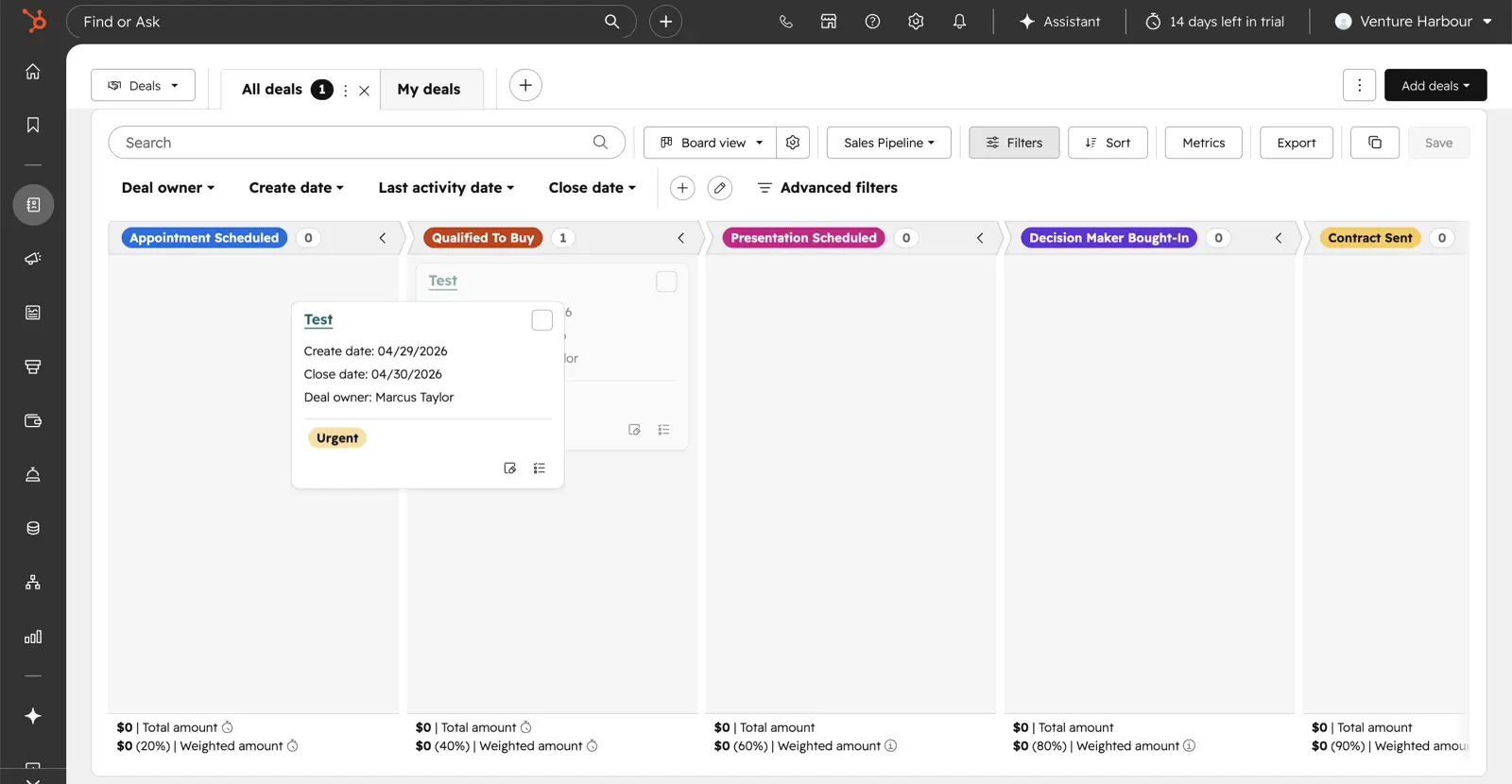
HubSpot is the opposite experience. I got a new free CRM account running in about three minutes — the AI-managed onboarding pulls your company details and pre-configures sensible defaults before you see the first dashboard. Across the entire suite, every product feels designed by the same hand. It’s genuinely the most polished platform we’ve tested in this category.
The caveat: polish isn’t the same as depth. Some of HubSpot’s most useful features sit behind that $890/month Pro tier, so “easy to use” partly means “easy to use the bits you haven’t paid for yet”.
Round 3: Marketing tools — HubSpot
HubSpot started life as marketing software, and it shows. Email marketing with a rebuilt drag-and-drop editor, a proper workflow builder with multi-branch logic and A/B branches, landing pages (up to 10,000 even on Starter), a native blog, forms with progressive profiling, social and ads management. It’s all one product, one contact record, one bill.
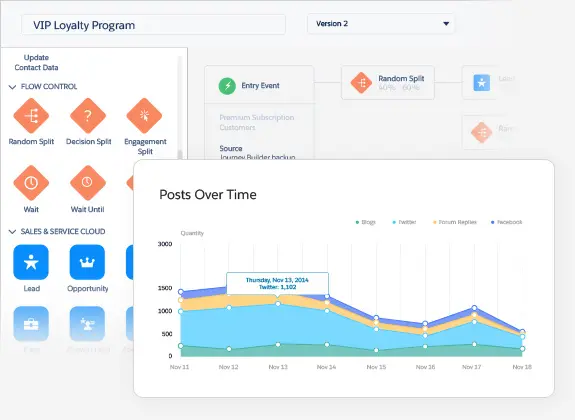
Salesforce treats marketing as a separate purchase. There’s basic email and campaign management in the core CRM, but the serious tooling lives in Marketing Cloud — which starts at $1,250/month for up to 10,000 contacts, on top of your Sales Cloud licences. For a mid-market team, that’s a hard number to swallow for functionality HubSpot bundles in.
HubSpot’s marketing suite isn’t flawless. The workflow builder only arrives at Pro ($890/month), predictive lead scoring is locked to Enterprise, and the automation depth still trails ActiveCampaign — no split-testing of entire automation paths, for instance. If marketing automation is the main thing you’re buying, our ActiveCampaign vs HubSpot comparison is the article you actually want.
But against Salesforce specifically? Not close.
Round 4: Sales features — Salesforce
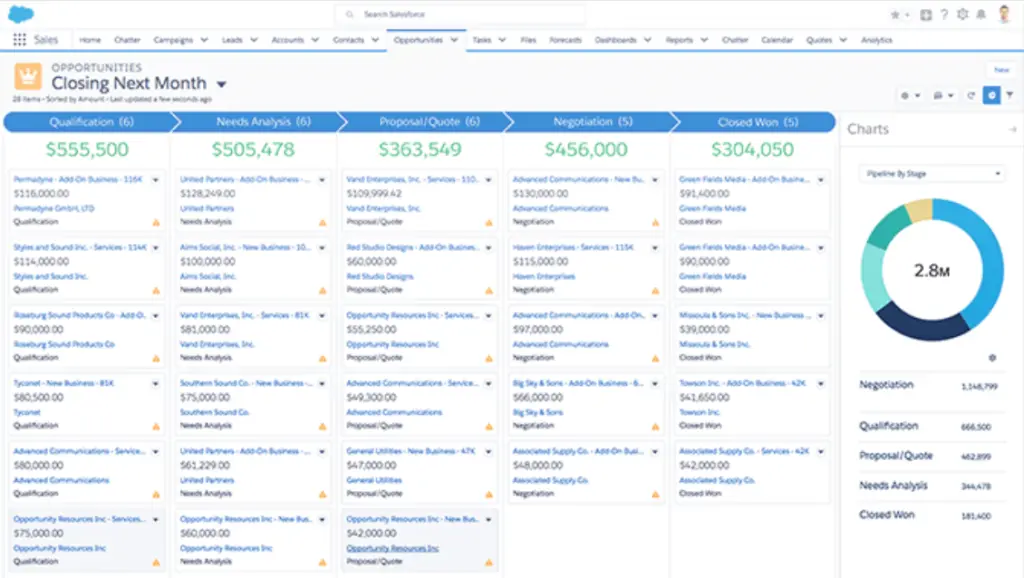
Here’s where Salesforce earns its market position. Opportunity and pipeline management by rep, team, region or company-wide. Partner relationship management. Customer contract management with negotiation tracking. Product and price list management with custom discounts. Quote and order management. Call centre tooling on the service side. Just about every sales feature you could name is in there, and you can add or remove modules to fit.
HubSpot’s Sales Hub covers what most teams need — deal pipelines, sales sequences, quotes, forecasting, call recording and conversation intelligence — and does it with far less friction. For a 20-person sales team, I’d argue HubSpot’s coverage is complete.
For a 200-person sales team with regional territories, channel partners and a contracts desk, it isn’t. Salesforce takes the round on depth, with the standing caveat that most useful features sit behind paid add-ons, so the depth is priced à la carte.
Round 5: Customisation — Salesforce
Salesforce’s biggest selling point is that you’re not really buying a CRM — you’re buying a platform to build your own. Custom objects, custom processes, industry-specific configurations. If your business has a genuinely unusual sales process, Salesforce might be one of the only tools that can model it exactly.
The cost of that freedom is everything I complained about in Round 2. Configuration is complex and slow, heavily customised instances become bloated and hard to maintain, and you’ll almost certainly need consultants along the way. Flexibility this deep is a loaded weapon — plenty of companies end up with a Salesforce instance nobody fully understands.
HubSpot offers custom properties, custom objects at higher tiers, custom dashboards and a capable workflow engine. For 90% of businesses that’s plenty. For the other 10%, it’s a ceiling, and Salesforce is the answer.
Round 6: Reporting — a draw
I expected Salesforce to walk this round. It didn’t.
HubSpot’s reporting is the strongest I’ve seen bundled into a marketing platform — and since Spring 2026 it includes native multi-touch revenue attribution, so you can trace closed revenue back to the blog post, email and sales touch that produced it, weighted by whichever attribution model you prefer. Because the CRM is native, closed-loop reporting works without any data engineering. If your CFO wants to know what marketing contributed to pipeline this quarter, HubSpot answers directly. I still get an odd amount of satisfaction from seeing how much pipeline a single blog article generated.
Salesforce’s reporting is deeper on the sales side — dashboards, forecasting from historical data, segmented reports across sales, marketing and support. It can answer almost any question about your revenue operation.
The difference is who does the answering. HubSpot’s reporting works out of the box. Salesforce’s works after someone configures it. If you have that someone, Salesforce edges it; if you don’t, HubSpot does. Hence the draw.
Round 7: AI — HubSpot
This is the round that’s changed most since we last used either platform, and it’s the one that surprised me in our latest HubSpot testing.
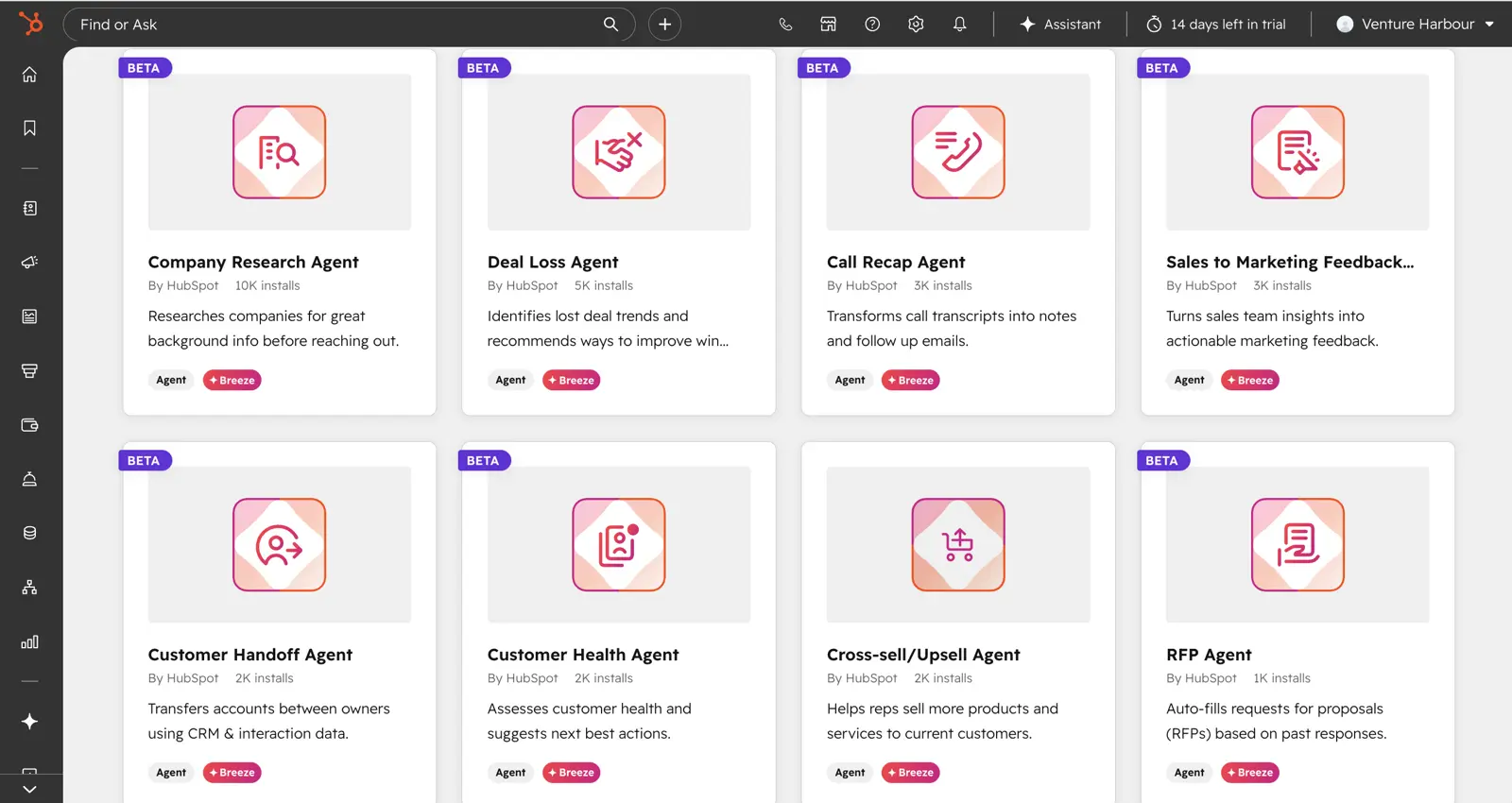
Because everything in HubSpot sits under one roof, its Breeze AI suite has unusually good raw material. The Breeze assistant handles the tasks you’d do manually — pulling lists, drafting follow-ups, cleaning bad data — and the Agent Marketplace lets you install pre-made agents for CRM cleanup, prospecting and transcription in a few clicks. The pricing model is the genuinely interesting bit: as of April 2026, the Customer Agent charges $0.50 per resolved conversation and the Prospecting Agent $1.00 per qualified lead. You pay for outcomes, not seats.
The catch is tier-gating. Breeze at the Starter level is essentially a chat wrapper with CRM merge fields; the differentiated capabilities live at Pro and Enterprise, and predictive lead scoring is Enterprise-only.
Salesforce has been investing in AI for longer than almost anyone — Einstein has offered predictive scoring and forecasting for years, and it’s no slouch. But in our experience the capability sits behind the same wall as everything else in Salesforce: configuration, add-ons and admin time. HubSpot’s AI is simply easier to get value from, so it takes the round.
Round 8: Ecosystem & integrations — Salesforce
HubSpot’s app marketplace is large — 1,700+ integrations, with the current ecosystem page listing 2,200+ apps — and HubSpot Academy is the best free training material in the category, full stop.
Salesforce still wins the round. Its dominance means better third-party integration coverage, the largest network of certified partners and developers in CRM, and acquisitions like Slack and Tableau folded into the platform. Whatever tool you use, someone has connected it to Salesforce. Whatever problem you hit, there’s a consultant who’s solved it — for a fee, which is rather the theme.
If you’re standardising a large organisation on one system for a decade, that ecosystem gravity matters more than any single feature.
The bill nobody mentions: total cost of ownership
Both platforms hide their real cost in different places, so it’s worth naming where.
Salesforce hides it in people. Licences are the visible line; implementation ($5,000 to $80,000+), consultants, customisation, data migration and training beyond the basic free offering are the invisible ones. The complexity that makes Salesforce powerful is the same complexity that makes it need a dedicated admin — and its customer support has a poor enough reputation that you can’t count on the vendor to fill the gap.
HubSpot hides it in the structure. The $3,000 and $7,000 onboarding fees on Pro and Enterprise are mandatory and non-refundable whether you complete the programme or not. Pro and Enterprise require 12-month commitments — cancel mid-year and you’re still billed for the remainder. Marketing contacts creep upward in 1,000-contact increments, and going one contact over auto-bumps your tier. There’s no soft cap.
The honest summary: HubSpot’s total cost is lower and far more predictable at mid-market scale, but neither platform is the budget option it appears to be on the pricing page.
So which should you choose?
Anchoring this to company profiles, because “best CRM” without context is a meaningless phrase:
Small business (under ~10 people): Use HubSpot’s free Smart CRM — it’s the most generous free tier in the category — and stop there. Don’t buy Marketing Hub Pro, and don’t buy Salesforce; its own small-business plan at $25/user/month is workable but the platform is overkill at this scale. When you need real automation, the options in our small business CRM guide will serve you better than either platform’s paid tiers.
Mid-market B2B ($1M+ revenue, 30+ day sales cycles): HubSpot. This is its sweet spot — the combination of native CRM, marketing tooling and closed-loop revenue attribution answers the questions a growing B2B team actually asks, and your team will use it without weeks of training. Pro’s $890/month plus onboarding earns its bill here.
Enterprise (hundreds of users, complex processes): Salesforce, provided you have a dedicated admin and implementation budget. The customisation depth, sales-feature coverage and partner ecosystem are what you’re paying for, and at this scale the time it saves outweighs the time it costs. HubSpot Enterprise is a credible alternative for marketing-led organisations — and worth noting that neither made the top of our enterprise CRM guide, where more agile platforms surprised us.
Already on one, considering the other: Running both is common and reasonable — Salesforce as the sales system of record, HubSpot for marketing. Replacing a customised Salesforce instance with HubSpot is possible for mid-market teams but a serious migration project; do it because Salesforce is actively holding you back, not because HubSpot’s demo is prettier. (It will be prettier. That’s not a reason.)
Neither profile fits: Our guide to the best CRMs by business type covers the wider field, from startups to hospitality.
Final word
HubSpot and Salesforce are both genuinely good at what they’re for. The mistake is buying the wrong one for your size — a small team drowning in Salesforce configuration, or an enterprise hitting HubSpot’s customisation ceiling three years into a rollout.
For most teams reading this, HubSpot is the right call: start on the free CRM, upgrade when the attribution reporting starts paying for itself, and read our full HubSpot review before signing anything with a 12-month commitment attached.
And if you’re mainly buying marketing automation rather than a CRM, the comparison you want isn’t this one — it’s ActiveCampaign vs HubSpot. That’s the trade we made ourselves, and we haven’t regretted it.