


EmailOctopus is free up to 2,500 subscribers, and at 10,000 subscribers you’re paying $44.50 a month. I tested it across eight areas, including rebuilding a newsletter, setting up a welcome sequence and timing their support replies.
The builder was easy enough that I’d be happy handing it to a less technical teammate, and a human answered my live chat question in under two minutes. Matching my reference campaign exactly meant working around restrictions on font sizes and column widths.
Who is EmailOctopus best for?
I’d start with the free plan if you have a newsletter to send and want to get a welcome sequence running. The automation canvas made sense as soon as I opened it, although the free account hit a five-step limit during testing.
-
Small businesses sending newsletters and straightforward welcome sequences.
-
Beginners who want an email builder they can learn while putting a campaign together.
-
Teams that value access to helpful human support.
-
Marketers who need automation actions in third-party apps.
-
Designers who need precise control over column widths and typography.
-
Teams that want highly customised landing pages or multi-step forms inside their email platform.
What are EmailOctopus’s pros and cons?
-
Easy campaign building: I rebuilt a designed newsletter close to the original without struggling with the editor.
-
Clear automation canvas: Emails, delays and conditions were straightforward to add to a welcome sequence.
-
Quick human support: A helpful answer arrived in under two minutes during my live chat test.
-
Restricted design controls: I couldn’t get the exact column proportions, font size and button font weight I wanted.
-
Basic landing pages: The templates left little room to change the layout.
-
Limited automation actions: The options I tested covered contact changes and sequences; I couldn’t find webhooks or actions in third-party apps.
-
No true plain text emails in my test: Support suggested a simple HTML template as a workaround.
How easy is it to build an email?
I picked a newsletter from Really Good Emails and rebuilt it in EmailOctopus. I got close to the reference design, and the editor felt simple enough that I’d be happy handing it to a less technical teammate.
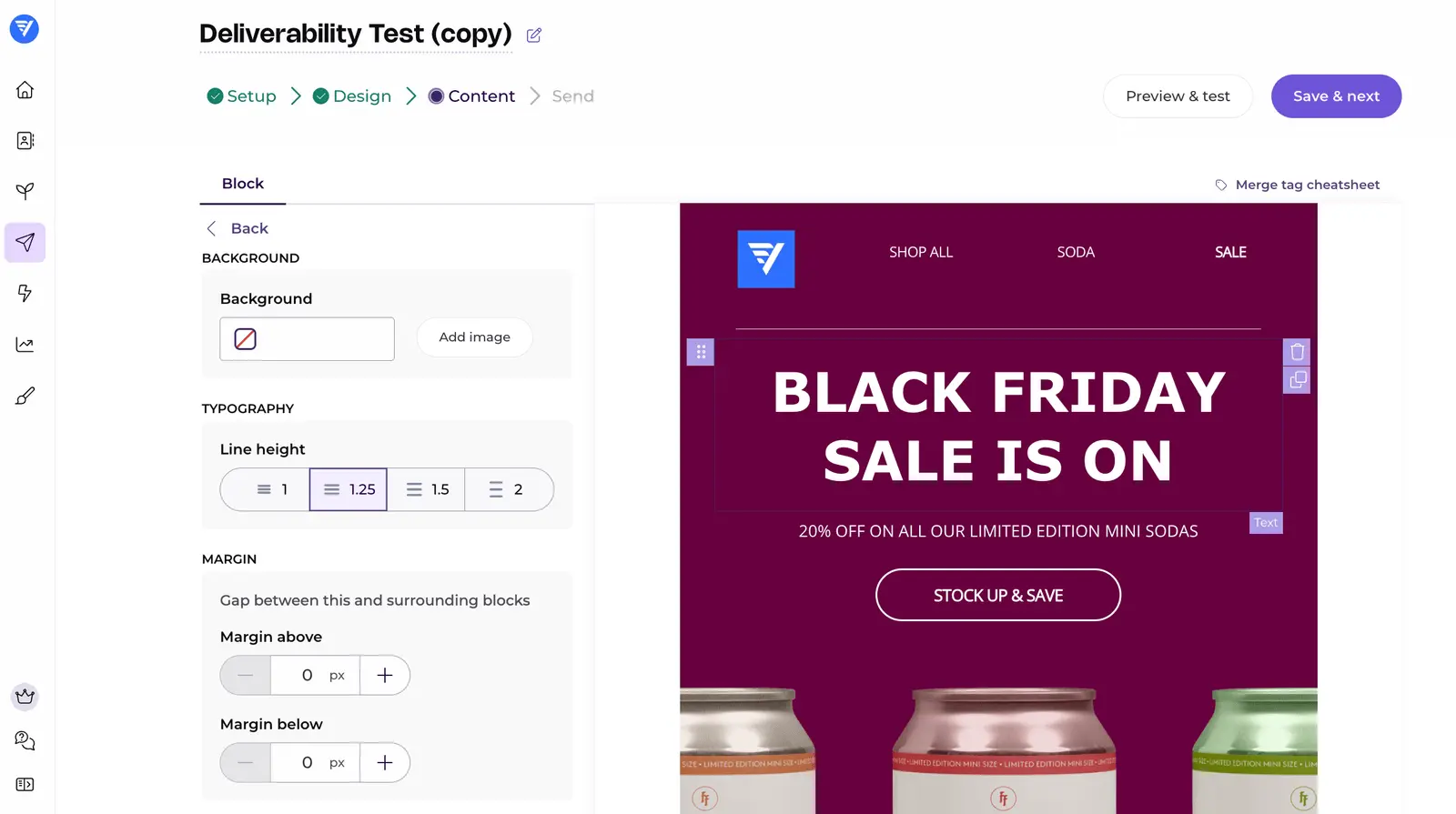
The restrictions became obvious when I tried to make smaller changes. I wanted a 38px font size and could only find preset options, so I used 36px. Changing the relative width of two columns wasn’t obvious either.
Button text had a similar limitation: I could make it bold or leave it unbolded, without choosing the specific weight I wanted. These are small frustrations if you’re sending a weekly newsletter; they add work if every campaign needs to match a design closely.
The templates I browsed were usable. I preferred the variety in Sender’s selection and gave EmailOctopus 3/5 for templates, compared with 4/5 for its builder.
Can it handle a welcome sequence?
I started a new automation and added emails with delays between them. The plus icons made it easy to see where the next step would go, and conditions let me branch based on campaign opens, clicks or contact tags.
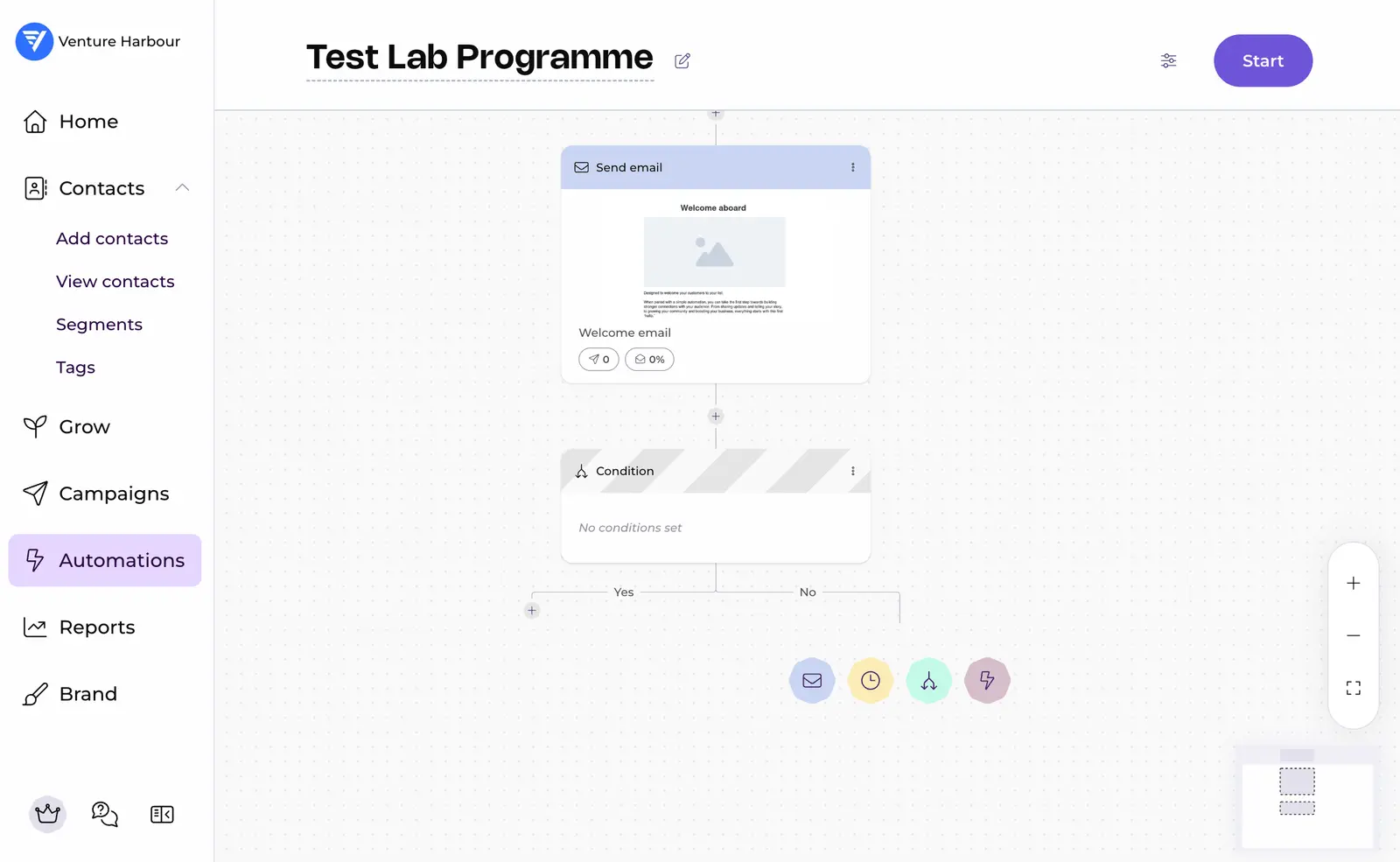
Available actions included updating fields, adding tags, unsubscribing contacts and triggering another automation. That’s enough for the sort of welcome sequence I’d expect many small businesses to need.
I hit the Starter plan’s five-step limit while building the sequence. I also couldn’t find actions for third-party apps or webhooks, which I use in more involved workflows.
I’d choose ActiveCampaign if those workflows were central to the business. For a simple welcome series, I found EmailOctopus easier to get started with and gave its automation builder 4/5.
Are the forms and landing pages useful?
EmailOctopus gave me inline forms, pop-ups, slide-ins and sticky bars to work with. For collecting a name and email address, I could see myself embedding an inline form on an existing website.
The landing page editor let me change images, colours and text, along with the success message and redirect URL. Fields came from the custom fields set up in the account.
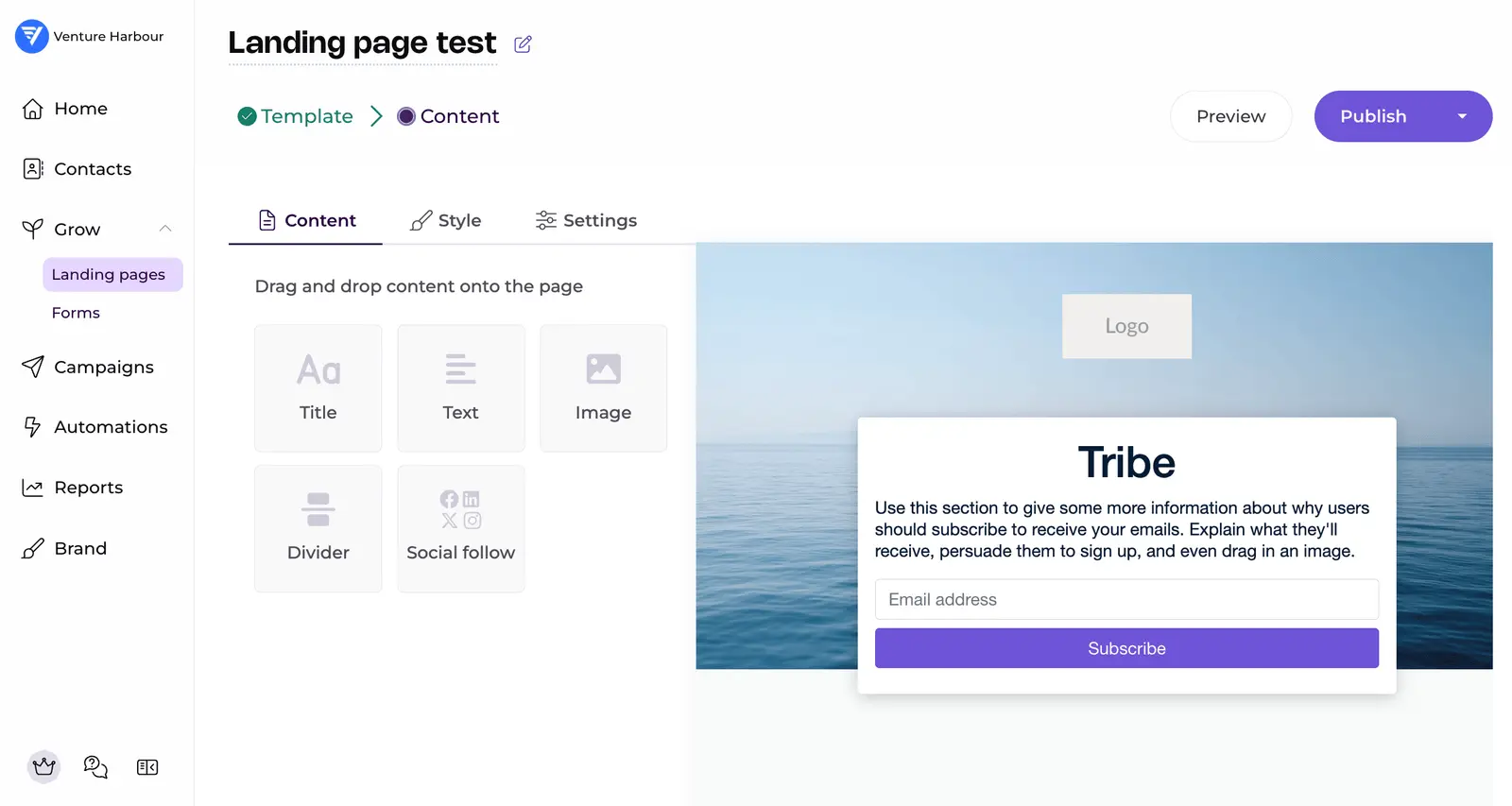
I had five landing page templates to choose from during testing, and the layouts were restrictive. I couldn’t find multi-step forms or conditional logic either.
For a one-off event signup, I might use one of these pages. For a page that needs to match the rest of a business website, I’d build it in the website’s own editor and embed the form.
What did the spam check show?
I sent an unchanged template to Mail Tester without connecting a custom authenticated domain, and it came back at 6.8/10. Adding back the three points deducted for my setup would bring that to 9.8/10.
None of EmailOctopus’s sending servers appeared on the blocklists checked.
How much does EmailOctopus cost?
The free plan gives you room to try a newsletter with up to 2,500 subscribers. At that list size, its 10,000-email monthly allowance covers four full-list sends before any automated emails.
| Plan | Monthly price (USD) | Subscribers | Emails per month |
|---|---|---|---|
| Starter | Free | 2,500 | 10,000 |
| Pro | $10 | 500 | 10,000 |
| Pro | $20 | 2,500 | 25,000 |
| Pro | $31.50 | 5,000 | 50,000 |
| Pro | $44.50 | 10,000 | 100,000 |
These are EmailOctopus’s published prices on monthly billing. Paying annually brings Pro down to $9/month for 500 subscribers.
What changes when you upgrade?
| Feature | Starter | Pro |
|---|---|---|
| EmailOctopus branding | Included on emails | Removable |
| Report availability | 30 days | Indefinite |
| Landing pages and forms | One of each | Unlimited |
| Users | One | Unlimited |
The free plan’s subscriber ceiling applies even if you only email part of your list. Support confirmed during my test that keeping more than 2,500 contacts would require a paid plan.
EmailOctopus also offers Connect for people who want to use their own Amazon SES account. I’d compare its platform fee and separate sending bill before choosing it; the standard service is the simpler starting point for most small businesses.
How good is customer support?
Even a pricing question I sent on their team retreat day got a reply in about 20 minutes. I emailed at around 2:10pm on a Friday and received an answer at 2:31pm.
On a separate day, I asked live chat whether I could send plain text emails. I was connected to Martina in about 40 seconds and had a useful answer in under two minutes.
She explained that true plain text emails weren’t available and linked to instructions for using a simple-looking HTML template.
Those two exchanges earned support 5/5 in my test.
EmailOctopus rating details
Contact importing
★★★★★
5.0 / 5
Valid contacts imported despite errors elsewhere in the file. The error download explained rejected rows, although several columns needed manual mapping.
Email templates
★★★
3.0 / 5
The selection included usable designs. I preferred Sender’s variety and found some EmailOctopus templates less polished.
Email builder
★★★★
4.0 / 5
Rebuilding a reference newsletter was straightforward. Exact typography and column proportions were harder to reproduce.
List growth
★★★
3.0 / 5
Forms covered basic signup needs. Landing page layouts and more advanced form behaviour were restrictive.
Deliverability
★★★★★
5.0 / 5
6.8/10 in Mail Tester before domain authentication, with no sending servers on the blocklists checked.
Automation builder
★★★★
4.0 / 5
The canvas worked well for a welcome sequence. I hit the free plan’s five-step limit and needed more actions for advanced workflows.
Pricing
★★★★★
5.0 / 5
The current free allowance remains 2,500 subscribers; paid prices and plan limits are shown above.
Customer support
★★★★★
5.0 / 5
A human answered my live chat question in under two minutes. Even an email I sent on their team retreat day got a reply in about 20 minutes.
Would I use EmailOctopus?
I’d use EmailOctopus for a small business newsletter with a straightforward welcome sequence. I could build the campaign I needed, and support gave me a useful answer quickly when I reached a limitation.
For more involved automation, I’d compare it with ActiveCampaign. If the starting template design is your priority, Mailchimp is worth comparing based on the templates I reviewed in the test.
If a newsletter and simple sequences cover what you need, try EmailOctopus’s free plan with a sample campaign before importing your whole list.
Update Log
19 October 2026: Fixed the Pros and Cons tabs so readers can switch between both lists.
19 October 2026: Added pricing to the opening, clarified the spam-check results and support timings, and removed the contact-import walkthrough.
19 October 2026: Published the review with Marcus’s testing video, supplied screenshots and current pricing.