


Email marketing is the most profitable channel for eCommerce brands. According to Omnisend, email marketing generates an average of $40 for every $1 spent – an impressive 3,900% ROI. That’s almost twice as much as SEO ($22.24), which is the second-most profitable digital channel for online stores.
But eCommerce email marketing involves a lot of work. To achieve the kind of ROI email marketing is capable of, you need the right tools to maximise returns while minimising the manual workload involved.
Whether you’ve just launched your online store or are looking to maximise growth through email marketing, we’ll help you find the right tool for you.
What are the best email marketing options for eCommerce?
At Venture Harbour, we objectively review and test hundreds of email marketing tools as part of our annual review of the best email platforms.
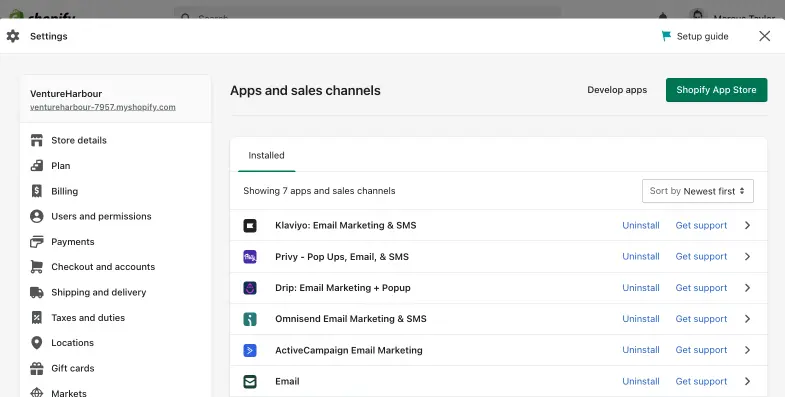
As an eCommerce brand, your list of options quickly narrows down to six email marketing tools that have deep integrations with the main eCommerce platforms like Shopify, Magento, BigCommerce, WooCommerce, etc.
Based on our extensive analysis, the six email marketing systems that provide the key features eCommerce brands need:
These all integrate with eCommerce platforms and include specialist features for campaigns like cart abandonment and product recommendations.
Who needs eCommerce email marketing software?
If you’re using an eCommerce platform like Shopify or WooCommerce, you should get some basic email marketing features included. For example, Shopify has its own Shopify Email app and WooCommerce includes a simple email system, which you can enhance with extensions.
How good is the Shopify Email app?
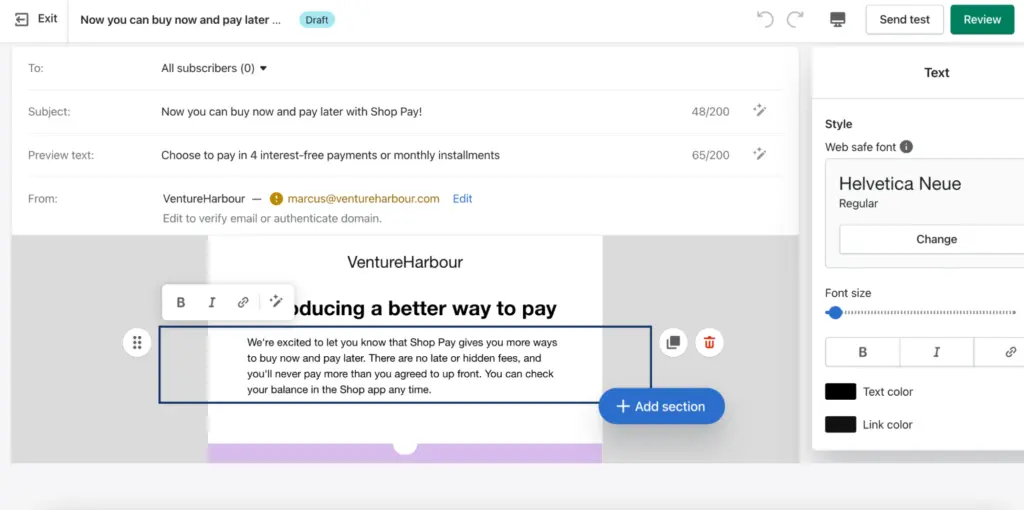
The Shopify Email app is fine for new eCommerce businesses just starting out. It allows you to create email campaigns visually and segment email lists to target specific audiences. The segmentation features are pretty powerful but the app is lacking in terms of automation features and A/B testing.
The email templates are pretty uninspiring, too, and the email builder is quite glitchy.
What we like:
- One-click automation templates - Because there’s no need to set up integrations, you can ‘turn on’ automation workflows without any backend setup. Any sales driven by email marketing are automatically attributed to the correct emails or automations. While other tools make this setup easy, it does feel like magic having this all working without any additional work.
- Segmentation - Shopify allows you to build segments by building logic-based queries. While this won’t be everyone’s cup of tea, it’s powerful and makes building highly-targeted audiences easy.
Where they could improve:
- More automation templates - Shopify offers six automation templates. Six! That’s 494 less than the next tool on our list.
- Email template designs - The Shopify email templates feel like they’ve been put together as an afterthought, and lack the design finesse of those offered by the other five tools.
- No A/B testing - Perhaps the biggest giveaway that Shopify’s email offering is a bit of an afterthought is the lack of one of the most important features for optimising email campaigns.
- It’s glitchy - The email designer can get glitchy with parts of the page jumping off the screen as you type and sometimes needing to refresh the page to unstick the editor.
How good is WooCommerce for email marketing?
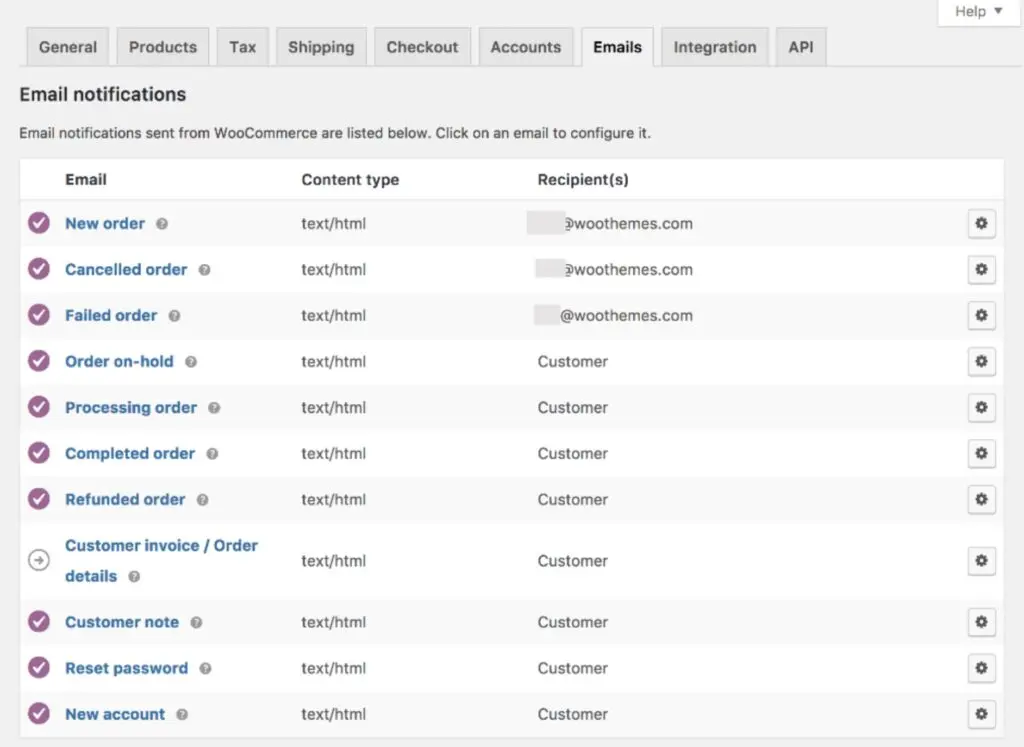
As standard, WooCommerce comes with a basic email system that you can access in the back end of WordPress. You’ll find it under WooCommerce > Settings > Emails.
You can create and send basic emails to customers and use triggers to automatically send emails at key events: purchases, cart abandonment, etc.
You can also select customers and send emails to groups. You don’t get any real segmenting features, though.
This means you basically have to do everything manually.
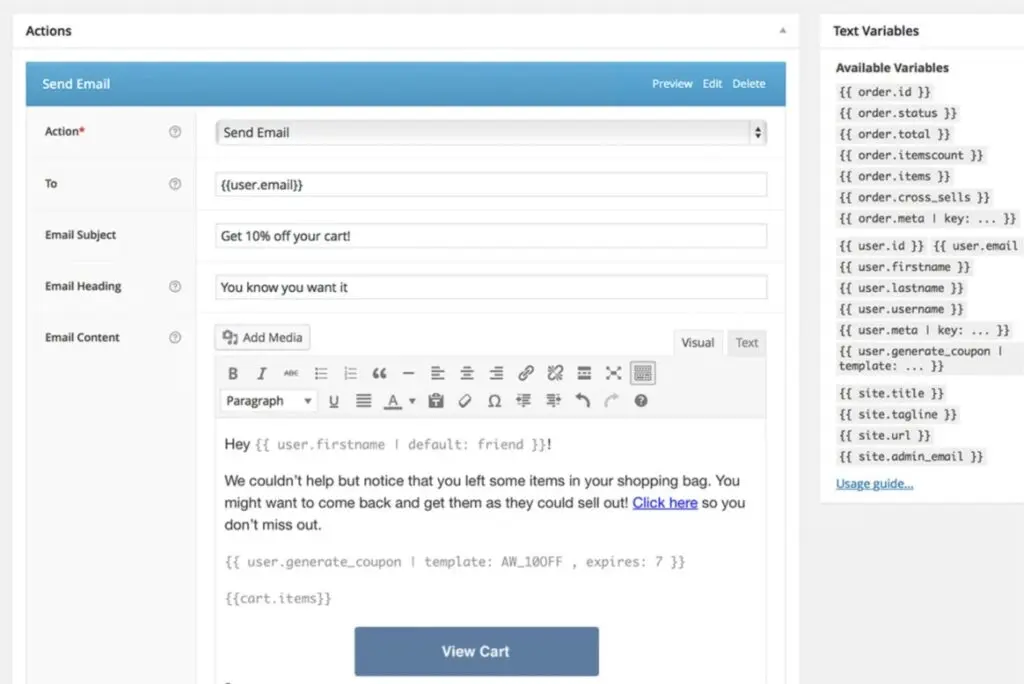
Thankfully, you can add more functionality to WooCommerce’s email system with extensions. The AutomateWoo extension is a good place to start, costing $99 per year, which works out at $8.25 per month. It’s good value at this price point but it still lacks the advanced features of the tools below.
What we like:
- Triggers – You can set triggers to automatically send eCommerce emails to customers.
- WooCommerce extensions – You can enhance WooCommerce’s default email system with extensions (at a cost).
Where they could improve:
- Features – Even with extensions like AutomateWoo, you’re not getting a complete email marketing system.
- Automation – A lack of automation features requires you put a lot of manual work into email marketing.
- No A/B testing – You’re not getting any analytics or testing features to optimise your campaigns.
- WordPress interface – Managing emails in WordPress’ dated back-end system is a pain.
The built-in email systems on platforms like Shopify and WooCommerce are fine for the newest eCommerce companies. However, if you want to generate real ROI from email marketing, you need a more advanced system. Above all, you want a platform that helps you create campaigns quickly and run them automatically across the whole customer cycle.
Otherwise, you’ll simply never find the time to manage a complete email marketing strategy.
Now, let’s take a look at our first eCommerce email marketing tool.
01ActiveCampaign
Test Lab Partner (Paid)ActiveCampaign is a member of our Test Lab Programme, which means we receive a fee to conduct hands-on testing of their platform. Learn more about our Test Lab Programme →We’ve used ActiveCampaign since 2012 across eight portfolio companies, sending over 124,000 emails. ActiveCampaign is a paid Test Lab partner, and we earn commission through our links.
Its automation builder is the reason we keep using it, but the CRM and reporting are less convincing. We’d choose it for a business combining an online store with services or content; a dedicated Shopify or WooCommerce store should also consider Omnisend.
ActiveCampaign connects with Shopify, WooCommerce, BigCommerce and Square, with workflows for abandoned checkouts and post-purchase follow-ups. You can use purchase history alongside website activity and contact tags to decide which messages someone receives.
The example below shows our own content workflow checking a subscriber’s tag before sending the email marketing dataset. It illustrates the branching logic you can use when customers need different follow-ups (this is a content sequence, rather than a shop checkout).
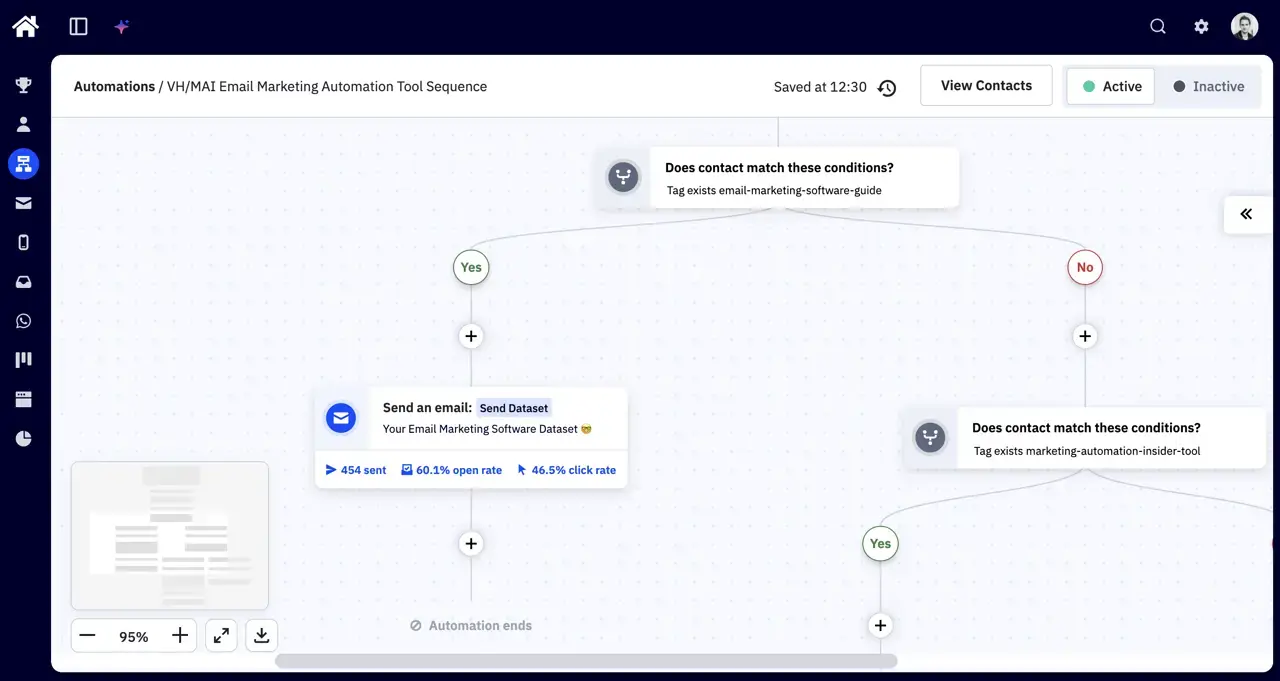
The visual builder lets you combine conditions, waits and email sends, then test different paths through a sequence. For a store, that could mean comparing a short post-purchase sequence with a longer one. You still need to plan the logic and check each branch before switching it on.
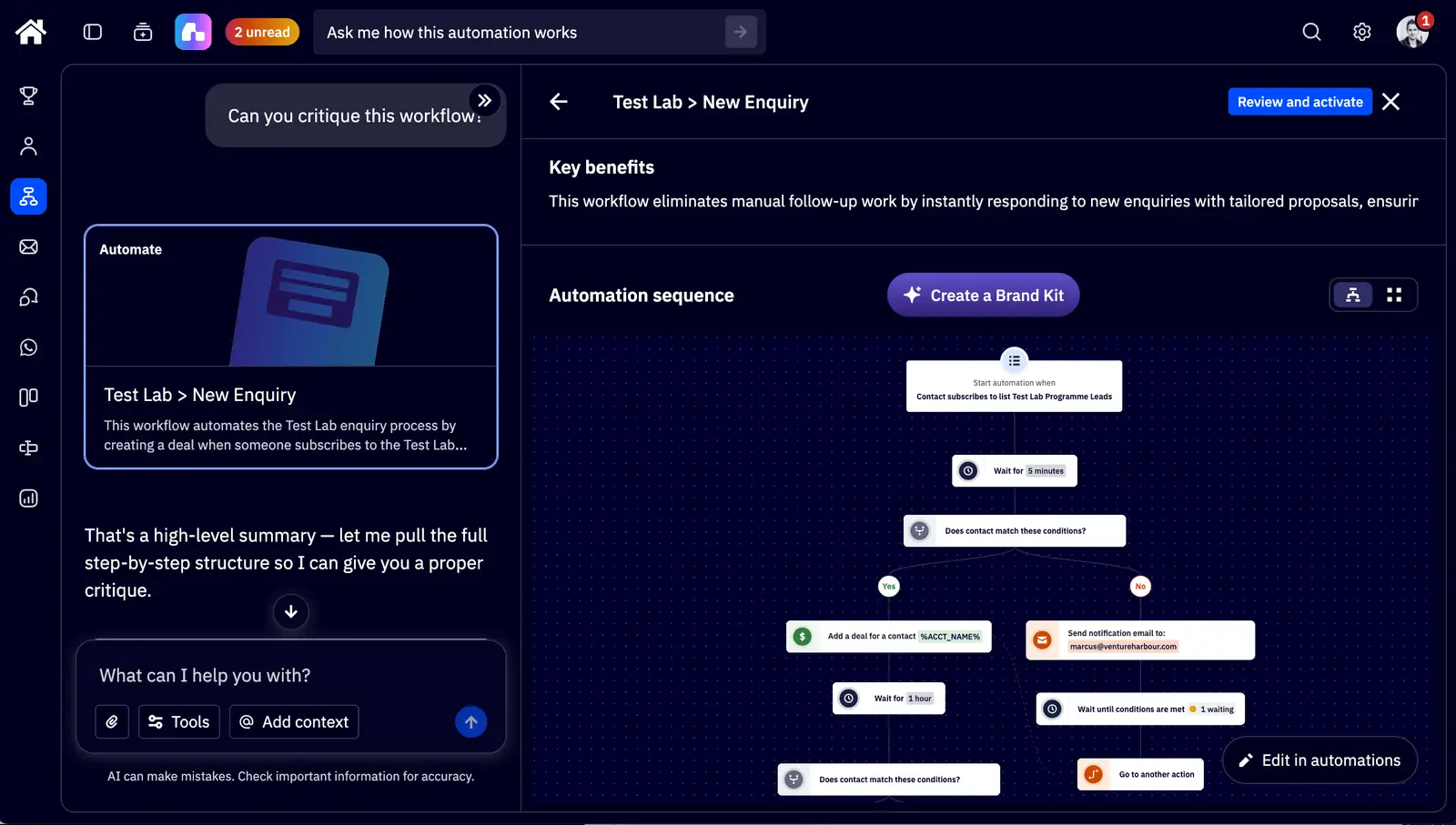
Active Intelligence can also build segments, draft emails and critique existing automations. In Marcus’s latest test, it spotted an unfinished A/B test, a high unsubscribe rate and a missing preheader, then suggested changes.
It needed supervision. The email builder ignored layout instructions, and the AI couldn’t add the split actions needed for an A/B test. We’d use it to help improve a working sequence, with someone checking what it changes.
The screenshot below shows Active Intelligence opening our Test Lab enquiry workflow after a request to critique it. The video walks through Marcus’s wider testing, including automation and AI limitations.
Pricing
Our ActiveCampaign review records Starter from $15/month for 1,000 contacts on annual billing, with Plus from $49 and Pro from $79. We’d budget for Plus or Pro if automation is the reason you’re choosing it. Starter limits each automation to five actions.
These are the monthly equivalents on annual billing recorded in our review. Check ActiveCampaign’s pricing page for your contact count and required features before signing up.
| Starter | Plus | Pro | Enterprise | |
|---|---|---|---|---|
| 1,000 contacts | $15 | $49 | $79 | $145 |
| 2,500 contacts | $39 | $95 | $149 | $255 |
| 5,000 contacts | $79 | $145 | $205 | $375 |
| 10,000 contacts | $149 | $189 | $375 | $589 |
| 25,000 contacts | $319 | $389 | $629 | $879 |
SMS and enhanced CRM features are add-ons, so the email plan price may only be part of your bill. Accounts created on or after 3 November 2025 count unsubscribed, bounced and unconfirmed contacts towards the billing limit too. Clean your list before importing it.
What we like:
The automation builder handles customer journeys that extend beyond a purchase, with conditions and split tests for different follow-up sequences. Active Intelligence also gave us useful suggestions for improving existing workflows, although its changes still needed checking.
Where they could improve:
Reporting feels dated, and we’d pair it with a dedicated CRM if a sales team needs to manage complex deals. Human support has also been harder to reach than we’d like. Pricing takes care to work out once contact limits and add-ons enter the picture.
Who should use ActiveCampaign?
We’d shortlist ActiveCampaign if you sell products alongside services, subscriptions or content and want those journeys managed in one place. Its flexibility is harder to justify if you only need newsletters and standard store follow-ups.
For a dedicated Shopify or WooCommerce store, we’d start by comparing Omnisend, whose ecommerce reporting and store-focused workflows are a closer fit. ActiveCampaign offers a 14-day trial, but that’s a short window to test a full customer journey.
02Omnisend
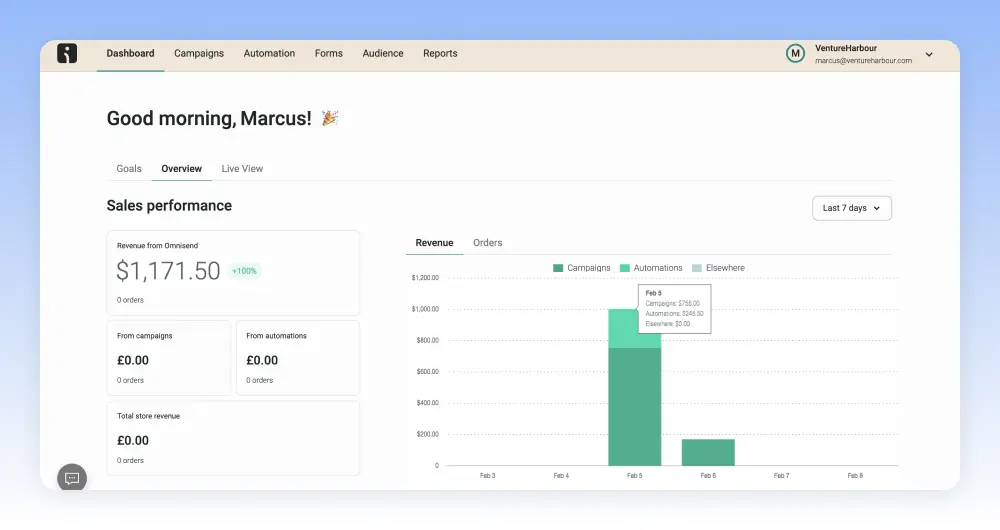
Omnisend is the first email marketing platform we’re looking at that’s designed specifically for eCommerce companies. The key benefit of this is every aspect of the platform is designed for online stores. In this regard, the biggest advantage over ActiveCampaign is Omnisend’s reporting features.
Without needing to set anything up, you get eCommerce-focused reporting that’s ready to use from day one. This includes deliverability insights, showing how many of your emails make it into customers’ inboxes. Deliverability is such an important metric for email marketers that it’s frustrating more platforms don’t provide these insights.
Aside from deliverability, you can also view interaction metrics to track open rates, engagement, CTRs and conversions – all from the same dashboard.
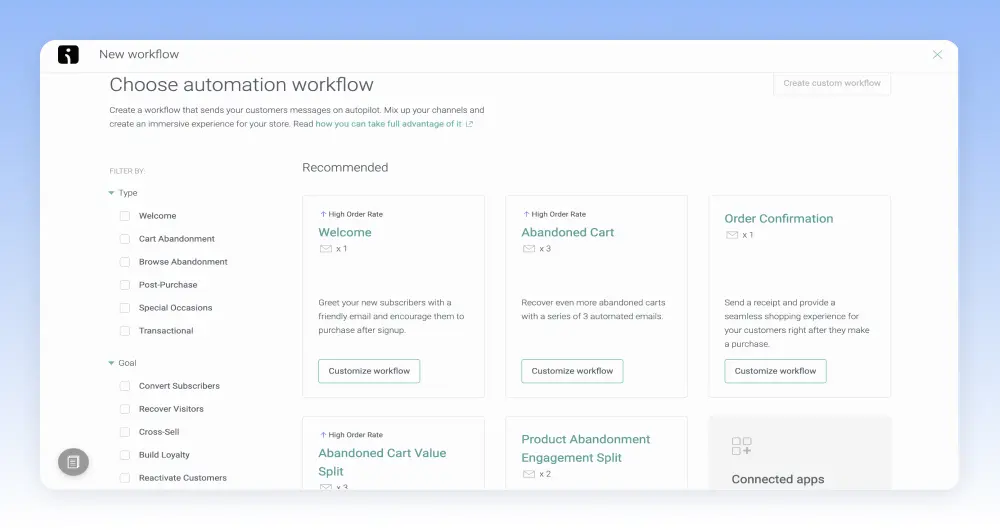
Omnisend is a pretty good system for email automation, too, although it’s no match for ActiveCampaign (few tools are). Even still, Omnisend includes a library of workflow templates covering the most common eCommerce interactions. As a result, it’s fast and easy to set up automation for cart abandonment, purchase confirmations, order status updates and other interactions.
You can’t automate full campaigns like can with ActiveCampaign or personalise messages to the same extent.
If you try out both tools, you get a sense of how capable they are from their automation builders. ActiveCampaign allows you to create significantly more complex automation with multiple triggers, conditions and variables. With Omnisend, you’re going to create more basic automation but its relatively simple builder will help you do the basics faster.
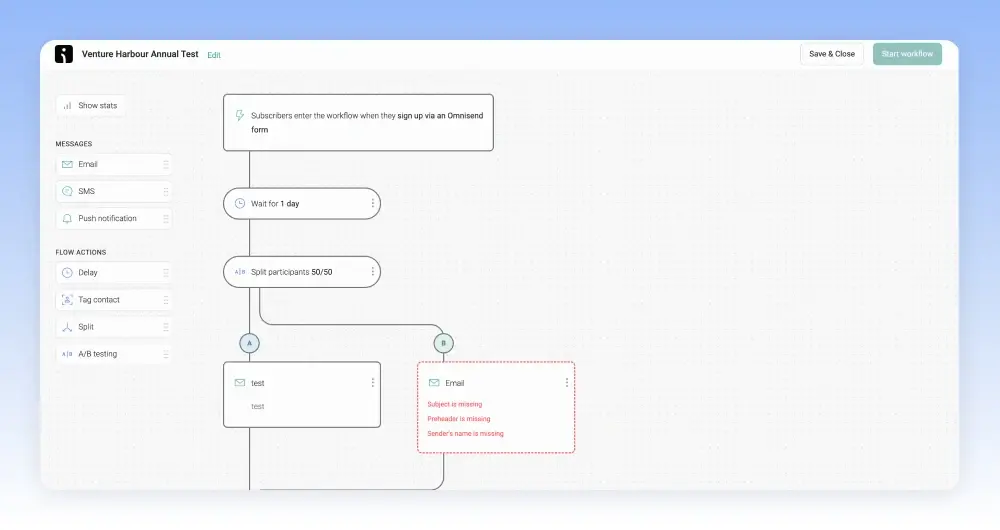
If you want the most powerful eCommerce email marketing system, ActiveCampaign is the clear winner. However, if you want a slightly simpler system that helps you cover most of the customer cycle as quickly and easily as possible, Omnisend makes a strong case for itself.
Pricing
Omnisend’s free plan is one of the most generous currently available for eCommerce companies. It covers you for up to 250 contacts and allows you to send up to 500 emails per month. You can also send up to 500 web push notifications and 60 SMS messages to contacts.
You get access to most of Omnisend’s features on the free plan, too.
If you can deal with these limitations, you’re getting an impressively powerful multichannel system for free. Obviously, you’ll need to upgrade to a paid plan once you exceed these limitations but you’ll be ready to invest in more growth by this stage.
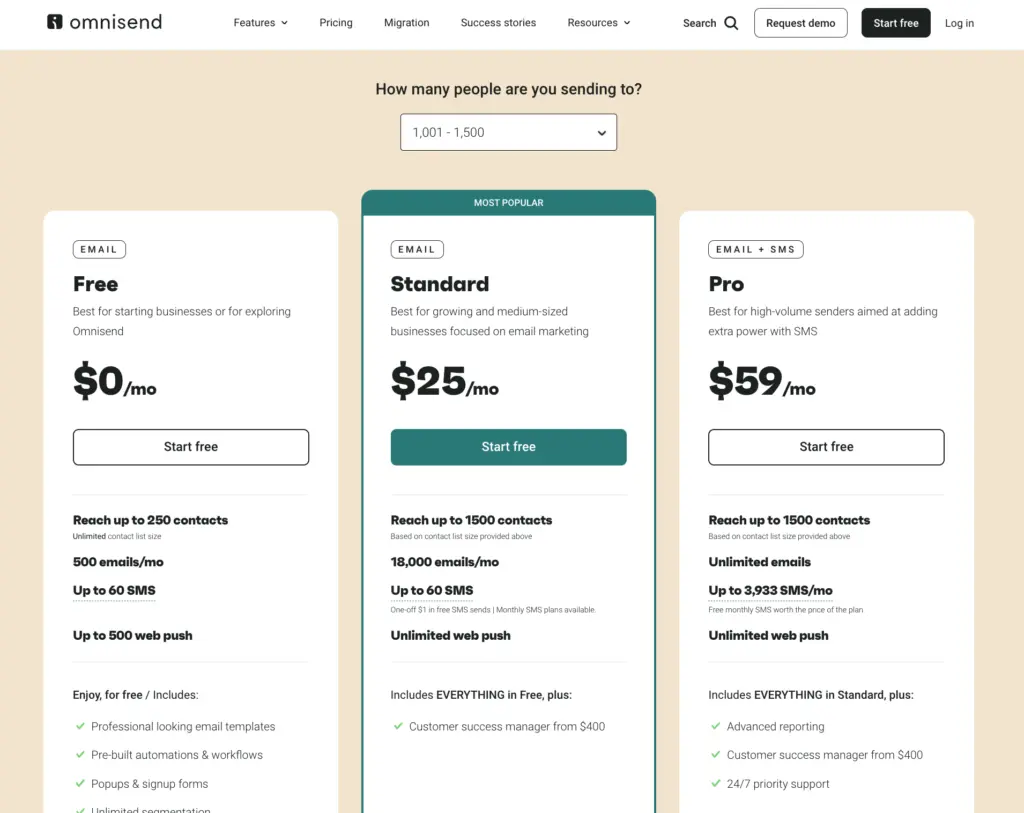
The Standard plan starts from $16/month for 251-500 contacts and the Pro plan from $65/month – also for 251-500 contacts. Pricing increases in increments of 500 contacts with the Standard plan jumping up to $20/month for 501-1,000 contacts, $25/month for 1,001-1,500 contacts and so on.
You can see how much Omnisend will cost you for different contact list sizes on the company’s pricing page.
What we like:
- Reporting – You get eCommerce focused reporting that’s ready to use from day one.
- Deliverability – Omnisend offers a range of features to maintain high deliverability, including email warm-up (sending emails gradually to improve your sender reputation) and insightful reports to monitor your deliverability and reputation.
- eCommerce content blocks – Omnisend offers lots of content blocks to integrate products and discounts directly into your email campaigns. Their form templates also include a range of creative ways to engage visitors – such as with a wheel of fortune.
Where they could improve:
- A/B testing limitations – While you can add splits in automation sequences, we weren’t able to set a goal to run effective A/B tests within an automation sequence.
- Templates – The templates are visually underwhelming.
- The campaign builder – Performance is a little sluggish compared to the other tools we’ve tested.
Who should use Omnisend?
Omnisend is great for new and small eCommerce companies looking for a free or affordable email marketing system. It’s also great for companies with larger email lists, too. Once you get into the more expensive Omnisend plans, it starts to offer great value for money.
In fact, it offers better value for money than both ActiveCampaign and Klaviyo (the next system we’re looking at) for equivalent list sizes
The downside is that Omnisend can’t match ActiveCampaign’s most advanced email marketing and automation features. Once you’ve automated everything you can with Omnisend, it’s difficult to increase your email marketing ROI with your existing resources. Let’s be clear, this is still one of the best email marketing systems available but ActiveCampaign’s automation features will take you further.
03Klaviyo
Klaviyo was one of the first companies to provide an email marketing system specifically for eCommerce companies. Like Omnisend, the focus on eCommerce can make it easier to set up basic campaigns faster. Likewise, Klaviyo also does an excellent job with reporting – in fact, it does even better than Omnisend.
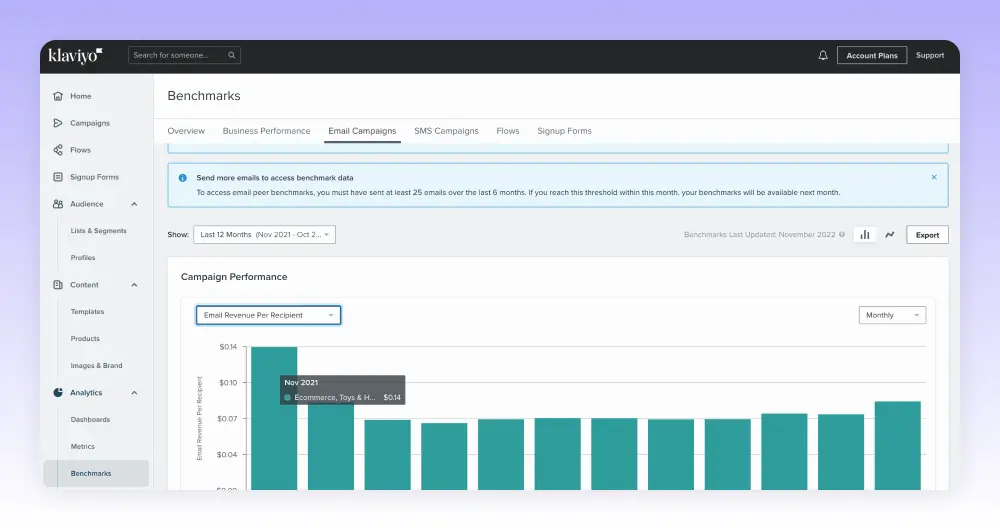
The platform uses predictive analytics to forecast revenue predictions. It also sets benchmarks for you to target, based on the performance of your eCommerce rivals. These provide meaningful targets for you to hit with your email marketing campaigns and make it easier to attribute revenue to them.
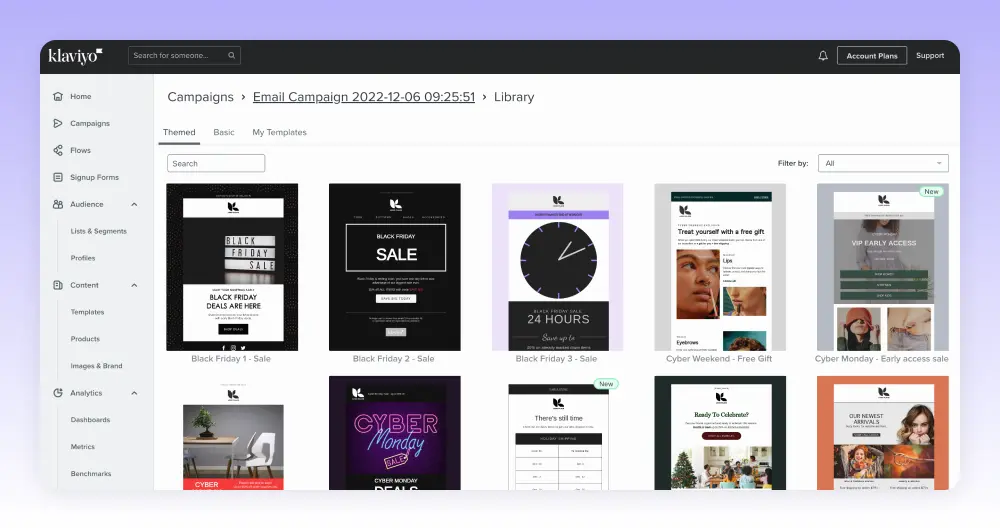
Klaviyo’s campaign builder is more intuitive than Omnisend’s, too. In terms of UX design, both builders are similarly impressive but Klaviyo’s provides smoother performance. The email templates are designed to an even higher standard, too.
The thing is, Onmisend would win this comparison against most competitors but Klaviyo really excels here. If an intuitive email builder and quality templates are priorities for you, Klaviyo will win a lot of bonus points.
At the same time, it loses some points with campaign automation. Overall, Klaviyo comes pretty close to Omnisend, allowing you to automate the most common eCommerce interactions. However, its automation templates are a little simplistic and it certainly can’t compete with ActiveCampaign.
Pricing
Klaviyo also offers a free plan for up to 250 contacts and 500 emails per month. It also allows you to send up to 150 SMS messages per month, far more than the 60 messages Omnisend’s free plan gives you.
That being said, unlike Omnisend, Klaviyo doesn’t support web push notifications at all.
Also, keep in mind that Klaviyo is more expensive than both Omnisend and ActiveCampaign for comparable list sizes. This is the biggest drawback with Klaviyo’s paid plans, especially if you’re also considering Omnisend.
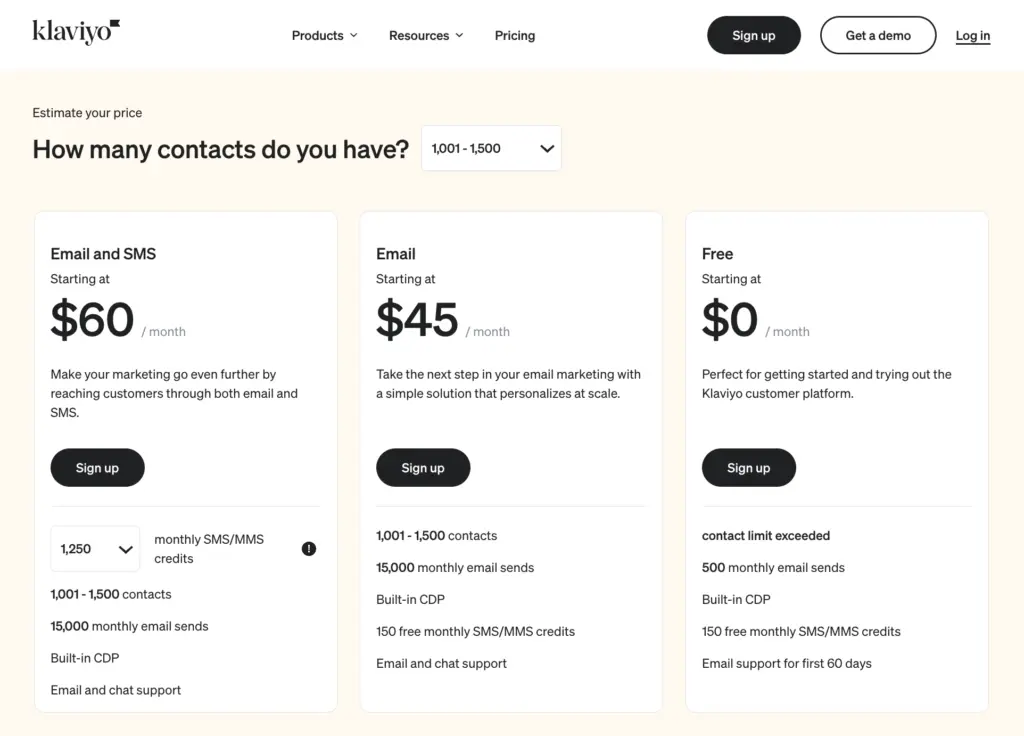
In fairness, Klaviyo offers the more usable system and its reporting features are a real step up from both Omnisend and ActiveCampaign.
It all comes down to how much you’re willing to pay for these. If you’re comparing this platform with Omnisend, Klaviyo makes a stronger case for itself. However, if you’re weighing it up against ActiveCampaign, it’s more difficult to recommend Klaviyo when, overall, you’re getting more from ActiveCampaign at a lower price point.
What we like:
- Email templates – These are some of the best eCommerce email templates we’ve seen.
- Benchmarks – Klaviyo sets tangible targets for you to hit, based on the performance of similar eCommerce companies.
- Predictive forecasts – Intelligent insights model when a customer is likely to buy from you, or how much you’re likely to make in a future month enabling you to better allocate your time and budget.
Where they could improve:
- It’s expensive – Klaviyo brings some powerful features to the table but you have to for the privilege.
- Automation – The range of automation actions are simplistic and lacking sophisticated automation actions such as split testing paths.
- Email campaign editor – A tad basic and it offers only one eCommerce-specific content block (a list of products from a product feed).
Who should use Klaviyo?
Klaviyo is best for larger eCommerce companies that will benefit the most from its predictive insights. At the same time, it could be a solid option for high-turnover retailers with smaller teams. If you don’t have in-house design expertise, Klaviyo’s campaign builder and templates could save you from hiring external designers.
04Mailchimp
Test Lab Partner (Paid)Mailchimp is a member of our Test Lab Programme, which means we receive a fee to conduct hands-on testing of their platform. Learn more about our Test Lab Programme →Mailchimp makes the strongest case for eCommerce teams that want email campaigns live quickly. In Marcus’s September 2026 test, he rebuilt a designed campaign in eight minutes, faster than he managed in HubSpot, ActiveCampaign, Omnisend or Constant Contact.
That speed helps when one person is handling products, support and email. Omnisend gives you stronger native eCommerce automation, SMS, push notifications and revenue reporting.
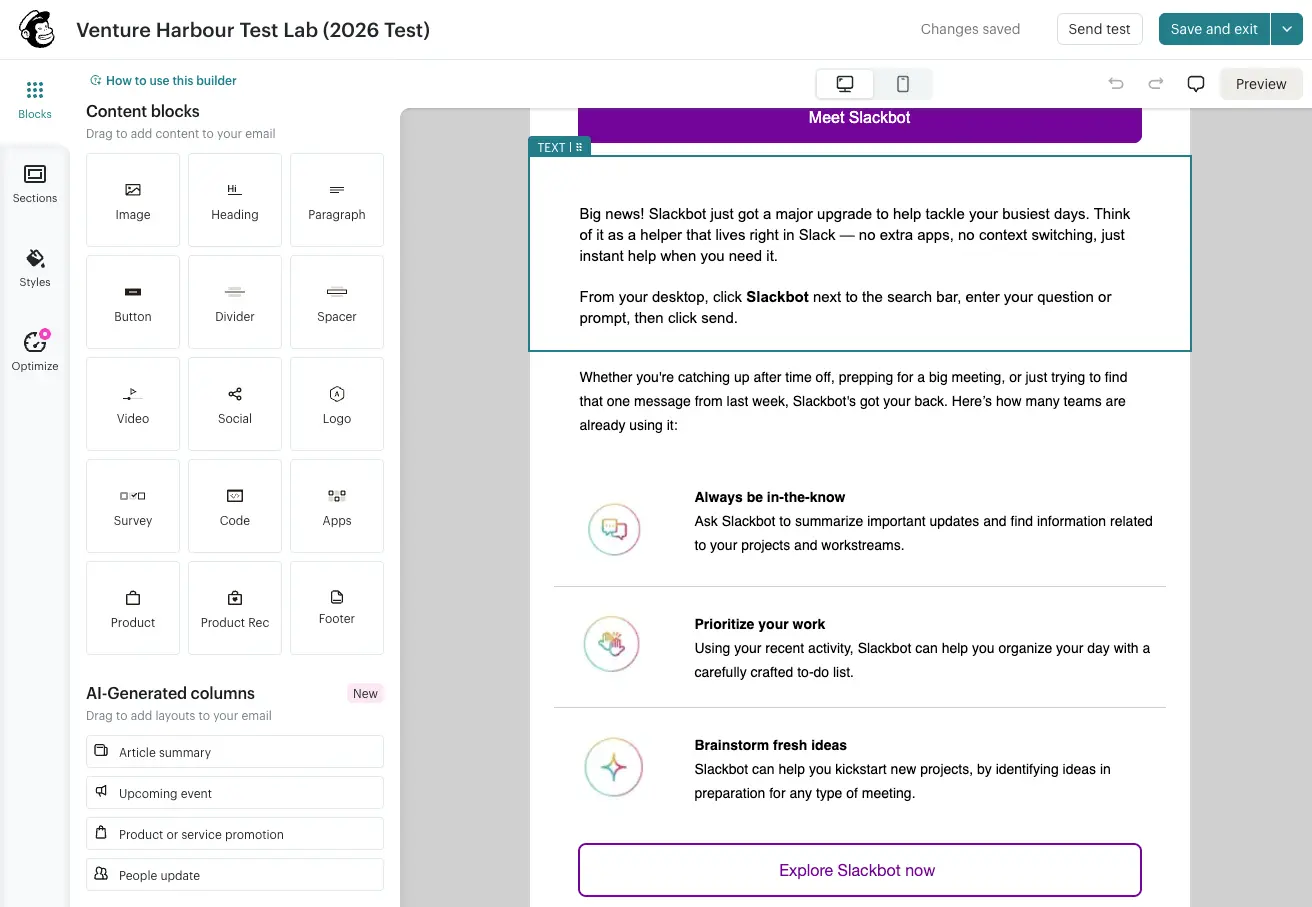
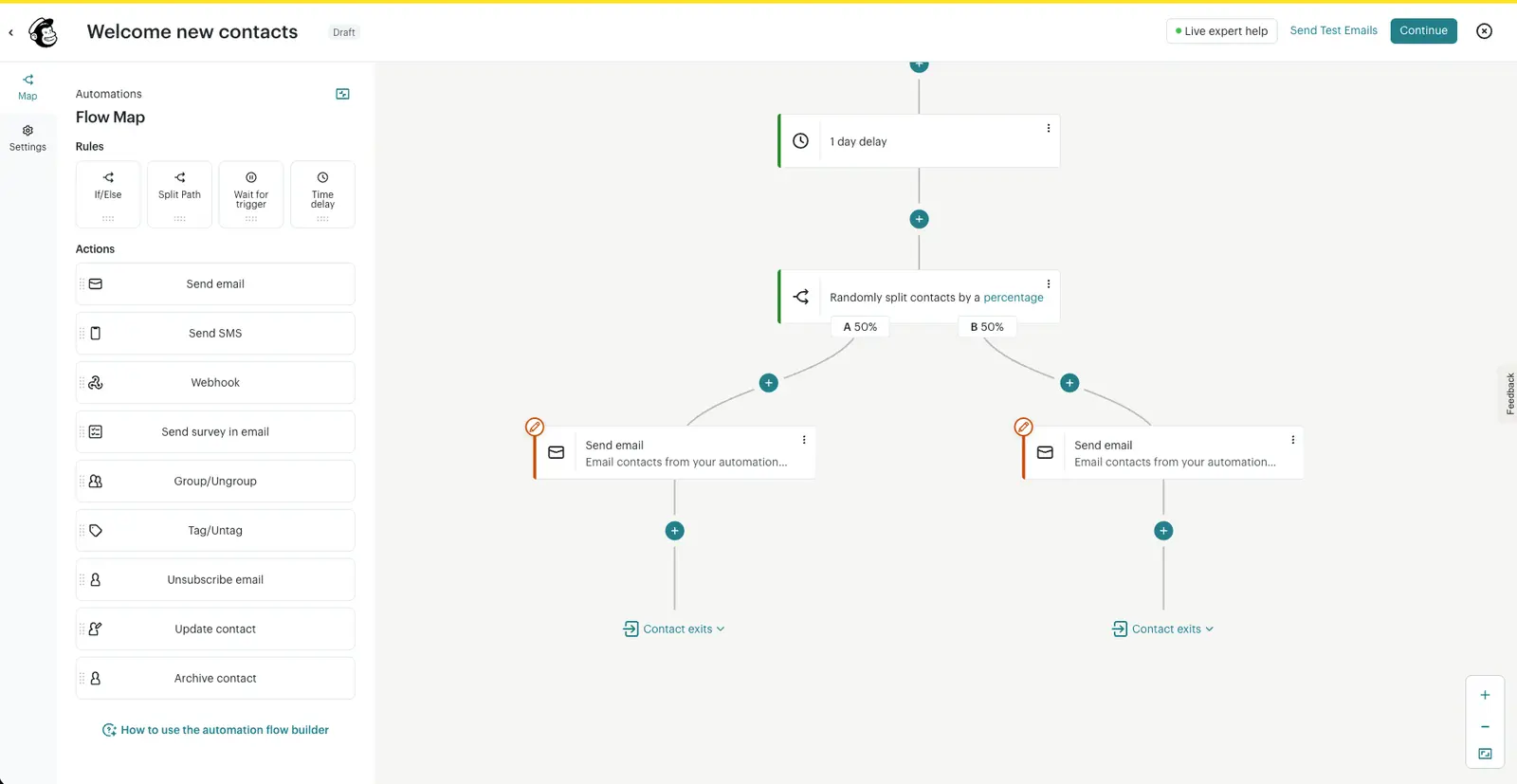
Mailchimp’s automation builder was better than we expected. Marcus built a three-email welcome sequence, added a one-day delay, created a split path and checked behavioural conditions without needing help documentation.
This is enough for welcome flows, simple product announcements, post-purchase follow-up and early abandoned-cart campaigns. I would be more cautious if email is already a major revenue channel, because the builder lacks the journey critique and native third-party actions you get in more advanced tools.
Pricing
Mailchimp’s free plan covers up to 250 contacts and 500 monthly email sends. Essentials starts at $13/month for up to 500 contacts, Standard starts at $20/month and Premium starts at $350/month.
Standard is the plan most serious users should compare. Essentials is fine for basic sending, but the AI and automation limits will show up quickly once you move beyond newsletters.
The free plan is useful for testing Mailchimp with a tiny list. It is too small to run a growing eCommerce email programme for long.
What we like:
- Email builder – Mailchimp has the fastest and most intuitive email builder we’ve tested.
- Simple automations – Welcome sequences, delays, split paths and behavioural branches are easy to build.
- Support – In Marcus’s latest test, live chat answered a nuanced billing question in eight minutes.
Where they could improve:
- Automation depth – It is lighter than ActiveCampaign and Omnisend for complex lifecycle campaigns.
- eCommerce channels – You don’t get Omnisend’s native SMS, push notifications and revenue reporting in one specialist eCommerce workflow.
- Free plan – Two hundred and fifty contacts gets you through testing. Growth will force an upgrade quickly.
Who should use Mailchimp?
Mailchimp suits newer eCommerce stores that want polished campaigns without a long setup. If you mostly need newsletters, product announcements and simple customer journeys, it is one of the easiest platforms to live with.
If abandoned-cart revenue attribution, SMS and push notifications are central to your strategy, start with Omnisend. If automation depth matters more than ease of use, compare it with ActiveCampaign before committing.
05Drip
Drip specialises in eCommerce email marketing and lead generation with email capture forms and popups. In many ways, it’s the simplest platform featured so far but this may benefit newer and smaller eCommerce companies.
If you want a platform that will help you do the basics as quickly as possible, Drip could be ideal.
The campaign editor helps you create emails, web forms and popup designs from a single tool. You can use and edit Drip’s templates to create campaigns faster or build your own from scratch.
The editor is quite basic but the templates are pretty good and Drip has kept them updated over the years. This means you can create basic campaigns remarkably quickly, even if you don’t have much experience with email marketing.
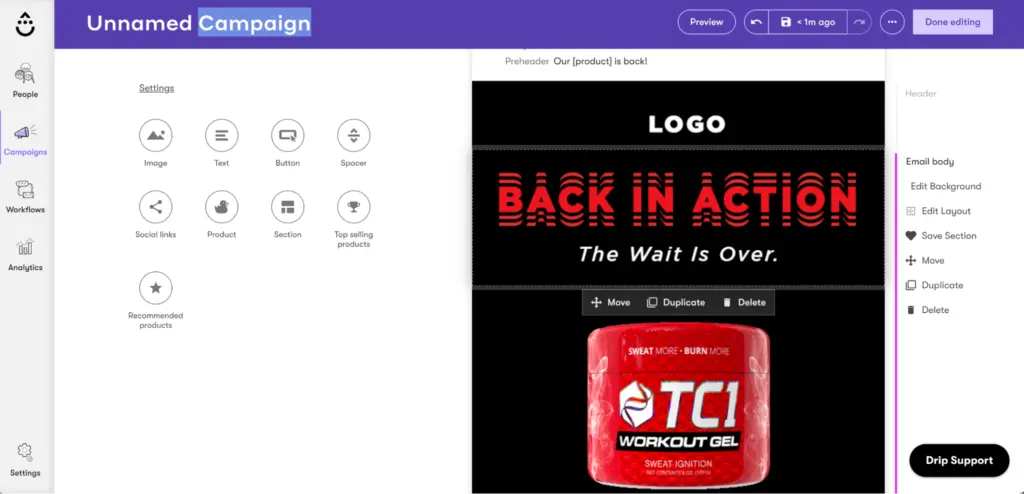
Drip’s simplicity may be limiting for larger or more experienced eCommerce companies but the platform provides an excellent option for newcomers.
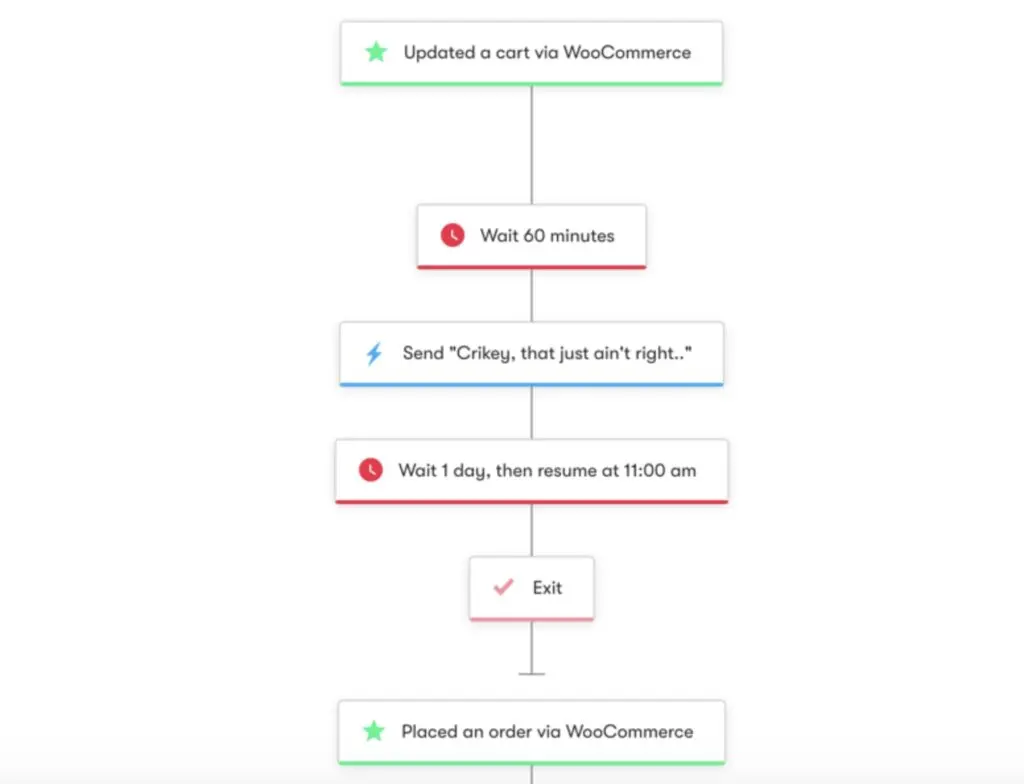
As expected, the biggest limitations reveal themselves once you start to automate campaigns. Again, the automation builder is pretty basic and you can only select from a limited number of actions. The platform includes 20 basic automation templates but many of these are duplicates for different eCommerce platforms.
There are five templates for Shopify websites and the same five are available for WooCommerce. You can build your own workflows using the editor tool but, again, you’re limited to what you can automate.
If automation is a priority, you’ll probably want to look eslewhere.
Pricing
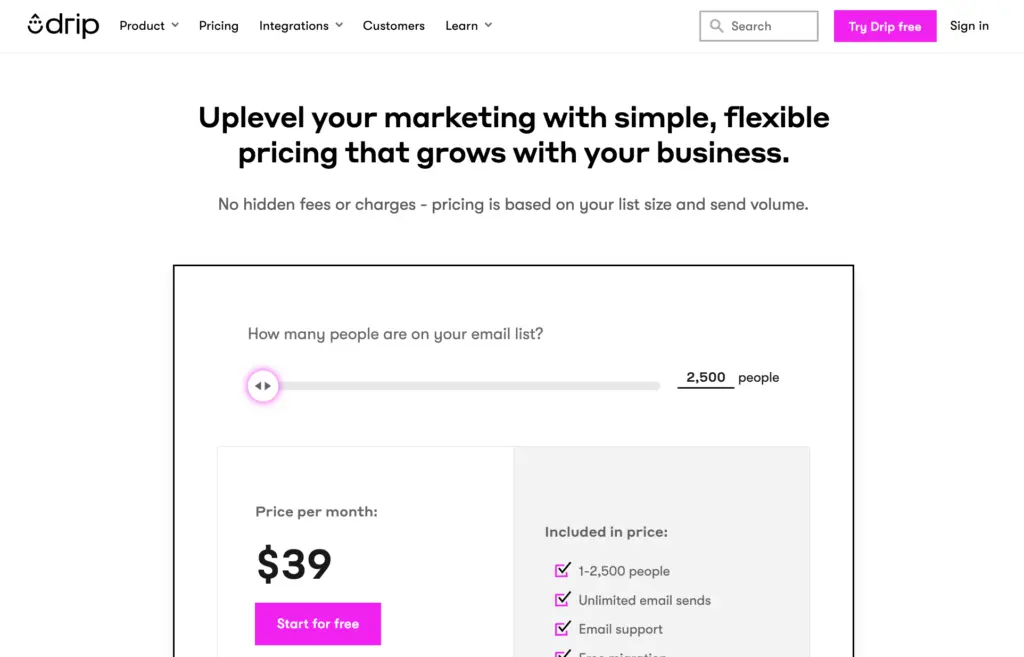
Drip runs a simple pricing model with one plan, starting from $39/month for up to 2,500 contacts. This increases to $49/month for up to 3,000 contacts, $69/month for up to 3,500 contacts and so on.
You can send unlimited emails every month and you get access to all of the platform’s features. The simple pricing model means you don’t have to worry about feature restrictions or upgrades – you only pay more for larger contact lists.
You can find out how much Drip will cost for your current email list on its interactive pricing page.
What we like:
- Simplicity – Everything about Drip is simple, possibly too simple for larger or experienced eCommerce users, but a great option for newcomers.
Where they could improve:
- Templates – While the templates included are quality, we would like to see more of them and more eCommerce-specific options.
- Campaign builder – The workflow UX could improve with drag-and-drop editing and enhanced functionality.
- Content blocks – More eCommerce content blocks in the email campaign builder.
Who should use Drip?
Drip is most suitable for new and small eCommerce websites. If you want a simple, affordable system that makes the basics as easy as possible, Drip is definitely worth trying. Likewise, if you’re new to email marketing and you want an easy entry point, this will get you off to a good start.
Just keep in mind that limited automation means you’ll only drive so much growth. The good news is that, if you do outgrow Drip, it’ll happen at a point where it’s still easy to switch to another system. You won’t be tied down by thousands of automation workflows or segmented lists that are a nightmare to migrate.
06Privy
Privy isn’t a complete email marketing system in the same vein as the other tools we’ve looked at today. The product first launched as a conversion tool for capturing leads with popups, banners and coupons. However, the company has expanded its product over the years to include more email marketing features.
Now, it just about makes a case for being a standalone email marketing tool for the newest and smallest eCommerce stores.
That being said, most companies will be better off using Privy alongside a more comprehensive email marketing system. In fact, the company itself recommends doing this. So we suggest using Privy as an extension of your email marketing system for capturing more leads and building bigger email lists.
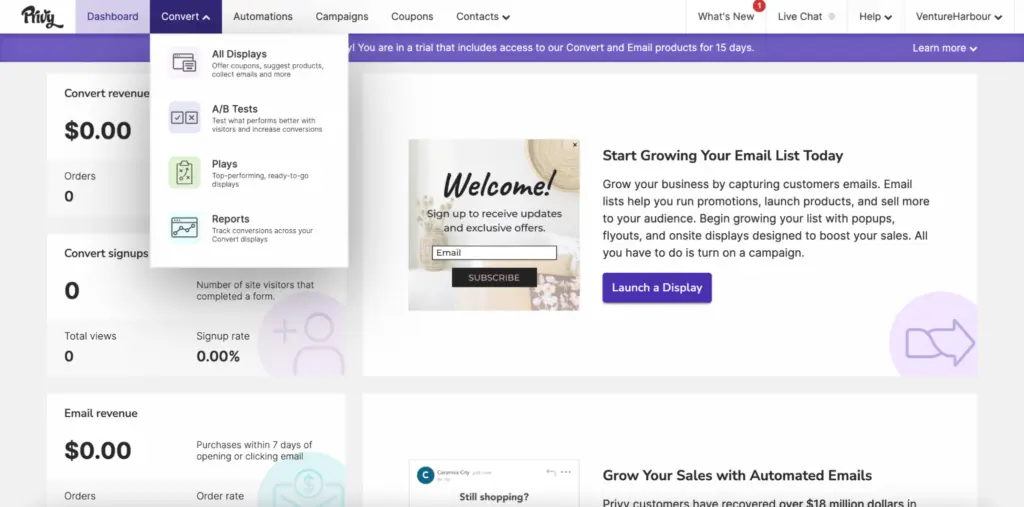
In terms of email marketing features, Privy now includes an email builder and its own library of templates. The templates aren’t particularly inspiring but perfectly usable for basic campaigns. The email builder isn’t too sophisticated, either, so you probably won’t be winning any awards for campaign design.
Realistically, Privy’s builder and templates are only an upgrade if you’re coming from the built-in email features of WooCommerce. Even the Shopify Email app gives you a better builder and audience segmentation than Privy.
However, Privy’s strengths lie in its conversion and email capture tools (popups, banners and coupons).
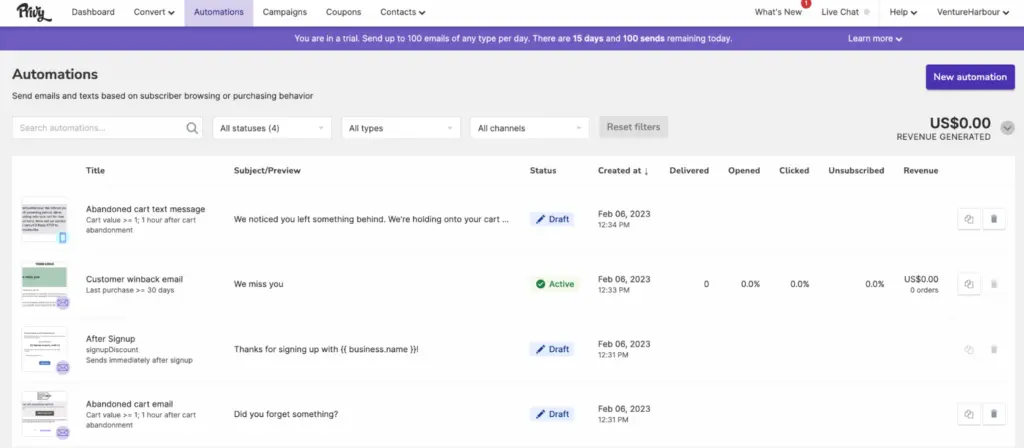
Unsurprisingly, automation isn’t much of a strong point with Privy, either. There’s no automation builder at all and, instead of true workflows, the platform’s version of “automations” are simply autoresponders.
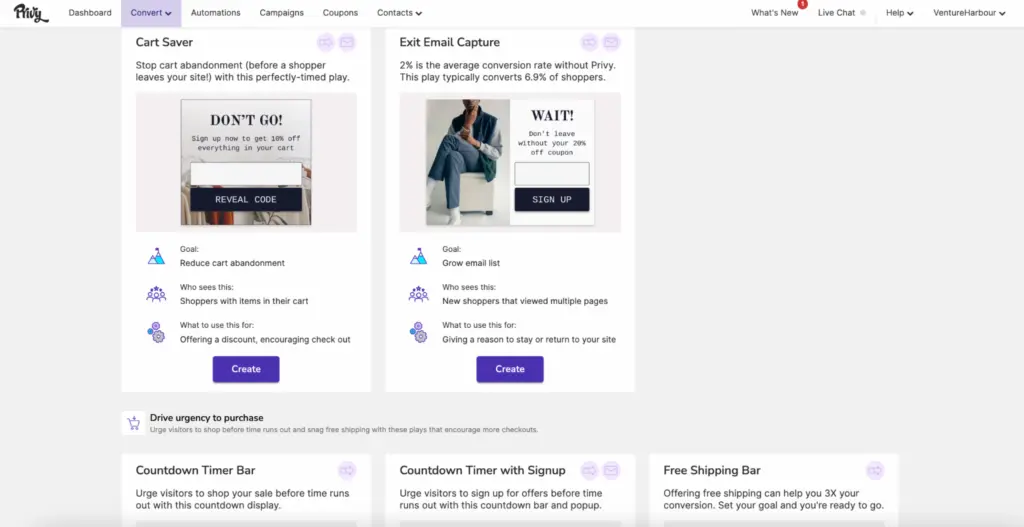
In most regards, this is the weakest email marketing system we’ve looked at today. However, Privy is an excellent tool for building email lists and you can’t do anything in email marketing without contacts on your list.
It’s particularly effective for new and smaller eCommerce companies looking to capture their first email leads. For obvious reasons, these are the companies least likely to need advanced email marketing features.
Pricing
Privy offers a free plan for up to 100 email contacts – ideal for building your first email list. You get full access to the platform’s popup features on this plan but you don’t get any of its email marketing features. This is no loss on a free plan designed for companies building their first list of contacts, though.
Pricing for the Starter Plan starts from $30/month for up to 1,500 contacts. You can send unlimited emails on this plan and you also get full access to Privy’s email marketing features.
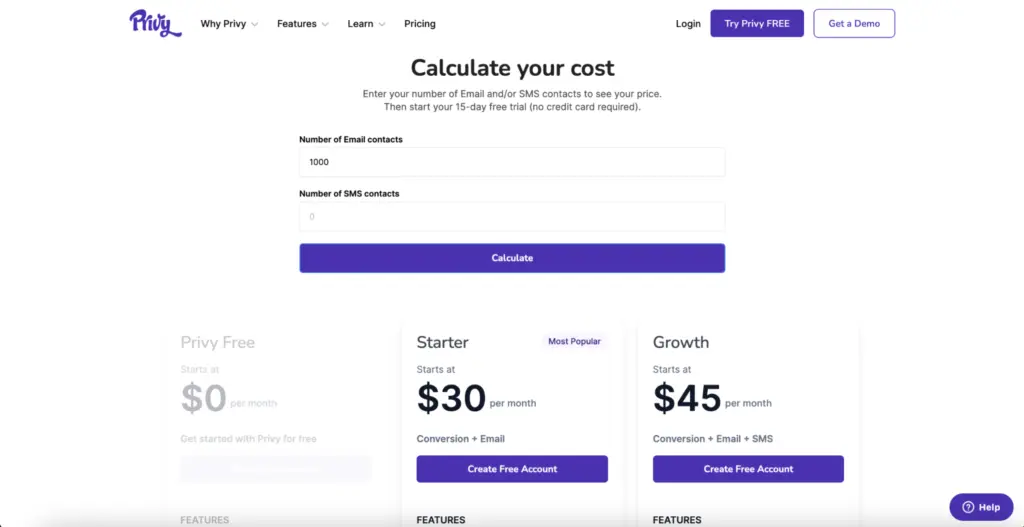
The Growth Plan starts from $45/month for up to 2,000 email contacts and 75 SMS contacts.
You can visit Privy’s pricing page to find out how much it will cost you for your current list.
What we like:
- Conversion tools – Pre-built popup templates improve conversion rates for key eCommerce actions (cart abandonment, cross-selling, etc.).
- Reporting – Privy tracks the revenue generated from each campaign or popup built in the platform.
Where they could improve:
- The overall email marketing offering – Privy is close to being a full eCommerce marketing platform, but the email and automation features are still basic.
- Template designs – They’re visually lacking and require external design support.
- Lack of automation templates – While Privy doesn’t offer workflow-style automations, the lack of templates means you have to build from scratch.
Who should use Privy?
Privy is best for new eCommerce businesses building their first email marketing list. The platform’s conversion tools will help you capture email leads, build your first list and convert more website visitors into customers.
Once you’ve got your first email marketing list, you’ve got a decision to make. You can either try out Privy’s email marketing features to see how much of an impact you make. Or, you can integrate it with a more complete email marketing system and use Privy to grow your contact list.
Choosing the right email marketing tool
Choosing an email marketing system is always a commitment. Selecting the right platform for your needs depends on multiple factors. You have to consider your budget, email marketing goals and the growth stage of your business. If you’re a relatively new eCommerce business, don’t be afraid to try out different systems early on, though.
It’s easier to change systems early in the growth journey than it is once you’ve got a more sophisticated email marketing strategy. As a newer or smaller company, you’ll need to change systems at some point anyway.
For larger or growing eCommerce companies, it’s a question of finding a system that will keep driving growth and increasing ROI.
Compare pricing
| Tool | Monthly price for 2,500 contacts | Monthly price for 10,000 contacts | Monthly price for 100,000 contacts |
|---|---|---|---|
| ActiveCampaign Plus | $95 (annual billing) | $189 (annual billing) | Check current quote |
| Omnisend | $35 | $115 | $720 |
| Klaviyo | $65 | $160 | $1,450 |
| Mailchimp | $60 | $110 | $800 |
| Drip | $39 | $154 | $1,199 |
| Privy | $45 | $150 | $780 |
Our verdict
For new and small eCommerce companies, we recommend starting out with a simple, affordable solution like Mailchimp, Drip or Privy’s free plan. These will help you build a list of contacts and get your email marketing strategy off the ground. By the time you outgrow this setup, you’ll be ready to upgrade to a more capable system and your email marketing strategy won’t be advanced enough to make the upgrade painful.
For a dedicated Shopify or WooCommerce store, we’d compare Omnisend first. We’d shortlist ActiveCampaign when the business also needs service or content workflows, while allowing for its weaker reporting and extra costs for add-ons.