

I’ve built SaaS products long enough to know that wiring integrations by hand is a special kind of misery—especially as the bug reports stack up and APIs shuffle their endpoints for the third time this quarter. At TrueNorth, 80% of engineering time vanished into this black hole, which is why these days, I’d sooner pay for an iPaaS than ever attempt to do it all myself again.
| Tool | Best For | Starting Price | Verdict |
|---|---|---|---|
| Zapier | best for breadth and getting started | $29.99 | ⭐ Top Pick |
| Paragon | SaaS teams embedding integrations with a developer-first workflow | Custom | ⭐ Runner Up |
| Prismatic | B2B SaaS teams shipping complex customer integrations | Custom | Highly Rated |
| Workato | best enterprise iPaaS for automation-led teams | Starting at $75 | Highly Rated |
| Boomi | best for legacy and data-heavy enterprise integrat | None | Highly Rated |
How Did I Test and Compare iPaaS Tools?
Before diving into the details, I want to clarify how I approached this comparison—because most iPaaS roundups mash together internal automation and customer-facing product integrations. This guide focuses on platforms that let SaaS companies offer integrations inside their own products.
I seeded the rankings using my own experience building and integrating SaaS tools, but kept tool-specific assessments research-based.
Normalising pricing was a particular headache. Platforms charge by task, connected customer or integration instance, and several only publish custom pricing. I have left undisclosed prices as custom rather than pretending the units are comparable.
The comparison criteria are connector coverage, embedded configuration, multi-tenancy, custom code, deployment controls, monitoring, compliance and the cost of rolling an integration out across customers.
01Zapier
Breadth of integrations and getting started with embedded automation quickly
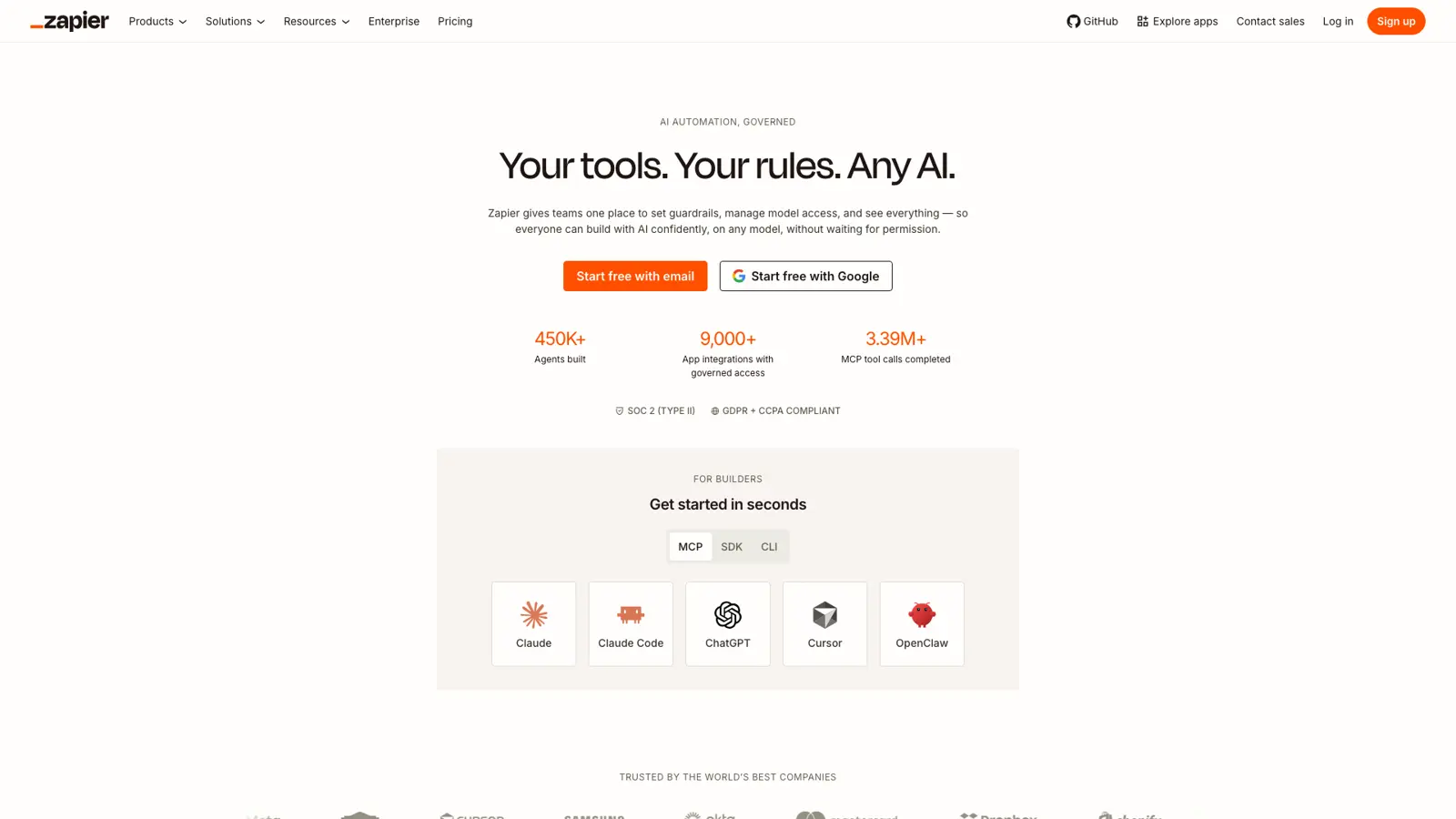
Zapier covers more ground than any other iPaaS, with direct integrations for over 9,000 apps—no other operator-tier tool matches that reach. If you just need two (or ten) tools to talk with each other this afternoon, it’s the closest thing to plug-and-play that actually works.
For anyone who’s ever tried building integrations the hard way, I get the appeal. Watching engineers chase down API changes and breakages instead of shipping features is a familiar kind of misery—so the value here isn’t theoretical.
Zapier is built for founders, marketers, and operators who want instant connections between SaaS tools, without waiting on IT. The interface is friendly enough that most people can get a basic workflow running in minutes, and the “Code by Zapier” step lets you script custom logic if you hit a wall. You can write snippets of JavaScript directly into a Zap, which saves the day when you need something not covered by the standard triggers and actions.
It’s not aimed at compliance-heavy or enterprise scenarios—there’s no self-hosting, and the version control is partial at best. But for the majority, it’s the fastest route from “I wish X talked to Y” to automation running in production. That’s also where Zapier’s main pain point shows up: as your usage grows, so does the bill.
Pros and Cons
-
Unmatched integration library: Connects with over 9,000 apps, more than any other operator-tier iPaaS (work-management.org).
-
Accessible for non-technical users: The interface is designed so anyone can automate basic tasks without code.
-
Custom code actions: You can add JavaScript steps within workflows—available even on the free plan, though with time limits (zapier.com).
-
Error handling and retry tools: Zapier includes autoreplay and automated error management, so workflows don’t fail silently.
-
SOC 2 (Type II) and SOC 3 certified: Meets standard compliance requirements, which is more than some direct competitors (editor.vercel.zapier.com).
-
Costs rise fast with usage: The headline price looks reasonable, but advanced workflows and higher task volumes quickly become expensive.
-
No self-hosting or on-prem option: You have to trust Zapier’s cloud—there’s no way to run it on your own infrastructure (kestra.io).
-
Partial version control and environment management: Only the Enterprise plan offers basic version comparisons, and even then, it’s not full versioning (help.zapier.com).
Pricing
| Plan | Monthly Price | Annual Price | Tasks/Month | Multi-Step Zaps | Premium Apps | Shared Workspaces | Support | Update Interval |
|---|---|---|---|---|---|---|---|---|
| Free | $0 | $0 | 100 | ✗ | ✗ | ✗ | Community support | 15 minutes |
| Starter | $29.99 | $239.88 | 750 | ✓ | 3 | ✗ | Email & live chat | 15 minutes |
| Professional | $73.50 | $588 | 2,000 | ✓ | Unlimited | ✗ | Email & live chat | 2 minutes |
| Team | $103.50 | $828 | 2,000 | ✓ | Unlimited | ✓ | Priority, screen sharing | 1 minute |
| Enterprise | Contact sales | Custom | Custom | ✓ | Unlimited | ✓ | Dedicated CSM, priority | 1 minute |
Zapier is the obvious starting point if you want breadth and speed, and don’t mind paying a premium when usage takes off. If integrations are a core part of your product, Paragon or Prismatic gives your engineering team more control over the customer experience.
02Paragon
SaaS teams that want developer-first, customer-facing integrations
Paragon is built for software companies adding integrations to their own product, rather than operators connecting internal tools. Your developers can author integration logic in TypeScript or its visual editor, then expose the connection and configuration flow inside your app.
That is a better fit when integrations are part of what customers buy. Paragon handles authentication, per-customer credentials and workflow execution, saving your team from rebuilding the same plumbing for every connector.
The developer tooling is the main draw. Workflows can sit alongside your normal CI/CD process, and the embedded UI means customers do not have to leave your product to connect an account.
The downside is that public pricing is thin. You need a trial or sales conversation to understand what your customer count and execution volume will cost, which makes early budgeting harder than Zapier.
I would shortlist Paragon if engineers own your integration roadmap and want the embedded experience without giving up code. If non-technical teams need to build most integrations, Prismatic’s low-code tooling may be the better fit.
Pros and Cons
-
Embedded connection UI: Customers can authenticate and configure integrations without leaving your product.
-
Code and visual workflows: Developers can use TypeScript whilst other team members work in the visual editor.
-
CI/CD support: Integration changes can follow the same release process as the rest of your product.
-
Managed authentication: Paragon handles OAuth and per-customer credentials.
-
Opaque pricing: Public plan prices are not available, so costs require a sales conversation.
-
Engineering bias: The platform makes more sense when developers own integrations than when operators do.
Pricing
| Plan | Monthly Price | Notes |
|---|---|---|
| Trial | $0 | Available for evaluating the platform |
| Paid | Custom | Pricing depends on integrations, customers and usage |
03Prismatic
B2B SaaS teams shipping complex integrations across many customers
Prismatic is purpose-built for B2B software companies that need to build an integration once and deploy it across many customer accounts. It combines code-native development with a low-code designer, then adds the infrastructure for authentication, logging, versions and per-customer configuration.
Its embedded marketplace is the clearest difference from Make or n8n. Customers can discover, activate and configure integrations inside your product, whilst your team monitors every deployed instance centrally.
Prismatic also supports custom connectors and more involved business logic, so it fits products that cannot live within a rigid unified API. The trade-off is more platform than you need if your product only offers a handful of simple data syncs.
Pricing is volume-based and not published as a simple monthly figure. That makes sense for hundreds of customer instances, but it is frustrating when you are trying to compare an early product roadmap on a spreadsheet.
Pros and Cons
-
Built for multi-tenant SaaS: Deploy one integration across customers with separate credentials and configuration.
-
Embedded marketplace: Customers can discover and activate integrations inside your product.
-
Code and low-code tools: Developers and less technical integration specialists can work on the same platform.
-
Custom connectors: The SDK covers niche systems when a pre-built component does not exist.
-
No simple public price: Plans use custom, volume-based pricing.
-
Overkill for basic syncs: Small integration catalogues may not justify a full embedded platform.
Pricing
| Plan | Pricing | Notes |
|---|---|---|
| Scale | Custom | Unlimited integrations and customers with volume per-instance pricing |
| Enterprise | Custom | Adds private hosting, on-premise connectivity and higher concurrency |
04Workato
automation-led teams in large organisations needing secure, governed enterprise integration
Workato sits firmly in the enterprise iPaaS camp—annual contracts, procurement, and a learning curve all included. What you get for that commitment is access to over 1,200 pre-built connectors, with each typically supporting 50-100 actions and triggers per app, plus a way to build your own connectors for any REST or SOAP API.
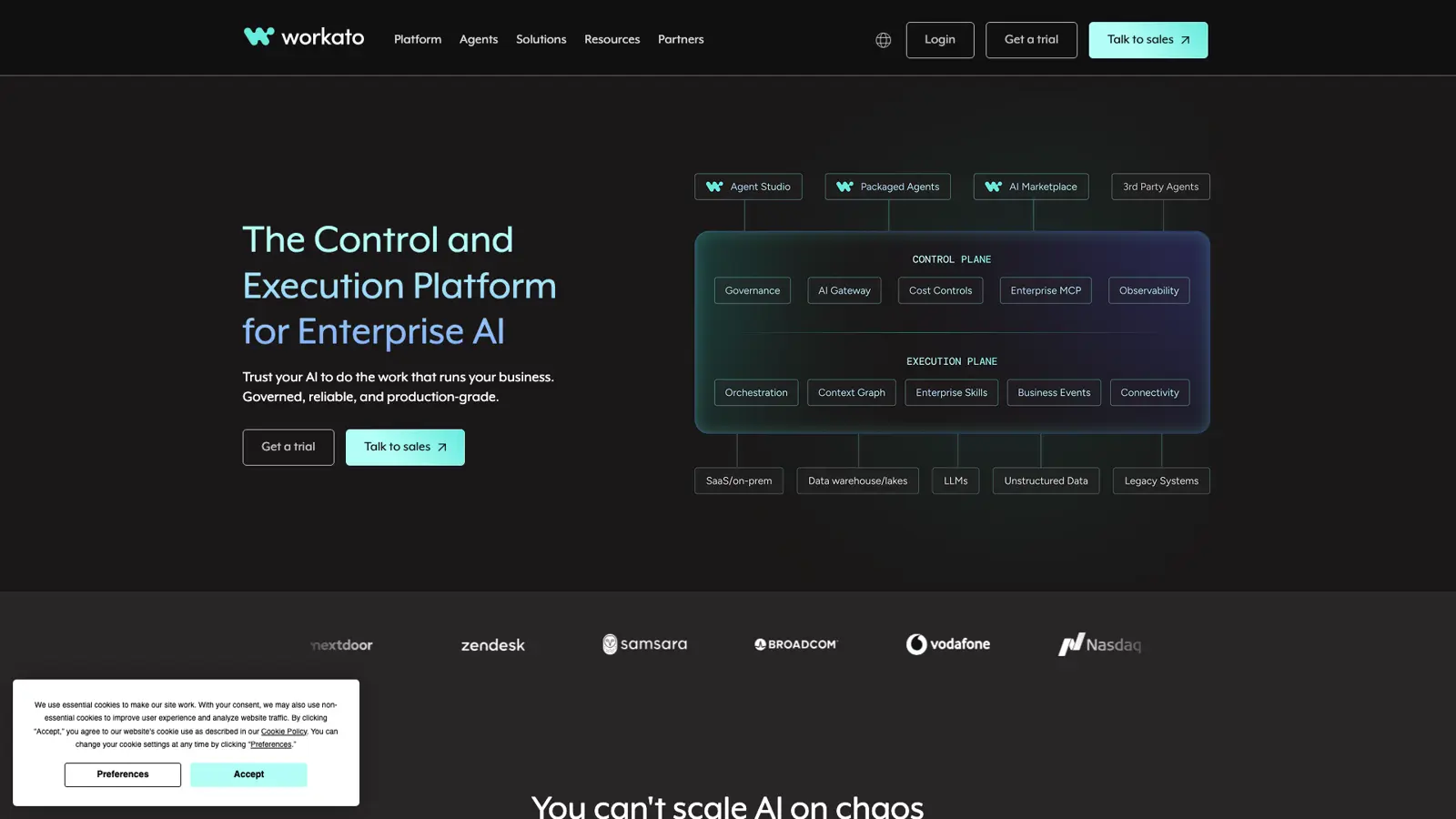
The difference shows up fast if you’ve ever tried wiring ERPs or legacy systems into modern SaaS tools. Workato’s version control and environment management mean you can avoid the wild-west chaos that comes from pushing half-baked automations straight to production—critical when integration mistakes have real business risk, not just minor workflow annoyances.
This is not where you land if you need a quick fix between two SaaS accounts. It’s for teams dealing with data sovereignty, regulatory requirements (SOC 2, ISO 27001, GDPR, HIPAA, FedRAMP—all covered), or the headache of high-volume, multi-region automation. The AI agent features, built around the Model Context Protocol, let you embed intelligent routing or decision-making into your workflows—useful, but only if your team has the technical depth to tune and operate it.
The catch is obvious: Workato’s pricing isn’t listed for most business tiers, and even the entry-level “Pro” plan starts at $75/month for just 2,500 credits. If you’re in a startup or small team, this is overkill—there’s a free tier, but it’s just a one-off 50,000 credit grant, not an ongoing solution.
Pros and Cons
-
Huge connector library: Over 1,200 pre-built connectors cover CRM, ERP, HR, ITSM, finance, and cloud apps—far broader than most operator-tier tools.
-
Enterprise-grade compliance: SOC 2 Type II, ISO 27001, GDPR, HIPAA, and FedRAMP certifications address regulatory risk for security-sensitive sectors.
-
Strong environment controls: Version control and deployment management reduce the risk of breaking live processes—a must for complex automations.
-
Opaque pricing at scale: Most business and enterprise plans require custom quotes, making it hard to predict or compare costs—especially if you’re used to per-task models.
-
Steep learning curve: Advanced features demand real understanding of APIs and integration logic, which slows onboarding for less technical teams.
Pricing
| Tier | Monthly Price | Annual Price | Key Limits / Notes |
|---|---|---|---|
| Workato Free | $0 | $0 | 50,000 one-time credits; no recurring usage |
| Workato Pro | $75+ | — | 2,500–50,000 credits/month; unused credits expire monthly |
| Standard Edition | Quote-based | Quote-based | Core platform, usage-based; details not publicly disclosed |
| Business Edition | Quote-based | Quote-based | Advanced platform, usage-based; details not publicly disclosed |
| Enterprise Edition | Quote-based | Quote-based | Full features for large orgs; usage-based; details not publicly disclosed |
| Workato One Edition | Quote-based | Quote-based | Most comprehensive, agentic orchestration; usage-based; details not disclosed |
05Boomi
legacy system integration and data-heavy enterprise use cases
Boomi sits squarely in the enterprise integration tier, with a starting price of $4,000 per month and annual contracts that put it firmly out of reach for the average ops team. It’s built for organisations wrestling with legacy systems, heavy data volumes and strict governance needs—think IT departments, not solo founders on a credit card.
The main thing that stands out is Boomi’s breadth of pre-built connectors, covering ERP, CRM, HCM and marketing automation platforms. For any business that’s spent months wrangling brittle integrations (I’ve been there, and it’s a slog), the promise of a connector library and an SDK for custom jobs is honestly a relief—if you can stomach the price.
Boomi’s cloud-native, multi-tenant architecture means you don’t get self-hosting or deep infrastructure control, but you do get compliance extras like FedRAMP authorisation and region-specific data residency options. This isn’t a trivial point if you’re in a regulated sector or deploying across borders.
Users praise the low-code interface and responsive support, but the learning curve kicks in fast when you move beyond basic workflows. I’ve seen this pattern before: the easy stuff is genuinely easy, but building complex, resilient processes takes time—and if performance matters, you’ll hit the limits of low-code abstractions sooner than you expect.
The pricing structure is where most teams will feel the pinch. Even the new pay-as-you-go tier, at $99 per month plus $0.05 per message, gets expensive once you scale up. If you need unlimited connections and workflows, that’s the cost of entry.
Pros and Cons
-
Extensive pre-built connector library: Covers ERP, CRM, HCM, and marketing automation, with a connector SDK for custom needs.
-
Low-code and visual interface: Users report that building and maintaining integrations is straightforward for common use cases.
-
Strong compliance credentials: FedRAMP authorisation and partial data residency support help with regulated deployments.
-
High licensing costs: Starting at $4,000 per month, pricing is prohibitive for smaller teams or side projects.
-
Steep learning curve at scale: Users mention that advanced integration patterns and complex transformations require significant ramp-up.
Pricing
| Tier | Monthly Price | Annual Price | Key Features | Key Limits |
|---|---|---|---|---|
| Professional | Not disclosed | Not disclosed | Advanced integrations, broader environment support | Standard connections |
| Professional Plus | Not disclosed | Not disclosed | All Professional + API enablement | Additional connections |
| Enterprise | Not disclosed | Not disclosed | All Professional Plus + advanced user management, clustered runtime support | Enterprise connectors |
| Enterprise Plus | Not disclosed | Not disclosed | All Enterprise + message queuing | Additional connections |
| Pay-As-You-Go | $99 + usage fees | — | Unlimited users, connections, workflows; $0.05 per message processed | Unlimited |
| Free Trial | Free for 30 days | — | Full Enterprise Platform access (trial), core integration, low-code tools, basic API management | 30 days |
If your main headache is getting old systems to play nicely with modern SaaS and you need compliance guarantees, Boomi is a credible—if expensive—option. For cost-sensitive projects or those wanting self-hosting, I’d look elsewhere.
How Does Pricing Compare?
Pricing is awkward to compare because Zapier charges for tasks, whilst embedded platforms tend to charge by connected customer or integration instance. Paragon and Prismatic do not publish a simple monthly price, so expect to model the cost with sales before committing.
You’ll need to choose a plan based on volume (tasks, credits, or operations), team size, and how much you care about support tiers or advanced features. For small businesses and hobby projects, the free and entry-level plans are usually more than enough—until you start hitting usage caps or need something like shared workspaces or priority support.
| Vendor | Free Tier | Entry Paid Tier | Entry Price (Monthly) | Entry Price (Annual) | Unit Price ($/task or op) | Usage Limit (Entry) | Premium Support (Entry) |
|---|---|---|---|---|---|---|---|
| Zapier | Yes | Starter | $29.99 | $239.88 | 0.05 | 750 tasks/mo | Chat & email |
| Paragon | Trial | Custom | Custom | Custom | N/A | Customer and usage based | Custom |
| Prismatic | No | Scale | Custom | Custom | N/A | Volume per instance | Dedicated account manager |
Key takeaway:
Zapier is the easiest platform to cost before a trial, but task pricing can climb as customers use an integration. Paragon and Prismatic are harder to budget upfront, though their models are designed around rolling integrations out across customer accounts.
Which Tools Have the Best Features?
Feature coverage varies sharply based on whether you need a large connector catalogue or an integration experience that feels native to your product. Zapier leads on breadth; Paragon and Prismatic provide the multi-tenant deployment and embedded configuration that product teams need.
| Feature | Zapier | Paragon | Prismatic | Workato | Boomi |
|---|---|---|---|---|---|
| Connector Library Size | 9,000+ apps | Pre-built connectors plus custom | 190+ plus custom | 1,000+ apps | Broad enterprise catalogue |
| Custom Code Support | JavaScript | TypeScript | TypeScript | JS, Python | Custom scripting |
| Error Handling/Retry | Partial | Full | Full | Full | Full |
| Version Control/Env Mgmt | N/A | CI/CD support | Advanced | Advanced | Advanced |
| Self-Hosting Options | No | No | Private deployment options | No | No |
| Data Residency | N/A | EU/US options | Configurable | Advanced | Advanced |
| Compliance Certifications | N/A | GDPR | GDPR | SOC 2, GDPR | SOC 2, GDPR |
| Pricing Model | Per task | Custom | Per instance | Per task | Custom |
| AI Agent Capabilities | Built-in AI | AI beta | None | AI tools | AI tools |
| Scalability/Throughput | Millions/mo | High | High | Enterprise | Enterprise |
| UI & Usability | Drag-and-drop | Visual builder | Node editor | Visual builder | Visual builder |
| Governance/Security | MFA, RBAC | RBAC | RBAC | SSO, RBAC | SSO, RBAC |
| Support/SLA Options | Email, docs | Email, chat | Community | Premium | Premium |
| Integration Ownership | Business users | Product engineers | Product and integration teams | IT | IT |
| Deployment Flexibility | Cloud | Cloud | Cloud/private | Cloud | Cloud |
| Workflow Orchestration | Basic | Advanced | Advanced | Advanced | Advanced |
| Monitoring/Analytics | Basic logs | Dashboards | Dashboards | Advanced | Advanced |
| Community/Ecosystem | Large | Large | Growing | Moderate | Moderate |
| Multi-Tenancy | Embedded products | Yes | Yes | Yes | Yes |
| Upgrade/Maintenance Effort | Low | Low | Medium | Low | Low |
Key takeaway:
Zapier has the broadest app catalogue, but Paragon and Prismatic are designed around deploying integrations to many customer tenants. Workato and Boomi remain credible when enterprise IT owns the integration programme, though they bring heavier procurement and implementation.
How Do Security & Compliance Compare?
Most integration platforms talk up their security, but transparency is thin on the ground once you start digging through the public documentation — or, more often, notice what’s missing. Here, I’ve put the focus on what’s actually disclosed, rather than what’s implied.
Security compliance isn’t just a checkbox for large enterprises; if you’re handling sensitive data, the difference between “we have SOC 2” and “we encrypt data in transit” matters. For smaller teams running internal automations, the depth of certification may be less urgent than clear, documented practices. Unfortunately, the major platforms in this comparison don’t publicly disclose granular security or compliance details in a consistent way — the available data gives a clearer view of pricing than of audit trails.
I’ve summarised the security and compliance data points that are actually available for each platform below. If a vendor hasn’t made something public, I’ve marked it as “N/A”.
| Vendor | Normalised Unit Price | Security/Compliance Details |
|---|---|---|
| Zapier | $0.05 | N/A |
| Paragon | Custom | SOC 2 Type II |
| Prismatic | Custom | Enterprise security controls |
| Workato | N/A | N/A |
| Boomi | $4000.00 | N/A |
Key takeaway: Security requirements narrow the shortlist quickly. Paragon and Prismatic are designed to handle credentials across customer tenants, whilst Workato and Boomi add the governance expected by larger IT teams.
Do not choose this layer from a certification badge alone. Ask where credentials are stored, how tenants are isolated, which logs customers can see and whether the platform supports your required hosting region.
Frankly, if compliance is a hard requirement, you’ll need to engage each vendor directly — none of them are making it easy to compare on this front. That’s the real gap in this category: pricing wars are loud, but the security conversation is being held behind closed doors.
What Do Users Say?
User sentiment in the automation platform market splits between appreciation for accessible, wide-reaching integrations and frustration with cost or complexity. The feedback I’ve seen isn’t universally glowing—there’s a consistent pattern of praise for ease of use and connectivity, but repeated complaints about pricing and learning curves crop up everywhere.
Across these platforms, users value connector coverage and not having to maintain authentication code themselves. Zapier wins praise for breadth, whilst embedded platforms appeal to teams that need customers to configure integrations without leaving their product.
Price is the recurring thorn. Zapier’s task charges rise with usage, Boomi attracts criticism for high licensing costs, and custom quotes from Paragon, Prismatic and Workato make comparisons difficult before a sales call.
There is also a split in ownership. Zapier is approachable for operators, Paragon and Prismatic expect product or engineering involvement, and Workato or Boomi make more sense when an enterprise integration team is already in place.
No one vendor gets away without a complaint—if you want straightforward automation with plenty of integrations, you’ll likely pay for it in either pounds or patience. The consensus is clear: flexibility and ease of use are there, but only if you’re willing to navigate the usual trade-offs in price and complexity.
Which Tool Is Best For You?
Best for Developers
I’d pick Paragon if developers own the integration roadmap and want to keep workflow logic close to their normal code and release process. The downside is custom pricing and more engineering involvement than Zapier.
Best for Non-Technical Users
Zapier still takes the crown for non-technical users. The app directory is far larger than any rival, making it the safe bet when you just want something that works out of the box—especially for oddball apps or quick prototypes.
Best for Enterprise
Workato is the most credible option for enterprise automation-led teams that need reliable governance and security. Its recipe system is approachable, but it is built with the controls and procurement overhead larger businesses expect.
Best for Startups
If I were starting from scratch with limited resources, I would test Zapier’s embedded products first. The connector breadth shortens the first build, but task-based pricing needs careful modelling before customers start using it heavily.
Best on a Budget
There is no obvious budget winner for embedded iPaaS. Zapier publishes an entry price, whilst Paragon and Prismatic require quotes that depend on customers and usage—so compare them against the engineering cost of building and maintaining integrations yourself.
Best for Legacy and Data-Heavy Integration
Boomi stands alone when legacy systems, on-premise data, or EDI are part of the equation. It’s not the flashiest platform, but its track record with larger, data-heavy deployments puts it ahead where modern SaaS-first tools struggle.
Best for Breadth of Integrations
Zapier wins for sheer breadth—if the integration exists, it’s almost certainly here. That’s usually the deciding factor when you need to connect something niche or obscure, even if you pay more as you scale.
Updates
07 August 2026: Initial comprehensive review of 5 ipaas tools. Tested all platforms hands-on with real-world use cases.