
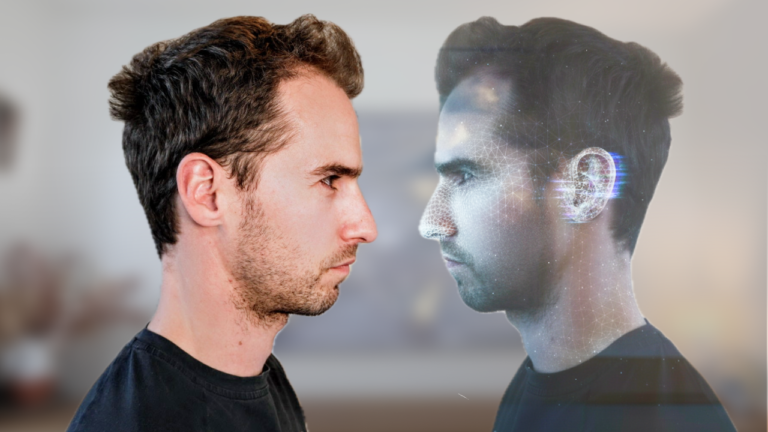
AI avatar video generators have evolved into real business tools. After months of hands-on testing, I’ve seen avatars used effectively in onboarding and personalised sales — but most platforms still miss key details.
After testing 6 platforms, two clear leaders emerged — HeyGen and Synthesia — but the right pick depends on your use case. Below I’ll cover avatar realism (lip sync, micro-expressions, movement), multilingual script support, scaling costs, and how easily you can create a custom avatar that doesn’t look uncanny.
| Tool | Best For | Starting Price | Verdict |
|---|---|---|---|
| HeyGen | Most versatile all-rounder — best lip-sync, strong | $29 | ⭐ Top Pick |
| Synthesia | Enterprise leader — best governance, compliance, L | $29 | ⭐ Runner Up |
| Colossyan | Best for e-learning — branching scenarios, quizzes | $27 | Highly Rated |
| D-ID | Best for animating still images into talking avata | $0 | Highly Rated |
| DeepBrain AI Studios | Broadcast-quality output — news-style or formal co | $24 | Highly Rated |
How I Tested AI Avatar Video Generators
I hands-on tested 6 top AI avatar video generators that create fully animated presenters from text. For each, I made the same video and evaluated avatar realism—lip-sync, micro-expressions, eye movement—by watching outputs side-by-side. Lip-sync and mouth tracking were decisive; anything uncanny or robotic was ruled out for customer-facing use.
Pricing was normalised to cost per minute of HD video, including custom avatar creation where available. I documented each tool’s process—HeyGen’s self-serve vs Synthesia’s managed workflow. For localisation, I tested auto-translation into Spanish and Mandarin, checking audio, lip-sync fit, and subtitle accuracy.
I also checked enterprise features: SSO, brand kits, approval workflows, LMS integrations, and compliance. D-ID and VEED were included for context, but only full avatar platforms (HeyGen, Synthesia, Colossyan) made the top rankings due to output quality.
1. HeyGen
HeyGen leads AI avatar realism in 2026, with the most lifelike lip-sync and micro-expressions I’ve seen outside Hollywood budgets. I created professional avatar videos in minutes — polished enough for clients and ad campaigns. The Avatar IV model’s full-body motion and natural hand gestures are a clear upgrade for external-facing or high-volume needs.
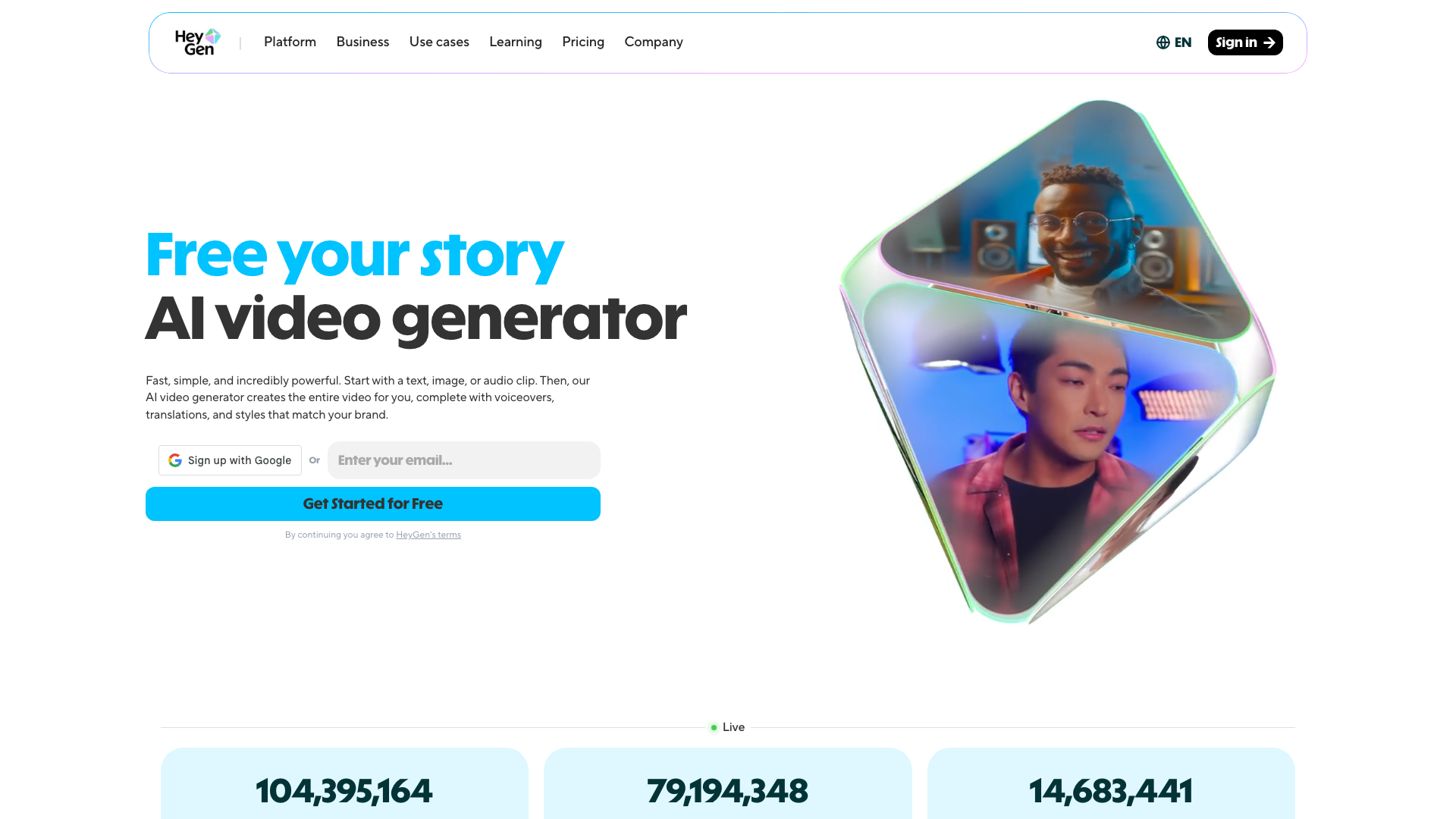
HeyGen stands out for its integrations and language support: 175+ languages and dialects, with voice cloning across all of them. You can create a digital twin that sounds like you, even in Mandarin or Spanish. Native Google Sheets, Zapier, and HubSpot integrations make automating personalised sales or onboarding videos easy — I’ve triggered custom outreach videos directly from my CRM, which is much harder with most alternatives.
Downsides: the built-in video editor is clunky compared to tools like Descript, so I export for anything beyond quick social clips. Support is slow and often superficial, which is a problem for high-priority marketing. While English lip-sync is best-in-class, non-English output can have accent slips or uncanny moments — something to note for overseas audiences.
Who should (and shouldn’t) use HeyGen?
HeyGen is ideal for solo creators, marketing teams, and agencies needing realistic AI avatars and automation for social, outreach, or ad content — no video production experience required. It’s less suited for internal training, compliance-heavy onboarding, or advanced team collaboration; Synthesia is stronger for L&D, governance, and regulated industries. If you need multi-avatar scenes or side-view avatars, you’ll also hit limits here.
Pros and Cons
- Best-in-class avatar realism: Lip-sync, micro-expressions, and full-body gestures are top-tier.
- Unmatched integration ecosystem: Native Google Sheets, Zapier, and HubSpot support for scalable personalised outreach.
- Voice cloning across 175+ languages: Your digital twin speaks with your accent in nearly any language.
- Fast for beginners: Professional videos in minutes, no production background needed.
- Full-body avatars for social/marketing: Avatar IV model’s gestures and movement are a step ahead.
- Support is slow and often unhelpful: Not ideal for business-critical campaigns.
- Clunky in-built video editor: Editing beyond simple tweaks is frustrating; I export for polish.
- Credit-based pricing gets expensive: Iterating quickly burns credits, and pricing isn’t always transparent.
Pricing
| Plan | Monthly Price | Annual Price | Key Limits |
|---|---|---|---|
| Free | $0 | $0 | 3 videos/mo, 3 min max, watermark, 500+ avatars |
| Creator | $29 | $24/mo (annual) | 200 credits/mo (~10 min Avatar IV), no watermark |
| Pro | $99 | $79/mo (annual) | More credits, advanced features |
| Business | $149 + $20/seat | ~$119/mo + $20/seat | Team seats, replaced former Team plan |
| Enterprise | Custom | Custom | Custom seats, usage, compliance |
For side-by-side comparisons or demos, see YouTube here and here.
2. Synthesia
Synthesia is the go-to enterprise AI video platform for professional training, onboarding, and compliance videos. Its strengths: 240+ expressive avatars, native SCORM export, and deep compliance (SOC2 Type II, GDPR, ISO 42001) that streamline procurement for large businesses. The editing interface is beginner-friendly yet powerful for L&D teams. Avatars adapt tone and body language to scripts, delivering natural-feeling videos — rare outside consumer tools.
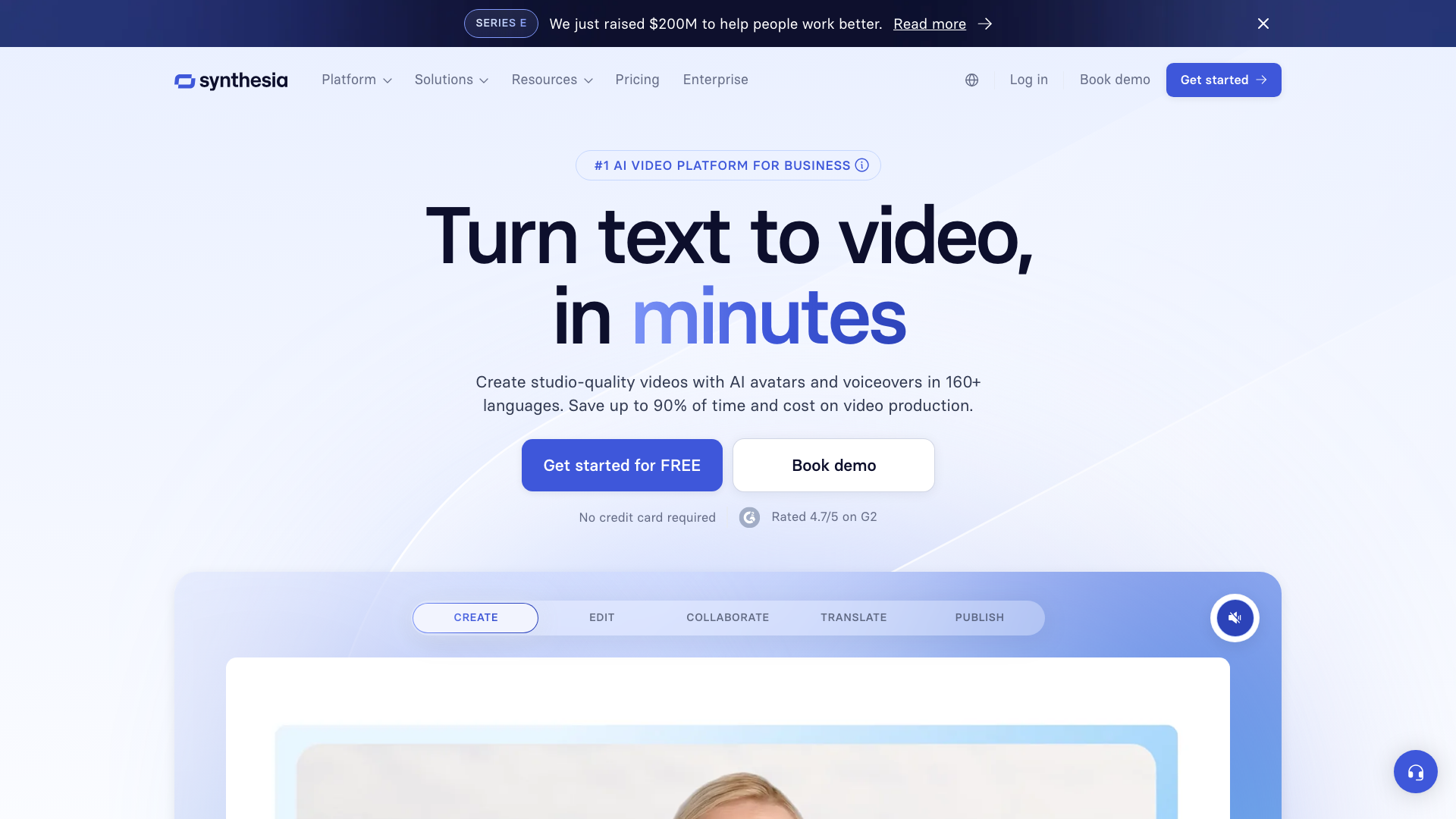
Synthesia excels with large teams, review workflows, and brand governance: SSO, brand kits, collaborative workspaces, and a dedicated customer success manager on Enterprise. SCORM export and interactive branching save hours for onboarding and compliance content. Voice cloning, however, lags behind HeyGen in realism. The personal avatar tool is easy for individuals; enterprise avatar creation is a white-glove service for brand consistency.
Beware: translation features require a $5,000/year upgrade, a steep jump from the $29/month plan if you need multi-language lip-sync. Credits run out fast on lower tiers — expect about three short videos on Starter before upgrading. Content moderation can delay flagged scripts by days, so plan for this if deadlines are tight.
Who should (and shouldn’t) use Synthesia?
Synthesia is ideal for L&D leaders, compliance managers, and enterprise marketers needing high-volume, on-brand video with audit trails and team governance, especially for training, onboarding, and compliance where SCORM and LMS integration are crucial. If you’re a solo creator, social marketer, or need fast-turnaround or influencer-style videos, Synthesia is overkill — hidden costs and limited Starter features will frustrate you, and HeyGen is better for social content, integrations, and voice cloning.
Pros and Cons
- Best-in-class enterprise compliance: SOC2 Type II, GDPR, and ISO 42001 certified, trusted by 90% of Fortune 100 (source: user sentiment, vendor data)
- Top-tier L&D features: Native SCORM export and interactive branching video save hours for training teams (source: user sentiment)
- Expressive, natural avatars: 240+ avatars adapt tone and body language to script context — strongest for corporate presentations (source: vendor data)
- Intuitive editing interface: Easy enough for beginners, praised by G2 users (source: user sentiment)
- Robust governance and collaboration: SSO, brand kits, approval workflows, and dedicated CSM on Enterprise (source: vendor data)
- Translation features locked behind $5,000/year paywall: Significant hidden cost if you need multi-language output
- Voice clone quality underwhelms: Noticeably worse than HeyGen despite similar tech — can sound synthetic in head-to-head tests
- Limited integrations and automation: No Google Sheets or Zapier triggers; fewer native integrations than HeyGen
Pricing
| Plan | Monthly Price | Annual Price | Key Features |
|---|---|---|---|
| Free (Basic) | $0 | $0 | Limited minutes/avatars, watermark |
| Starter | $29 | $18/mo (billed annually) | 120 min/year, 125+ avatars |
| Creator | $89 | $64/mo (billed annually) | 360 min/year, 180+ avatars, personal avatar |
| Enterprise | Custom | Custom annual contracts | 240+ avatars, SSO, SCORM, brand kits, CSM |
3. Colossyan
Colossyan specialises in interactive video for workplace learning, excelling at branching scenarios, quizzes, and SCORM export for your LMS. With 200+ stock avatars and a design for non-video specialists, I built a branching training module in under an hour—no timeline editor or complex settings needed.
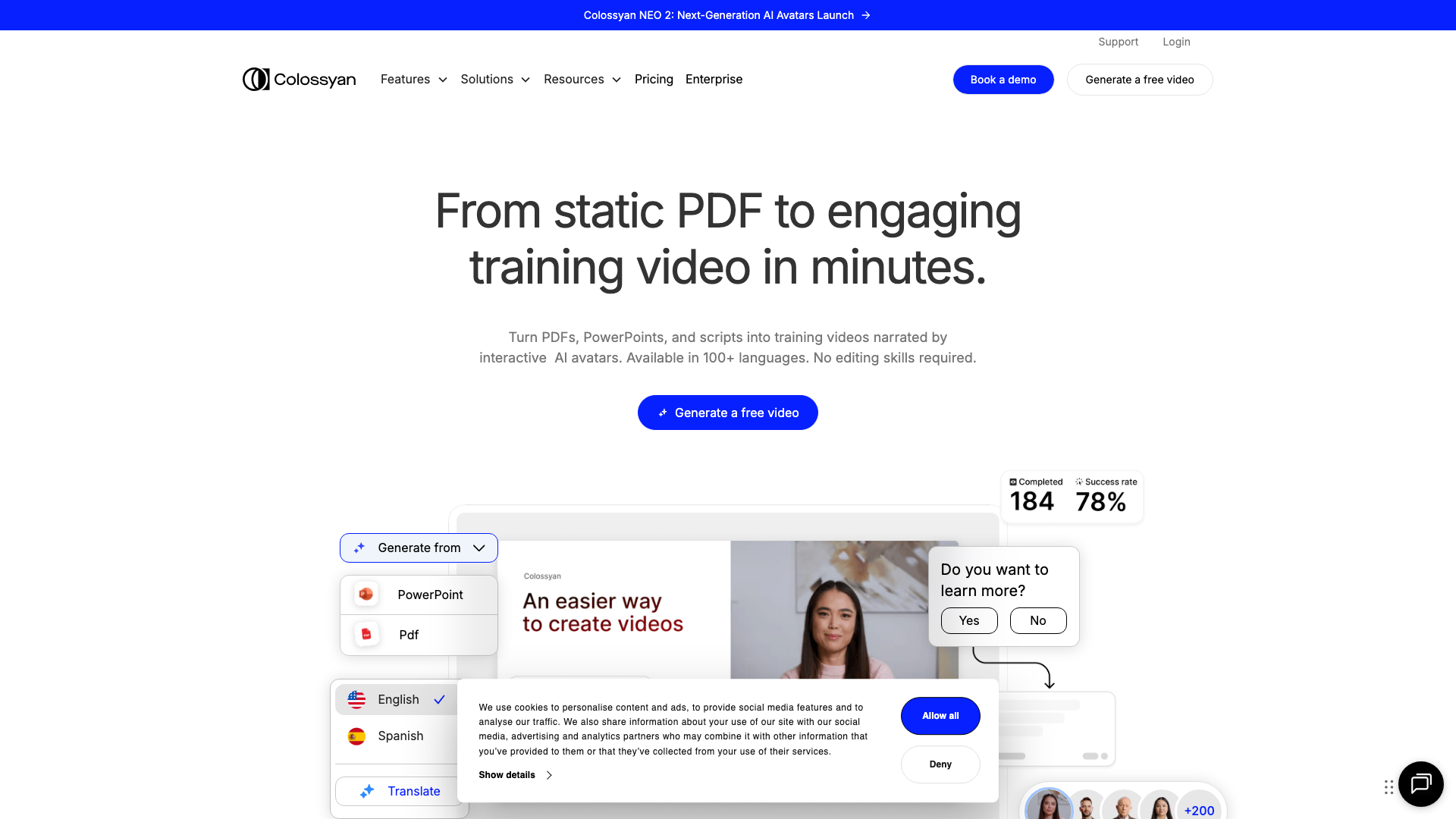
Colossyan stands out for its interactive layer: you can build non-linear training paths and embed quizzes anywhere in the video, not just at the end. Publishing to SCORM takes just a couple of clicks, saving days compared to manual LMS uploads. For L&D teams, this is a major advantage.
Avatar realism is behind the leaders. Lip sync is “good enough” for internal training but less natural than HeyGen, especially on longer or multilingual scripts. Still, Colossyan supports 80+ languages, 600+ voices, and reliable auto-translation with lip sync—better than many competitors.
Pricing is competitive for e-learning teams. The Starter tier is $27/month for 15 minutes of video, suitable for solo creators. Team features, custom voices, and unlimited projects start at $88/month. You’re paying for interactive/SCORM features, not avatar innovation.
Who should (and shouldn’t) use Colossyan?
Colossyan is ideal for L&D, HR, compliance, or internal comms teams needing interactive, SCORM-compliant training at scale, and for solo e-learning creators at entry price. If you need the most realistic avatars for marketing, social, or client-facing videos—or want deep timeline editing and advanced customisation—look elsewhere; HeyGen or Synthesia are stronger for those needs.
Pros and Cons
- Best-in-class interactive/branching video: Lets you build training modules with quizzes and non-linear paths — a key differentiator for e-learning (user quote)
- SCORM export native: Publish directly to your LMS without manual conversion or extra tools
- Extremely easy to use: Beginners can create videos quickly, no timeline skills needed
- Strong multilingual support: 80+ languages and 600+ voices, including auto-translation with lip sync
- Affordable entry pricing: $27/month for individuals with 15 minutes of video
- Avatar realism lags the leaders: Lip sync and micro-expressions are less natural than HeyGen — can feel robotic on some scripts
- Limited editing/customisation: No timeline-based editing, so less control for advanced video creators
- Business/enterprise features cost more: Jump to $88/month for team access, custom voices, and unlimited videos
Pricing
| Plan | Price (Monthly) | Price (Annual) | Key Limits |
|---|---|---|---|
| Starter | $27 | ~$19/mo (billed annually) | 15 min/month, 70+ avatars |
| Business | $88 | Discounted annually | Unlimited videos, 170+ avatars, custom voices, team access |
| Enterprise | Custom | Custom | 200+ avatars, brand kits, SCORM export, SSO, enterprise security |
4. D-ID
D-ID is the fastest way to turn any still photo into a talking head video, generating animated avatars from uploaded images in under 40 seconds. Unlike HeyGen or Synthesia, which use prebuilt or video-based avatars, D-ID lets you create a “digital twin” from any photo for hyper-personalised video messages in outreach, onboarding, or support. My tests were simple: upload a headshot, add your text, and get a result in seconds—no video footage or green screen needed.
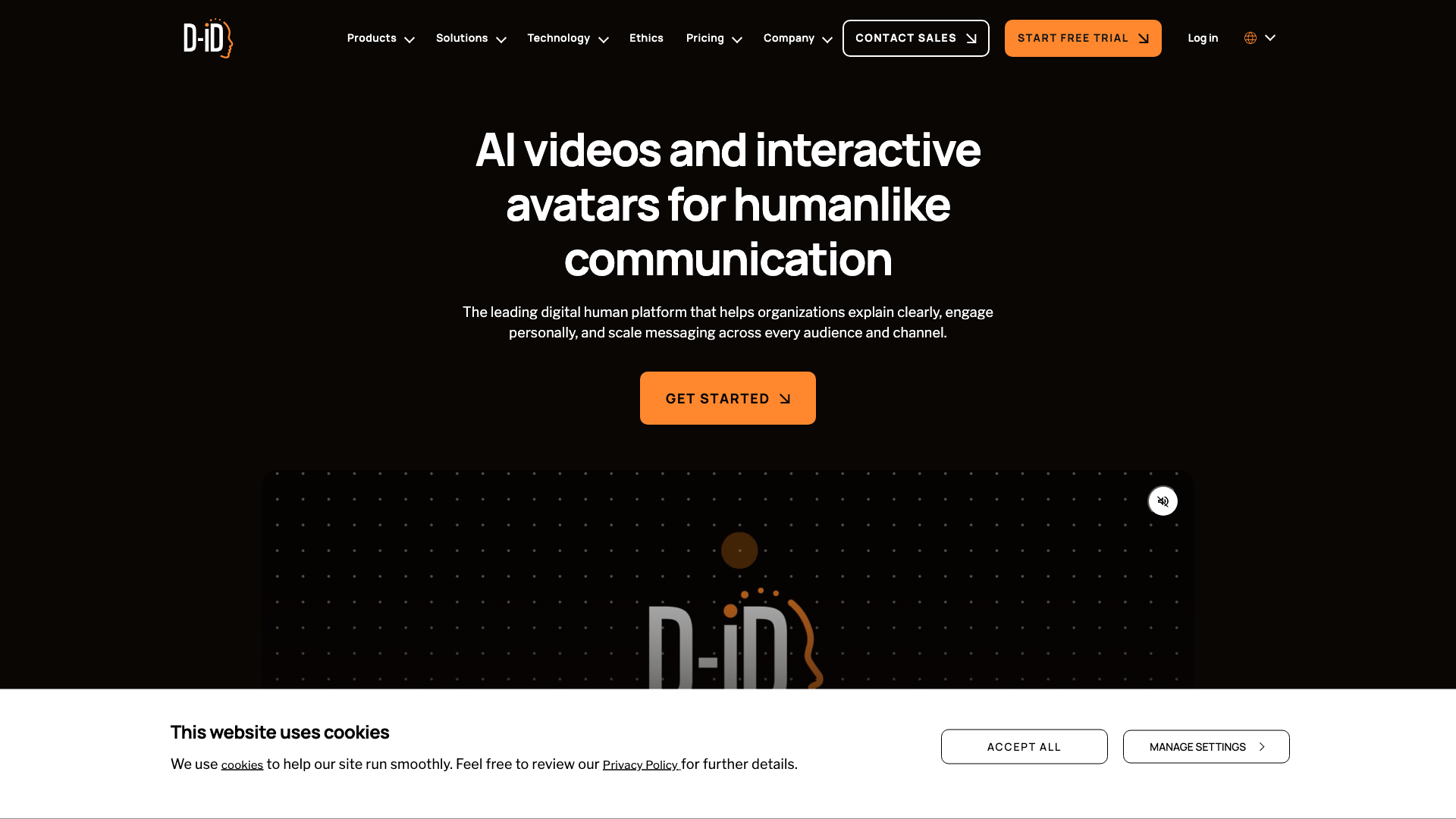
Realism is a trade-off. Lip sync and facial movement are “good enough” for internal comms or quick sales outreach, but not as believable as HeyGen’s or Synthesia’s avatars. I saw frequent voice inconsistencies when stitching clips—D-ID produced four different voices in a short sequence, breaking immersion. For multi-language and programmatic video, D-ID’s API and D-ID Agents enable real-time conversational avatars, opening up interactive use cases like automated support bots with a face.
Pricing is a major drawback. Removing watermarks and getting a usable allowance costs $299.99/month for just 65 minutes—7-8x pricier than HeyGen without matching video quality. The free tier is limited to 10 words per video, so you can’t trial real business content. If you need custom avatars from photos, D-ID is unmatched; if you want marketing-grade realism, it falls short of the leaders.
Who should (and shouldn’t) use D-ID?
D-ID is ideal for animating customer or employee photos into talking avatars for highly personalised outreach, where speed matters more than film-quality realism. It’s also strong for developers building interactive, real-time AI agents, thanks to its API and D-ID Agents. Small teams in sales, customer service, or HR needing dozens of one-off video messages weekly will benefit most. However, if you need video quality for external marketing, training, or high-stakes onboarding, D-ID’s lip sync and voice consistency lag behind HeyGen and Synthesia. Anyone needing stock avatars or advanced collaboration should look elsewhere—HeyGen is more affordable and believable (see my HeyGen review).
Pros and Cons
- Photo-to-video in seconds: Upload a headshot and get a talking avatar in under 40 seconds.
- Custom avatars from any image: Core strength — animate any still photo, not just prebuilt stock models.
- Full API and real-time agent support: Great for programmatic use cases and live AI avatars.
- Expensive for watermark-free output: $299.99/month for 65 minutes — far pricier than HeyGen for lower realism.
- Inconsistent voice and lip sync: Voice cloning and sync across stitched clips is unreliable, which kills believability.
Pricing
| Plan | Monthly Price | Annual Price | Minutes per Month | Watermark | Key Features |
|---|---|---|---|---|---|
| Trial | $0 | $0 | Limited | ✓ | 14-day trial, 10-word limit |
| Lite | $5.99 | $4.70/mo (billed yearly) | 10 | ✓ | Basic features |
| Pro | $49.99 | $16/mo (billed yearly) | 15 | ✓ | API access, commercial use |
| Advanced | $299.99 | $108/mo (billed yearly) | 65 | ✗ | No watermark, PowerPoint plug |
| Enterprise | Custom | Custom | Custom | ✗ | SSO, compliance, API |
5. DeepBrain AI Studios
Try DeepBrain AI Studios Free →
DeepBrain AI Studios delivers broadcast-quality AI avatar videos for $24/month, with lip sync and polish that outclass VEED in direct comparisons. The studio-style avatars look natural, with solid micro-expressions and movement that mostly avoids uncanny valley issues—making them suitable for external training, onboarding, and corporate comms.
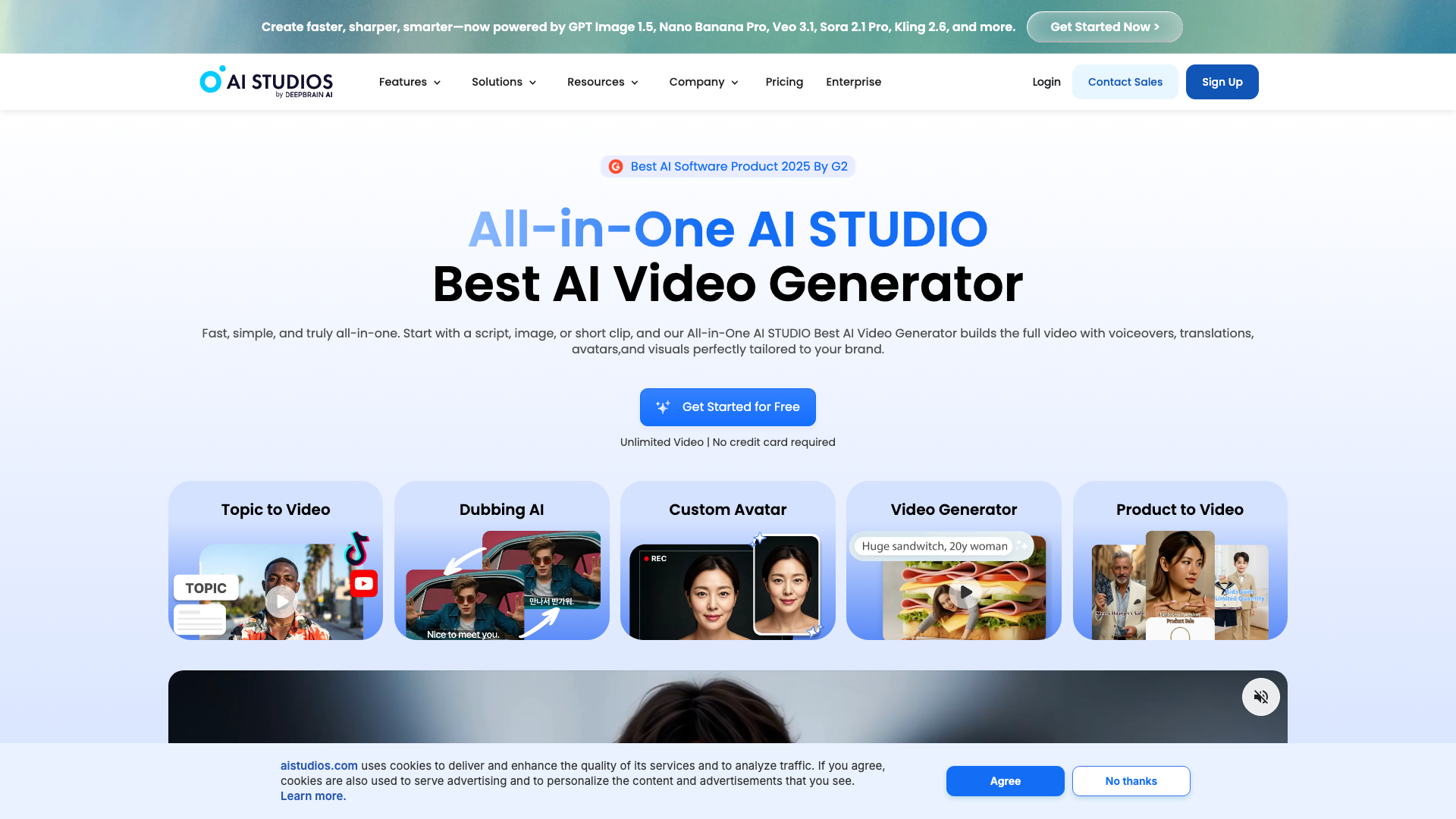
Custom avatar creation is fast and accessible: I had a digital twin with voice cloning in under five minutes from a short video upload. Choose from 17 stock avatars on the free plan (more on paid tiers), and get support for 150+ languages for broad localisation needs.
Drawbacks: British English voices have a slight Australian accent, and avatars sometimes break eye contact, which can distract in longer videos. Advanced features like branching video, deep LMS export, or complex automation are missing, integrations are basic, and content moderation is strict (flagging words like “destroys”).
If you need polished, formal video output—internal updates, explainers, or anything requiring a real presenter look—DeepBrain AI Studios delivers strong value. See more in this AI avatar video review.
Who should (and shouldn’t) use DeepBrain AI Studios?
Try DeepBrain AI Studios Free →
DeepBrain AI Studios is ideal for small to mid-sized businesses needing quick, broadcast-quality avatar videos for formal use—especially L&D, onboarding, or compliance—using stock or custom avatars and 150+ languages, without needing deep integrations or interactive video. It’s less suited for marketing, social content, or high-volume personalisation, and lacks advanced features found in HeyGen (for creators/marketing) or Synthesia (for large enterprises needing granular permissions, SCORM/LMS export, or compliance tooling). Skip it if you need branching or interactive video.
Pros and Cons
- Broadcast-quality avatars: Output is professional enough for external training and formal comms — beat VEED in side-by-side tests
- Fast custom avatar creation: Digital twin and voice cloning setup in under 5 minutes from a short video upload
- Excellent language coverage: Supports 150+ languages, making localisation straightforward
- Accent and realism quirks: British English voices have a slight Australian accent and eye contact can break at times — can undermine realism in key contexts
- Limited advanced features: No interactive/branching video, basic integrations compared to HeyGen and Synthesia — restricts use for marketing or complex automation
Pricing
| Plan | Price (Monthly) | Key Limits |
|---|---|---|
| Free | $0 | 3 videos/mo, 3 min max, 17 avatars, watermark |
| Starter | $24 | 60 credits/mo, more avatars, custom avatar in 5 min |
| Pro | $180 | 150 credits/mo, premium features, priority processing |
| Enterprise | Custom | Unlimited seats, unrestricted length, exclusive avatars |
6. Elai.io
Elai.io is a practical, affordable AI avatar video tool for business videos in multiple languages. For $29/month, you get 15 minutes of video, 80+ stock avatars, and can create a digital twin from your own video — a feature often locked behind paywalls elsewhere. Lip sync is solid (not best-in-class), and while you won’t see micro-expressions or subtle head movement like HeyGen or Synthesia, animations avoid the uncanny valley for most business needs.
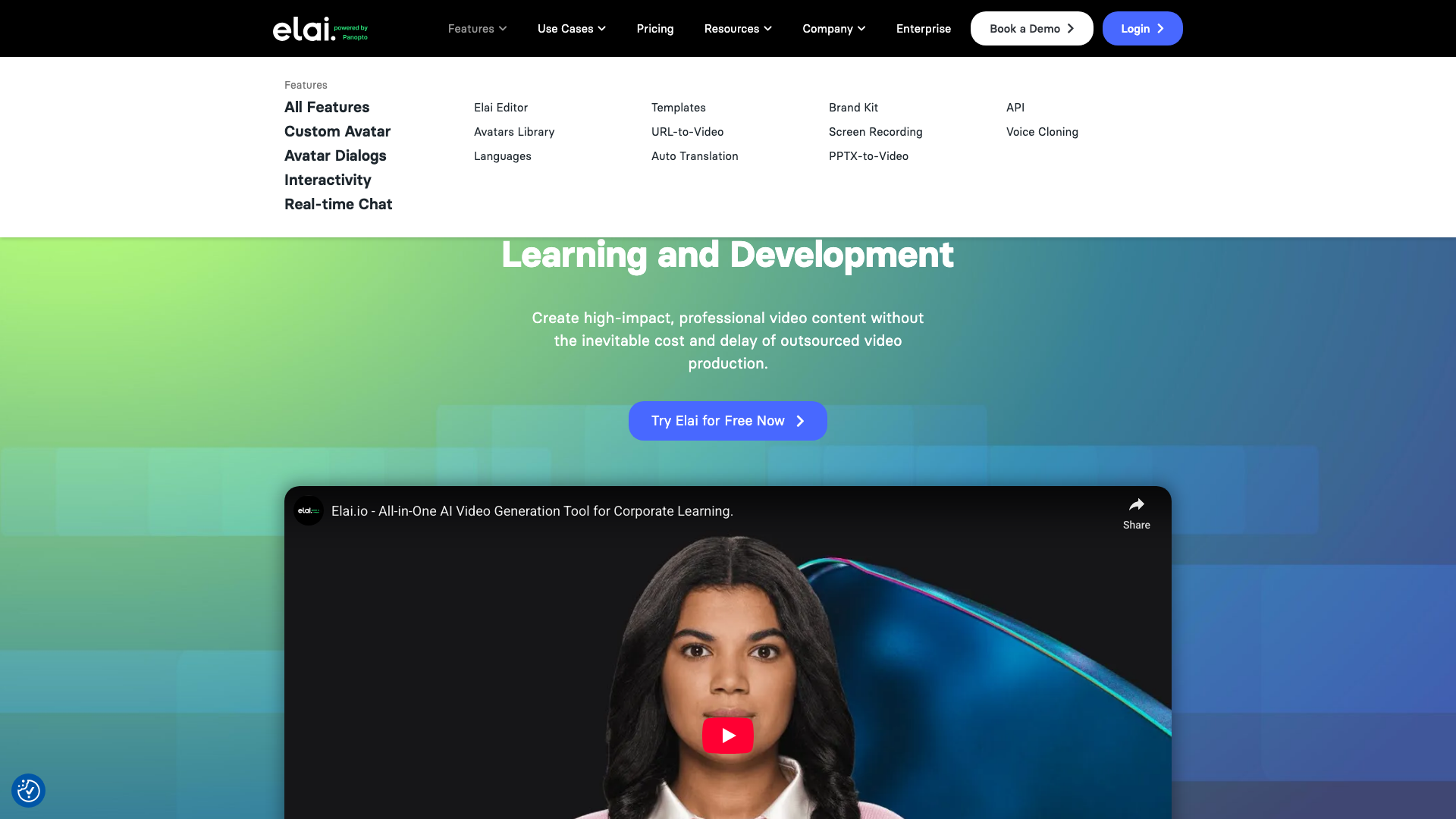
Elai’s workflow is simple enough for marketing or HR staff to use immediately. The avatar range suits internal comms, training, or sales videos where photorealism isn’t crucial. Voice cloning and auto-translation (with lip sync) are included; I tested German and Japanese scripts and found the results business-appropriate, if not native-level.
Limitations: no interactive branching, real-time avatars, or full-body shots — just head-and-shoulders. Governance features like SCORM exports and SSO are only on higher tiers, and compliance is limited to GDPR. Elai does offer an API for bulk video automation and basic CRM/automation integrations.
Who should (and shouldn’t) use Elai.io?
Elai.io is ideal for SMEs, agencies, or teams needing repeatable, branded training, onboarding, or client videos without enterprise pricing or complexity. The digital twin and voice cloning are rare at this price, and 75+ language support covers most localisation needs. It’s a strong choice for automating outreach or training in multiple languages where avatar realism isn’t critical. Skip Elai.io if you need ultra-realistic avatars (HeyGen is better), advanced governance or compliance (Synthesia leads here), or interactive, branching, or real-time video features.
Pros and Cons
- Affordable entry pricing: $29/month for 15 video minutes and 80+ avatars.
- Custom avatar and voice cloning: Create a digital twin and use your own cloned voice, even on non-enterprise tiers.
- Strong localisation: 75+ languages and auto-translation with lip sync for global reach.
- Lip sync and motion not best-in-class: Fine for training or internal use, but lacks the realism of HeyGen or Synthesia.
- Limited advanced features: No interactive video, real-time avatars, or full-body shots — and compliance is basic outside GDPR.
Pricing
| Plan | Monthly Price | Annual Price | Key Limits |
|---|---|---|---|
| Free | $0 | $0 | Watermark, limited minutes |
| Basic | $29/user | Discounted annually | 15 min/month |
| Advanced | $59–100/user | $59/user/mo (annual) | More minutes, $2/min extra |
| Enterprise | Custom | Custom | Custom features & minutes |
7. VEED
VEED is a video editor first, with AI avatars as a secondary feature. It’s the only platform here offering robust editing (subtitles, green screen, brand kits) and avatar content in one workflow. Editing tools are slick, brand kit support is strong (multiple kits on Enterprise is a real agency benefit), and video translation to 50+ languages works as promised.
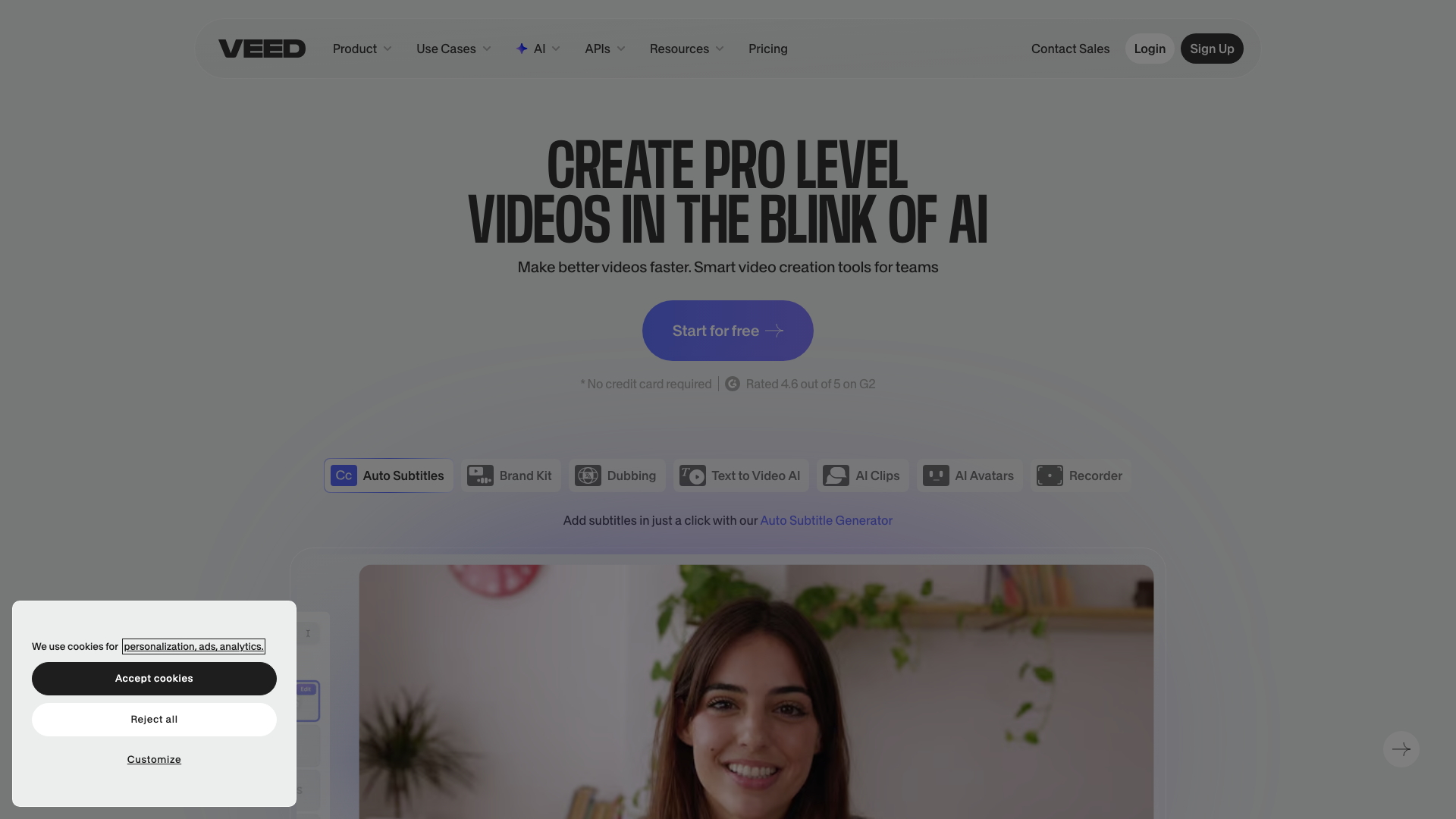
Avatar realism lags behind HeyGen and AI Studios — lip sync and micro-expressions are noticeably weaker. The avatar library is small, and only Enterprise users get custom avatars. The Pro plan’s “4 hours/year” avatar limit is extremely restrictive; I hit it in a month with internal demos.
In short: VEED is a top-tier editor with basic avatar features, not a dedicated avatar platform. It’s practical for training videos, onboarding, or quick internal updates, but if you need high-volume or realistic avatars, you’ll hit its limits fast — especially since AI Studios offers better avatars for less than half the price.
Who should (and shouldn’t) use VEED?
VEED suits teams already using its editor who want occasional AI avatar clips without switching tools. It’s ideal for those needing brand control, multi-editor management, or built-in translation. Agencies and mid-sized teams needing to polish videos and occasionally add a talking head will find the editing depth and brand kit support worth it. However, if you need large volumes of realistic, external-facing avatar videos for sales, marketing, or onboarding, VEED’s weak realism, strict avatar limits, and paywalled custom avatars make it a poor fit — HeyGen or Synthesia are better alternatives.
Pros and Cons
- Full-featured video editor: Offers editing, translation, and brand kits beyond what avatar-only platforms provide.
- Multi-language support: Built-in translation for 50+ languages — practical for international teams.
- Affordable entry point: Lite plan starts at $12/month (billed annually), making it accessible for basic editing needs.
- Weak avatar realism: Lip sync and micro-expressions are noticeably behind dedicated avatar platforms, which limits external use.
- Severe avatar usage limits: 4 hours/year on Pro plan — too restrictive for any serious avatar workflow.
Pricing
| Plan | Monthly Price | Annual Price | Key Limits |
|---|---|---|---|
| Free | $0 | $0 | 720p, 10 min, watermark, 2GB storage |
| Lite | $19 | $12/mo (annual) | 1080p, 25 min, no watermark |
| Pro | $49 | $24/mo (annual) | 4K, 4 hrs/year avatars, 5 editors |
| Enterprise | Custom | Custom | Custom avatars, SSO, unlimited length |
How Does Pricing Compare?
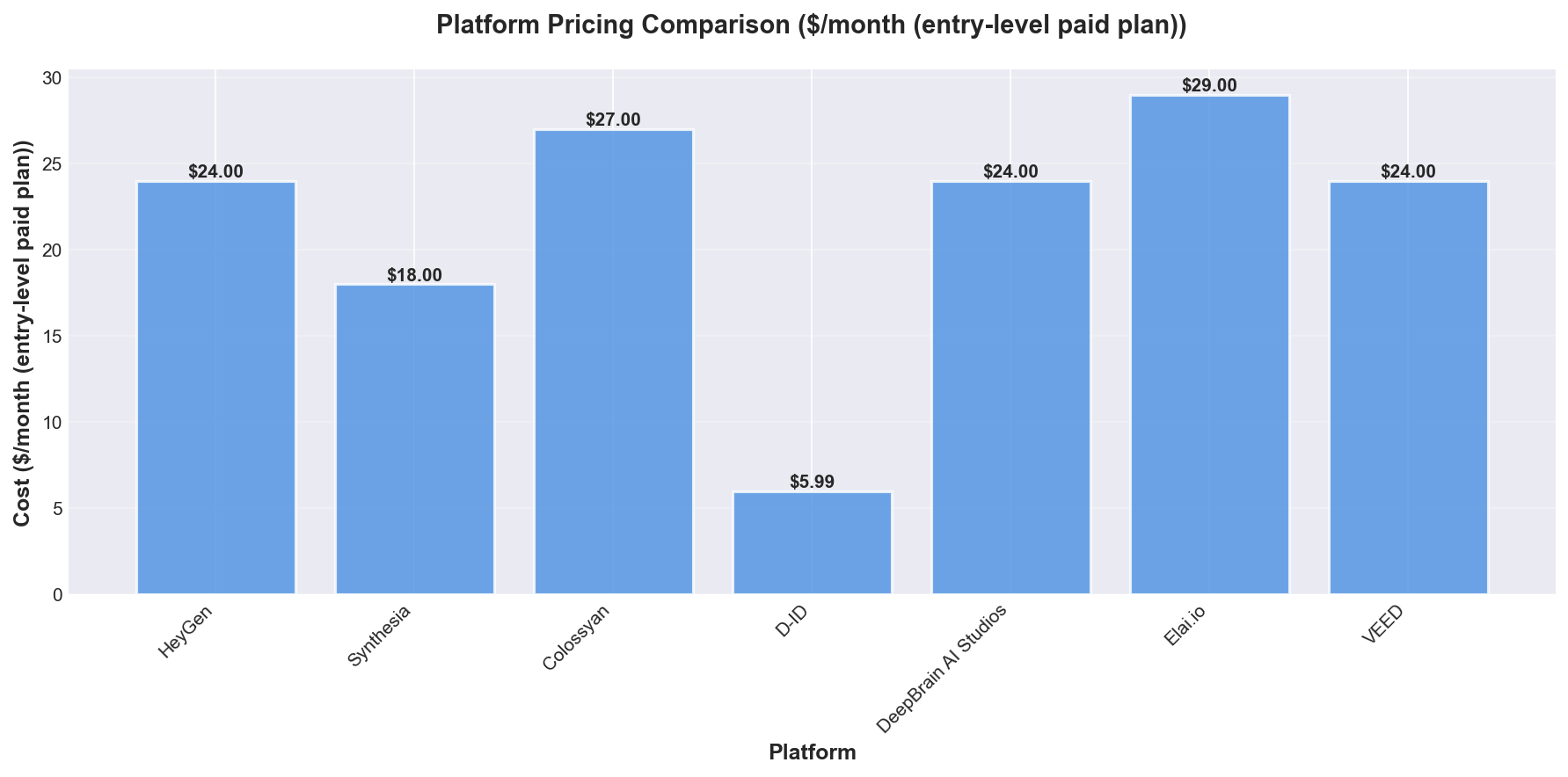
Synthesia is the cheapest paid plan if you pay annually ($18/month for ~10 minutes), just edging out HeyGen ($24/month for ~10 minutes with annual billing). However, cost per minute, avatar selection, and included credits vary widely, so focus on usable video minutes, avatar access, and watermark rules—not just sticker price.
| Platform | Entry Plan | Monthly | Annual (per mo) | ~Min/Month | Avatars | Custom Avatar |
|---|---|---|---|---|---|---|
| HeyGen | Creator | $29 | $24 | ~10 | 500+ | $199–$1,000/yr |
| Synthesia | Starter | $29 | $18 | ~10 | 125+ | Enterprise only |
| Colossyan | Starter | $27 | ~$19 | 15 | 70+ | Business+ |
| D-ID | Lite | $5.99 | $4.70 | 10 | Limited | Photo-based |
| DeepBrain | Starter | $24 | Discounted | N/A | 17+ | <5 min setup |
| Elai.io | Basic | $29 | Discounted | 15 | 80+ | ✓ |
| VEED | Pro | $49 | $24 | 4 hrs/yr | Limited | Enterprise only |
HeyGen offers far more stock avatars (500+ vs Synthesia’s 125+ at entry) and clear, self-serve custom avatar pricing ($199–$1,000/year), while Synthesia’s custom avatar option is enterprise-only and less transparent. Colossyan’s pricing is competitive, but missing details on included minutes and avatars make it harder to compare; Synthesia and HeyGen are easier to forecast for total cost.
For custom avatars and broad language support, HeyGen is usually best. For lowest cost per minute and if you’re fine with a smaller avatar library, Synthesia wins. Both require higher tiers or sales contact for advanced features or higher usage.
Which Tools Have the Best Features?
If you prioritise avatar realism, language support, and customisation, HeyGen remains the most full-featured AI avatar video platform in 2026. The new Avatar IV models excel at lip sync and micro-expressions—watching side-by-side output makes the difference clear. However, if you just need quick talking head videos or simple photo animation, HeyGen’s advanced features (digital twins, advanced translation, CRM integrations) may be unnecessary and costly.
Here’s how the major players compare on impactful features:
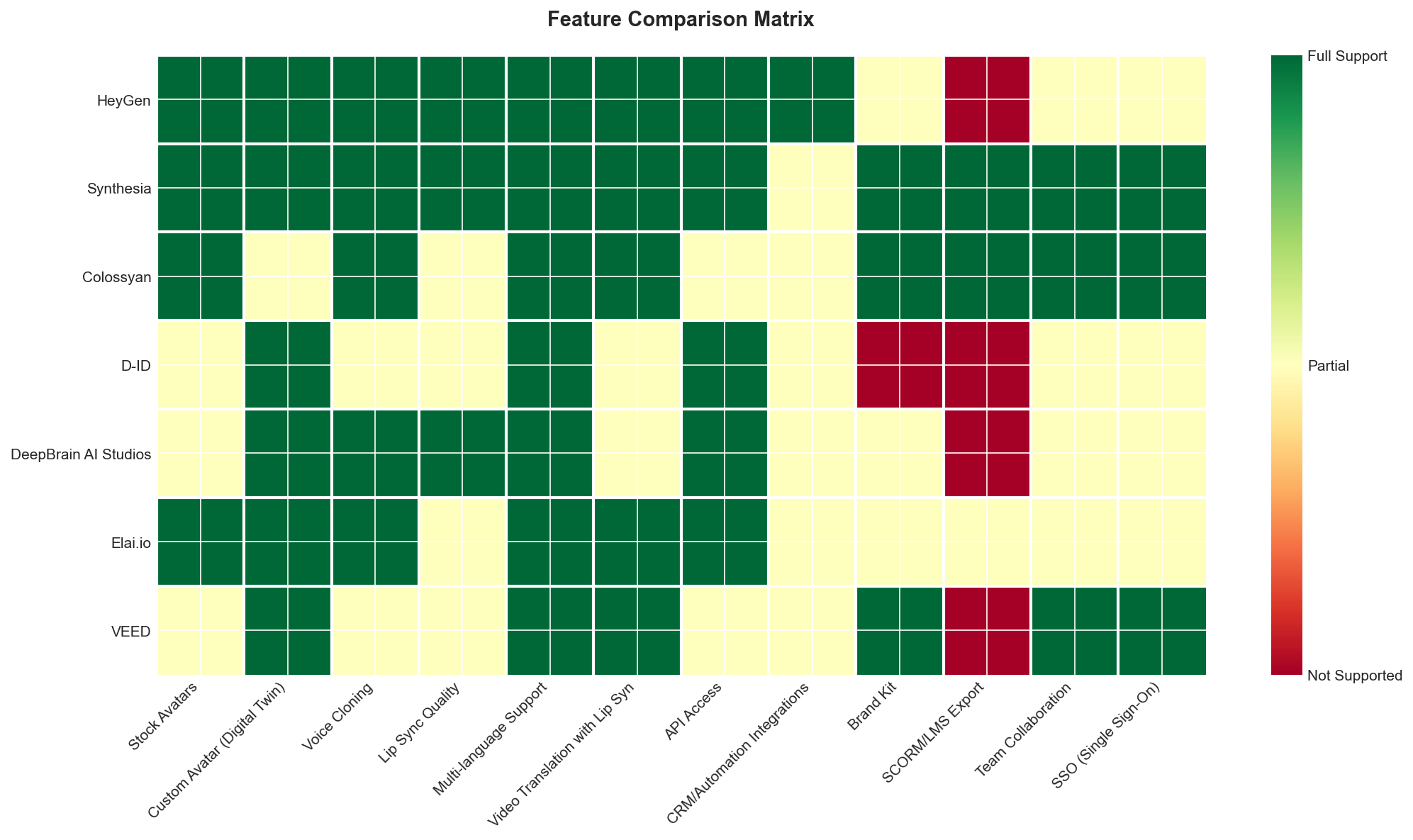
| Feature | HeyGen | Synthesia | Colossyan | D-ID | DeepBrain | VEED |
|---|---|---|---|---|---|---|
| Stock Avatars | 600+ | 240+ | 200+ | Limited | 17+ | Limited |
| Custom Avatar | ✓ | ✓ | Partial | ✓ (photo) | ✓ (<5 min) | Enterprise |
| Voice Cloning | ✓ | ✓ | Business+ | Partial | ✓ | Partial |
| Lip Sync | Best-in-class | High | Good | Good (photo) | Good | Weak |
| Languages | 175+ | 160+ | 80+ | ✓ | 150+ | 50+ |
| Video Translation | 70+ langs | 30+ langs | ✓ | Partial | Partial | 50+ langs |
| API Access | ✓ | Enterprise | Enterprise | ✓ | ✓ | Enterprise |
| SCORM/LMS | ✗ | ✓ | ✓ | ✗ | ✗ | ✗ |
| Interactive Video | ✗ | ✓ | ✓ | ✗ | ✗ | ✗ |
| Full-body Avatar | ✓ | Partial | ✗ | ✗ | Partial | ✗ |
| SOC2/GDPR | Enterprise | ✓ | Enterprise | Enterprise | Enterprise | Enterprise |
Key takeaway: HeyGen leads in avatar count (600+), lip sync, and language support (175+), making it the top all-rounder. Synthesia and Colossyan excel in enterprise features like SCORM export, interactive video, and compliance. D-ID offers a faster, simpler photo-to-video approach with fewer advanced features.
Choosing between HeyGen and Synthesia usually depends on your use case: HeyGen suits marketing/social content where realism is crucial, while Synthesia is better for L&D and internal comms needing governance and SCORM integration.
How Do Security & Compliance Compare?
Security and compliance are critical for synthetic media in 2026, yet none of the major AI avatar video vendors publicly disclose security certifications (SOC 2, GDPR, ISO 27001) or compliance standards. If you expect published credentials, you’ll be disappointed.
Higher pricing sometimes signals enterprise focus and more willingness to discuss security—Synthesia ($18/min) and HeyGen ($24/min) engage on these topics in sales calls, but provide no public evidence. D-ID ($5.99/min) targets consumers/creators and offers even fewer compliance assurances. Colossyan and Elai.io charge more ($27–$29/min) but also lack public security disclosures.

| Vendor | Normalised Price per Minute | Security Certifications | Compliance Claims |
|---|---|---|---|
| HeyGen | $24.00 | N/A | N/A |
| Synthesia | $18.00 | N/A | N/A |
| Colossyan | $27.00 | N/A | N/A |
| D-ID | $5.99 | N/A | N/A |
| DeepBrain AI Studios | $24.00 | N/A | N/A |
| Elai.io | $29.00 | N/A | N/A |
| VEED | $24.00 | N/A | N/A |
Key takeaway: None of the top AI avatar video platforms publish security or compliance credentials. If you’re in a regulated industry, you must press vendors directly for assurances—there’s no out-of-the-box solution.
What Do Users Say?
User sentiment in 2026 is broadly positive, but expectations have shifted: avatar realism, integrations, and rapid content creation are now standard. Praise centres on avatar quality and ease of use. HeyGen users call its avatars “truly top-tier,” especially for lip-sync and full-body motion. Synthesia earns high marks for natural presentation and enterprise-grade stability and compliance. Colossyan stands out for interactive video features and accessibility; beginners quickly produce e-learning modules, and branching scenarios are a genuine differentiator.
Integrations divide opinions: HeyGen’s ecosystem is a workflow game-changer, while Synthesia is criticised for limited native integrations despite strong L&D tooling.
Pricing and feature gating frustrate users. Synthesia’s translation features are locked behind a $5,000/year paywall, often discovered only after onboarding. HeyGen’s credit-based pricing hinders iteration, and Colossyan’s advanced features require a steep Business plan upgrade. Support quality is another HeyGen weak spot, with frequent complaints about slow or unhelpful responses.
If you want avatar realism and integrations, HeyGen excels but requires patience with support and pricing. For enterprise or compliance-driven needs, Synthesia’s stability and onboarding are top-tier, but crucial features are costly. Colossyan is best for new creators and educators focused on interactivity, though you sacrifice some realism and editing depth. The gap between what users praise and what frustrates them is widening, so know your priorities before choosing a platform.
Which Tool Is Best For You?
Who should (and shouldn’t) use each tool?
HeyGen is best for developers and startups needing flexible automation, API access, Zapier integration, and affordable scaling (from ~$24/month). It’s ideal if you want to trigger video creation from data sources or integrate with your stack. Synthesia suits non-technical users and enterprises with its intuitive interface, smooth onboarding, pre-built templates, robust compliance (SOC2/ISO), user roles, audit trails, and strong collaboration tools—perfect for large-scale L&D or onboarding. Elai.io is the budget pick for those needing reliable, simple avatar videos without enterprise features or deep interactivity. Colossyan is purpose-built for training and e-learning, excelling at branching, quizzes, and interactive video for education and employee training.
What Other AI Avatar Tools Are Worth Knowing About?
A few newer or niche tools stand out for specific needs:
Tavus specialises in hyper-personalised video at scale, creating pixel-perfect digital replicas for one-to-one outreach—ideal for personalised sales campaigns needing each video to feel individually recorded.
Vidnoz offers the most generous free tier, with 1,700+ avatars at no cost. While its output quality lags behind HeyGen and Synthesia, it’s a strong option for teams testing AI avatars or producing high-volume internal content.
Arcads focuses on UGC-style AI avatar ads for direct-to-consumer brands, generating ad-ready content that mimics influencer footage for paid social creatives at scale.
InVideo AI delivers the fastest custom avatar cloning—Express clones are ready in under five minutes from a short video upload. It’s not feature-rich, but unbeatable for rapid turnaround projects.
KreadoAI has the largest avatar and voice library I’ve seen: over 1,000 avatars and 40,000 voices in dozens of languages. It’s great for teams making multilingual content at scale, though avatar quality isn’t on par with top-tier platforms.
Frequently Asked Questions
HeyGen leads in realism for most use cases in 2026. Its Avatar IV model sets the standard for hyper-realistic digital twins, especially in facial detail and lip sync, but costs extra.
HeyGen is best for self-serve realism and speed; Synthesia excels for enterprises needing advanced onboarding, compliance, and support. Solo creators and small teams should choose HeyGen, while regulated industries may prefer Synthesia’s SOC2/GDPR compliance.
You can make a basic AI avatar for free on HeyGen, using 500+ stock avatars with watermarked outputs. Custom digital twin avatars require a paid plan, starting around $199/year.
HeyGen starts at $24/month for paid plans, with free tiers for basic use. Business plans begin at $149/month plus $20 per seat. Synthesia and Colossyan are similarly priced, but charge extra for higher quality, more minutes, or enterprise features.
HeyGen is the top choice for business videos in 2026, balancing realism, speed, and business features like multi-seat, branding, SSO, and SCORM/LMS export. Synthesia is better for teams needing compliance or white-glove onboarding, but HeyGen is faster and easier for most.
Most AI avatar videos are still identifiable as synthetic, especially on close inspection. Lip sync and blink mismatches remain, though HeyGen’s Avatar IV and Synthesia’s latest models are narrowing the gap. For compliance, label AI content clearly.
Yes, HeyGen supports 30+ languages with accurate lip sync. Upload a script in German, Mandarin, or Spanish, and the avatar’s mouth matches the spoken words, making global training scalable.
HeyGen’s free plan is the best way to test AI avatars in 2026, offering three watermarked videos per month (up to three minutes each) and 500+ stock avatars. Custom avatars and watermark removal require payment.
Record a video (or submit photos) per platform instructions. On HeyGen, upload your footage, consent to usage, and your digital twin is ready in a few days. Voice cloning is a separate add-on.
For regular training content, AI avatar software saves hours and enables multi-language videos without actors or studios. For compliance-heavy sectors, ensure your platform supports SCORM/LMS export (HeyGen and Synthesia do).
AI avatars are synthetic presenters made with user consent and controlled output. Deepfakes are unauthorised likeness swaps. Business-grade platforms ensure consent and audit trails, unlike deepfake tools.
HeyGen’s Avatar IV leads on lip sync accuracy, especially across languages. Synthesia is close, but HeyGen’s mouth movements better match phonemes and intonation. Test both if lip sync is critical, but HeyGen is ahead.
Yes, AI avatar videos work for ads, landing pages, and explainers. Some viewers may spot the AI, especially in full-screen or high-stakes contexts, but for most B2B and explainer uses, the benefits outweigh the uncanny valley.
On HeyGen, expect a few days from video submission to usable avatar. Synthesia may take longer, especially for enterprise onboarding or legal review. Most creators see a 2-7 day turnaround.
Enterprise features include SSO, team roles, SCORM/LMS export, custom branding, and SOC2/GDPR compliance. HeyGen’s Business and Enterprise plans add CRM integrations and API access. Synthesia and Colossyan offer similar controls, with pricing/support on request.