
Most AI sales dialers I’ve tested in 2026 claim to double or triple outbound call efficiency, but only a handful delivered meaningful results in real-world use across my software businesses. This article compares the leading options based on hands-on testing — what actually improves connect rates, saves time, and fits into a modern sales stack. If you’re interested in scaling sales outreach, you might also find my guides on sales automation tools and lead generation tools useful.
Tested hands-on over three months in live outbound workflows, with focus on CRM integration, real-time AI coaching, and total cost of ownership. Last reviewed: 17 April 2026.
| Tool | Best For | Starting Price | Verdict |
|---|---|---|---|
| Aircall | Seamless CRM integration and real-time analytics | $30 per user | ⭐ Top Pick |
| RingCentral | All-in-one communication with robust AI | $30 | ⭐ Runner Up |
| Five9 | Predictive dialling and intelligent routing | $119 | Highly Rated |
| Dialpad | Real-time transcription and analytics | $15 | Highly Rated |
| Salesloft | Sales engagement and workflow automation | $125 | Highly Rated |
1. Aircall
Aircall is the right pick for teams that want a dialler to plug into existing workflows without friction. It integrates with over 100 CRM and helpdesk tools including Salesforce and HubSpot, so call data syncs automatically — that alone cut a meaningful chunk of manual admin from my sales pipeline.
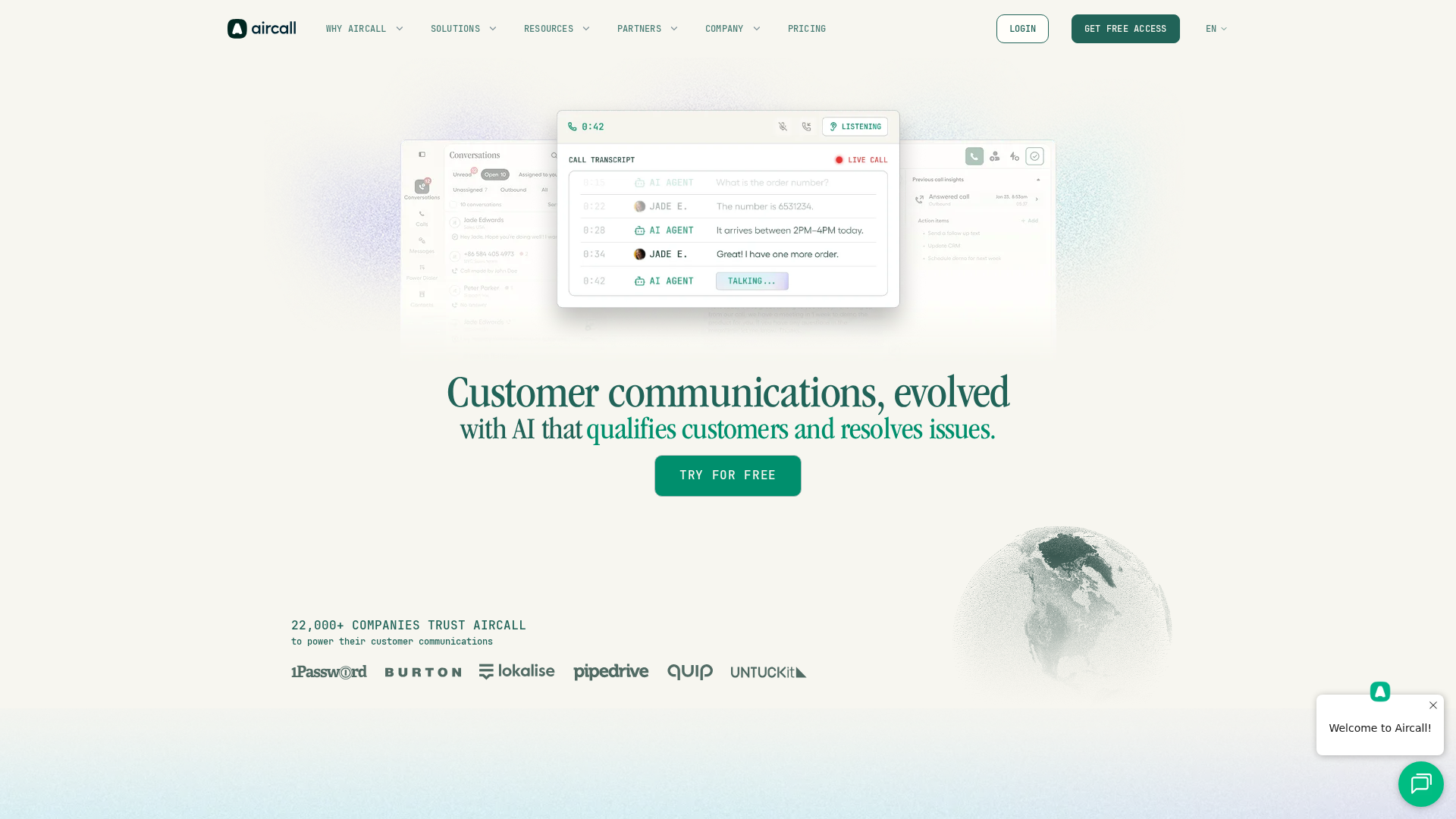
The real value is in the live analytics and AI-powered call summaries, which let you review conversations and spot trends as they happen rather than waiting for weekly reports. Sentiment analysis and live transcription are paid add-ons, so the full AI feature set costs more than the headline price suggests.
Caveats: customisation is more limited than some rivals, and the billing is rigid — the three-seat minimum and auto-renewal policy caught me out more than once. But if CRM integration and actionable analytics are the priorities, Aircall is one of the most practical options I’ve tried.
Pros
- Deep CRM integration: 100+ platforms including Salesforce and HubSpot, with automatic call data sync.
- Real-time AI analytics: Live transcription, sentiment analysis, and AI call summaries as add-ons.
- Flexible call recording storage: Up to one year on Essentials, unlimited on higher tiers.
- GDPR and SOC 2 Type II compliant: Meets European privacy laws and strong security standards.
- Easy to scale: Cloud-based platform supports both small teams and large contact centres.
Cons
- Occasional call drops and latency: Reliability issues reported by some users.
- Limited customisation: Fewer advanced configuration options than some competitors.
- Inflexible billing: Three-seat minimum and aggressive auto-renewal policies.
Pricing
| Tier | Monthly | Annual | Minimum Users | Call Recording | Analytics |
|---|---|---|---|---|---|
| Essentials | $30/user | $25/user/mo | 3 | Up to 1 year | Basic (6 months) |
| Professional | $50/user | $45/user/mo | 3 | Unlimited | Advanced (6 months) |
| Custom | Contact | Contact | 25 | Unlimited | Unlimited |
Add-ons: Extra numbers $6/month, AI summaries $9/user/month, Analytics+ $15/user/month.
2. RingCentral
RingCentral combines AI-driven analytics, call management, video meetings, and messaging in one cloud platform. The real-time analytics and automated transcription make it easier to review sales conversations and spot coaching opportunities without switching between tools.
The AI-driven coaching is particularly useful for onboarding new team members — automated call summaries highlight what’s working and what’s not. CRM integrations with Salesforce and Microsoft Dynamics sync call logs and contacts into existing workflows, saving a surprising amount of manual effort.
RingCentral’s best fit is businesses that need more than auto-dialling — teams wanting to blend outbound calling with internal messaging, video meetings, and advanced analytics. Compliance coverage is also broad: full SOC 2 Type II and GDPR compliance, with partial HIPAA support on enterprise plans.
Pros
- Comprehensive AI features: Real-time analytics, transcription, and automated coaching across plans.
- Strong CRM integrations: Direct syncing with Salesforce, Microsoft Dynamics, Zendesk, and ServiceNow.
- Scalable for any team size: Adapts easily as business grows.
- Wide compliance coverage: Full GDPR and SOC 2 Type II, partial HIPAA on enterprise.
- Customisation options: APIs and SDKs for tailoring to unique processes.
Cons
- Inconsistent call quality: Users report technical glitches that can disrupt campaigns.
- Steep learning curve: Complex setup and feature-heavy interface.
- Hidden costs: Unlimited storage and advanced analytics only on higher tiers.
Pricing
| Plan | Monthly | Annual | Video Meeting Max | Toll-Free Minutes | Key Features |
|---|---|---|---|---|---|
| Core | $30 | $20 | 100 | 100 | Essential routing |
| Advanced | $35 | $25 | 100 | 1,000 | CRM integration, analytics |
| Ultra | $45 | $35 | 200 | 10,000 | Advanced analytics, unlimited storage |
3. Five9
Five9 is built for high-volume outbound operations. The 50-seat minimum and bundled AI minutes (3,000 per seat) signal the target market — enterprise-grade teams, not small businesses.
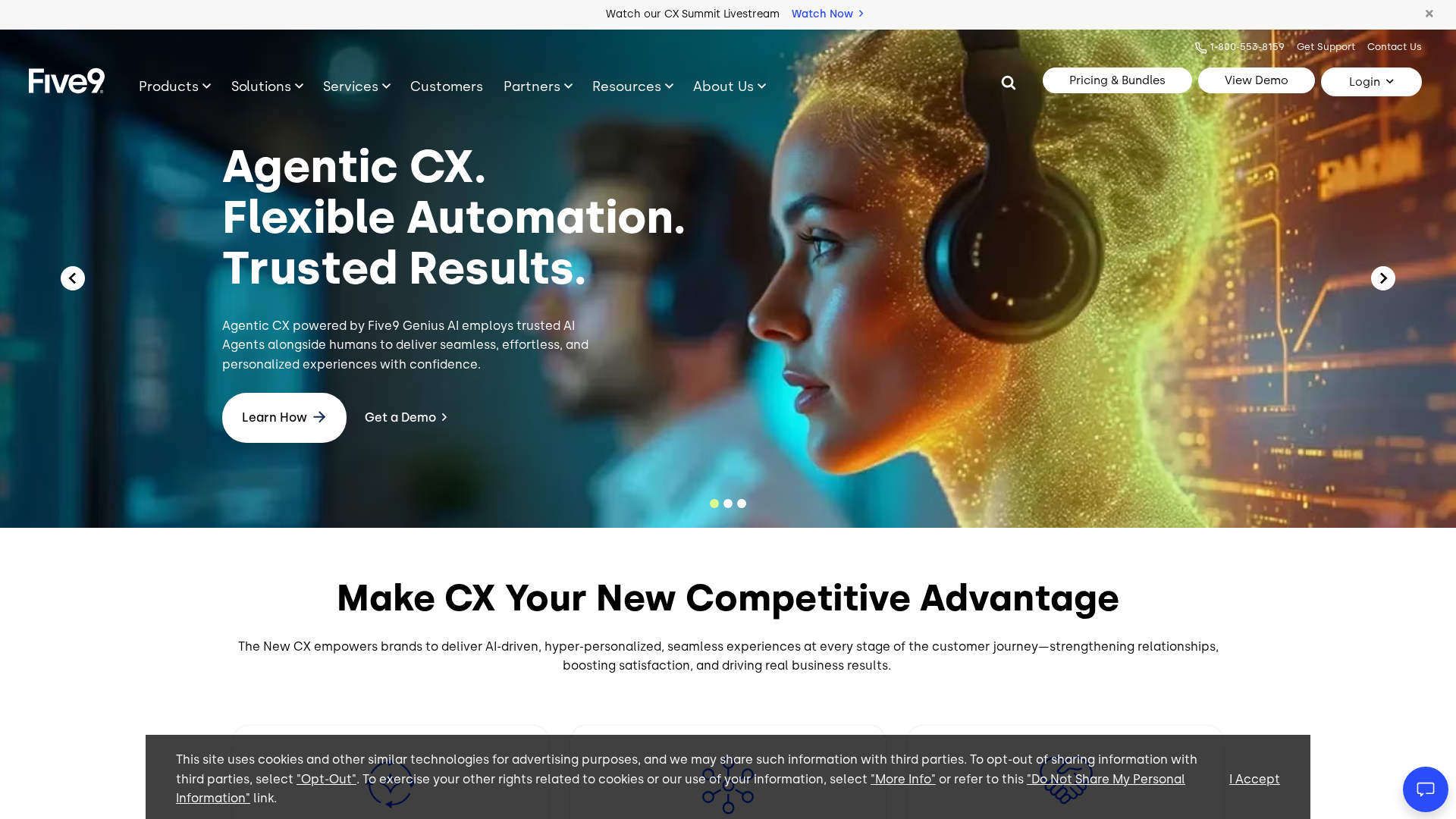
The AI-powered routing is genuinely useful for matching leads to the right agents, particularly in complex sales cycles or compliance-heavy sectors. CRM integrations with Salesforce and Zendesk flow customer data between systems without manual work.
The standout feature is real-time agent assistance — context-aware prompts and live transcriptions that keep conversations on track and reduce post-call note-taking. Combined with GDPR, HIPAA, and SOC 2 Type II compliance, Five9 covers the boxes most regulated enterprises care about.
The catches: the interface is less intuitive than expected, the learning curve is steep, and user reviews cite server outages lasting up to 10 hours. It’s a capable platform, but not one for teams just starting out.
Pros
- AI-powered routing: Matches leads to agents based on skills and customer data.
- Enterprise-grade compliance: GDPR, HIPAA, and SOC 2 Type II.
- Integrated CRM workflows: Direct integration with Salesforce, Microsoft Dynamics, and others.
- Scalable AI minutes: 3,000 bundled AI minutes per seat.
- Strong onboarding and support: Users consistently highlight responsive service.
Cons
- Reliability concerns: User reviews report server outages of up to 10 hours.
- Opaque pricing: Key features like Workforce Management gated behind higher tiers with undisclosed costs.
- Dated interface: Several users mention a UI that feels behind the times.
Pricing
| Plan | Monthly | Channels / Features | AI Minutes per Seat | Min. Seats |
|---|---|---|---|---|
| Digital | $119 | Voice, chat, SMS, social | 3,000 | 50 |
| Core | $159 | All channels, AI essentials | 3,000 | 50 |
| Plus | Contact Sales | Advanced AI | 3,000 | 50 |
| Pro | Contact Sales | AI + Workforce Management | 3,000 | 50 |
| Enterprise | Contact Sales | Advanced AI + WEM | 3,000 | 50 |
4. Dialpad
Dialpad’s standout feature is real-time AI transcription paired with live sentiment analysis and in-call coaching. Transcripts update as you speak, so you can reference earlier points in the conversation and focus on the prospect rather than note-taking.
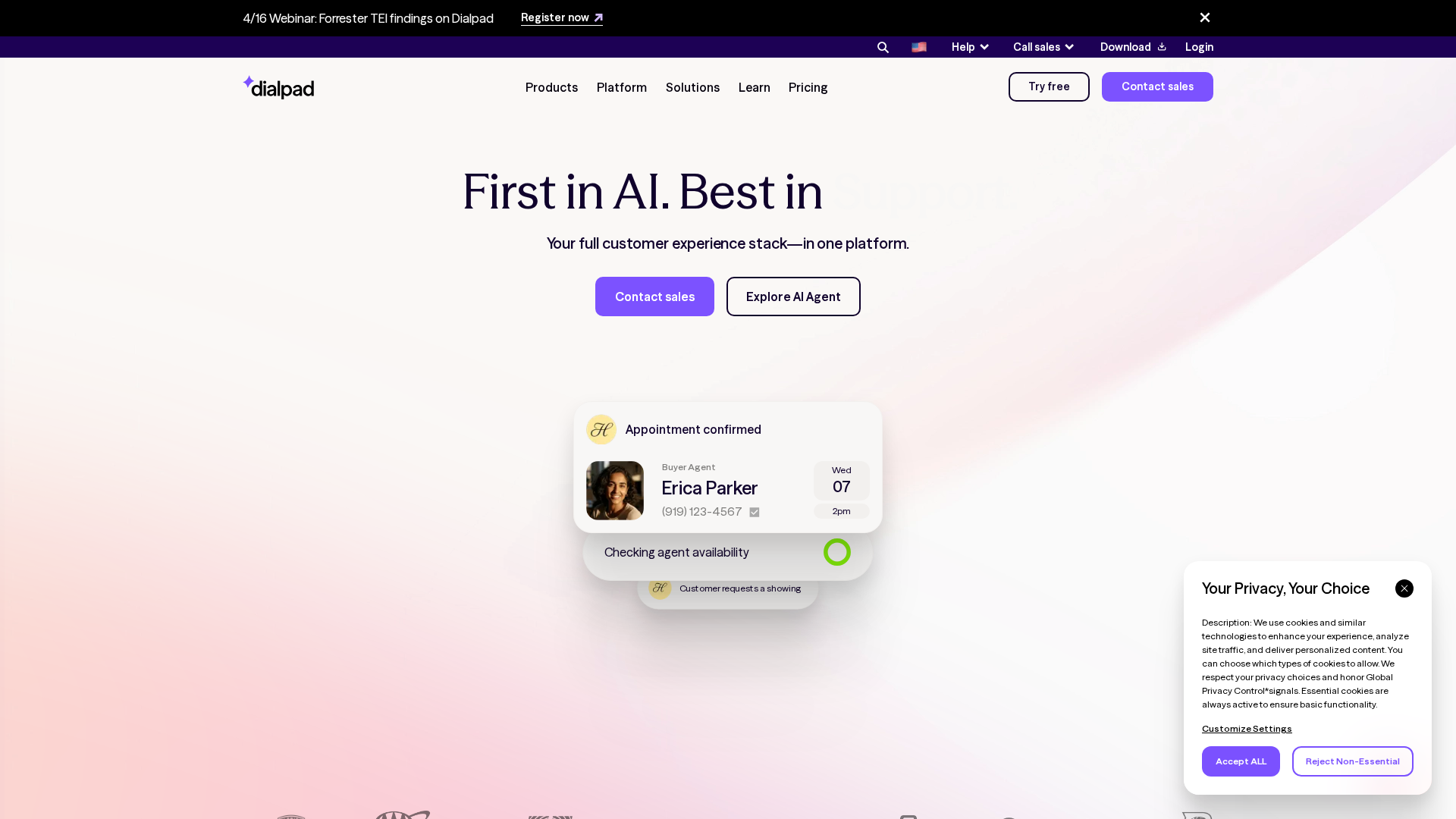
The AI Live Coach Cards are the feature I kept reaching for — they surface prompts and reminders when key phrases come up, which helps stay on script without sounding robotic and gets new reps up to speed faster. CRM integrations with Salesforce, HubSpot, and Zoho handle the data plumbing automatically.
At $15/user/month, the Standard plan is the cheapest entry point of any tool here with unlimited domestic calls and meetings included. The catch: advanced AI coaching and Custom Moments sit in higher tiers or as paid add-ons, so the effective cost climbs for teams that want the full analytics stack.
Pros
- Real-time AI transcription and analytics: Transcripts and sentiment analysis update live during calls.
- CRM integrations: Salesforce, HubSpot, and Zoho sync automatically.
- Transparent entry pricing: $15/user/month with unlimited domestic calls, meetings, and messaging.
Cons
- Advanced AI costs extra: Live Coach Cards and Custom Moments require add-ons or higher tiers.
- Mixed customer support: Users report slow or inconsistent responses.
Pricing
| Plan | Monthly | Annual | Domestic Calls | Real-time Transcription | CRM Integrations |
|---|---|---|---|---|---|
| Standard | $15 | $180 | Unlimited | Yes | Google/Microsoft 365 |
| Pro | $25 | $300 | Unlimited | Yes | Full CRM integrations |
| Enterprise | Contact sales | Contact sales | Unlimited | Yes | CRM integrations, SSO |
5. Salesloft
Salesloft is a sales engagement platform rather than a pure dialler. Its multi-channel cadences and AI-powered Rhythm queues prioritise leads based on buyer signals and intent, which makes it well suited to high-volume outreach across multiple channels.
Bi-directional sync with Salesforce and HubSpot keeps deal and activity data current across platforms — a real time-saver if you juggle several tools for lead generation. The Cadence system orchestrates email, phone, SMS, and LinkedIn outreach in a single flow, which is where Salesloft earns its keep.
One important limitation: Salesloft provides AI-generated insights after calls, not during them. You get summaries and coaching tips post-call, which is more useful for training than live improvement. If real-time dialler AI is your priority, look at Dialpad or Five9 instead.
User feedback also points to a steep learning curve for advanced automation and a mobile app that lags behind the desktop version in reliability and features.
Pros
- Seamless CRM integration: Bi-directional sync with Salesforce and HubSpot.
- Multi-channel automation: Cadence and Rhythm queues automate outreach across email, phone, SMS, and LinkedIn.
- Responsive support: Users praise customer support and regular platform updates.
Cons
- Mobile app limitations: Lacks the functionality of the desktop version, especially for managing cadences.
- Opaque pricing: Add-ons like Unlimited Calling & Messaging or Bionic Chatbot aren’t disclosed publicly.
- No real-time coaching: AI insights are post-call only.
Pricing
| Tier | Monthly | Annual | Multi-channel Cadences | AI Prioritisation | Advanced Analytics |
|---|---|---|---|---|---|
| Essentials | $125 | $1,500 | ✗ | ✗ | ✗ |
| Advanced | $145 | $1,740 | ✓ | ✓ | ✗ |
| Premier | $165 | $1,980 | ✓ | ✓ | ✓ |
Add-ons including Unlimited Calling & Messaging and the Bionic Chatbot aren’t included in published tiers and are only disclosed during the sales process.
6. Kixie
Kixie’s distinguishing feature is local presence dialling — the system automatically displays a local number for each outbound call based on the prospect’s area code, which has a noticeable impact on pick-up rates compared to a single national or toll-free number.
The platform also automates call tracking and logging, which removes a lot of admin for sales teams. For high-volume outbound work across different regions, the combination of appearing local and automating follow-up tasks is genuinely useful.
The main limitation is transparency: Kixie doesn’t publish pricing, which makes it hard to compare directly against other options. If local presence is a critical feature for your workflow, it’s worth requesting a quote — otherwise the competition is easier to evaluate.
Pros
- Local presence dialling: Automatically displays a local number, which lifts answer rates.
- Automated call tracking: Logs calls without manual input.
- Reduces admin workload: Lets sales reps spend more time on conversations.
Cons
- No public pricing: Makes direct comparison difficult.
- Limited feature transparency: Hard to assess how it stacks up for specialised workflows.
Pricing
Pricing is not publicly disclosed. Contact Kixie directly for a quote.
7. JustCall
JustCall connects natively with 100+ CRM and helpdesk platforms including Salesforce, HubSpot, and Zoho. Calls, texts, and notes appear instantly in the CRM, which makes tracking outbound effort much simpler than bouncing between tools.
Pricing starts at $29/user/month (annual billing), with real-time AI agent assist and sentiment analysis reserved for the $89 Pro Plus tier. The AI call scoring in Pro Plus is useful for reviewing team performance, and live prompts help new reps stick to scripts and handle objections. Compliance is solid across GDPR, HIPAA, and SOC 2 Type II.
Setup took under an hour to get call routing and SMS running — genuinely quick. Analytics are basic, though, so deep reporting needs external tools. The AI Voice Agent is a separate add-on ($0.99/minute or $99/month for 100 minutes), so costs add up quickly if you rely heavily on AI-powered calls.
Real-world frustrations: occasional dropped calls and hit-and-miss support. User feedback mirrors this — fast setup and CRM integration get praise, call quality and support responsiveness get criticism.
Pros
- Deep CRM integrations: 100+ CRMs including Salesforce and HubSpot.
- Fast setup: Up and running in under an hour.
- Strong compliance: GDPR, HIPAA, and SOC 2 Type II.
Cons
- Call quality issues: Dropped calls reported by some users.
- Basic analytics: Reporting is limited for deep performance analysis.
- AI Voice Agent is a paid add-on: Usage costs can climb for heavy users.
Pricing
| Plan | Monthly | Annual | Users | Phone Numbers |
|---|---|---|---|---|
| Team | $39 | $29 | 2+ | 1 per user |
| Pro | $69 | $49 | 2+ | 1 per user |
| Pro Plus | $109 | $89 | 2+ | 1 per user |
| Business | Custom | Custom | 10+ | Custom |
| SalesPro | Custom | Custom | Custom | Custom |
Add-ons: extra numbers, AI Voice Agent ($0.99/min or $99/month for 100 minutes), and overage charges apply.
8. CallHub
CallHub uses pay-as-you-go pricing and supports multi-channel campaigns — calls, SMS, and MMS in a single workflow. The predictive dialler and AI-powered sentiment analysis make it effective for large, fast-paced outbound campaigns.
The Essential plan is usage-based with no fixed monthly fee, which makes it accessible for smaller campaigns. The Scale plan starts at a $2,500 minimum contract and unlocks unlimited contacts, agents, and advanced features. Integrations with Salesforce and NationBuilder keep contact records current without manual imports.
Where CallHub earns its place is orchestrating follow-up texts triggered by call outcomes — a serious timesaver for large lead lists. AI call summaries and sentiment analysis give actionable post-campaign feedback so you can coach agents with specifics rather than guesswork.
Best fit: organisations running high-volume, multi-channel outreach — political campaigns, fundraising, B2C sales. Less suited to B2B teams wanting granular reporting, where several users report the reporting feels limited. Costs scale up quickly with team size, though the published per-minute rates make forecasting straightforward.
Pros
- Transparent pay-as-you-go pricing: No fixed monthly fee on Essential, with usage costs listed openly.
- Multi-channel campaigning: Calls, SMS, and MMS in a single workflow.
- AI-powered analytics: Real-time sentiment analysis and call summaries support agent coaching.
Cons
- Connection issues reported: Some users mention frequent disconnections.
- Costs scale with team size: Per-minute and per-user costs add up for larger teams.
- Limited B2B reporting: Less suited to granular analysis workflows.
Pricing
| Plan | Monthly Fee | Contacts | Agents | Inbound Calling | AI Analytics |
|---|---|---|---|---|---|
| Essential | No fixed fee; usage-based | 10,000 | 10 | $0.026/min | $0.01/recording |
| Scale | $2,500 min contract | Unlimited | Unlimited | Free | $0.01/recording |
How Does Pricing Compare?
Entry pricing across these eight tools spans a wide range — from $15/user/month (Dialpad) at the low end to $125/user/month (Salesloft) at the high end, with Five9 requiring a 50-seat minimum that puts its effective floor around $5,950/month. Pay-as-you-go models (CallHub) and undisclosed pricing (Kixie) make direct comparison tricky, but the published numbers tell a clear story.
| Vendor | Entry Monthly | Entry Annual | Top Published Tier | Minimum Users | Pricing Model |
|---|---|---|---|---|---|
| Dialpad | $15 | $180/yr | $25/mo | 1 | Per seat |
| RingCentral | $30 | $20/user/mo | $45/mo ($35 annual) | 1 | Per seat |
| Aircall | $30 | $25/user/mo | $50/mo ($45 annual) | 3 | Per seat |
| JustCall | $39 | $29/user/mo | $109/mo ($89 annual) | 2 | Per seat |
| Five9 | $119 | $1,428/yr | Contact Sales | 50 | Per seat |
| Salesloft | $125 | $1,500/yr | $165/mo ($1,980/yr) | Not disclosed | Per seat |
| CallHub | Usage-based | Usage-based | $2,500 min contract | N/A | Pay-as-you-go |
| Kixie | Not disclosed | Not disclosed | Not disclosed | Not disclosed | Quote only |
A few observations worth flagging. Dialpad, RingCentral, and Aircall sit in a tight $15–$30 entry band and cover most mainstream use cases. Five9’s $119 entry price looks high but includes 3,000 AI minutes per seat — once you factor in the bundled AI, the effective per-minute cost is competitive for high-volume operations. Salesloft is in a different product category (sales engagement) and its pricing reflects that — it’s not really comparable to a pure dialler.
Minimum seat requirements matter more than they first appear. Aircall’s 3-seat minimum (25 for Custom) and Five9’s 50-seat floor rule them out for solo operators and small teams, regardless of the per-seat price. RingCentral and Dialpad are the only mainstream options with no stated minimum.
Key takeaway: Dialpad is the cheapest entry to a capable AI dialler at $15/user/month. For teams that need CRM-first workflows, Aircall at $25/user/month (annual) remains the best value. For enterprise outbound, Five9’s per-minute economics beat the headline number — but only if you can commit 50 seats.
Which Tools Have the Best Features?
Pricing is the easy comparison — features and compliance are where it gets interesting. Here’s how the eight tools stack up on the capabilities that actually affect day-to-day sales workflows.
| Tool | Real-time AI Coaching | CRM Integrations | Predictive Dialler | Multi-channel | Standout Feature |
|---|---|---|---|---|---|
| Aircall | Add-on | 100+ | No | Voice, SMS | CRM integration depth |
| RingCentral | Yes | Salesforce, Dynamics, Zendesk | No | Voice, video, messaging, SMS | All-in-one suite |
| Five9 | Yes | Salesforce, Dynamics, Zendesk | Yes | Voice, chat, SMS, social | AI skills-based routing |
| Dialpad | Yes (higher tiers) | Salesforce, HubSpot, Zoho | No | Voice, messaging | Live transcription quality |
| Salesloft | Post-call only | Salesforce, HubSpot (bi-directional) | No | Email, phone, SMS, LinkedIn | Multi-channel cadences |
| Kixie | Not disclosed | Not disclosed | No | Voice, SMS | Local presence dialling |
| JustCall | Yes (Pro Plus) | 100+ | No | Voice, SMS | Fast setup |
| CallHub | Post-call | Salesforce, NationBuilder | Yes | Voice, SMS, MMS | Pay-as-you-go pricing |
Real-time AI coaching separates the pack. Five9, RingCentral, Dialpad, and JustCall (Pro Plus) offer live in-call prompts; Salesloft and CallHub are post-call only; Aircall makes you pay extra for it. If live coaching is the feature driving your purchase, that alone narrows the field.
For predictive dialling specifically — the feature that matters most for high-volume outbound — only Five9 and CallHub offer it as a core capability. Five9 is the enterprise pick, CallHub is the right choice if you want pay-as-you-go economics.
Key takeaway: RingCentral and Five9 have the broadest feature set, but that breadth comes with complexity. For focused use cases — CRM-first (Aircall), analytics-first (Dialpad), multi-channel cadences (Salesloft) — the narrower tools are better choices.
How Do Security & Compliance Compare?
Compliance is where the noise-to-signal ratio gets worst in this category — vendors use vague “enterprise-grade security” language that doesn’t actually commit to anything. Here are the specific certifications each vendor discloses publicly.
| Vendor | GDPR | HIPAA | SOC 2 Type II |
|---|---|---|---|
| Aircall | ✓ | Not disclosed | ✓ |
| RingCentral | ✓ | Partial (Enterprise only) | ✓ |
| Five9 | ✓ | ✓ | ✓ |
| Dialpad | Not disclosed | Not disclosed | Not disclosed |
| Salesloft | Not disclosed | Not disclosed | Not disclosed |
| Kixie | Not disclosed | Not disclosed | Not disclosed |
| JustCall | ✓ | ✓ | ✓ |
| CallHub | Not disclosed | Not disclosed | Not disclosed |
Five9 and JustCall are the only vendors with the full GDPR + HIPAA + SOC 2 Type II triple — which matters if you’re in healthcare, financial services, or dealing with EU personal data at any scale. Aircall and RingCentral cover GDPR and SOC 2 Type II but HIPAA coverage is either undisclosed (Aircall) or gated to enterprise tiers (RingCentral).
For the rest — Dialpad, Salesloft, Kixie, and CallHub — the absence of published certifications doesn’t necessarily mean they aren’t compliant. But in regulated sectors, “not disclosed” should be treated as “assume not compliant until confirmed in writing”. Request up-to-date certifications directly from the vendor before committing.
Key takeaway: If you need HIPAA compliance, your realistic options here are Five9 or JustCall. For GDPR-only needs, Aircall, RingCentral, Five9, and JustCall all cover you.
What Do Users Say?
User sentiment is consistently mixed across the category — no vendor emerges as a clear satisfaction leader. The pattern that repeats: praise for features and integrations, frustration with billing, reliability, and support.
On the positive side, Dialpad and Aircall get singled out for user-friendly interfaces, with Dialpad’s AI features frequently described as “transformative”. Salesloft’s automation is credited for lifting follow-up rates after strategic events. Five9 earns points for smooth onboarding and handling high call volumes at scale. RingCentral gets praise for comprehensive features and responsive customer support.
The complaints cluster around three issues. First, billing: Aircall and Five9 users cite aggressive auto-renewal and unexpected charges, with one Aircall review stating they were billed and then had their account shut down without explanation. Second, reliability: RingCentral and JustCall see criticism for inconsistent call quality; Five9 users describe server outages “over 10 hours”. Third, support responsiveness: repeatedly flagged across almost every vendor.
The clearest divide is between tools praised for innovation (Dialpad’s AI) versus those faulted for dated interfaces or limited customisation (Five9, Aircall). Responsive support can offset technical hiccups — but when support falters, satisfaction drops sharply.
Which Tool Is Best For You?
Best for Developers
Aircall — 100+ CRM integrations, a full API, and real-time analytics make it the easiest to extend programmatically.
Best for Non-Technical Users
JustCall — fast setup (under an hour), simple interface, and strong CRM integrations. Gets teams up and running without a steep learning curve.
Best for Enterprise
RingCentral — unified calling, messaging, and video with robust AI, full GDPR and SOC 2 Type II compliance, and partial HIPAA on enterprise plans.
Best for Startups
Salesloft — sales engagement features and workflow automation help growing teams maintain consistent outbound without hiring ahead of revenue.
Best on a Budget
Dialpad — at $15/user/month with unlimited domestic calls and real-time transcription included, it’s the cheapest entry to a capable AI dialler.
Best for Multi-Channel Outreach
CallHub — calls, SMS, and MMS in a single workflow, plus predictive dialling. Pay-as-you-go economics suit campaign-style usage.
Best for Real-Time Analytics
Dialpad — live transcription, sentiment analysis, and AI Live Coach Cards make it the strongest choice when surfacing insights mid-call is the priority.
Best for Predictive Dialling
Five9 — the standout for outbound teams relying on AI-driven call distribution at scale. The 50-seat minimum rules out smaller teams, but the per-minute economics are strong once you’re committed.
Frequently Asked Questions
AI sales dialers use artificial intelligence to automate and optimise outbound calling. They handle repetitive tasks, reduce manual dialling errors, and use AI to improve call outcomes through features like automated lead routing and real-time coaching — letting reps focus on conversations instead of admin.
They automate lead prioritisation, call scheduling, and follow-up, which reduces idle time between calls and ensures the most promising leads are contacted first. Real-time analytics make outbound campaigns significantly less tedious.
CRM integration, automated lead routing, and real-time AI coaching are the core features that affect day-to-day productivity. Real-time analytics give instant feedback on calls; CRM integration keeps interactions in sync across systems.
Yes — CRM integration is standard for most AI dialers. Aircall and JustCall both support 100+ CRMs including Salesforce and HubSpot; Dialpad and Salesloft offer bi-directional sync with the major platforms.
AI dialers prioritise leads, automate follow-ups, and provide live coaching during calls. This produces fewer wasted calls and more consistent messaging. Automated lead routing cuts down time spent searching for the next prospect.
Compliance coverage varies significantly. Five9 and JustCall offer the full GDPR + HIPAA + SOC 2 Type II set; Aircall and RingCentral cover GDPR and SOC 2 Type II; several vendors don’t publicly disclose certifications at all. Always request up-to-date certifications directly if you’re in a regulated sector.
Most vendors use per-user, per-month pricing, though some (CallHub) use pay-as-you-go and others (Kixie) keep pricing private. Entry prices range from $15/user/month (Dialpad) to $125/user/month (Salesloft), with add-on costs for AI features common across the category.
AI dialers use automated routing to prioritise high-potential leads and schedule follow-ups. Five9’s skills-based routing is the most sophisticated in this set; RingCentral and Dialpad offer simpler routing based on CRM data and call outcomes.
Power dialers call one number after another automatically. Parallel dialers ring multiple contacts at once to maximise connection rates. Conversational AI dialers use AI to interact with prospects directly, simulating human conversation without manual input. The right choice depends on whether speed, volume, or natural engagement matters most.
The combination of automated lead prioritisation, real-time coaching, and follow-up scheduling means reps speak to the right people at the right time and get feedback to adjust on the fly. In testing, these features led to more productive calls and higher response rates.