

I’ve spent the past few years building a community on Circle, paying for several Skool and Heartbeat memberships, and joining large Discord groups from the perspective of an active member.
In an attempt to choose a community platform for my YouTube channel, I’ve compared the top five community software across dozens of categories to help you narrow down your choice.
| Tool | Best For | Starting Price | Verdict |
|---|---|---|---|
| Circle | best for premium communities | $89 | ⭐ Top Pick |
| Skool | best for simplicity and monetisation | $9 | ⭐ Runner Up |
| Heartbeat | best for content-driven communities | $49 | Highly Rated |
| Mighty Networks | best for course creators | $79 | Highly Rated |
| Discord | best for large real-time communities | $4.99 | Highly Rated |
How Did I Test Community Platforms?
Most community platform reviews are written by people who haven’t actually built or participated in real communities. I’ve been on both sides — I helped build the “GTFO” founder community on Circle with a friend, I’m a paying member in several Heartbeat groups, and I actively participate in several large Discord servers with thousands of members. As a YouTube creator, I also see Skool communities promoted constantly.
For this comparison, I focused on the features that actually matter when running a community in 2026. I tested each platform’s setup process, how easy it was to onboard members, and what the mobile experience felt like day-to-day. I paid close attention to how each tool handles payments, course hosting, automations, and member engagement, since most people reading this are creators or community builders looking to monetise their audience.
Pricing is a major decision factor, so I normalised costs to a 500-member community wherever possible, comparing monthly rates and any hidden fees. Where platforms used different pricing models, I broke down what you’d actually pay in practice.
Last reviewed: 27 March 2026
1. Circle
Circle is a subscription-based community platform with unlimited members on every tier and built-in monetisation tools, making it popular with creators running paid or private communities. I built my own project, GTFO (Get the Founder Out), on Circle with a friend, so I’ve seen first-hand how the platform balances customisation with a focus on premium, paid memberships.
What stood out to me was how easy it was to set up courses and gated content in a single place, without having to bolt on third-party tools. I found the interface genuinely clean and intuitive, which helped me focus on engaging members rather than dealing with tech headaches.
Circle is best suited for community builders who need both monetisation and content hosting under one roof, especially if branding and a polished member experience matter. The platform offers unlimited members even on its $89/month Professional tier, but places limits on admins, moderators, and storage, which is worth noting if you’re planning to scale.
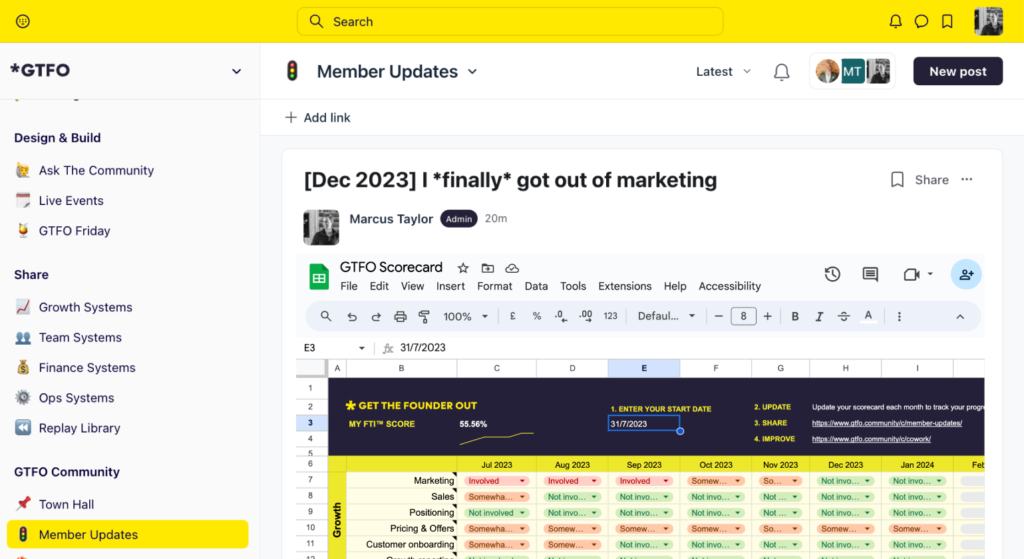
Whilst Circle offers native mobile apps for iOS and Android, my experience and user sentiment suggest the Android app in particular can be unstable, so member experience on mobile may not always be smooth. If you care about white-labelling, advanced integrations, or branded apps, you’ll need to look at the higher “Business” or “Circle Plus” plans.
Pros
- Unlimited members on all plans: Every tier, including the $89/month Professional plan, allows for unlimited community members.
- Integrated course hosting: You can build and run courses directly inside your community, with progress tracking and downloadable resources.
- Native mobile apps available: Circle supports iOS and Android apps, including push notifications and in-app purchases.
- Custom branding: Higher tiers offer white-label options, letting you fully brand the platform with your own domain, logo, and colours.
- Built-in monetisation tools: Recurring memberships, subscriptions, and one-time payments are supported out of the box.
Cons
- Android app instability: Some users report crashes and login issues, which impacts the experience for mobile-first members.
- Limits on admins and moderators: The Professional plan restricts you to 3 admins and 10 moderators, which could be tight for larger teams.
- Transaction fees on payments: The Professional plan charges a 2% transaction fee, which can add up for high-revenue communities.
Pricing
| Plan | Monthly | Annual | Members | Admins | Transaction Fee | Storage |
|---|---|---|---|---|---|---|
| Professional | $89 | $79 | Unlimited | 3 | 2% | 200GB |
| Business | $199 | $179 | Unlimited | 5 | 1% | 500GB |
| Circle Plus | Custom | Custom | Unlimited | Unlimited | 0.5% | 1TB |
2. Skool
Skool stands out for its straightforward pricing and beginner-friendly setup, starting as low as $9 per month for individuals and scaling to $99 per month for unlimited admins. In my experience across platforms like Circle, Discord, and Heartbeat, Skool’s main draw is how quickly you can get a community live, start charging for access, and avoid technical faff.
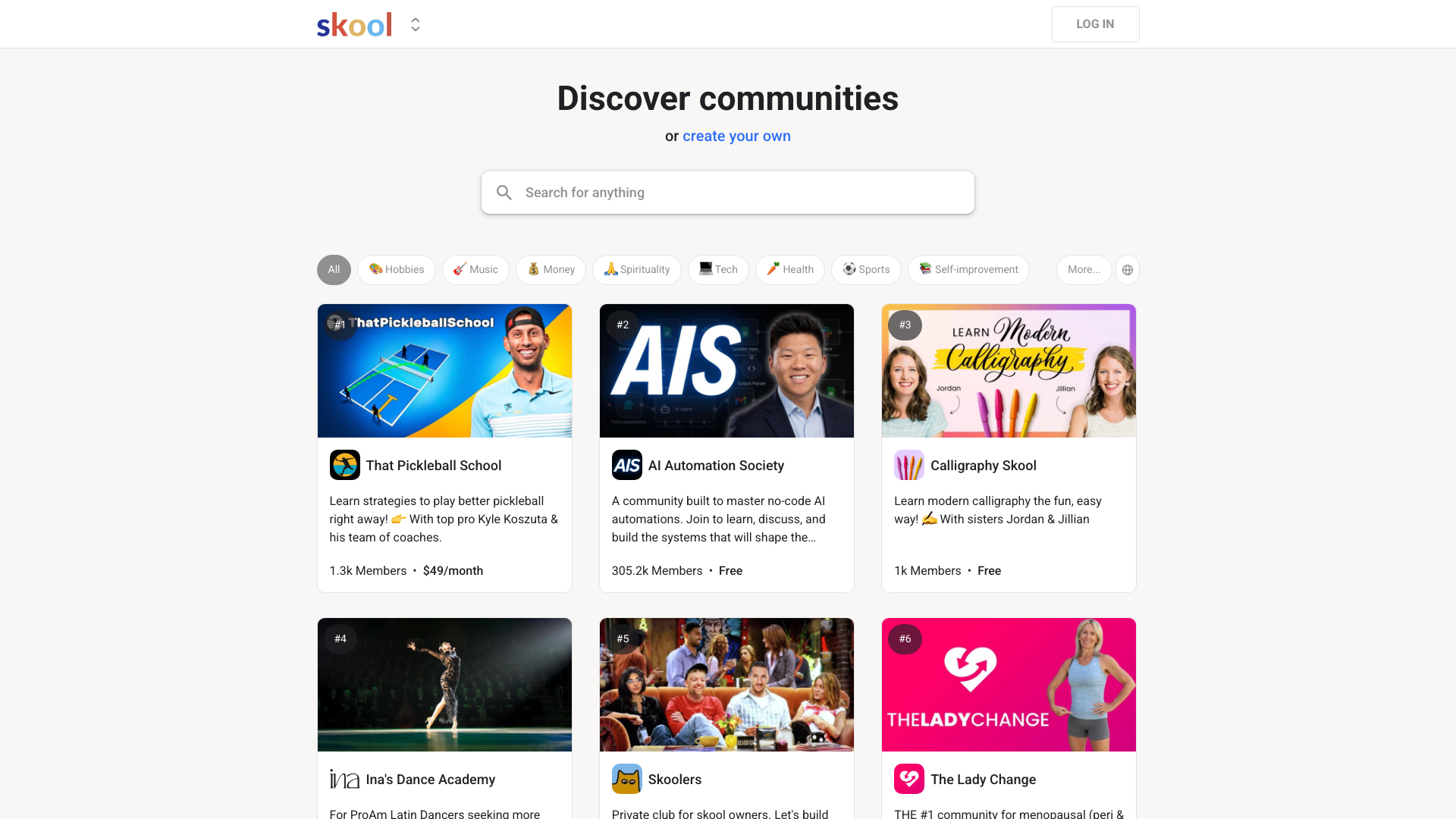
What’s unique about Skool is the focus on letting creators monetise their communities with minimal setup. You can offer monthly, annual, or lifetime memberships, and bundle in courses or coaching. When I compare this to running GTFO on Circle, where integrations and setup could get fiddly, Skool’s all-in-one approach genuinely feels less daunting—especially for people who don’t want to deal with Zapier automations or third-party payment gateways.
The interface is intentionally simple and social in design, which I’ve found helps members actually participate rather than get lost in menus or onboarding steps. One user quote from the data sums it up: “The interface is very easy to use, even for those who aren’t tech-savvy, with a social-style design that makes navigation straightforward and helps users focus on connection and learning rather than setup.” I’ve also seen Skool’s gamified leaderboards in action, and they do make a difference for member engagement compared to the more static feel of some Discord servers.
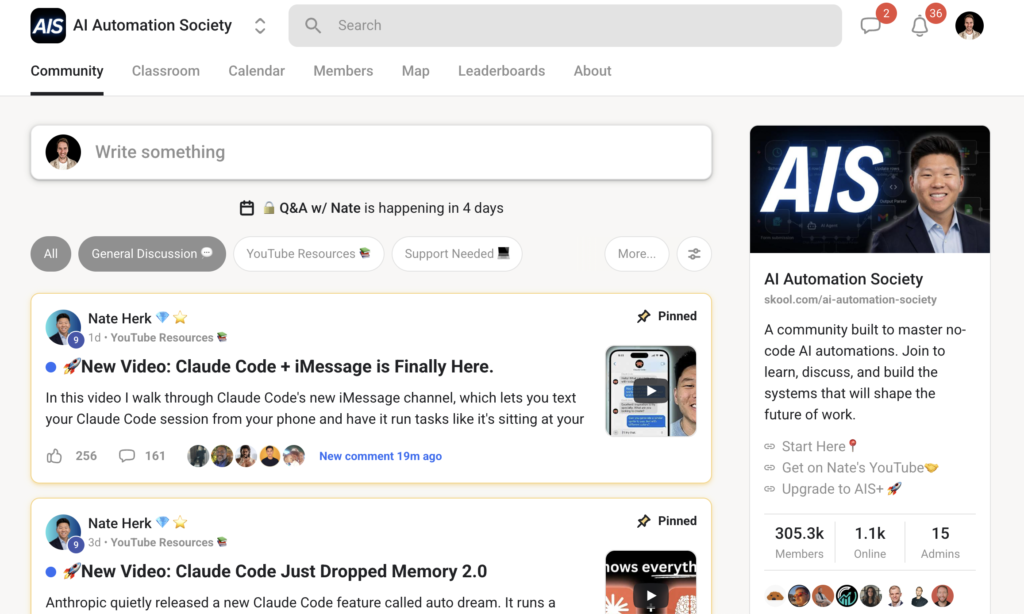
If you want deep customisation or advanced learning management, you’ll hit limits quickly. I never found a way to make a Skool community “feel” like my own brand, and its course tools are more basic than what I’ve used on dedicated LMS platforms. Still, for creators who value speed, monetisation options, and a frictionless member experience, Skool is hard to beat.
Pros
- Quick and easy setup: You can launch a new community and start selling access without technical hurdles, according to both my experience and user sentiment data.
- Simple, flat pricing: The Pro plan is $99/month with unlimited admins, and the Hobby plan is just $9/month, removing guesswork for budget planning.
- Effective gamification: Members earn points for contributions, and leaderboards boost engagement—something I’ve seen drive participation more than simple Discord roles.
- Mobile-friendly: Members can join discussions and access courses from their phones, which is crucial for community retention.
- Integrated monetisation: You can sell monthly, annual, or lifetime memberships, plus bundle courses and coaching, all within the platform.
Cons
- Limited branding and customisation: You’ll struggle to make a Skool community match your personal or company brand, which can be a dealbreaker for some.
- Basic course tools: The learning management features are less advanced than platforms focused solely on online courses, which matters if structured teaching is your priority.
- No advanced automations: If you rely on complex workflows or want deep integrations with email tools, Skool’s automation capabilities are limited.
Pricing
| Plan | Monthly Price | Annual Price | Admins | Transaction Fee | Designed For |
|---|---|---|---|---|---|
| Hobby | $9 | $99 | 1 | 10% + $0.30 per transaction | Individuals, small groups |
| Pro | $99 | $990 | Unlimited | 2.9% + $0.30 per transaction | Growing communities |
3. Heartbeat
Heartbeat is one of the most feature-complete community platforms I’ve paid for, combining courses, chat, and automation in a single dashboard. In my experience as an active member in several Heartbeat communities, I’ve found its course delivery tools to be more advanced than what’s available on Discord or Skool, especially for drip content and gated cohorts.
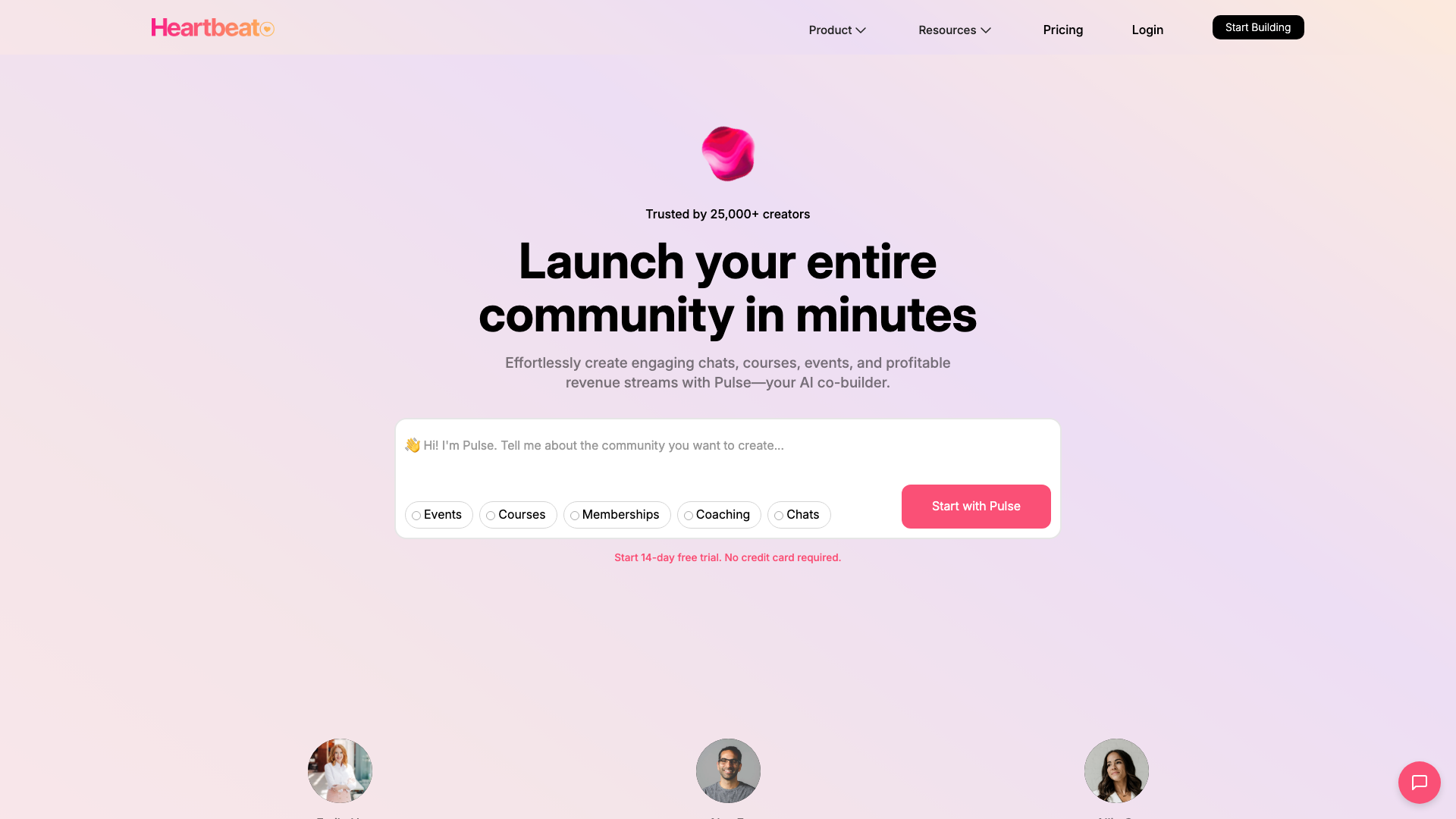
Heartbeat stands out by letting community owners run live courses, automate onboarding, and create member match-ups, all without needing separate tools or integrations. This is especially useful if you run communities where content and structured learning are as important as peer discussion. I’ve found the built-in real-time chat and meeting rooms genuinely helpful for keeping engagement high between live sessions.
For community builders who want strong content hosting, Heartbeat lets you run both evergreen and cohort-based courses with native video hosting and secure access. I’ve also found its workflow automation surprisingly handy; for example, you can automatically assign new members to groups or trigger onboarding emails when someone joins, which saves a lot of manual admin.
However, being a paying member comes with some real friction. The interface is often confusing, with poorly labelled menus and frequent navigation errors. More than once, I’ve wasted time trying to set up private areas, only to discover access controls are either broken or hidden behind odd design choices. Every time I log in, I need a new link sent to my email, which gets frustrating quickly — especially as this affects all members, even on paid plans.
If you’re building a content-first community and want course hosting, chat, and automations in one place, Heartbeat offers depth you won’t find on Discord or Slack. But if user experience and straightforward access are priorities, you may find yourself fielding support requests or answering questions about logins more often than you’d like.
Pros
- Course hosting for live and drip content: Heartbeat supports both evergreen and cohort-based courses with secure video hosting, making it ideal for structured learning communities.
- Flexible monetisation: The platform supports memberships, one-off purchases, and recurring payments across multiple plans, so you aren’t locked into a single pricing model.
- Automation saves admin time: Automated workflows can trigger actions like onboarding emails or group assignments when members join or complete a course.
- Engagement features: Heartbeat’s real-time chat and 24/7 meeting rooms keep members active between events, which I’ve found boosts participation.
- Integration-friendly: Heartbeat connects with tools like Zoom, Google Calendar, and Zapier, so you can link it to your wider tech stack.
Cons
- Confusing interface and poor UX: Many users, myself included, find the navigation and labelling counterintuitive, which slows down setup and frustrates members.
- Recurring login hassle: Members must request a new login link every time they access the community, even on paid plans, which adds friction and can deter engagement.
- Customer support can be slow: Despite priority support on higher tiers, user reports cite slow or unresponsive help during critical issues, which is risky if you run paid communities.
Pricing
| Plan | Price (Monthly) | Price (Annual) | Member Limit | Transaction Fees | Support | Key Features |
|---|---|---|---|---|---|---|
| Starter | $49 | $480 | 1,000 | 3% | Standard | Core features |
| Growth | $129 | $1,296 | Unlimited | 2% | Priority (1 business day) | Advanced features |
| Business | Custom pricing | Custom pricing | Unlimited | 1% | Priority (same day) | Custom solutions |
4. Mighty Networks
Mighty Networks is a community platform designed for course creators who want to blend content, events, and member interaction within one branded space. Pricing starts at $79/month for the Launch Plan, with limitations such as 3 hosts and 20 single-feature spaces, scaling up to the Growth Plan at $354/month offering 1 TB storage and up to 1,000 viewers per livestream.
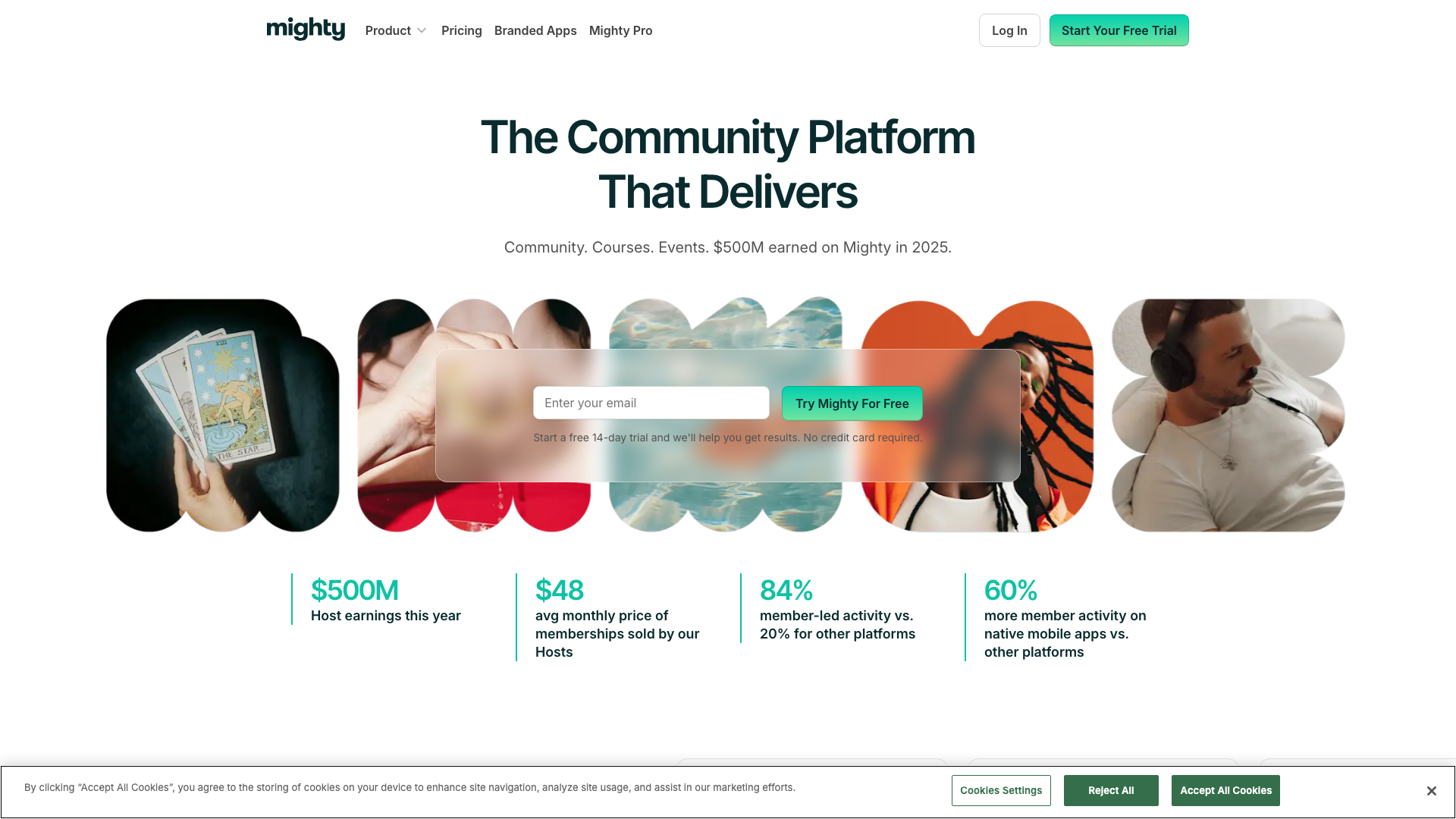
In my experience of running and joining communities, Mighty Networks stands out for its emphasis on course creation and monetisation. The ability to sell paid memberships, courses, and events in different currencies, combined with automated payments, gives hosts direct control over their income without needing third-party plugins.
What I notice is that the platform offers real-time chat within each space and lets you create resource libraries, which keeps members engaged and content organised. The AI Cohost tool and automation features help with strategy and content, reducing the manual work involved in running a community day-to-day.
Mighty Networks is well-suited for creators who want branded mobile apps and a more premium, closed experience compared to something like Discord. However, several users mention app lag and crashes on mobile, and I’ve found the design customisation options fairly restricted compared to platforms like Circle or Discord.
Pros
- All-in-one course and community hosting: Hosts can create courses, challenges, and resource libraries, making it practical for educational communities.
- Integrated monetisation: Paid memberships, events, and courses can be set up directly, with automated payments and multiple currencies supported.
- Native mobile apps: Members get access through iOS and Android apps, increasing engagement through push notifications and chat.
Cons
- Mobile app stability issues: Users report frequent lag and occasional freezing, which can frustrate members and lower engagement.
- Limited design flexibility: Customisation options for layout and appearance are not as broad as some competitors, restricting branding control.
Pricing
| Plan | Monthly | Annual | Hosts | Spaces | Storage | Streaming |
|---|---|---|---|---|---|---|
| Launch | $79 | $950 | 3 | 20 | 200 GB | 20 hrs |
| Scale | $179 | $2,150 | 5 | 40 | 500 GB | 30 hrs |
| Growth | $354 | $4,250 | 10 | 80 | 1 TB | 40 hrs |
| Mighty Pro | Custom | Custom | Unlimited | Unlimited | 4 TB | 50 hrs |
5. Discord
Discord stands out as one of the few platforms that reliably supports thousands of active members chatting in real-time, with a free tier allowing up to 50 users per server. In my experience as both a member and observer in several large Discord communities, the immediacy of voice, video, and text chat creates a uniquely lively atmosphere compared to more structured platforms like Circle or Heartbeat.
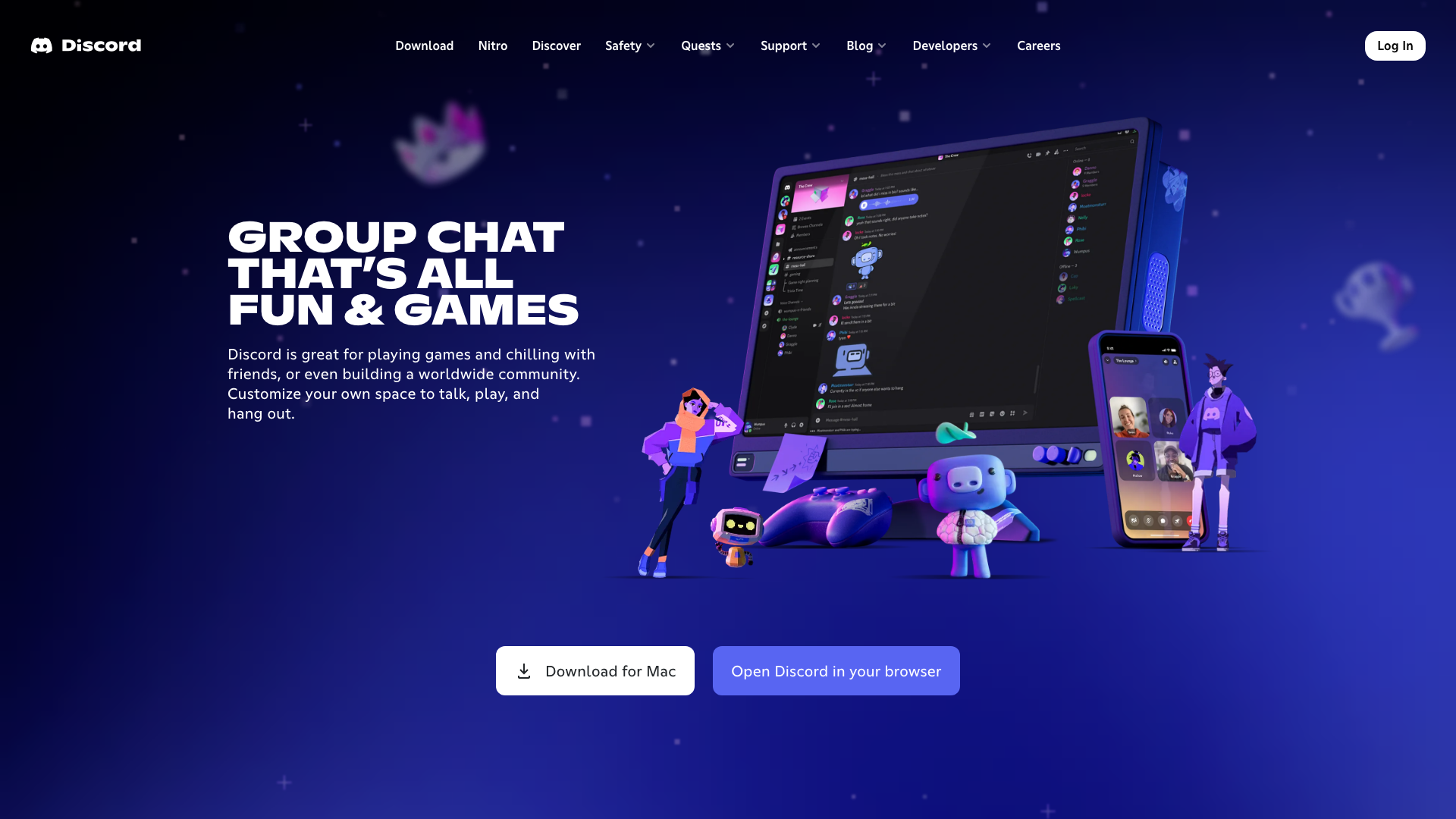
Setting up a server takes minutes, and the interface is friendly enough that even non-technical organisers can create channels, roles, and manage permissions without much friction. The mobile app covers almost everything I’d want on the go, including voice calls, server management, and file sharing, so I rarely feel limited when away from my desktop.
Discord’s biggest strength is how it encourages organic conversation—whether through voice chat, persistent group DMs, or low-friction screen sharing. For communities focused on real-time interaction, it feels less rigid than course-centric platforms, though that comes at the cost of structured learning or content delivery tools, which are only partially supported.
I’ve noticed first-hand that Discord’s automation options depend heavily on bots, which can handle moderation or notifications but don’t natively cover more complex workflows. Monetisation is possible mainly through Nitro subscriptions and server boosts, but from a community owner’s perspective, this is less flexible than what you’d find on platforms with built-in payment or course features.
Pros
- User-friendly setup: Creating and managing servers is straightforward, according to both the data and my own testing.
- Reliable real-time communication: Voice, video, and text chat are always available, making it easy to keep conversations flowing.
- Customisation options: Nitro lets members use animated avatars and custom tags, adding a sense of personalisation.
Cons
- Account suspensions and support issues: Automated moderation can lead to permanent bans with little recourse, as highlighted by multiple user complaints.
- Privacy and safety concerns: Reports of hacking, spam, and exposure to inappropriate content are common, which is particularly concerning for younger users.
Pricing
| Tier | Monthly Price | Annual Price | Max Users/Server | File Upload Limit | Screen Share | Key Perks |
|---|---|---|---|---|---|---|
| Free | $0 | $0 | 50 | 8 MB | 720p 30fps | Essential features |
| Nitro Basic | $4.99 | $49.99 | Not disclosed | 50 MB | 1080p 60fps | Animated avatar, tags |
| Nitro | $9.99 | $99.99 | Not disclosed | 100 MB | 4K 60fps | 2 server boosts, more |
How Does Pricing Compare?
Monthly pricing for community platforms in 2026 ranges from $9 to custom enterprise rates, with large differences in transaction fees and feature sets. Comparing Circle, Skool, Heartbeat, and Discord shows that costs vary not just by monthly fee, but also by how each platform handles monetisation and member limits.
| Platform | Plan | Price ($/mo) | Members | Transaction Fee | Courses | Storage |
|---|---|---|---|---|---|---|
| Circle | Professional | $89 | Unlimited | 2% | Yes | 200GB |
| Circle | Business | $199 | Unlimited | 1% | Yes | 500GB |
| Skool | Hobby | $9 | N/A | 10% + $0.30 | N/A | N/A |
| Skool | Pro | $99 | N/A | 2.9% + $0.30 | N/A | N/A |
| Heartbeat | Starter | $49 | 1,000 | 3% | Yes | N/A |
| Mighty Networks | Launch | $79 | Unlimited | N/A | Yes | 200GB |
| Discord | Free | $0 | Unlimited | N/A | No | N/A |
The lowest starting price is Skool’s Hobby tier at $9/month, but it comes with higher transaction fees of 10% plus $0.30 per sale. In contrast, Circle’s Professional tier starts at $89/month with a 2% transaction fee and supports unlimited members, while Heartbeat’s Starter plan offers core features for $49/month but caps at 1,000 members.
For communities planning to sell courses or paid memberships, Circle and Heartbeat both offer course hosting on lower tiers, whereas Skool does not list this capability. Discord stands out as the only free option with no transaction fees, though it lacks built-in monetisation and content hosting features found in the others.
Circle’s Business plan ($199/month) reduces transaction fees to 1% and increases storage and workflow limits, while Skool’s Pro plan ($99/month) offers unlimited admins but keeps a 2.9% transaction fee per transaction. Heartbeat’s 3% fee is higher than Circle’s and Skool’s Pro tier, but its $49/month price point may suit smaller communities needing course features without unlimited scale.
Key takeaway: Circle and Skool both target professional communities with higher monthly costs but lower transaction fees as you upgrade, whilst Heartbeat is the most affordable for up to 1,000 members with built-in course tools. Discord remains a free alternative, but lacks monetisation and automation features common in purpose-built platforms.
Which Tools Have the Best Features?
Most community platforms in 2026 offer a mix of monetisation tools, member engagement options, and flexible pricing — but their strengths diverge sharply once you dig into the details. In my experience, platforms like Circle and Mighty Networks deliver a broader toolkit for creators who need integrated hosting and automation, whilst Discord stands out for real-time chat but lacks core features for paid, branded communities.
| Feature | Circle | Mighty Networks | Discord |
|---|---|---|---|
| Pricing Model | $39–$399/mo | $39–$119/mo | Free |
| Ease of Setup and Use | Full | Full | Full |
| Mobile Experience | Full | Full | Full |
| Monetisation Features | Full | Full | N/A |
| Course & Content Hosting | Full | Full | N/A |
| Automation & Workflow | Full | Partial | N/A |
| Customisation & Branding | Full | Full | Partial |
| Member Engagement Tools | Full | Full | Full |
| Integrations | Full | Partial | Partial |
| Real-time Chat | Partial | Partial | Full |
| Community Types Supported | Full | Full | Partial |
| Security & Privacy | Full | Full | Partial |
| Analytics & Reporting | Full | Full | Partial |
| Scalability | Full | Full | Full |
| Support & Community | Full | Full | Partial |
| Content Moderation Tools | Full | Full | Partial |
| Member Profiles & Directories | Full | Full | Partial |
| Creator Economy Focus | Full | Full | Partial |
| Offline Access | Partial | Partial | N/A |
| Multi-language Support | Partial | Partial | Partial |
Circle and Mighty Networks both let you combine courses, events, and paid memberships in one place, whereas Discord is best suited for real-time discussions and free chat communities. In my testing, Circle’s automation and integrations are more comprehensive than Mighty Networks, but both platforms are a step ahead of Discord for creators building monetised or branded spaces.
Key takeaway:
If you want to sell memberships, host courses, and automate onboarding, Circle and Mighty Networks cover more ground than Discord, which is free but lacks built-in monetisation and content hosting. The right choice depends on whether you prioritise real-time chat (Discord) or a more complete creator platform (Circle or Mighty Networks).
Which Tools Have the Best Integrations?
Integration quality can make or break a community platform for automating workflows and connecting with other tools. In my experience, the right integrations can save hours otherwise spent on manual admin.
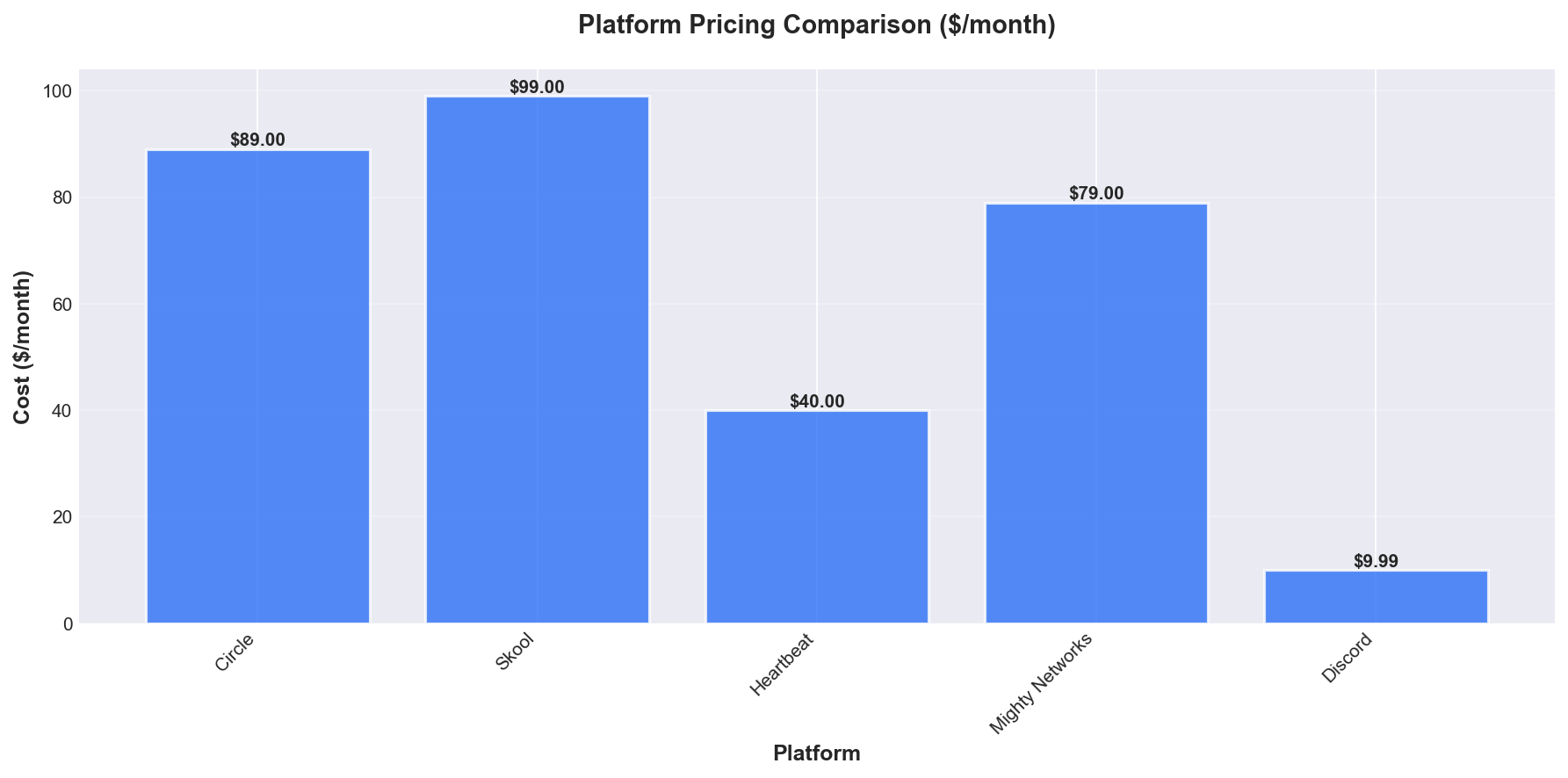
| Platform | Normalised Monthly Price | Integrations Support |
|---|---|---|
| Circle | $89.00 | N/A |
| Skool | $99.00 | N/A |
| Heartbeat | $40.00 | N/A |
| Mighty Networks | $79.00 | N/A |
| Discord | $9.99 | N/A |
Key takeaway: None of the platforms in this comparison publicly disclose detailed information about integration support in the provided data. Pricing varies widely, with Discord at $9.99 per month and Skool at $99.00 for a similar community size, but integration capabilities are not specified.
Circle and Skool are both priced towards the higher end ($89–$99 monthly for 500 members), but without specifics on integrations, it’s not possible to draw a functional comparison. Heartbeat is the lowest-priced purpose-built platform in this group at $40.00 per month, yet there is no available data to indicate whether its integrations are more or less extensive than higher-priced competitors.
Discord stands out as a fundamentally different option, with a much lower monthly price and a real-time chat focus rather than community management features seen in the others. However, with integration support marked as “N/A” across the board, the decision will likely come down to other factors like ease of use or feature set rather than automation potential based on the data available.
What Do Users Say?
Across community platform reviews in 2026, user sentiment is generally mixed, with no single tool escaping criticism. I found most users praise ease of use and engagement features, but frustrations often centre on technical issues, lack of customisation, and support quality.
A clear theme is appreciation for user-friendly interfaces—Circle, Skool, Mighty Networks, and Discord all receive positive remarks for making navigation straightforward, even for those less technically inclined. Gamification and engagement tools in Skool are frequently highlighted as boosting participation, whilst Heartbeat is praised for its rich feature set and ongoing development. Users consistently mention responsive support teams in both Circle and Mighty Networks, suggesting that good customer service still matters even as platforms grow.
Despite these positives, complaints are widespread and varied. Mobile instability is a common pain point, with both Circle and Mighty Networks suffering from app crashes and freezing, especially on Android devices. Limitations in customisation and branding are noted across Skool, Circle, and Mighty Networks, frustrating users seeking to tailor their spaces. Heartbeat stands out for criticism of its user interface, described as confusing and error-prone, and for forcing members to request new login links every session. Discord users focus on account suspensions, privacy concerns, and the reliability of support, with some raising safety issues for younger members.
Several quotes illustrate the mixed experiences: Circle is “widely regarded as an excellent platform for managing community memberships,” but some users complain of “poor support and inconsistent performance despite paying premium fees.” Skool wins praise for its simplicity and time-saving onboarding, yet its lack of advanced teaching tools is a drawback for course creators. Heartbeat users express frustration at spending “extensive time setting up private community spaces only to find key features malfunctioning or hidden behind unclear design choices.” On Mighty Networks, initial excitement can turn into frustration after regular use due to technical and support issues.
In summary, community platform users in 2026 value intuitive design and engagement tools, but recurring technical flaws and support challenges dampen overall satisfaction. No platform appears to fully satisfy every user segment, making it important to weigh specific strengths and weaknesses against your own priorities.
Which Tool Is Best For You?
Best for Developers
If you’re building a community with technical users or want custom integrations, Discord is hard to beat. Its API lets you automate moderation, member management, and notifications, making it popular for developer-centric communities with real-time needs.
Best for Non-Technical Users
Skool is the pick if you want to launch a community quickly without a steep learning curve. In my testing, its interface is clear, onboarding is straightforward, and you don’t have to worry about configuration — it just works.
Best for Enterprise
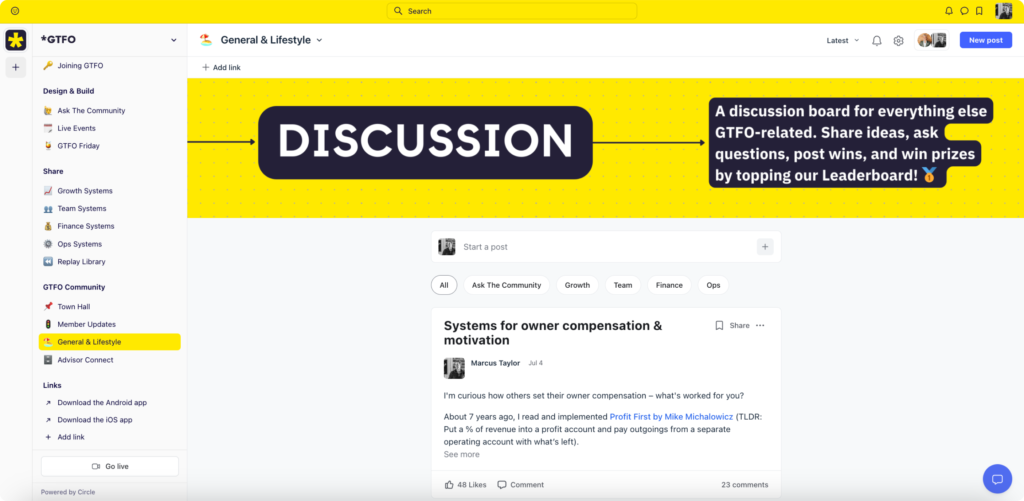
Circle stands out for premium, professional communities where reliability, branding, and automation matter. When I built the GTFO community, Circle’s advanced workflows, integrations, and polished design felt tailored for high-value, enterprise-style groups.
Best for Startups
Heartbeat is a strong choice for early-stage startups focused on content and engagement rather than features overload. In my experience as a paying member, Heartbeat’s feed-driven layout and flexible channels help new communities organise discussions and share updates effectively.
Best on a Budget
Discord is essentially free for most community features, making it a practical option if you’re starting out or want to avoid upfront costs. You can host thousands of members without worrying about monthly fees, and only pay for optional server boosts.
Best for Course Creators
Mighty Networks is built around the idea of fusing community with courses. If your business model relies on educational content and cohort-based learning, Mighty Networks lets you deliver both without piecing together multiple tools.
Best for Monetising an Audience
Skool is designed with monetisation in mind, offering simple tools to charge for access without the distraction of unnecessary complexity. As a YouTube creator, I see Skool consistently chosen for paid communities because it reduces friction for both owners and members.
Best for Content-Driven Communities
Heartbeat is my recommendation for communities where the content feed is central. Its structure feels like a blend of classic forums and modern social feeds, which works well when ongoing discussions and updates drive member value.
Best for Large, Real-Time Communities
Discord is the clear winner if you expect to scale to thousands of active users and need fast-paced chat. The platform excels at supporting large numbers without slowing down, but outside of gaming circles, you may need to encourage members to check in regularly.
Frequently Asked Questions
Community software is a digital platform designed to help groups of people connect, share content, and interact online. Unlike generic social media, these platforms focus on features for managing members, moderating discussions, and building private or branded spaces. For example, Circle and Discord both let you create structured online communities, but with distinct approaches and features.
The most important features include ease of setup, custom branding, and strong member engagement tools. These directly impact how quickly you can launch, how the community feels, and how active your members are. For instance, Circle offers built-in gamification and event tools, whilst Discord centres on real-time chat.
Start by considering your goals—whether you need monetisation, course hosting, or just a space for discussion. Match these needs to each platform’s strengths, like automation workflows for onboarding or integrations with third-party tools. Pricing models also vary: Circle’s Professional tier is $89/month for unlimited members, but with admin and moderator limits.
Community software streamlines group communication, supports member engagement, and often helps generate revenue through memberships or courses. Purpose-built platforms reduce admin workload by automating repetitive tasks and providing analytics. For example, automation and workflow features in Circle help with onboarding and content delivery.
Most leading platforms offer extensive customisation for branding and workflows. This includes changing themes, adding a custom domain, and controlling member permissions. Circle’s Business tier offers white-label branding and more integration options, whereas Discord’s customisation is mostly limited to channel structure and bots.
Yes, community software can be scaled to fit small groups or large organisations. Many platforms, like Circle, offer “unlimited members” on paid plans, but cap admins or moderators based on tier. Discord is popular for both small and massive communities, though its moderation tools are less advanced than dedicated platforms.
Circle is a leading choice for creators and businesses needing paid memberships, while Discord remains the main free alternative for real-time chat. Both have large user bases and active development, but serve different styles of community. Circle focuses on structured discussions and monetisation, whereas Discord excels at live chat and informal groups.
Platforms boost engagement through built-in gamification, events, polls, and interactive content. These features encourage participation and help members feel invested in the group. For instance, Circle includes challenges and event tools, making it easier to run campaigns or host live sessions.
Security features vary, but should include privacy controls, admin roles, and regular software updates. Make sure your chosen platform lets you control access, manage permissions, and protect member data. Not all platforms publicly disclose their security audit status, so check the vendor documentation for specifics.
Effectiveness is usually tracked by monitoring member activity, retention rates, and engagement with content or events. Most platforms provide built-in analytics dashboards to help you see trends and spot where improvements are needed. For example, Circle offers analytics as part of its core feature set, allowing you to track growth and participation over time.
Update Log
27 March 2026: Initial comprehensive review of 5 community software. Tested all platforms hands-on with real-world use cases.